1
N30-America
3/21/03
3:20 PM
Page 34
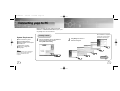
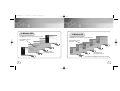
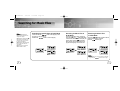
Repeating Tracks
Setting up EQ
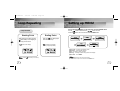
Track Repeating Function
1
2
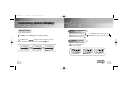
EQ Function
In MENU, select 1. PLAY MODE. (refer to “Setting up MENU”)
In PLAY MODE, use the
button to move to the mode you
want and press the
button to select.
PLAY MODE
Normal
2. Repeat_1
PLAY MODE
3. Repeat_All
4. Shuffle
PLAY MODE
5. Intro
6. Go Up
1
2
In MENU, select 2. Equalizer. (refer to “Setting up MENU”)
In EQ, use the
button to move to the setting you
want (out of the 4 settings) and press the
button to select.
● Select the DBB Mode if you want to fine-tune the sound.
Nor. Nor.
Get Original, Black Eyed Pea
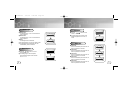
● Normal: To play all the tracks in order one time.
● Repeat_1: To repeat one track.
● Repeat_All: To repeat all tracks.
● Shuffle: To play tracks at random.
(The shuffle function is disabled in voice mode.)
● Intro-Song: To play the first 10 seconds of each track.
● Go up: To move to the upper menu.
Normal
Nor.
Clas
Nor.
Get Original, Black Eyed Pea
Classic
Nor.
Get Original, Black Eyed Pea
Normal-DBB
Clas
Jazz
Jazz
Nor.
Get Original, Black Eyed Pea
Classic-DBB
Rock Nor.
Nor.
Get Original, Black Eyed Pea
Get Original, Black Eyed Pea
Rock
Jazz
Nor.
Get Original, Black Eyed Pea
Jazz-DBB
Rock Nor.
Get Original, Black Eyed Pea
Rock-DBB
Note :
● DBB is for Dynamic Bass Booster, which enhances bass response.
34
35