1
Example Software
5
Example Software
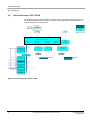
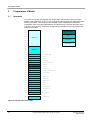
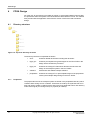
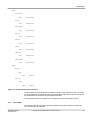
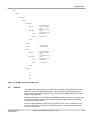
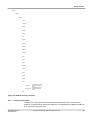
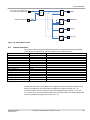
Under the MPS root directory you can find the software directory which contains the files
required to rebuild the BootMonitor and Selftest software. It also contains the images for
downloading to the MPS.
MPS
Mx
docs
fpga_cpu
fpga_dut
peripherals
software
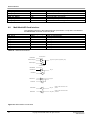
Figure 16 Top level directory structure
The directory structure is separated as follows:
5.1
•
docs:
Contains related documents including this document
•
fpga_cpu:
Contains precompiled encrypted images for the CPU FPGA in the
design which contains the processor.
•
fpga_dut:
Contains the verilog RTL files which describe the structure and
design of the example system in the DUT FPGA.
•
software:
BootMonitor and selftest example software.
•
peripherals: Contains the verilog RTL or precompiled images of the peripherals
used by the example design in the DUT FPGA.
BootMonitor
This is the application that runs when the system is booted, it handles the system
initialization and has a command interpreter which accepts user input from the console to
perform the following functions.
•
Board configuration.
•
General file operations using MM/SDCards configured as FAT16 8.3 filenames.
•
Programming images into flash.
•
Loading and running another application.
•
Console supports semihosting via the debugger (not supported in MDK) or serial
port.
It supports a single processor environment in little endian mode.
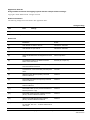
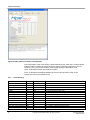
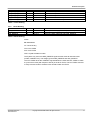
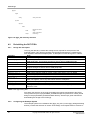
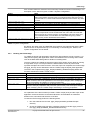
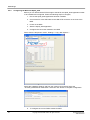
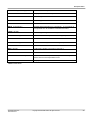
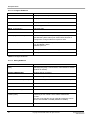
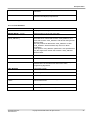
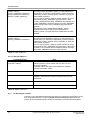
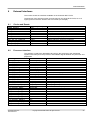
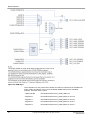
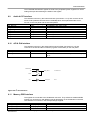
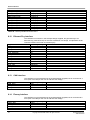
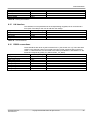
The BootMonitor reads the CPU User switches 0-2 (shown in 4) on power up and uses
these to select the boot option. On delivery all the switches are set to ON and defaults to
no boot script with auto detection of console interface, either semihosting (not supported
on MDK) or UART port3 (shown in Figure 4).
SW1
ON
SW2
X
Application Note 227
ARM DAI0227A
SW3
X
Function
Normal boot
Note
Use this as default
Copyright © 2009 ARM Limited. All rights reserved.
27