1
SHIELDeye SmartCam USER MANUAL
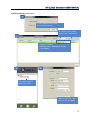
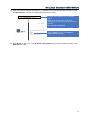
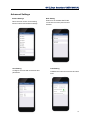
6. You can either choose Dynamic IP Address to enable DHCP protocol or Fixed IP Address (a
static IP that you manually input. This IP address is provided by your ISP. Also, input the HTTP
Port (as shown), RTSP Port: 554 as default.
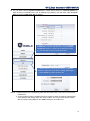
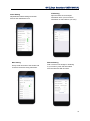
6. Select your network configuration. Choose Dynamic
IP Address to use the DHCP protocol. Choose Fixed
IP Address (Static IP). Enter the IP address provided
by your ISP and HTTP Port as shown below.
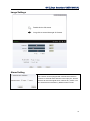
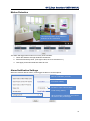
7. Select WiFi to connect the IP Camera by Search.
Enter the password of the WiFi into Key. Click Apply.
8. Click Check to test the wireless set.
NOTE: 1. When the device is connected by both WiFi and wired LAN, it will connect to the wired
network first.
2. If users enable Dynamic IP Address and use DHCP to obtain IP address automatically,
the IP address will change when the router restarts. This could cause wireless failure.
We recommend using Static IP and DDNS settings to avoid this loss.
15