1
In This Chapter
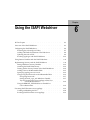
This chapter describes how to configure and use the ISAPI Webdriver. It
includes the following topics:
■
“Overview of the ISAPI Webdriver,” following
■
“Configuring the ISAPI Webdriver” on page 6-4
■
“Using Session Variables with the ISAPI Webdriver” on page 6-11
■
“Implementing Security with the ISAPI Webdriver” on page 6-11
■
“Executing ISAPI Functions in an AppPage” on page 6-19
Overview of the ISAPI Webdriver
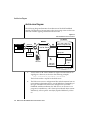
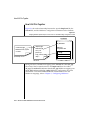
The ISAPI Webdriver uses the Microsoft Windows NT Internet Information
Server API rather than a CGI interface to connect to the database and execute
AppPages. The ISAPI Webdriver offers the ability to:
■
Eliminate CGI process overhead.
■
Use security features built into Microsoft Windows NT. For more
information, see “Implementing Security with the ISAPI Webdriver”
on page 6-11.
The ISAPI Webdriver is a dynamic link library (DLL). Microsoft’s Internet
Information Server loads the DLL the first time a URL pointing to the ISAPI
Webdriver is encountered.
The ISAPI Webdriver is compatible with specific Microsoft Internet Information Server versions. Check the Web DataBlade module release notes for a
list of Microsoft Internet Information Server versions that can implement the
ISAPI Webdriver.
Using the ISAPI Webdriver 6-3