1
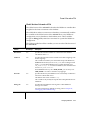
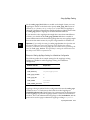
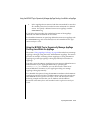
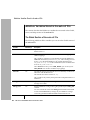
Example of Setting the debug_level Webdriver Variable
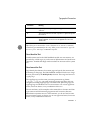
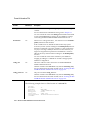
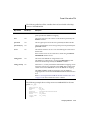
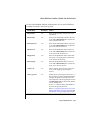
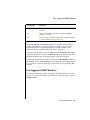
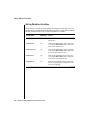
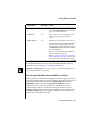
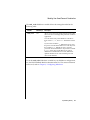
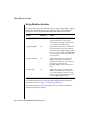
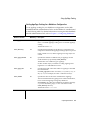
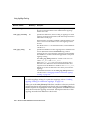
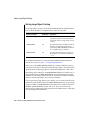
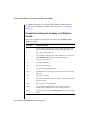
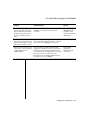
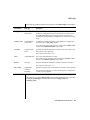
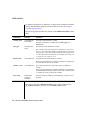
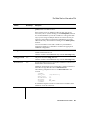
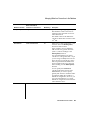
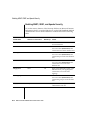
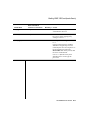
Trace Value
Information Displayed
8192
Logs parameters sent to the WebExplode() function in an encoded
format
16384
Time stamps each request of Webdriver
32768
Logs callback messages
(2 of 2)
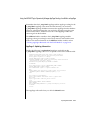
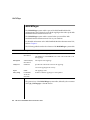
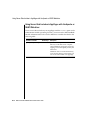
The trace value is additive; therefore, you can turn on multiple settings
simultaneously. When you enable tracing, the information is written to the
trace file specified by the debug_file variable in the Global section of the
web.cnf file. If the trace file does not exist, it is created. If the trace file exists,
new messages are appended to it.
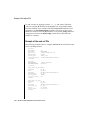
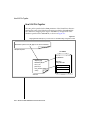
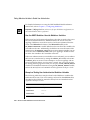
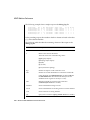
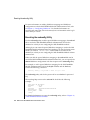
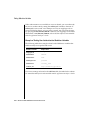
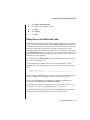
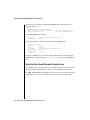
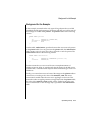
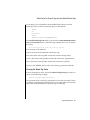
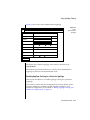
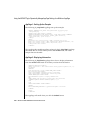
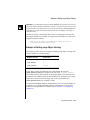
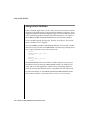
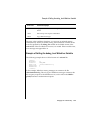
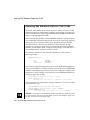
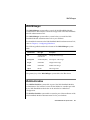
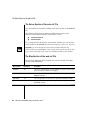
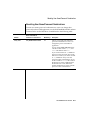
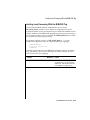
Example of Setting the debug_level Webdriver Variable
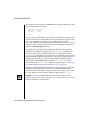
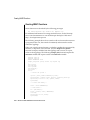
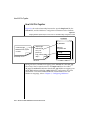
The following example shows a Global section of a web.cnf file:
<Global>
dbconnmax
anchorvar
debug_file
debug_level
maxcharsize
</Global>
10
WEB_HOME
/disk1/webdriver.log
4
2
In the example, Webdriver tracing messages are written to the file
/disk1/webdriver.log. The only type of Webdriver messages written to this
file are query requests to the database server, such as calls to the WebExplode() function or authorization requests.
Debugging and Troubleshooting
12-5