1
Tasks module
Managing tasks
6.7. Managing tasks
6.7.1. Searching for tasks
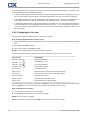
By entering a search term you can find tasks in the currently open calendar folder. The search term defines
the character string to be searched for.
All tasks with a title containing the search term will be found.
Example: To find tasks with the subject "Create presentation" and "Collect info for presentation" use the
search term "pre".
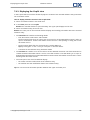
How to search for a task:
1. In the folder tree select the tasks folder to be searched.
2. Select the List or H split view.
3. To select one or more search criteria click the icon
on the left of the Search input field.
4. Enter the search term in the input field.
5. Click the Search icon
.
Result: The overview window only displays the tasks that match the search term.
How to display all tasks in the selected tasks folder:
In the Search input field click the Reset icon
.
6.7.2. Editing tasks
The data entered when creating a task can be edited later.
Note: If you want to edit a task in a public or shared tasks folder you need to have edit permissions for
the objects in those tasks folders.
How to edit a task:
1. Select a task in the list or H split view.
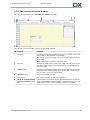
2. In the Edit panel tab click on Edit. The Task window opens.
3. Edit the task's data. A comprehensive description of the data can be found in 6.5: Creating tasks. Instructions for changing the edit status can be found in 6.7.2.1: Changing the editing status.
4. In the panel click Save. The window will be closed.
Result: The task is changed.
If you do not want to accept the changes click Cancel in the panel.
Tip: In the List or H split view you can also edit a task in the context menu or by double-clicking on a
task.
6.7.2.1. Changing the editing status
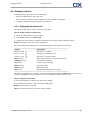
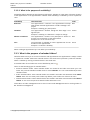
When creating a new task the editing status is set to the following values:
▪
The Status is set to Not started.
▪
The value for % done is set to 0.
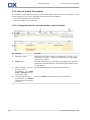
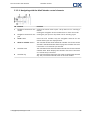
The entries in the Status selection field and in the % done input field depend on each other.
114
© Copyright Open-Xchange Inc. 2010