1
Open-Xchange Server
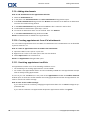
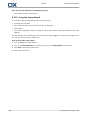
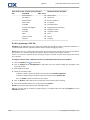
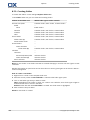
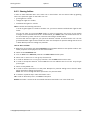
8.2.7 Configuration of the Contacts module ....................................................................
8.2.8 Configuring the Tasks module ................................................................................
8.2.9 Configuring the InfoStore module ..........................................................................
8.2.10 Changing user data .............................................................................................
8.2.10.1 Changing personal data ................................................................................
8.2.10.2 Changing your password ..............................................................................
8.2.11 Administration ....................................................................................................
8.2.11.1 Managing groups .........................................................................................
8.2.11.2 Managing resources .....................................................................................
8.2.12 Using the Setup Wizard .......................................................................................
168
169
170
171
171
171
172
172
173
174
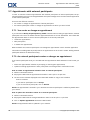
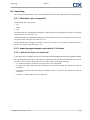
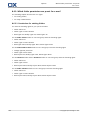
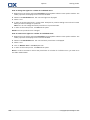
8.3 Importing ....................................................................................................................
8.3.1 What data can be imported? ..................................................................................
8.3.2 Importing appointments and tasks in iCal format .....................................................
8.3.2.1 Which iCal objects are imported? ....................................................................
8.3.2.2 Which iCal object properties are not supported? ..............................................
8.3.2.3 Accomplishing an iCal import .........................................................................
8.3.3 Importing contacts in the vCard format ..................................................................
8.3.4 Importing contacts in the CSV format .....................................................................
8.3.4.1 What is the structure of a standard CSV file? ....................................................
8.3.4.2 How is the data mapping done for a standard CSV file? ....................................
8.3.4.3 How to create an MS Outlook CSV file? ...........................................................
8.3.4.4 Which data fields from an MS Outlook CSV file are imported? ...........................
8.3.4.5 How is the data mapping done for an MS Outlook CSV file? ..............................
8.3.4.6 Importing a CSV file ......................................................................................
175
175
175
175
177
178
178
178
178
180
182
182
182
184
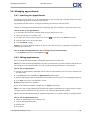
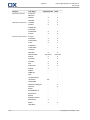
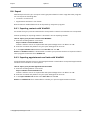
8.4 Export ......................................................................................................................... 185
8.4.1 Exporting contacts with WebDAV ........................................................................... 185
8.4.2 Exporting appointments and tasks with WebDAV ..................................................... 185
viii
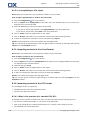
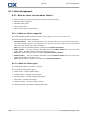
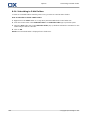
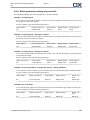
8.5 Folder Management .....................................................................................................
8.5.1 What do I have to know about folders? ...................................................................
8.5.1.1 What are folder categories? ............................................................................
8.5.1.2 What are folder types? ...................................................................................
8.5.1.3 Which folders exist? ......................................................................................
8.5.1.4 What is the purpose of permissions? ...............................................................
8.5.2 Creating folders ....................................................................................................
8.5.3 Renaming folders ..................................................................................................
8.5.4 Moving folders .....................................................................................................
8.5.5 Sending a link to a folder ......................................................................................
8.5.6 Deleting folders ....................................................................................................
186
186
186
186
187
187
188
189
189
189
189
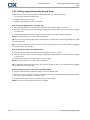
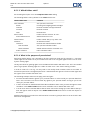
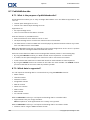
8.6 Permission management ...............................................................................................
8.6.1 What do I have to know about permissions? ............................................................
8.6.2 Which folder permissions are preset for a user? .......................................................
8.6.2.1 Permissions for existing folders .......................................................................
8.6.2.2 Permissions for newly created folders ..............................................................
8.6.3 Where do I find folders shared by other users? ........................................................
8.6.4 Subscribing to E-Mail folders ..................................................................................
8.6.5 Sharing folders .....................................................................................................
8.6.6 Which permission settings are practical? .................................................................
191
191
192
192
193
194
196
197
199
8.7 Publish&Subscribe ........................................................................................................
8.7.1 What is the purpose of publish&subscribe? .............................................................
8.7.2 Which data is supported ? .....................................................................................
8.7.3 Subscribing to data ...............................................................................................
8.7.4 Publishing data .....................................................................................................
8.7.4.1 Customizing the template ..............................................................................
8.7.5 Managing subscribed and published folders ............................................................
200
200
200
202
204
206
207
© Copyright Open-Xchange Inc. 2010