1
Part III.
Setting Up for the First
Time
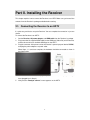
This chapter explains how to connect ScreenBeam Pro for the first time to the source device.
There are several source device options: Intel WiDi (Intel Pro WiDi), Windows 8.1, and
Windows 10.
For Windows 8.1 devices, please proceed to Section 3.1. Connecting via Windows 8.1;
For Windows 10 devices, please proceed to Section 3.2. Connecting via Windows 10;
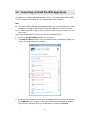
For Windows 7/8 devices (Gen 4 WiDi), please proceed to Section 3.3. Connecting via
Intel® WiDi App (Gen 4);
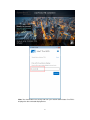
For Intel Pro WiDi (Gen 6) devices, please proceed to Section 3.4. Connecting via
Intel® Pro WiDi App (Gen 6).
3.1. Connecting via Windows 8.1
This section explains how to connect a device running Windows 8.1 to ScreenBeam Pro.
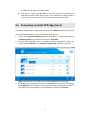
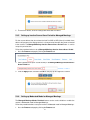
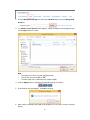
1. From the Windows desktop, go to the Charms menu and select Devices to open the
Devices menu. You can also use the shortcut keys, Windows logo + K.
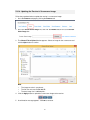
2.
From the Devices menu, click Project.
6