1
Starting
24
Proxy server
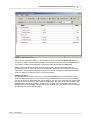
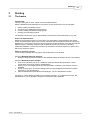
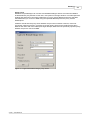
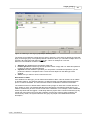
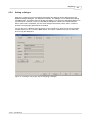
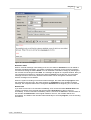
Metatude Project Manager can connect to a Metatude Dialogue Server even when the MPM is
located behind a proxy/firewall. In this case, click options in the login window. This will expand the
window and show other connection parameters. If a proxy server address and port is specified,
then MPM will try to connect to MDS using the specified address/port as the proxy server's
address/port.
If MPM is closed then the proxy server address and port are not stored. However, if the user
checks the "Always use proxy" check box, then this value is stored in the preference file when
MPM is shut down and in the subsequent login attempts; MPM uses the previously specified proxy
address and port to connect to MDS.
Figure 11: Login screen when using a proxy server
© 2001 - 2004 Metatude