1
Selecting Channels
Selected channels are available for manual control through keypad commands, level wheel, and/or
ML controls. Element provides interactive ways to select channels including the control keypad and
groups. See “Selecting and Recalling Groups” on page 85.
Select Channels From the Keypad
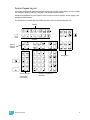
The keypad defaults to selecting channels, therefore no channel key is provided. Channels may be
selected on the control keypad using the [+], [-], and [Thru] keys for consecutive or nonconsecutive channel selection.
The following examples illustrate various methods of selecting channels from the control keypad:
• [5] [Enter] - selects channel 5.
• [5] [+] [7] [Enter] - selects non-consecutive channels 5 and 7.
• [5] [thru] [9] [Enter]- selects channels 5 through 9.
• [2] [thru] [8] [-] [5] [Enter] - selects a range of channels 2 through 8, except channel 5.
• [-] [6] [Enter] - removes channel 6 from the current selection list.
• [+] [1] [Enter] - adds channel 1 to the current list of channels.
Note:
You may use [+] and [-] multiple times to add or remove multiple channels from
the selection. [Thru] lists may be entered in ascending or descending order.
[Next] and [Last]
The [Next] and [Last] buttons increment and decrement channel selection. If only one channel is
selected, [Next] increments the channel selection to the next sequential channel, while [Last]
decrements the channel selection by one. If there is no specific channel selected when [Next] or
[Last] is pressed, channel 1 is selected.
Select channel 10 then change the selection to channel 11 using the [Next] key:
•
[1] [0] [Enter]
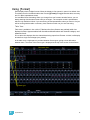
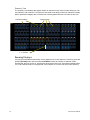
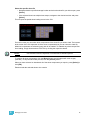
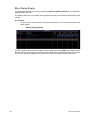
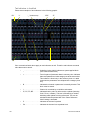
Channel 10 is selected with a gold outline around the entire channel and the channel
number is indicated in white.
•
[Next]
Channel 11 is now selected with a gold outline and white channel number while channel 10
is no longer selected.
When a group of channels is selected, pressing [Next] or [Last] selects the first or last channel in
the channel list.
For Example:
Channels 11 through 20 are selected:
•
[Next]
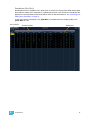
Channels 11 through 20 are still the specified channel list but only channel 11 is selected
for control. You can now sequentially press [Next] or [Last] to cycle through the list.
Note:
5
[Next] and [Last] can be affected by the current Flexichannel (use of the [Flexi]
key) state. Please see the System Basics chapter of the Ion Operations Manual
for more information on using flexichannel.
Basic Manual Control
41