1
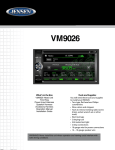
VM9026
iPod®/iPhone® OPERATION
To access the on-screen controls, touch the icons at the bottom of the screen while
a iPhone®/iPod® is playing, select or set playback controls.
1. MAIN MENU ( ): Touch to view the MAIN MENU and select a new playback
source
2. MODE: Indicates that unit is in iPhone®/iPod® playback mode.
3. SHUFFLE (
):- This indicator is lit when the random mode is active.
4. REPEAT ( ): This indicator is lit when the repeat mode is active.
5. SOURCE MENU : Touch to view the SOURCE Menu during playback
6. ELAPSED TIME INDICATOR: Displays the elapsed playback time (left side of
time bar) and total time of the current track playing (right side of time bar).
7. PREVIOUS TRACK ( ): Touch to play the previous track.
8. PLAY/PAUSE ( ): Touch to begin playback. Press the icon again to pause
playback.
9. NEXT TRACK ( ): Touch to advance to the next track.
10.FAST REVERSE ( ): Touch to fast reverse.
11.FAST FORWARD ( ): Touch to fast forward.
12.STOP ( ): Touch to stop playback.
For Sales Information Please Contact
RoadTrucker Inc
(www.RoadTrucker.com)
8312 Sidbury Rd.
Wilmington, NC 28411
(800) 507-0482 / (910) 686-4281
34