1
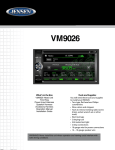
VM9026
SETUP MENU
To access system settings, press the Menu button to display the MAIN Menu, then
touch
SETUP on the screen to enter the SETUP Menu. The SETUP Menu appears.
Accessing Menu Items
Touch one of the five Sub-Menus (Clock, General, Audio, Video, and Other) to make
adjustments to a desired feature. The features available for adjustment under the
highlighted sub-menu option will appear in the left of the screen.
Adjusting a Feature
1. T ouch an item on the touchscreen to select the feature to be adjusted.
2. Touch the option field for the feature you want to adjust. The feature option is
updated when adjustments are complete.
Clock Sub-Menu Features
Table 2: Clock Sub-Menu Adjustments
Setting
Options
Function
Clock
(HH:MM)
Clock appears in the middle on top of the screen during
certain operations.
NOTE: The AM/PM indication will change as you continue
to adjust the hour past 12 if 24Hr mode is set.
AM/PM
AM or PM
This option is used when setting the clocks time
manually
Clock Mode
12Hr
Clock displays 12 hour time using AM and PM.
24Hr
Clock displays 24 hour time up to 23:59
To exit the Clock Sub-Menu:
• Press the Menu button once to enter the MAIN Menu, press the MENU button
twice to return to the previous screen.
For Sales Information Please Contact RoadTrucker Inc (www.RoadTrucker.com)
8312 Sidbury Rd.; Wilmington, NC 28411 - (800) 507-0482 / (910) 686-4281 7