1
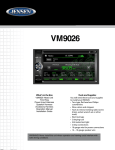
VM9026
Source Menu
Touch the SOURCE MENU ( ) icon to access the CD track menu to view or change
tracks manually. Touch the icon a again to return to the playback of the current
track.
Touch a track title (if available) or track number to begin playback of that track.
Touch to view the previous play list page. Touch to view the next play list page.
Elapsed Time Indicator
Displays the elapsed playback time (left side of time bar) and total time of the
current track playing (right side of time bar).
Previous Track
Touch the PREVIOUS TRACK ( ) icon to move to previous track.
Play/Pause
Touch the PLAY/PAUSE ( ) icon when disc is loaded to begin playback. During
playback of the disc touch the icon again to pause and once again to resume
playback.
Next Track
Touch the NEXT TRACK ( ) icon to advance to the next track on the CD.
Fast Reverse
Touch the FAST REVERSE ( ) icon once to reverse playback of the disc two times
faster (x2) than normal playback speed. Keep touching and releasing the icon to
increase the rate from “x2” to “x4”, “x8”, and “x16”. Touch the icon again to resume
normal play of the CD.
Fast Forward
Touch the FAST FORWARD ( ) icon once to forward playback of the disc two times
faster (x2) than normal playback speed. Keep touching and releasing the icon to
increase the rate from “x2” to “x4”, “x8”, and “x16”. Touch the icon again to resume
normal play of the CD.
Stop
Touch the STOP ( )icon on the first control menu page to stop the playback of the
disc.
For Sales Information Please Contact RoadTrucker Inc (www.RoadTrucker.com)
25
8312 Sidbury Rd.; Wilmington, NC 28411 - (800) 507-0482 / (910) 686-4281