1
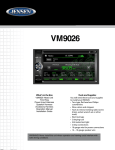
VM9026
Care and Maintenance
1. U
se only a clean silicone cloth and neutral detergent to clean the front panel or
monitor. A rough cloth and non-neutral detergent (such as alcohol) may result
in scratching or discoloration.
2. Do not get water or cleaning fluids on the unit.
3. If the temperature inside the player gets too hot, a protective circuit
automatically stops play of the disc. If this occurs, allow the unit to cool before
operating the player again.
4. Never insert anything other than a 5” (12 cm) compact disc into the player as
the mechanism can be damaged by foreign objects.
5. Do not attempt to use a 3” (8 cm) CD-Single disc in this unit, either with or
without an adaptor, as damage to the player and/or disc may occur. Such
damage is not covered by the Warranty on this product.
6. The CD player may not operate properly in extreme hot or cold. If such conditions
occur, allow the interior of the vehicle to reach a normal temperature before
using player.
7. When the vehicle warms up during cold weather or under damp conditions,
condensation may appear on the LCD panel. Should this occur, the screen will
not operate properly until the moisture has evaporated.
8. We suggest you use a cleaning disc in this unit more frequently than in the unit
in your home due to the environmental conditions of the vehicle.
System Reset
To correct a system halt or other corrupt operation,
[RESET] Button
use the tip of a pen to press the reset button located on the front bottom-left corner of the unit (above the USB port).
After a system reset, the unit restores all factory default settings.
NOTE: If the unit is reset while a DVD is playing, the DVD resumes play once the reset is
complete.
For Sales Information Please Contact
RoadTrucker Inc
(www.RoadTrucker.com)
8312 Sidbury Rd.
Wilmington, NC 28411
(800) 507-0482 / (910) 686-4281
43