1
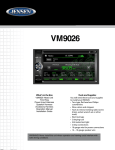
VM9026
External Devices
External devices, including a game console, camcorder, navigation unit, iPod®,
iPhone etc. can be connected to this unit via RCA output using an A/V Media
Adapter Cable (not included).
Connect an external device to the A/V Media Adapter Cable and plug the cable into
the A/V INPUT connector on the front of the radio. Select “AUX-F” mode to access
auxiliary devices. You cannot directly control external devices connected to the
A/V INPUT.
Volume Adjustment
Volume Increase/Decrease
To increase or decrease the volume level, rotate the rotary Power / Volume button.
The volume level ranges from “0” (mute) to “50” (maximum). While adjusting the
volume, the system volume level bar will be displayed on the screen indicating the
volume level for 5 seconds.
Audio Control Menu
The Audio Control feature allows you to easily adjust your audio system to meet
the acoustical characteristics of your vehicle, which vary depending on the type of
vehicle and its measurements. Proper setting of the Fader and Balance boosts the
effects of the cabin equalizer.
6
For Sales Information Please Contact
RoadTrucker Inc
(www.RoadTrucker.com)
8312 Sidbury Rd.
Wilmington, NC 28411
(800) 507-0482 / (910) 686-4281