1
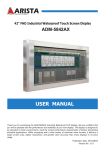
User manual
Notice
1. When disconnecting the display from an electrical outlet, the plug must be pulled out from the
socket. Do not remove power cord from outlet by pulling from the cord. Pull from the plug head.
2. WARNING – To reduce the risk of fire or electric shock, do not expose this appliance to rain or other
forms of moisture.
3. Display must not be exposed to liquids via dripping or splashing. Please do not place liquid –filled
items such as vases near the display.
4. Use only a properly grounded plug and receptacle.
5. CAUTION – These instructions are for use by qualified service personnel only. To reduce the risk of
electric shock, do not perform any service other than that contained in the operating instructions
unless you are qualified to do so.
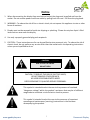
CAUTION
RISK OF ELECTRIC SHOCK
DO NOT OPEN
CAUTION : TO REDUCE THE RISK OF ELECTRIC SHOCK,
DO NOT REMOVE COVER (OR BACK).
NO USER-SERVICEABLE PARTS INSIDE.
REFER SERVICING TO QUALIFIED SERVICE PERSONNEL.
This symbol is intended to alert the user to the presence of insulated
“dangerous voltage” within the product’s enclosure that may be of sufficient
magnitude to constitute a risk of electric shock to persons.
This symbol is intended to alert the user to the presence of important
operating and maintenance (servicing) instructions in the literature
accompanying the product.
www.gpodisplay.com
2
Panoramic Display