1
User manual
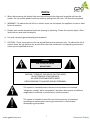
Important Safety Instructions
1.
2.
3.
4.
5.
6.
7.
8.
Read these instructions.
Keep these instructions.
Heed all warnings.
Follow all instructions.
Do not use this product near water.
Clean only with dry microfiber cloth.
Do not block any ventilation openings. Install in accordance with the manufacturer’s instructions.
Do not install near any heat sources such as radiators, heat registers, stoves, or other display
(including amplifiers) that produce heat.
9. Do not remove ground prong from three-pronged plugs. If your outlet will not accept threepronged plugs, consult an electrician for replacement.
10. Protect the power cord from being walked on or pinched, particularly at plugs, convenience
receptacles, and the point where they exit from the display.
11. Only use attachments/accessories specified by the manufacturer.
12. Use only with the cart, stand, tripod, bracket, or table specified by the manufacturer, or sold with
the display. When a cart is used, exercise caution when moving the cart/display combination to
avoid injury from tip-over.
13. Unplug this display during lightning storms or when unused for long periods of time.
14. Refer all servicing to qualified service personnel. Servicing is required when the display has been
damaged in any way, such as power-supply cord or plug is damaged, liquid has been spilled or
objects have fallen into the display, the display has been exposed to rain or moisture, does not
operate normally, or has been dropped.
15. Do not expose this display to dripping or splashing and ensure that no objects filled with liquids,
such as vases, are placed on the display.
16. To completely disconnect this display from the wall outlet, disconnect the power supply cord plug
from the AC receptacle./wall socket
17. The mains plug of the power supply cord shall remain readily operable.
18. An display with CLASS I construction shall be connected to a wall socket outlet with a protective
grounding connection.
19. Note: Prolonged use of headphones at a high volume may cause damage your ears.
20. Notice to users : This is a Class A digital device
21. This device is designed for commercial use and features safety certificates for electromagnetic
interference (EMI). Users should be mindful of EMI issues.
www.gpodisplay.com
3
Panoramic Display