1
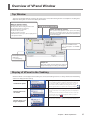
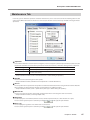
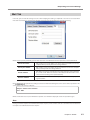
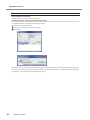
Overview of VPanel Window Top Window This is the top window of VPanel. It displays the status of the connected modeling machine and output list of cutting data. Output of cutting data can also be executed by this window. Machine operation status Rdy: Cutting data can be received. Off: The power of the modeling machine is OFF. Ini: The initial operation is underway. Bsy: The machine is in operation. Err: An error has occurred. Pau: The operation is paused. * When the front cover is open, "Cov" is displayed next to the operation status. Name of connected machine Status of modeling machine The operation state, spindle rotation speed, and cutting time, etc. are displayed. Among the connected machines, the information of the machine of which the radio button is checked is displayed. Displays the SETTINGS window. P. 9, "Description of SETTINGS Window" Used to output and cancel cutting data. P. 6, "Outputting" Output list Data under cutting and data waiting for cutting are displayed. The progress of cutting is also displayed. Display of VPanel in the Tasktray When the VPanel icon is displayed in the tasktray, the connected modeling machines are always monitored. The following statuses are displayed in the tasktray. On/Off of the power Among the connected modeling machines, if at least one modeling machine is ON, it is displayed in white. If no machine is ON, it is displayed in gray. You can check the machine which is ON by checking the message which appears when you place the mouse pointer on Display when an error occurs Among the connected modeling machines, if an error occurs on at least one modeling machine, it is displayed in red. You can check the machine on which an error occurs by checking the message which appears when you place the mouse pointer on . The machine of which cutting is completed is displayed. Display when cutting is completed Chapter 1 Basic Operations 5