1
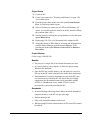
Below, a step-by-step instruction on how to create Super Families
is provided.
To create a Super Family
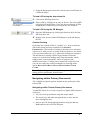
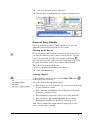
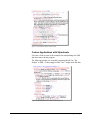
1. Open a Family Manager and click the Super Family button, (or
select FAMILIES/OPEN SUPER FAMILY TOOL from the menu).
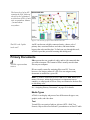
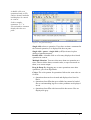
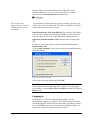
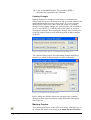
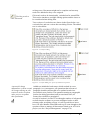
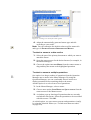
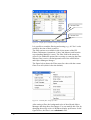
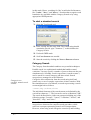
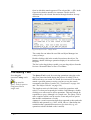
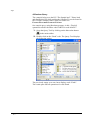
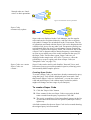
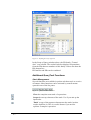
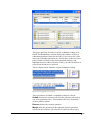
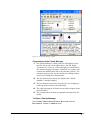
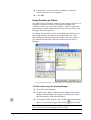
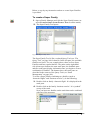
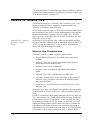
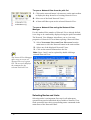
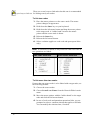
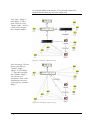
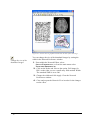
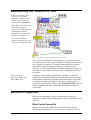
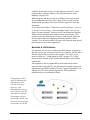
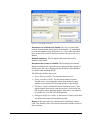
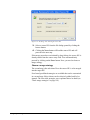
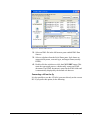
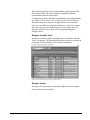
2. The Super Family Tool opens:
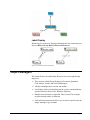
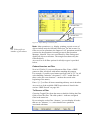
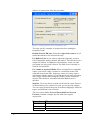
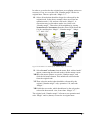
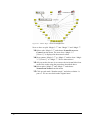
Figure 82 - Super Family Tool
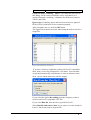
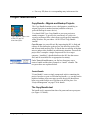
The Super Family Tool is like a reduced Query Tool (see “The
Query Tool” on page 160 for details). In the left pane, the available
families are listed. For our example above, there are four Super
Families and four regular families. The panes on the right-hand
side (from top to bottom: the term stack pane, the feedback pane
and the result pane) display information once you begin to create a
combination of families. The buttons above the stack pane are
described in the context of the Query Tool (see “Stack
Management” on page 180).
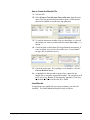
To create a Super Family combining two families (such as
“domestic flights” and “business traveler”), do the following:
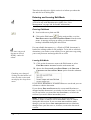
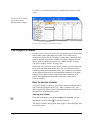
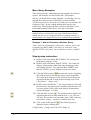
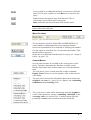
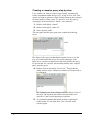
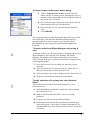
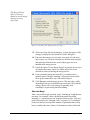
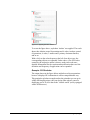
3. Double-click on family ‘domestic flight’. It is displayed in the
stack pane.
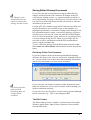
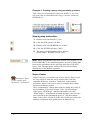
4. Double-click on the family ‘business traveler’. It is “pushed”
on top of the stack.
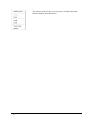
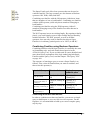
Now you have two families on the stack that can be combined
with one of the operators.
A5 User's Guide to ATLAS.ti 5.0
Family Life • 205