1
Chapter 1
Within a grid, some keys can have special meanings. <"> usually
copies a value from the field above it, <=> from the field to the left of
it (where appropriate). In some contexts, <+> initiates a special
operation, like adding a new row, created a linked value (rate,
intensity), or completing a permutation.
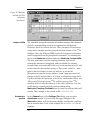
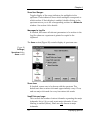
In Molecule and Exchange windows, structures can be displayed
in a separate pane. The divider between the structure and data panes
can be moved by dragging. Moving it far to the left hides the
structure completely; use the Structure|Show command to redisplay
it.
1.4. About this manual
This manual describes how to use gNMR for simulation. It assumes
you already know what you want to accomplish. For more
background on the use of simulation, see the separate booklet
Simulation of one-dimensional NMR spectra - a Companion to the
gNMR User Manual.
Chapter 2 is a tutorial. Four exercises take you through common
tasks of setting up a simulation (with or without a structure), an
iteration and an exchange calculation. Examples of some special
operations are also provided.
Chapter 3 describes entering data (shifts, coupling constants, etc.)
and using molecular structures for setting up a simulation.
Chapter 4 explains how to display the resulting spectra and compare
them with experimental spectra.
Chapters 5 and 6 discuss the use of iteration for optimizing NMR
parameters.
Chapter 7 deals with chemical-exchange calculations.
Chapter 8 describes the role of symmetry in gNMR.
Installation
5