1
3. RS-232 control
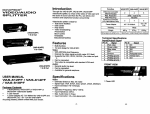
Installation
Before the installation, making sure the selector and
monitor (projector) are turning off.
1. Making sure all equipments are turned off.
2. Plug the monitor cable into the HDMI OUT port
connector.
3. Plug the extension cables from HDMI port of DVD
p!ayer/TV receiver into the HDMI IN port connectors.
■ Use mouse the left key to clicking DVD player/TV
receiver that wanted DVD player/TV receiver.
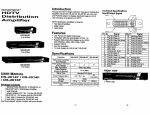
Technical Specifications
HDMI Input/Output Signal
PIN1
PIN 19
4. Plug the power adapter into the wall socket.
5. Connect the power adapter with the HDMI selector.
6. Turn on the monitor first.
7. All red LEDs will flash back and forth, otherwise, go
back to check the step 4 and 5.
8. Turn on the DVD player/TV receiver.
9. The LEDs green light turn on while the DVD player/TV
receiver have well been connected and maintaining
the activation.
RS-232 control software
Installation
1. Install the application program DHR Matrix.msi. (Note:
This program has to be run only in Windows).
2. Connect the RS-232 Cable, and the PC end is RS-232
port (COM-X) while the HDMI selector end is the
RS232 port.
3. Power on the HDMI selector and run DHRM.exe.
Select the COM port.
4. Use Scan funtion to open the HDMI selector.
5. Select the Video and Audio to change port.
Supported RS232 DCE Signal
Operation
1. Port selection
■ Press the button of "port selection switch" for
accessing the wanted DVD player/TV receiver.
■ The selected corresponding port will light on for the
red LEDs which indicating the port is actived.
2. IR remote control
■ Use 'T\ "2" key to select DVD player/TV receiver
that wanted DVD player/TV receiver.
■ Use " ^"," ►" key to select another DVD
Trademarks;
All the companies, brand names, and product names
referred to this manual are the trademarks or registered
trademarks belonging to their respective companies.
player/TV receiver.
■ Use "Cb" key to power on/off selector.
-3-
-4-