1
WELCOME TO QUICKMAIL OFFICE
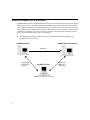
QuickMail Office is a comprehensive electronic mail system that consists of three software components:
QuickMail Pro Server, QuickMail Pro client, and QuickMail Pro Directory System. Each component
can function as a stand-alone service, but the full functionality of each component is only available
when used within the QuickMail Office suite of products.
USING THIS GUIDE
This Getting Started with QuickMail Office guide is for mail administrators who are installing or
upgrading one or all of the components in QuickMail Office 2.0. It provides an overview of how QuickMail Office works, as well as a checklist of installation and setup tasks.
■
If you are installing and setting up QuickMail Pro client for Macintosh, see page 10, page 34,
and page 38.
■
If you are installing and setting up QuickMail Pro client for Windows, see page 19, page 34,
and page 38.
■
If you are setting up the entire suite of products offered in QuickMail Office, read this entire
Getting Started manual.
EDUCATING END-USERS
There is also a Getting Started with QuickMail Pro Client document in portable document format (PDF)
on the QuickMail CD that contains client-level instructions for your users. You can distribute the PDF to
users by printing it or by posting it on your intranet or network server. Just copy the PDF file to a server
and tell your users how to download it. The brief, client-level document provides installation instructions, as well as information that will acquaint your users with the QuickMail Pro software when they
first launch it. The Getting Started with QuickMail Pro Client document is not meant to replace the
larger, printed QuickMail Pro User Guide.
1