1
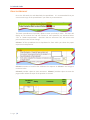
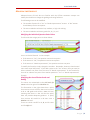
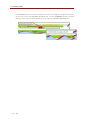
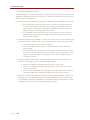
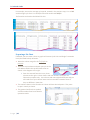
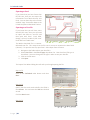
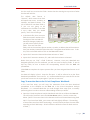
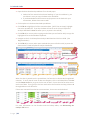
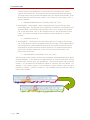
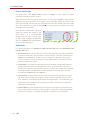
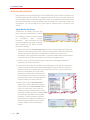
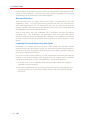
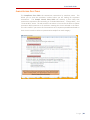
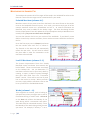
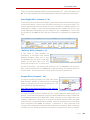
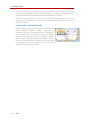
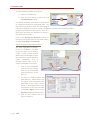
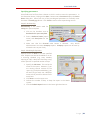
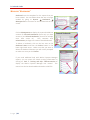
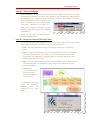
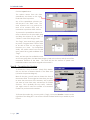
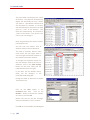
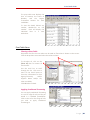
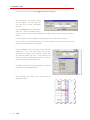
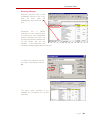
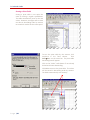
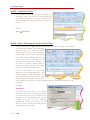
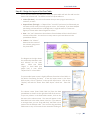
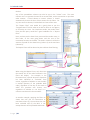
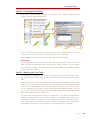
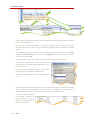
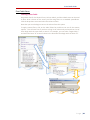
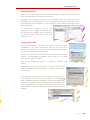
P‐Card Audit Guide Calculated Columns On the same line as the column headings (row four of the spreadsheet), label the six columns to the right of the data with the names shown in a‐f below. Put the formulas below in each column on the first row beneath the column names (fifth row of the spreadsheet). Once all formulas are entered on the first row, copy them down for all rows: • # of Positive Cycles ‐ This step will calculate the number of cycles during which a cardholder had net positive activity. The formula for positive spend is: =COUNTIF(range, “>0”). “Range” is all of the cycle ending columns, excluding Grand Total, for the row. For example, if the cycle ending columns are column D through column O and the Grand Total is shown in column P, then the range for the first row will be D5:P5. The formula would read =COUNTIF(D5:P5, “>0”). • # of Negative Cycles ‐ This step will calculate the number of cycles during which the cardholder had a net credit (negative) amount: The formula for negative spend is: =COUNTIF(range, “<0”). “Range” is all of the cycle ending columns, excluding Grand Total, for the row. For example, if the cycle ending columns are column D through column O and the Grand Total is shown in column P, then the range for the first row will be D5:P5. The formula would read =COUNTIF(D5:P5, “<0”). • # of Active Cycles Add the number of negative and positive spend cycles to determine the total number of cycles during which the cardholder had activity. The formula for the total number of cycles is =Q5+R5, assuming that the number of positive and negative cycles are in columns R and S, respectively. • Total Cycle Limit: Cycle Limit times # of active cycles. The cardholder could have spent this amount for all cycles during which there was activity on the card. The formula is # of Active Cycles times the cardholder’s credit limit. For example, assume the cardholder’s cycle limit is in cell B5, and the number of active cycles, created in step a.iii, is in cell, the S5 formula would read =B5*S5. • Average Cycle Spend Total Cycle Spend (Grand Total column) divided by # of Active Cycles (from #3 above) For example, if Total Cycle Limit is in cell T5 and the # of Active Cycles is in cell S5, the formula would read =T5/S5. • % of Cycle Format the column as percentage with two decimal places. This is average cycle spend as a percentage of a single cycle limit. P a g e | 15