Download SIMPROCESS Getting Started Manual
Transcript
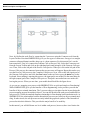
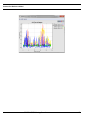
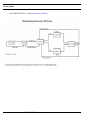
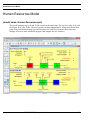
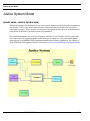
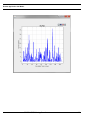
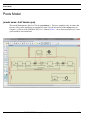
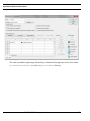
Inventory Model Inventory Model (model name: Inventory.spm) This sample model demonstrates an Inventory Pull and Manufacturing system. The process is characterized by the Reorder Points and Reorder Quantities defined for each resource in the supply chain. There are four steps in the supply chain: Warehouse, Assembly, Component1 Vendor and Component2 Vendor, and the Raw Material Vendor. Inventory is pulled only when it is needed (there is insufficient stock to fill the order or the Reorder Point has been reached). The process begins with a customer order of random size. The Warehouse first attempts to fill the order from its inventory. If the customer order can't be filled, more Finished product is pulled from Assembly (based on the Reorder Quantity), and the customer order is placed on backorder. If the customer order can be filled from Warehouse inventory, the model will fill the order and check to see if the Reorder Point has been reached as a result of that order. If the Reorder Point has been reached, more inventory will be pulled from Assembly. The Assembly and Component Vendor steps work in a similar fashion. After each order is received the model checks to see if any Reorder Points have been reached and pulls more inventory if necessary. In the manufacturing sub-processes each item in the customer order is manufactured one at a time. The Raw Material Vendor is not being modeled in detail, because it is not a focus of this study. A Delay is simply used to model the effect on the Component Vendors. Using the model parameters dialog that appears when the model is run, experiment with different Reorder Points and Quantities to evaluate their effect on the system (inventory levels, and the delay to the customer). The goal is to minimize the amount of Inventory held without impacting the customer negatively (increase order cycle time). This can be done by finding the optimal Reorder Point and Quantities for each node in the supply chain. Real time plots can be used to view inventory levels and the effect of a change in a Reorder point or quantity. Note that there are Connector travel delays for the raw materials to reach the Component Vendors, Connector travel delays for the components to reach Assembly, and a Connector travel delay for the finished product to reach the Warehouse. This model is setup to be used with OptQuest. OptQuest will automatically search for the optimal reorder points and quantities. To examine the optimization setup choose OptQuest from the Tools menu. OptQuest for SIMPROCESS is licensed separately from SIMPROCESS. Therefore, if OptQuest is not enabled on the Tools menu, contact the SIMPROCESS Sales Manager for information on licensing. How this model was setup for optimization is described in Chapter 4 of Part C of SIMPROCESS Getting Started 95