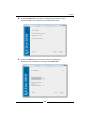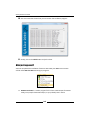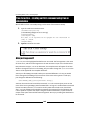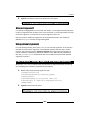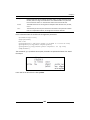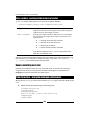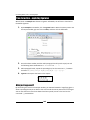
1
LaTeX Beginner's Guide Create high-quality and professional-looking texts, articles, and books for business and science using LaTeX Stefan Kottwitz BIRMINGHAM - MUMBAI LaTeX Beginner's Guide Copyright © 2011 Packt Publishing All rights reserved. No part of this book may be reproduced, stored in a retrieval system, or transmitted in any form or by any means, without the prior written permission of the publisher, except in the case of brief quotations embedded in critical articles or reviews. Every effort has been made in the preparation of this book to ensure the accuracy of the information presented. However, the information contained in this book is sold without warranty, either express or implied. Neither the author, nor Packt Publishing, and its dealers and distributors will be held liable for any damages caused or alleged to be caused directly or indirectly by this book. Packt Publishing has endeavored to provide trademark information about all of the companies and products mentioned in this book by the appropriate use of capitals. However, Packt Publishing cannot guarantee the accuracy of this information. First published: March 2011 Production Reference: 1150311 Published by Packt Publishing Ltd. 32 Lincoln Road Olton Birmingham, B27 6PA, UK. ISBN 978-1-847199-86-7 www.packtpub.com Cover Image by Asher Wishkerman ([email protected]) Credits Author Stefan Kottwitz Reviewers Kevin C. Klement Joseph Wright Acquisition Editor Eleanor Duffy Development Editor Hyacintha D'Souza Technical Editor Sakina Kaydawala Copy Editor Leonard D'Silva Indexer Hemangini Bari Editorial Team Leader Mithun Sehgal Project Team Leader Lata Basantani Project Coordinator Vishal Bodwani Proofreader Aaron Nash Graphics Nilesh Mohite Production Coordinator Adline Swetha Jesuthas Cover Work Adline Swetha Jesuthas About the Author Stefan Kottwitz studied mathematics in Jena and Hamburg. Afterwards, he worked as an IT Administrator and Communication Officer onboard cruise ships for AIDA Cruises and for Hapag-Lloyd Cruises. Following 10 years of sailing around the world, he is now employed as a Network & IT Security Engineer for AIDA Cruises, focusing on network infrastructure and security such as managing firewall systems for headquarters and fleet. In between contracts, he worked as a freelance programmer and typography designer. For many years he has been providing LaTeX support in online forums. He became a moderator of the web forum http://latex-community.org/ and of the site http://golatex. de/. Recently, he began supporting the newly established Q&A site http://tex. stackexchange.com/ as a moderator. He publishes ideas and news from the TeX world on his blog at http://texblog.net. I would like to thank Joseph Wright and Kevin C. Klement for reviewing this book. Special thanks go to Markus Kohm for his great valuable input. I would also like to thank the people of Packt Publishing, who worked with me on this book, in particular my development editor Hyacintha D'Souza. About the Reviewers Kevin C. Klement is an Associate Professor of Philosophy at the University of Massachusetts, Amherst. Besides using LaTeX in his academic work in the history of logic and analytic philosophy, he is a maintainer of the PhilTeX blog, and an active participant in many online LaTeX communities, including PhilTeX, LaTeX Community, and TeX.SE. Joseph Wright is a research assistant at the University of East Anglia. As well as using LaTeX for his academic work as a chemist, he is a member of the LaTeX3 Project, runs the blog Some TeX Developments and is one of the moderators on the TeX.SE site. www.PacktPub.com Support files, eBooks, discount offers, and more You might want to visit www.PacktPub.com for support files and downloads related to your book. Did you know that Packt offers eBook versions of every book published, with PDF and ePub files available? You can upgrade to the eBook version at www.PacktPub.com and as a print book customer, you are entitled to a discount on the eBook copy. Get in touch with us at [email protected] for more details. At www.PacktPub.com, you can also read a collection of free technical articles, sign up for a range of free newsletters, and receive exclusive discounts and offers on Packt books and eBooks. http://PacktLib.PacktPub.com Do you need instant solutions to your IT questions? PacktLib is Packt's online digital book library. Here, you can access, read, and search across Packt's entire library of books. Why Subscribe? Fully searchable across every book published by Packt Copy and paste, print, and bookmark content On demand and accessible via web browser Free Access for Packt account holders If you have an account with Packt at www.PacktPub.com, you can use this to access PacktLib today and view nine entirely free books. Simply use your login credentials for immediate access. Table of Contents Preface Chapter 1: Getting Started with LaTeX What is LaTeX? How we can benefit The virtues of open source Separation of form and content Portability Protection for your work Comparing it to word processor software What are the challenges? Installing LaTeX Time for action – installing TeX Live using the net installer wizard Time for action – installing TeX Live offline Installation on other operating systems Creating our first document Time for action – writing our first document with TeXworks Summary Chapter 2: Formatting Words, Lines, and Paragraphs Understanding logical formatting Time for action – titling your document Exploring the document structure Understanding LaTeX commands How LaTeX reads your input Time for action – trying out the effect of spaces, line breaks, and empty lines Commenting your source text Printing out special symbols Time for action – writing special characters in our text Formatting text – fonts, shapes, and styles 1 9 9 10 10 11 11 11 12 12 12 14 20 20 21 21 23 25 25 26 27 28 28 29 30 30 31 31 Table of Contents Time for action – tuning the font shape Choosing the font family Time for action – switching to sans-serif and to typewriter fonts Switching fonts Time for action – switching the font family Summarizing font commands and declarations Delimiting the effect of commands Time for action – exploring grouping by braces Time for action – exploring font sizes Using environments Time for action – using an environment to adjust the font size Saving time and effort – creating your own commands Time for action – creating our first command using it as an abbreviation Gentle spacing after commands Time for action – adding intelligent spacing to command output Creating more universal commands – using arguments Time for action – creating a macro for formatting keywords Using optional arguments Time for action – marking keywords with optional formatting Using boxes to limit the width of paragraphs Time for action – creating a narrow text column Common paragraph boxes Boxes containing more text Time for action – using the minipage environment Understanding environments Breaking lines and paragraphs Improving hyphenation Time for action – stating division points for words Improving the justification further Time for action – using microtype Breaking lines manually Time for action – using line breaks Preventing line breaks Managing line breaks wisely Exploring the fine details Time for action – exploring ligatures Understanding ligatures Choosing the right dash Setting dots Time for action – using differently spaced dots [ ii ] 32 33 33 34 35 36 36 36 37 38 38 39 40 41 41 42 42 43 43 45 46 46 48 48 49 50 50 51 52 52 53 53 54 55 55 56 57 57 57 58 Table of Contents Time for action – comparing dots to ellipsis Setting accents Time for action – experimenting with accents Using special characters directly in the editor Time for action – using accents directly Turning off full justification Time for action – justifying a paragraph to the left Creating ragged-left text Time for action – centering a title Using environments for justification Time for action – centering verses Displaying quotes Time for action – quoting a scientist Quoting longer text Time for action – quoting TeX's benefits Time for action – spacing between paragraphs instead of indentation Summary 59 60 60 61 61 62 62 62 63 63 64 65 65 66 66 67 69 Chapter 3: Designing Pages 71 Choosing the paper size Specifying the text area Setting the margins 76 76 77 Defining the overall layout Time for action – writing a book with chapters Reviewing LaTeX's default page layout Defining the margins yourself Time for action – specifying margins Using the geometry package Obtaining package documentation Time for action – finding the geometry package manual Changing the line spacing Time for action – increasing line spacing Using class options to configure the document style Time for action – creating a two-column landscape document Creating a table of contents Time for action – adding a table of contents Sectioning and the contents Time for action – shortening the table of content entries Designing headers and footers Time for action – customizing headers with the fancyhdr package Understanding page styles Customizing header and footer [ iii ] 71 72 73 74 74 75 78 78 79 80 82 82 84 85 86 86 88 88 90 90 Table of Contents Using decorative lines in header or footer Changing LaTeX's header marks Breaking pages Time for action – inserting page breaks Enlarging a page Time for action – sparing an almost empty page Using footnotes Time for action – using footnotes in text and in headings Modifying the dividing line Time for action – redefining the footnote line Using packages to expand footnote styles Summary 91 92 92 92 95 96 98 98 100 101 102 103 Chapter 4: Creating Lists 105 Chapter 5: Creating Tables and Inserting Pictures 121 Building a bulleted list Time for action – listing LaTeX packages Nesting lists Time for action – listing packages by topic Creating a numbered list Time for action – writing a step-by-step tutorial Customizing lists Saving space with compact lists Time for action – shrinking our tutorial Choosing bullets and numbering format Time for action – modifying lists using enumitem Suspending and continuing lists Producing a definition list Time for action – explaining capabilities of packages Summary Writing in columns Time for action – lining up information using the tabbing environment Time for action – lining up font commands Typesetting tables Time for action – building a table of font family commands Drawing lines in tables Understanding formatting arguments Increasing the row height Beautifying tables Time for action – adding nicer horizontal lines with the booktabs package Spanning entries over multiple columns [ iv ] 105 105 106 106 107 108 109 109 109 111 112 115 115 116 119 121 122 123 125 125 126 126 128 129 129 131 Table of Contents Time for action – merging cells Inserting code column-wise Time for action – using the array package Spanning entries over multiple rows Time for action – merging cells using the multirow package Adding captions to tables Time for action – adding a caption to our font table Placing captions above Auto-fitting columns to the table width Generating multi-page tables Coloring tables Using landscape orientation Aligning columns at the decimal point Handling narrow columns Inserting pictures Time for action – including a picture Scaling pictures Choosing the optimal file type Including whole pages Putting images behind the text Managing floating environments Time for action – letting a figure float Understanding float placement options Forcing the output of floats Limiting floating Avoiding floating at all Spanning figures and tables over text columns Letting text flow around figures Time for action – embedding a picture within text Breaking figures and tables into pieces Summary Chapter 6: Cross-Referencing Setting labels and referencing Time for action – referencing items of a top list Assigning a key Referring to a key Referring to a page Producing intelligent page references Time for action – introducing variable references Fine-tuning page references [v] 131 132 132 133 134 134 135 136 137 138 139 139 139 139 140 140 142 143 144 144 144 144 145 146 146 147 148 148 148 150 150 153 154 154 155 156 156 157 157 158 Table of Contents Referring to page ranges Using automatic reference names Time for action – referring cleverly Combing cleveref and varioref Referring to labels in other documents Summary 159 160 160 162 162 163 Chapter 7: Listing Content and References 165 Chapter 8: Typing Math Formulas 189 Customizing the table of contents Time for action – refining an extensive table of contents Adjusting the depth of the TOC Shortening entries Adding entries manually Creating and customizing lists of figures Time for action – creating a list of diagrams Creating a list of tables Using packages for customization Generating an index Time for action – marking words and building the index Defining index entries and subentries Specifying page ranges Using symbols and macros in the index Referring to other index entries Fine-tuning page numbers Designing the index layout Creating a bibliography Time for action – citing texts and listing the references Using the standard bibliography environment Using bibliography databases with BibTeX Time for action – creating and using a BibTeX database Looking at the BibTeX entry fields Understanding BibTeX entry types Choosing the bibliography style Listing references without citing Changing the headings Summary Writing basic formulas Time for action – discussing quadratic equations and roots Embedding math expressions within text Displaying formulas [ vi ] 165 166 168 168 169 170 170 171 171 172 172 174 174 174 175 175 176 177 177 178 179 179 181 182 184 184 185 187 190 190 192 193 Table of Contents Numbering equations Adding subscripts and superscripts Extracting roots Writing fractions Greek letters Script letters Producing an ellipsis Comparing in-line formulas to displayed formulas Changing the font, style, and size Customizing displayed formulas Time for action – typesetting multi-line formulas Aligning multi-line equations Numbering rows in multi-line formulas Inserting text into formulas Fine-tuning formulas Using operators Exploring the wealth of math symbols 193 194 194 194 195 196 196 196 196 198 199 200 201 201 201 202 202 Writing units Building math structures Creating arrays Writing binomial coefficients: Typesetting matrices Stacking expressions Underlining and overlining Setting accents Putting a symbol above another Writing theorems and definitions Summary 206 206 207 207 207 208 208 209 209 209 212 Binary operation symbols Binary relation symbols Inequality relation symbols Subset and superset symbols Variable sized operators Arrows Harpoons Symbols derived from letters Variable sized delimiters Miscellaneous symbols Chapter 9: Using Fonts Preparing the encoding Time for action – directly using special characters Installing additional fonts [ vii ] 202 203 203 203 204 204 204 205 205 206 213 214 214 216 Table of Contents Choosing the main font Time for action – comparing Computer Modern to Latin Modern Loading font packages Latin Modern – a replacement for the standard font Kp-fonts – a full set of fonts 217 217 218 218 218 Serif fonts 219 Sans-serif fonts 221 Typewriter fonts 223 Times Roman Charter Palatino Bookman New Century Schoolbook Concrete Roman 219 220 220 221 221 221 Helvetica Bera Sans Computer Modern Bright Kurier 222 222 222 222 Courier Inconsolata Bera Mono 223 223 223 Exploring the world of LaTeX fonts Summary 224 225 Chapter 10: Developing Large Documents 227 Chapter 11: Enhancing Your Documents Further 243 Splitting the input Time for action – swapping out preamble and chapter contents Including small pieces of code Including bigger parts of a document Compiling parts of a document Creating front and back matter Time for action – adding a dedication and an appendix Designing a title page Time for action – creating a title page Working with templates Time for action – starting with a template Summary Using hyperlinks and bookmarks Time for action – adding hyperlinks Time for action – customizing the hyperlink appearance Time for action – editing PDF metadata Creating hyperlinks manually Creating bookmarks manually [ viii ] 228 228 230 231 232 232 233 235 235 237 238 242 243 244 246 248 250 250 Table of Contents Math formulas and special symbols in bookmarks Benefitting from other packages Time for action – visiting the TeX Catalogue Online Time for action – installing a LaTeX package Designing headings Time for action – designing chapter and section headings Coloring your document Summary 251 251 252 255 256 257 260 264 Chapter 12: Troubleshooting 265 Chapter 13: Using Online Resources 281 Understanding and fixing errors Time for action – interpreting and fixing an error Using commands and environments Writing math formulas Handling the preamble and document body Working with files Creating tables and arrays Working with lists Working with floating figures and tables General syntax errors Handling warnings Time for action – emphasizing on a sans-serif font Justifying text Referencing Choosing fonts Placing figures and tables Customizing the document class Avoiding obsolete classes and packages General troubleshooting Summary Web forums, discussion boards, and Q&A sites Usenet groups comp.text.tex Newsgroups in other languages Web forums 265 266 267 268 268 269 270 270 271 271 272 272 273 274 274 274 275 275 277 279 281 282 282 282 282 LaTeX-Community.org TeX and LaTeX on Stack Exchange Time for action – asking a question online Frequently Asked Questions UK TeX FAQ Visual LaTeX FAQ [ ix ] 282 283 284 287 287 287 Table of Contents MacTeX FAQ AMS-Math FAQ LaTeX Picture FAQ Mailing lists texhax tex-live texworks List collections TeX user group sites TUG – the TeX users group The LaTeX project UK TUG – TeX in the United Kingdom Local user groups Homepages of LaTeX software and editors LaTeX distributions LaTeX editors 287 288 288 288 288 288 289 289 289 289 289 290 290 290 290 290 LaTeX archives and catalogs CTAN – the Comprehensive TeX Archive Network The TeX Catalogue Online The LaTeX Font Catalogue TeX Resources on the Web Friends of LaTeX XeTeX LuaTeX ConTeXt LyX LaTeX blogs The TeXblog Some TeX Developments LaTeX Alive LaTeX for Humans The TeX community aggregator Summary 292 292 292 292 293 293 293 293 293 294 294 294 294 294 294 295 295 Cross-platform Windows Linux Mac OS X Appendix: Pop Quiz Answers Chapter 2: Formatting Words, Lines, and Paragraphs Commands Lines and paragraphs [x] 291 291 291 292 297 297 297 297 Table of Contents Chapter 3: Designing Pages Chapter 4: Creating Lists Chapter 5: Creating Tables and Inserting Pictures Tables Pictures and floats Chapter 6: Cross-Referencing Chapter 7: Listing Content and References Chapter 8: Typing Math Formulas Chapter 9: Using Fonts Chapter 10: Developing Large Documents Chapter 11: Enhancing Your Documents Further Chapter 12: Troubleshooting Chapter 13: Using Online Resources Index 297 298 298 298 298 298 298 299 299 299 299 299 300 301 [ xi ] Preface LaTeX is a high-quality open source typesetting software that produces professional prints and PDF files. However, as LaTeX is a powerful and complex tool, getting started can be intimidating. There is no official support and certain aspects such as layout modifications can seem rather complicated. It may seem more straightforward to use Word or other WYSIWG programs, but once you've become acquainted, LaTeX's capabilities far outweigh any initial difficulties. This book guides you through these challenges and makes beginning with LaTeX easy. If you are writing mathematical, scientific, or business papers, then this is the perfect book for you. LaTeX Beginner's Guide offers you a practical introduction to LaTeX. Beginning with the installation and basic usage, you will learn to typeset documents containing tables, figures, formulas, and common book elements like bibliographies, glossaries, and indexes. Lots of step-by-step examples start with fine-tuning text, formulas and page layout and go on to managing complex documents and using modern PDF features. It's easy to use LaTeX, when you have LaTeX Beginner's Guide at hand. This practical book will guide you through the essential steps of Latex, from installing LaTeX, formatting, and justification, to page design. Finally, you will learn how to manage complex documents and how to benefit from modern PDF features. Right from the beginning, you will learn to use macros and styles to maintain a consistent document structure while saving typing work. This book will help you learn to create professional looking tables as well as include figures and write complex mathematic formulas. You will see how to generate bibliographies and indexes with ease. Detailed information about online resources like software archives, web forums, and online compilers complement this introductory guide. Preface What this book covers Chapter 1, Getting Started with LaTeX, introduces LaTeX and explains its benefits. It guides you through the download and installation of a comprehensive LaTeX distribution and shows you how to create your first LaTeX document. Chapter 2, Formatting Words, Lines, and Paragraphs, explains how to vary font, shape, and style of text. It deals with centering and justification of paragraphs and how you can improve line breaks and hyphenation. It introduces the concept of logical formatting and teaches you how to define macros and how to use environments and packages. Chapter 3, Designing Pages, shows how you can adjust the margins and change the line spacing. It demonstrates portrait, landscape, and two-column layout. In this chapter, we will create dynamic headers and footers and learn how to control page breaking and how to use footnotes. Along the way, you will also learn about redefining existing commands and using class options. Furthermore, you will get familiar with accessing package documentation. Chapter 4, Creating Lists, deals with arranging text in bulleted, numbered, and definition lists. We will learn how to choose bullets and numbering style and how to design the overall layout of lists. Chapter 5, Creating Tables and Inserting Pictures, shows you how to create professional-looking tables and how to include external pictures in your documents. It deals with typesetting captions to tables and figures. We will learn how to benefit from LaTeX's automated tables and figures placement and how to fine-tune it. Chapter 6, Cross-Referencing, introduces means of intelligent referencing to sections, footnotes, tables, figures, and numbered environments in general. Chapter 7, Listing Content and References, deals with creating and customizing of a table of contents and lists of figures and tables. Furthermore, it teaches how to cite books, how to create bibliographies, and how to generate an index. Chapter 8, Typing Math Formulas, explains mathematical typesetting in depth. It starts with basic formulas and continues with centered and numbered equations. It shows how to align multi-line equations. In detail, it shows how to typeset math symbols such as roots, arrows, Greek letters, and operators. Moreover, you will learn how to build complex math structures such as fractions, stacked expressions, and matrices. Chapter 9, Using Fonts, takes us into the world of fonts and demonstrates various fonts for Roman, sans-serif, and typewriter fonts in different shapes. By the way, you will learn about character encoding and font encoding. [2] Preface Chapter 10, Developing Large Documents, helps in managing large documents by splitting them into several files. It shows how to swap out settings, how to reuse code, and how to compile just parts of a bigger documents. After reading this chapter, you will be able to create complex projects building upon sub-files. Furthermore, we deal with front matter and back matter with different page numbering and separate title pages. We will work it out by creating an example book. By doing this, you will get familiar with using document templates, finally being able to write our own thesis, book, or report. Chapter 11, Enhancing Your Documents Further, brings color into your documents. It shows you how to modify headings of chapters and all kinds of sections. We will learn how to create feature-rich PDF documents with bookmarks, hyperlinks, and meta-data. While doing this, we visit the TeX Catalogue Online to look out for further useful LaTeX packages and we will go through a package installation. Chapter 12, Troubleshooting, provides us with tools for problem-solving. We will learn about different kinds of LaTeX's errors and warnings and how to deal with them. After reading this chapter, you will understand LaTeX's messages and you will know how to use them for fixing errors. Chapter 13, Using Online Resources, guides you through the vast amount of LaTeX information on the Internet. We will visit a LaTeX online forum and a LaTeX Question & Answer site. This chapter points the way to huge LaTeX software archives, to homepages of TeX user groups, to mailing lists, Usenet groups, and LaTeX blogs. It tells you where you can download LaTeX capable editors and where you can find enhanced versions of TeX, such as XeTeX, LuaTeX, and ConTeXt. Finally, you will know how to access the knowledge of the world-wide LaTeX community and how to become a part of it. What you need for this book You need access to a computer with LaTeX on it. An online connection would be helpful regarding installation and updates. LaTeX can be installed on most operating systems, so you can use Windows, Linux, Mac OS X, or Unix. This book uses the freely available TeX Live distribution, which runs on all mentioned platforms. You just need an online connection or the TeX Live DVD to install it. In the book, we work with the cross-platform editor TeXworks, but you could use any editor you like. [3] Preface Who this book is for If you are about to write mathematical or scientific papers, seminar handouts, or even plan to write a thesis, then this book offers you a fast-paced and practical introduction. Particularly when studying in school and university you will benefit a lot, as a mathematician and a physicist as well as an engineer or a humanist. Everybody with high expectations who plans to write a paper or a book may be delighted by this stable software. Conventions In this book, you will find several headings appearing frequently. To give clear instructions of how to complete a procedure or task, we use: Time for action - heading 1. Action 1 2. Action 2 3. Action 3 Instructions often need some extra explanation so that they make sense, so they are followed with: What just happened? This heading explains the working of tasks or instructions that you have just completed. You will also find some other learning aids in the book, including: Pop quiz These are short multiple choice questions intended to help you test your own understanding. Have a go hero - heading These set practical challenges and give you ideas for experimenting with what you have learned. You will also find a number of styles of text that distinguish between different kinds of information. Here are some examples of these styles, and an explanation of their meaning. Code words in text are shown as follows: "The command \chapter produced a large heading. This command will always begin on a new page." [4] Preface A block of code is set as follows: \documentclass[a4paper,12pt]{book} \usepackage[english]{babel} \usepackage{blindtext} \begin{document} \chapter{Exploring the page layout} In this chapter we will study the layout of pages. \section{Some filler text} \blindtext \section{A lot more filler text} More dummy text will follow. \subsection{Plenty of filler text} \blindtext[10] \end{document} When we wish to draw your attention to a particular part of a code block, the relevant lines or items are set in bold: \documentclass[a4paper,11pt]{book} \usepackage[english]{babel} \usepackage{blindtext} \usepackage[a4paper, inner=1.5cm, outer=3cm, top=2cm, bottom=3cm, bindingoffset=1cm]{geometry} \begin{document} \chapter{Exploring the page layout} In this chapter we will study the layout of pages. \section{Some filler text} \blindtext \section{A lot more filler text} More dummy text will follow. \subsection{Plenty of filler text} \blindtext[3] \end{document} Any command-line input or output is written as follows: texdoc geometry New terms and important words are shown in bold. Words that you see on the screen, in menus or dialog boxes for example, appear in the text like this: "Save the document and Typeset it." [5] Preface Warnings or important notes appear in a box like this. Tips and tricks appear like this. Reader feedback Feedback from our readers is always welcome. Let us know what you think about this book—what you liked or may have disliked. Reader feedback is important for us to develop titles that you really get the most out of. To send us general feedback, simply send an e-mail to [email protected], and mention the book title via the subject of your message. If there is a book that you need and would like to see us publish, please send us a note in the SUGGEST A TITLE form on www.packtpub.com or e-mail [email protected]. If there is a topic that you have expertise in and you are interested in either writing or contributing to a book on, see our author guide on www.packtpub.com/authors. Customer support Now that you are the proud owner of a Packt book, we have a number of things to help you to get the most from your purchase. Downloading the example code You can download the example code files for all Packt books you have purchased from your account at http://www.PacktPub.com. If you purchased this book elsewhere, you can visit http://www.PacktPub.com/support and register to have the files e-mailed directly to you. [6] Preface Errata Although we have taken every care to ensure the accuracy of our content, mistakes do happen. If you find a mistake in one of our books—maybe a mistake in the text or the code— we would be grateful if you would report this to us. By doing so, you can save other readers from frustration and help us improve subsequent versions of this book. If you find any errata, please report them by visiting http://www.packtpub.com/support, selecting your book, clicking on the errata submission form link, and entering the details of your errata. Once your errata are verified, your submission will be accepted and the errata will be uploaded on our website, or added to any list of existing errata, under the Errata section of that title. Any existing errata can be viewed by selecting your title from http://www. packtpub.com/support. Piracy Piracy of copyright material on the Internet is an ongoing problem across all media. At Packt, we take the protection of our copyright and licenses very seriously. If you come across any illegal copies of our works, in any form, on the Internet, please provide us with the location address or website name immediately so that we can pursue a remedy. Please contact us at [email protected] with a link to the suspected pirated material. We appreciate your help in protecting our authors, and our ability to bring you valuable content. Questions You can contact us at [email protected] if you are having a problem with any aspect of the book, and we will do our best to address it. [7] 1 Getting Started with LaTeX Are you ready to leave those "what you see is what you get" word processors behind and to enter the world of real, reliable, and high-quality typesetting? Then let's go together! It's great that you decided to learn LaTeX. This book will guide you along the way to help you get the most out of it. Let's speak briefly about LaTeX's benefits and the challenges, and then we shall prepare our tools. In this chapter, we will: Get to know LaTeX and talk about the pros and cons compared to word processors Install a complete LaTeX software bundle, including an editor Write our first LaTeX document So, let's get started. What is LaTeX? LaTeX is a software for typesetting documents. In other words, it's a document preparation system. LaTeX is not a word processor, but is used as a document markup language. LaTeX is a free, open source software. It was originally written by Leslie Lamport and is based on the TeX typesetting engine by Donald Knuth. People often refer to it as just TeX, meaning LaTeX. It has a long history; you can read about it at http://www.tug.org/whatis.html. For now, let's continue by looking at how we can make the best use of it. Getting Started with LaTeX How we can benefit LaTeX is especially well-suited for scientific and technical documents. Its superior typesetting of mathematical formulas is legendary. If you are a student or a scientist, then LaTeX is by far the best choice, and even if you don't need its scientific capabilities, there are other uses — it produces very high quality output, it is extremely stable, and handles complex documents easily no matter how large they are. Further remarkable strengths of LaTeX are its cross-referencing capabilities, its automatic numbering and generation of lists of contents, figures and tables, indexes, glossaries, and bibliographies. It is multilingual with language-specific features, and it is able to use PostScript and PDF features. Apart from being perfect for scientists, LaTeX is incredibly flexible—there are templates for letters, presentations, bills, philosophy books, law texts, music scores, and even for chess game notations. Hundreds of LaTeX users have written thousands of templates, styles, and tools useful for every possible purpose. It is collected and categorized online on archiving servers. You could benefit from its impressive high quality by starting with its default styles relying on its intelligent formatting, but you are free to customize and to modify everything. People of the TeX community have already written a lot of extensions addressing nearly every formatting need. The virtues of open source The sources of LaTeX are completely free and readable for everyone. This enables you to study and to change everything, from the core of LaTeX to the latest extension packages. But what does this mean for you as a beginner? There's a huge LaTeX community with a lot of friendly, helpful people. Even if you cannot benefit from the open source code directly, they can read the sources and assist you. Just join a LaTeX web forum and ask your questions there. Helpers will, if necessary, dig into LaTeX sources and in all probability find a solution for you, sometimes by recommending a suitable package, often providing a redefinition of a default command. Today, we're already profiting from about 30 years of development by the TeX community. The open source philosophy made it possible, as every user is invited to study and improve the software and develop it further. Chapter 13, Using Online Resources, will point the way to the community. [ 10 ] Chapter 1 Separation of form and content A basic principle of LaTeX is that the author should not be distracted too much by the formatting issues. Usually, the author focuses on the content and formats logically, for example, instead of writing a chapter title in big bold letters, you just tell LaTeX that it's a chapter heading—you could let LaTeX design the heading or you decide in the document's settings what the headings will look like—just once for the whole document. LaTeX uses style files extensively called classes and packages, making it easy to design and to modify the appearance of the whole document and all of its details. Portability LaTeX is available for nearly every operating system, like Windows, Linux, Mac OS X, and many more. Its file format is plain text—readable and editable, on all operating systems. LaTeX will produce the same output on all systems. Though there are different LaTeX software packages, so called TeX distributions, we will focus on TeX Live, because this distribution is available for Windows, Linux, and Mac OS X. LaTeX itself doesn't have a graphical user interface; that's one of the reasons why it's so portable. You can choose any text editor. There are many editors, even specialized in LaTeX, for every operating system. Some editors are available for several systems. For instance, TeXworks runs on Windows, Linux, and Mac OS X; that's one of the reasons why we will use it in our book. Another very important reason is that it's probably best-suited for beginners. LaTeX generates PDF output—printable and readable, on most computers and looks identical regardless of the operating system. Besides PDF, it supports DVI, PostScript, and HTML output, preparing the ground for distribution both in print and online, on screen, electronic book readers, or smart phones. To sum up, LaTeX is portable in three ways—source, its implementation, and output. Protection for your work LaTeX documents are stored in human readable text format, not in some obscure word processing format, that may be altered in a different version of the same software. Try to open a 20 year old document written with a commercial word processor. What might your modern software show? Even if you can read the file, its visual appearance would certainly be different than before. LaTeX promises that the document will always be readable and will result in the same output. Though it's being further developed, it will remain backwards compatible. Word processor documents could be infected with viruses, malicious macros could destroy the data. Did you ever hear of a virus "hiding" in a text file? LaTeX is not threatened by viruses. [ 11 ] Getting Started with LaTeX Comparing it to word processor software We've already described some advantages of the typesetting system LaTeX compared to word processing software. While LaTeX encourages structured writing, other word processors may compel you to work inconsistently. They might hide the real formatting structure and encrypt your document in some proprietary file format. Compatibility is a big problem, even between versions of the same software. There are some interesting articles available online comparing LaTeX to other software. Of course, they are expressions of opinion. Some are years old and therefore do not cover the most recent software, but they discuss important points that are still valid today. You will find them listed in Chapter 13, Using Online Resources. What are the challenges? The learning curve could be steep, but this book will to help you master it. Though writing LaTeX looks like programming, don't be afraid. Soon you will know the frequently used commands. Text editors with auto completion and keyword highlighting will support you. They might even provide menus and dialogs with commands for you. Do you now think it will take a long time until you would learn to achieve creditable results? Don't worry; this book will give you a quick start. You will learn by practicing with a lot of examples. Many more examples can be read and downloaded from the Internet. In Chapter 13, we will explore the Internet resources. We shall continue with the setup of LaTeX on our computer. Installing LaTeX Let's start off with the installation of the LaTeX distribution–TeX Live. This distribution is available for Windows, Linux, Mac OS X, and other Unix-like operating systems. TeX Live is well maintained and it is being actively developed. Another very good and user-friendly LaTeX distribution for Windows is MiKTeX. It's easy to install like any other Windows application, but it's not available for other systems like Linux or Mac OS X. You can download it from http://miktex.org. At first, we will visit the TeX Live homepage and take a survey of the installation possibilities. Feel free to explore the homepage in depth to study the information offered there. Open the TeX Live homepage at http://tug.org/texlive. [ 12 ] Chapter 1 We will cover two ways of installation. The first will be online and requires an Internet connection. The other method starts with a huge download, but may be finished offline. Let's check out the two installation methods. [ 13 ] Getting Started with LaTeX Time for action – installing TeX Live using the net installer wizard We will download the TeX Live net installer and install the complete TeX Live distribution on our computer. 1. Click on downloading over the net or navigate to http:// tug.org/texlive/acquire-netinstall. 2. Download the net installer for Windows by clicking on install-tl.zip. 3. Extract the file install-tl.zip using your favorite archiving program. For example, WinZip, WinRar, or 7-Zip can do it for you. 4. Open the folder install-tl-*and double-click the Windows batch file install-tl: [ 14 ] Chapter 1 5. The net installer will automatically detect your language. If it's showing the wrong language, you can force the choice of the language using the lang option at the command prompt such as install-tl –lang=en: [ 15 ] Getting Started with LaTeX 6. The installation wizard will pop up, as shown in the following screenshot: 7. Click on the Next button, now it offers to change the installation folder, but it's fine to retain it. In our book, we will refer to this default location: [ 16 ] Chapter 1 8. Click on the Next button. As shown in the following screenshot, choose one of the options, for example, for the creation of shortcuts: 9. Click on the Next button. You can then confirm the settings and actually start the installation by clicking on the Install button: [ 17 ] Getting Started with LaTeX 10. The next screenshot shows how you can monitor the installation progress: 11. Finally, click on the Finish button and you're done. What just happened? You have completed the installation of TeX Live 2010. Now your Start menu contains a folder called TeX Live 2010 containing six programs: DVIOUT DVI viewer—a viewer program for the classic LaTeX output format DVI. Today, most people choose PDF output, so you probably won't need it. [ 18 ] Chapter 1 PS_VIEW—a viewer program for the PostScript format; again you probably won't need it, except if you would like to use the PostScript language or read such documents. TeX Live documentation—well, that's useful regarding setup and use of your software! TeX Live Manager—that's your tool for package management, for example, installation and update of LaTeX packages. TeXdoc GUI—it's a graphical user interface offering access to a huge amount of LaTeX-related information. There's a lot of it stored in your computer by now. Use it to gather information whenever needed; it could be quicker than searching online. TeXworks editor—this is an editor developed to create LaTeX documents comfortably. We will make extensive use of it. TeXworks is also shipped with MiKTeX 2.8 and higher. If you would like to stay in control over what should be installed on your computer, start the install-tl-advanced batch file instead of install-tl: [ 19 ] Getting Started with LaTeX The TeX documentation available online contains more information for advanced users. Now, we will go through the offline installation of TeX Live 2010. Time for action – installing TeX Live offline We will download a compressed ISO image of TeX Live 2010 with a size of about 1.2 gigabytes. After extraction, we can choose to burn it on DVD or to extract it to our hard disk drive and run the installation from there: 1. Visit the download area at http://www.tug.org/texlive/acquire-iso.html. 2. Download texlive2010.xz. If possible, use a download manager, especially if your Internet connection is not stable. 3. Extract texlive2010.xz and you will get the file texlive2010.iso. If your archiving program doesn't support the .xz file format, obtain, for instance, the program 7-Zip version 9 or later from http://7zip.org and use it for extraction. 4. Either burn the ISO file on a DVD using a burning software supporting the ISO format or extract it to your hard disk drive. 7-Zip is also capable of doing that for you. 5. Among the extracted files or on your DVD, you will find the installer batch files install-tl and install-tl-advanced that we've already seen. Choose one, start it, and go through the installation like in the previous installation. What just happened? It was similar to the first installation, but this time you've got all the data and you won't need an Internet connection. This complete download is especially recommended if it's foreseeable that you will do another installation of TeX Live later or if you would like to give it to friends or colleagues. After an offline installation, it's recommended to run an update of TeX Live soon, because packages on a DVD or within an image could already be outdated. Use the TeX Live Manager to keep your system up-to-date if you are connected to the Internet. Installation on other operating systems If you work on Mac OS X, you may download a customized version of TeX Live at http:// www.tug.org/mactex/. Download the huge .zip file and double-click on it to install. [ 20 ] Chapter 1 On most Linux systems, installation is easy. Use your system's package manager. With Ubuntu, you may use Synaptic, on SUSE systems use YaST, with Red Hat a RPM frontend, and on Debian systems use Aptitude. In the respective package manager, look out for texlive. If you want to stay on the edge, you could download and install the most current version of TeX Live from its homepage, instead of the version from the operating system's repositories. But be aware that installing third party sources may harm the integrity of your system. Now that we've prepared the ground, let's start to write LaTeX! Creating our first document We have installed TeX and launched the editor; now let's jump in at the deep end by writing our first LaTeX document. Time for action – writing our first document with TeXworks Our first goal is to create a document that's printing out just one sentence. We want to use it to understand the basic structure of a LaTeX document. 1. Launch the TeXworks editor by clicking on the desktop icon or open it in the Start menu. 2. Click on the New button. 3. Enter the following lines: \documentclass{article} \begin{document} This is our first document. \end{document} 4. Click on the Save button and save the document. Choose a location where you want to store your LaTeX documents, ideally in its own folder. [ 21 ] Getting Started with LaTeX 5. In the drop-down field in the TeXworks toolbar, choose pdfLaTeX: 6. Click the Typeset button 7. The output window will automatically open. Have a look at it: . What just happened? You have just seen the first few minutes of the life of a LaTeX document. Its following hours and days will be determined by editing, typesetting, and so on. Don't forget to save your document frequently. As announced in contrary to the classic word processor software, you cannot see the effect of changes immediately—but the result is just one click away. [ 22 ] Chapter 1 Have a go hero – checking out advanced LaTeX editors Do you have experience in working with complex programs? Do you like using a feature-rich and powerful editor? Then have a look at these LaTeX editors. Visit their websites to find screenshots and to read about their features: TeXnicCenter— a very powerful editor for Windows, http://texniccenter. org/ Kile— a user-friendly editor for operating systems with KDE, such as Linux, http://kile.sourceforge.net/ TeXShop—an easy-to-use and very popular editor for Mac OS X, http://pages. uoregon.edu/koch/texshop/ Texmaker—a cross-platform editor running on Linux, Mac OS X, Unix, and Windows systems, http://www.xm1math.net/texmaker/ The mentioned editors are free open source software. Summary We learned in this chapter about the benefits of LaTeX. It will be our turn to use the virtues of LaTeX to achieve the best possible results. Furthermore, we covered: Installation of TeX Live Using the editor TeXworks Creation of a LaTeX document and generation of output Now that we've got a functional and tested LaTeX system, we're ready to write our own LaTeX documents. In the next chapter, we will work out the formatting of text in detail. [ 23 ] 2 Formatting Words, Lines, and Paragraphs In the last chapter, we installed LaTeX and used the TeXworks editor to write our first document. Now we will speak about the structure of a document and we will focus on the text details and its formatting. In this chapter, we shall: Speak about logical formatting Learn how to modify font, shape, and style of text Use boxes to limit the text width See how to break lines and how to improve hyphenation Explore justification and formatting of paragraphs By working with examples and trying out new features, we shall learn some basic concepts of LaTeX. By the end of this chapter, we will be familiar with commands and environments. You will even be able to define your own commands. Understanding logical formatting In the previous chapter, we wrote a small example document. Let's extend it a bit to get an illustrative example for understanding the typical document structure. Formatting Words, Lines, and Paragraphs Time for action – titling your document We will take the first example and insert some commands that will produce a nice-looking title. 1. Type the following code in the editor; modify the previous example if you like: \documentclass[a4paper,11pt]{article} \begin{document} \title{Example 2} \author{My name} \date{January 5, 2011} \maketitle \section{What's this?} This is our second document. It contains a title and a section with text. \end{document} 2. Click the Typeset button. 3. View the output: What just happened? In the first chapter, we talked about logical formatting. First, let's look at this example from that point of view. We told LaTeX that: Our document is of the type article. It will be printed on A4 paper using a size of 11 points for the base font. The title is "Example 2". You are the author. The document was written on January 5, 2011. [ 26 ] Chapter 2 Concerning the content of the document: It begins with a title. The first section shall have the heading "What's this?" The following text is "This is our second document." Note, we did not choose the font size of the title or heading; neither did we make something bold or centered. Such formatting is done by LaTeX but nevertheless you're free to tell LaTeX how it actually should look. We did not need to press the Save button. TeXworks automatically saves the document if we click the Typeset button. Exploring the document structure Let's look at the details. A LaTeX document doesn't stand alone—commonly the document is based on a versatile template. Such a fundamental template is called a class. It provides customizable features, usually built for a certain purpose. There are classes for books, for journal articles, for letters, for presentations, for posters, and many more; hundreds of reliable classes can be found in Internet archives but also on your computer now, after you've installed TeX Live. Here we have chosen the article class, a standard LaTeX class suitable for smaller documents. The first line starts with \documentclass. This word begins with a backslash; such a word is called a command. We used commands to specify the class and to state document properties: title, author, and date. This first part of the document is called the preamble of the document. This is where we choose the class, specify properties, and in general, make document-wide definitions. \begin{document} marks the end of the preamble and the beginning of the actual document. \end{document} marks the end of it. Everything that follows would be ignored by LaTeX. Such a piece of code, framed by a \begin … \end command pair, is called an environment. In the actual document, we've used the command \maketitle that prints the title, author, and date in a nicely formatted manner. By the \section command, we produced a heading, bigger and bolder than normal text. Then we let some text follow. What we wrote here, in the document environment, will be printed out. On the contrary, the preamble will never produce any output. Let's look at commands in detail. [ 27 ] Formatting Words, Lines, and Paragraphs Understanding LaTeX commands LaTeX commands begin with a backslash, followed by big or small letters. LaTeX commands are usually named with small letters and in a descriptive way. There are exceptions: you will see some commands consisting of a backslash and just one special character. Commands may have arguments, given in curly braces or in square brackets. Calling a command looks like the following: \command Or: \command{argument} Or: \command[optional argument]{argument} There could be several arguments, each of them in braces or brackets. Arguments in curly braces are mandatory. If a command is defined to require an argument, one has to be given. For example, calling \documentclass would be futile if we hadn't stated a class name. Arguments in square brackets are optional; they may be given but it's not a must. If no optional argument is provided, the command will use a default one. For instance, in the first example in Chapter 1, Getting Started with LaTeX, we wrote \documentclass{article}. This document has been typeset with a base font size of 10pt, because this is the class default base font size. In the second document, we wrote \documentclass[a4paper,11pt] {article}; this way, we replaced default values with the given values, so now the document will be adjusted for A4 paper using a base font size of 11pt. There are commands generating output—try \LaTeX—and commands setting properties, changing fonts or layout. Generally, the names of commands are chosen according to their purpose. We will have a more detailed look in this chapter, but first let's see how LaTeX treats what we type. How LaTeX reads your input Before we continue writing, let's look at how LaTeX understands what you've written in the editor. [ 28 ] Chapter 2 Time for action – trying out the effect of spaces, line breaks, and empty lines We will take the first example and insert spaces and line breaks. 1. Modify the previous example as follows: \documentclass[a4paper,11pt]{article} \begin{document} \title{Example 3} \author{My name} \date{January 5, 2011} \maketitle \section{What's this?} This is our second document. It contains two paragraphs. The first line of a paragraph will be indented, but not when it follows a heading. % Here's a comment. \end{document} 2. Typeset. 3. View the output: [ 29 ] Formatting Words, Lines, and Paragraphs What just happened? Though we've inserted some spaces, the distances between the words in the output remained the same. The reason is that LaTeX treats multiple spaces just like a single space. Also, a single line break has the same effect like a single space. It doesn't matter how you arrange your text in the editor using spaces or breaks, the output will stay the same. A blank line denotes a paragraph break. Like spaces, multiple empty lines are treated as one. Briefly said, spaces separate words, empty lines separate paragraphs. Commenting your source text You've seen that the last line seems to be missing in the output. That's because the percent sign introduces a comment. Everything following a percent sign until the end of the line will be ignored by LaTeX and won't be printed out. This enables you to insert notes into your document. It's often used in templates to inform the user what the template does at that certain place. Note also that the end of the line, normally behaving like a space, will be ignored after a percent sign. Easing experimenting by trial and error If you want to disable a command temporarily, it may be favorable to insert a percent sign instead of deleting the command. That way, you're able to undo this change easily by removing the %. If the percent sign behaves that way, what should we do if we want to write 100% in our text? Let's figure out how to do it. Printing out special symbols Common text mostly contains upper and lowercase letters, digits, and punctuation characters. Simply type them with your editor. However, some characters are reserved for LaTeX commands; they cannot be used directly. We already encountered such characters, and besides the percent sign, there are the curly braces and so on. There are LaTeX commands to print such symbols. [ 30 ] Chapter 2 Time for action – writing special characters in our text We will write a very short example printing out an amount of dollars and a percent number, then we shall try more symbols: 1. Create a new document and enter the following lines: \documentclass{article} \begin{document} Statement \#1: 50\% of \$100 makes \$50. More special symbols are \&, \_, \{ and \}. \end{document} 2. Typeset and view the output: What just happened? By putting a backslash before such a special symbol, we turned it into a LaTeX command. This command has the only purpose of printing out that symbol. The command for printing a backslash is \textbackslash. If you would like to know what \\ might be used for, it is used as a shortcut for a line break command. That's a bit odd, but line breaks occur frequently whereas backslashes are rarely needed in the output, therefore this shortcut has been chosen. There's a wealth of symbols that we can use for math formulas, chess notation, zodiac signs, music scores, and more. We don't need to deal with those symbols for now, but we shall return to that subject in Chapter 8, Typing Math Formulas, when we will need symbols to typeset math formulas. Now that we know how to enter pure text, let's find out how we can format it. Formatting text – fonts, shapes, and styles LaTeX already does some formatting. For example, we've seen that section headings are bigger than normal text and bold faced. Now we will learn how to modify the appearance of the text ourselves. [ 31 ] Formatting Words, Lines, and Paragraphs Time for action – tuning the font shape We will emphasize an important word in a text and we will see how to make words appear bold, italic, or slanted. We shall figure out how to highlight words in a part of some text that's already emphasized: 1. Create a new document containing the following code: \documentclass{article} \begin{document} Text can be \emph{emphasized}. Besides being \textit{italic} words could be \textbf{bold}, \textsl{slanted} or typeset in \textsc{Small Caps}. Such commands can be \textit{\textbf{nested}}. \emph{See how \emph{emphasizing} looks when nested.} \end{document} 2. Typeset and have a look at the output: What just happened? At first, we used the command \emph, giving one word as an argument to this command. This argument will be typeset in italic shape, because this is the default way how LaTeX emphasizes text. Text-formatting commands usually look like \text**{argument}, where ** stands for a two letter abbreviation like bf for bold face, it for italic, and sl for slanted. The argument will then be formatted accordingly like we've seen. After the command, the subsequent text will be typeset as it was before the command—precisely after the closing curly brace marking the end of the argument. We checked it out. We've nested the commands \textit and \textbf, which allowed us to achieve a combination of those styles, and the text appears both italic and bold. [ 32 ] Chapter 2 Most font commands will show the same effect if they are applied twice like \textbf{\textbf{words}}: the words won't become bolder. Only \emph behaves differently. We've seen that emphasized text will be italic, but if we use \emph onto a piece of this text again, it will change from italic to normal font. Imagine an important theorem completely typeset in italics—you should still have the opportunity to highlight words inside this theorem. \emph is so called semantic markup, because it refers to the meaning, not just to the appearance of text. Emphasizing twice, such as marking bold and italic at the same time, might be considered to be a questionable style. Change the font shape wisely—and consistently. Choosing the font family Compare the font of our examples and the standard font you see in this book. While the LaTeX font has a decorative appearance, the text font of this book looks simple and clean. Our code examples are different in another way: every letter has the same width. Let's see how we can implement this in our writings. Time for action – switching to sans-serif and to typewriter fonts Imagine that we start to write an article about LaTeX's Internet resources. To get a clearly readable heading, we shall use a font without frills. The body text will contain a web address; we choose a typewriter font to stress it: 1. Create a LaTeX document with the following code: \documentclass{article} \begin{document} \section{\textsf{\LaTeX\ resources on the internet}} The best place for downloading LaTeX related software is CTAN. Its address is \texttt{http://www.ctan.org}. \end{document} [ 33 ] Formatting Words, Lines, and Paragraphs 2. Typeset and look at the result: What just happened? We encountered more font commands. By using\textsf, we've chosen the sans-serif font in the section heading. We used the command \texttt to get the typewriter font for the web address. Those commands can be used just like the font commands we've learned before. The letters in the LaTeX standard font have so-called serifs, those small decorative details at the end of a letter's strokes. Serifs shall improve readability by leading the reader's eyes along the line. Therefore, they are widely used in body text. Such fonts are also called Roman fonts. This name led to the command \textrm for the Roman text—the default font with serifs. Headings are often done without serifs; the used font is called a sans-serif font. Such fonts are also a good choice for screen text because of the better readability on lower resolutions. So you might want to choose a sans-serif font when you produce an e-book. If every letter of a font has the same width, the font is called monospaced or a typewriter font. Besides, on typewriters, such fonts were used with early computers; today they are still preferred for writing source code of computer programs, both in print and in text editors. So if you want to typeset a program listing or LaTeX source code, consider using a typewriter font. Like we did in the previous example, this book is using a typewriter font to distinguish code and web addresses from the normal text. Switching fonts Putting too much text into a command's argument could be unhandy. Sometimes we would like to set font properties of longer passages of text. LaTeX provides other commands, which work like switches. [ 34 ] Chapter 2 Time for action – switching the font family We will modify the previous example using font family switching commands: 1. Modify the example to get the following code: \documentclass{article} \begin{document} \section{\sffamily\LaTeX\ resources in the internet} The best place for downloading LaTeX related software is CTAN. Its address is \ttfamily http://www.ctan.org\rmfamily. \end{document} 2. Typeset and compare the output to the previous one; it's the same. What just happened? By using the command \sffamily, we switched over to sans serif font. This change has been made inside an argument, so it's valid only there. We used the command \ttfamily to switch to a typewriter font. The typewriter font will be used from this point onwards. By using\rmfamily, we returned to Roman font. These commands don't produce any output, but they will affect the following text. We will call such a command a declaration. Now have a closer look at the section number: it's a digit with serifs, which doesn't match the remaining sans-serif heading. Moreover, changing the font within a\section command feels wrong—and rightly so! The better way is to declare the section heading font once for the complete document. We will learn how to globally modify heading fonts in Chapter 11, Enhancing Your Documents Further, after we prepared some more tools. [ 35 ] Formatting Words, Lines, and Paragraphs Summarizing font commands and declarations Let's list the font commands and their corresponding declarations together with their meanings: The corresponding declaration to \emph is \em. Delimiting the effect of commands In the previous example, we've reversed the effect of \ttfamily by writing \rmfamily. To be safe, we could write \normalfont to switch back to the base font. However, there's an easier way. Time for action – exploring grouping by braces We shall use curly braces to tell LaTeX where to apply a command and where to stop that: 1. Modify our first font shape example to get this code: \documentclass{article} \begin{document} {\sffamily Text can be {\em emphasized}. Besides being {\itshape italic} words could be {\bfseries bold}, {\slshape slanted} or typeset in {\scshape Small Caps}. Such commands can be {\itshape\bfseries nested}.} {\em See how {\em emphasizing} looks when nested.} \end{document} [ 36 ] Chapter 2 2. Typeset and check out the output: What just happened? We started with an opening curly brace. The effect of the following command \sffamily lasted until we stopped it with the corresponding closing brace. That closing brace came at the end of the highlighted code. This highlighting shows the area of the code where \sffamily is valid. We replaced every font command by the corresponding declaration. Remember, \em is the declaration version of \emph. Further, we surrounded every declaration and the affected text by curly braces. An opening curly brace tells LaTeX to begin a so called group. The following commands are valid for the subsequent text until a closing curly brace appears causing LaTeX to stop using the commands or declarations written in this group. Till a command is valid, that's called its scope. Groups can be nested as follows: Normal text, {\sffamily sans serif text {\bfseries and bold}}. We have to be careful to close each group; opening and closing braces should match. Braces which enclose an argument of a command don't form a group. Together with the argument, these braces are gobbled by the command. If necessary, use additional braces. Time for action – exploring font sizes We will try out every font size available by LaTeX's default font size commands. For testing, we exceptionally use them in the body text—their main use is in the macro definitions: 1. Create a document with the following code: \documentclass{article} \begin{document} \noindent\tiny We \scriptsize start \footnotesize \small small, \normalsize get \large big \Large and \LARGE bigger, [ 37 ] Formatting Words, Lines, and Paragraphs \huge huge and \Huge gigantic! \end{document} 2. Typeset and observe the output: What just happened? At first, we used \noindent. This command suppresses the paragraph indentation. Then we used all 10 available size declarations, starting small with \tiny and ending really big with \Huge. There are no corresponding commands taking arguments, so we would have to use curly braces to delimit their scope, as we learned to before. The actual resulting font size depends on the base font. If your document has a base font of 12 pt, then \tiny would result in text bigger than with a base font of 10 pt. We have to see it in relation. Use \footnotesize, if you wish to get the same size like LaTeX uses for footnotes; use \scriptsize, if you create a style with a size matching LaTeX subscripts and superscripts. It's still a kind of logical formatting though they are quite low-level commands. Normally, font size declarations are used only in definitions of macros in the preamble, just as it does apply to the other font commands. You will rarely encounter font size or shape commands in good body texts, except freely designed passages like title pages—and test examples like the ones here. Using environments When you use several declarations and you group them by curly braces, will you always know which closing brace matches which of the previously entered declarations? An environment forms a group. Using an environment instead of just curly braces improves the readability of your code. Time for action – using an environment to adjust the font size We will produce a title with a larger and bigger font: 1. Create another small document with this code: \documentclass{article} \begin{document} \begin{huge} \bfseries A small example [ 38 ] Chapter 2 \end{huge} \bigskip This is just another small illustrative example. \end{document} 2. Typeset to see the result: What just happened? By writing \begin{huge}, we told LaTeX to switch to a huge font size just like with the \huge command. \end{huge} informs LaTeX that this size change should end now. From this point onwards, the font size is the same as before \begin{huge}. Inside this environment, we use the declaration \bfseries. Note that the effect of this declaration ended together with the end of the environment. The empty line before \end{huge} denotes a paragraph break. Using the command \bigskip, we skipped some space vertically. For every declaration there's a corresponding environment carrying the same name except the backslash. Using environments instead of braces might make complex code easily understandable. Commonly it's advisable to end the paragraph before a font size change, not after it. That's because TeX calculates the interline spacing depending on the current font size when it reaches the end of the paragraph. That's the reason we used the blank line before \end{huge} instead of afterwards. Saving time and effort – creating your own commands If you're frequently using the same term in your document, it would be annoying to type it again and again. What if you later decided to change that term or its formatting? To avoid searching and replacing in the whole document, LaTeX allows you to define your own commands in your preamble. They are also called macros. Give it a name. Later in the document you just need to use this name whenever you want to change this term. We need to do it just once in the macro definition. This will affect the whole document. Let's see how it works. [ 39 ] Formatting Words, Lines, and Paragraphs Time for action – creating our first command using it as an abbreviation We will define a short command printing out the name of the TeX Users Group: 1. Type this code into a new document: \documentclass{article} \newcommand{\TUG}{TeX Users Group} \begin{document} \section{The \TUG} The \TUG\ is an organization for people who are interested in \TeX\ or \LaTeX. \end{document} 2. Typeset and look at the result: What just happened? \newcommand in the highlighted line defines our command. The first argument is the name we chose for it, and the second argument is the text we want it to put out in the document. Now, whenever we type \TUG in our document, the complete name will appear. If we later decide to change the name or its formatting, we just need to change this \newcommand line. Then it will be applied for the complete document. You may use formatting commands inside your command definition. Let's say you would like to change the formatting of all occurrences of this name to be typeset in small caps; just change the definition to the following: \newcommand{\TUG}{\textsc{TeX Users Group}} You have also seen that we've used the command \TeX. This command just prints out the name of the basic typesetting system formatted like in its logo. It's an abbreviation command like we've written now and \LaTeX works similarly. Note that we had to use a backslash after \TeX! The following space would just separate the command from the following text; it won't produce a space in the output. Using the backslash followed by a space forces the output of the space that would otherwise be ignored. You may try omitting that backslash to be convinced. [ 40 ] Chapter 2 Gentle spacing after commands A backslash following a command could easily be forgotten. Can't we modify the command in order to automate that? Tasks like this, which aren't supported by LaTeX directly, could be solved by using packages. These are collections of styles and commands. Time for action – adding intelligent spacing to command output We will load the package xspace. Its only purpose is to fulfill this need. 1. Modify the previous example to get the following code: \documentclass{article} \usepackage{xspace} \newcommand{\TUG}{\textsc{TeX Users Group}\xspace} \begin{document} \section{The \TUG} The \TUG is an organization for people who are interested in \TeX\ or \LaTeX. \end{document} 2. Typeset, see that the spacing between the words is correct, even without the backslash: What just happened? \usepackage{xspace} tells LaTeX to load the package called xspace and to read in all of its definitions. From now on we may use all commands contained in that package. This package provides the command \xspace that inserts a space depending on the following character: If a dot, a comma, an exclamation, or a quotation mark follows, it won't insert a space, but if a normal letter follows, then it will. Usually, that's exactly what we want. [ 41 ] Formatting Words, Lines, and Paragraphs Imagine you've mentioned the TUG several times in your document and now you've got the idea to use the TeX logo style in its name. There's no need for changes in the document. Now only the command in the preamble needs adjustment: \newcommand{\TUG}{\textsc{\TeX\ Users Group}\xspace} The heading in our last example doesn't contain small caps—have you seen it? Not all font properties can be combined, depending on the chosen font. For instance, fonts with small caps together with variations like bold and italic are rare. Therefore, some people even fake small caps if they don't want to change to a more complex font. By defining and using commands, you can ensure that the formatting remains consistent throughout your whole document. Creating more universal commands – using arguments Imagine that your text contains a lot of keywords that you want to be printed in bold. If you use the \textbf{} command on all the keywords, what would happen if you later decide to use an italic shape instead or a typewriter font? You would have to change that formatting for each keyword. There's a better way: defining your own macro and using \textbf{} only inside that. Time for action – creating a macro for formatting keywords We will use \newcommand again, but this time we will introduce a parameter that will contain our keyword. Let's just use it on some terms that we've got to know in this chapter: 1. Type this code example: \documentclass{article} \newcommand{\keyword}[1]{\textbf{#1}} \begin{document} \keyword{Grouping} by curly braces limits the \keyword{scope} of \keyword{declarations}. \end{document} [ 42 ] Chapter 2 2. Typeset and notice the look of the keywords in the output: What just happened? Let's look at the highlighted line in the code. The number 1 in the square brackets marks the number of arguments that we want to use in the command. #1 will be replaced by the value of the first argument. #2 would refer to a second argument, and so on. Now if you want to modify the appearance of all keywords to be italic, just modify the definition of \keyword and the change will be global. Using optional arguments In one preceding example, we've used \newcommand with two arguments. In the previous example, there were three arguments. The additional argument has been put in square brackets. That's the way we mark optional arguments: those arguments may be given or may be omitted. If omitted, they would have a default value. We've already noticed that with the \documentclass command. But how can we define a command with optional arguments ourselves? Time for action – marking keywords with optional formatting We will use \newcommand another time, this time with an optional parameter concerning the formatting and a mandatory argument for the keyword: 1. Modify the previous example to get this code: \documentclass{article} \newcommand{\keyword}[2][\bfseries]{{#1#2}} \begin{document} \keyword{Grouping} by curly braces limits the \keyword{scope} of \keyword[\itshape]{declarations}. \end{document} 2. Typeset and check out the result: [ 43 ] Formatting Words, Lines, and Paragraphs What just happened? Let's look again at the bold marked line in the code. By using [\bfseries], we introduced an optional parameter. We refer to it with #1. Its default value is \bfseries. Since we used a declaration this time, we added a pair of braces to ensure that only the keyword is affected by the declaration. Later in the document, we gave [\itshape] to \keyword, changing the default formatting to italics. Here's the definition of the\newcommand: \newcommand{command}[arguments][optional]{definition} command The name of the new command, starting with a backslash followed by lowercase and/or uppercase letters or a backslash followed by a single non-letter symbol. That name must not be already defined and is not allowed to begin with \end. arguments An integer from 1 to 9, the number of arguments of the new command. If omitted, the command will have no arguments. optional If this is present, then the first of the arguments would be optional with a default value given here. Otherwise all arguments are mandatory. definition Every occurrence of the command will be replaced by definition and every occurrence of the form #n will then be replaced by the nth argument. \newcommand is our key to introduce logical formatting. We should avoid using LaTeX font commands inside the document—you are on the right track if they appear only in the preamble of the document. Use \newcommand to create styles for keywords, code snippets, web addresses, names, notes, information boxes, or differently emphasized text. How did we achieve the consistent structure of this book? Using styles is the key! Pop quiz – commands 1. Imagine your document contains some addresses of websites. Let's say we want them to be typeset in typewriter font. According to this book, which of the following possibilities would be the best way to print out, for instance, http://ctan.org? a. \texttt{http://ctan.org} b. {\ttfamilyhttp://ctan.org} c. \newcommand{\CTAN}{\texttt{http://ctan.org}} in the preamble and \CTAN in the body text d. \newcommand{\site}[1]{\texttt{#1}} and \newcommand{\CTAN} {http://ctan.org} in the preamble and \site{\CTAN} in the body text [ 44 ] Chapter 2 2. Which kind of punctuation marks are used to enclose optional arguments? a. Parentheses: () b. Square brackets: [] c. Curly braces: {} Have a go hero – saving effort using optional arguments Most website addresses begin with http://. But there are sites that differ—some may start with ftp://, so called FTP server, some sites begin with https://, so called secure web server. Visit, for instance, ftp://ctan.org, and you will enter a file server instead of a web server. Extend the definition of \site of our last pop quiz. Introduce an optional argument denoting the protocol of the site, that is, how the address starts. Default should start with http://. It shall work like the following: \site{www.tug.org} prints out http://www.tug.org in typewriter font \site[ftp]{ctan.org} prints out ftp://ctan.org in typewriter font Web addresses in texts There's a package called url designed for typesetting web addresses. Write \usepackage{url} in your preamble; this will provide the command \url. This command takes an address for the argument and will print it out with typewriter font. Furthermore, it is able to handle special characters in addresses like underscores and percent signs. It even enables hyphenation in addresses, which is useful for websites with a very long name. Using boxes to limit the width of paragraphs We won't always write the text just from left to right over the complete text width. Sometimes, we'd like a paragraph to have a smaller width, for instance, when we would like to put text and a picture side-by-side. [ 45 ] Formatting Words, Lines, and Paragraphs Time for action – creating a narrow text column We would like to explain the acronym TUG in a text column of only 3 cm width: 1. Create a new document containing these four lines: \documentclass{article} \begin{document} \parbox{3cm}{TUG is an acronym. It means \TeX\ Users Group.} \end{document} 2. Typeset and take a critical look at the output: What just happened? We used the command \parbox to create a column. We stated the width of 3 cm in the first argument and the contained text in the second argument to \parbox. \parbox takes the argument text and formats the output to fit the specified width. We see that the text is fully justified. Our example shows an obvious problem: insisting on full justification could lead to undesirable big gaps in the text. Possible solutions are: Introducing hyphenation: the word acronym could easily be divided Improving justification: LaTeX could do better Giving up full justification: narrow text could look better when it's only left justified We will check out all of these options. But first, let's see how \parbox is working. Common paragraph boxes Usually we just need a text box with a certain width; occasionally we would like to have some additional alignment to the surrounding text. So the common definition of the \parbox command is: \parbox[alignment]{width}{text} [ 46 ] Chapter 2 alignment Optional argument for the vertical alignment. State t to align at the top line of the box; write b to align at its bottom line. The default behavior is to place the box such that its center is in line with the center of the current text line. width The width of the box. It can be given for example in ISO units like 3 cm, 44 mm, or 2 in. text The text that you want to put in that box. It should be a short piece of common text. For complicated contents, we will get to know other methods. Here's a demonstration of the effect of the alignment parameters: \documentclass{article} \begin{document} Text line \quad\parbox[b]{1.8cm}{this parbox is aligned at its bottom line} \quad\parbox{1.5cm}{center-aligned parbox} \quad\parbox[t]{2cm}{another parbox aligned at its top line} \end{document} The command \quad produces some space; we used it to separate the boxes a bit. Here's the output: From now on we will call such a box a parbox. [ 47 ] Formatting Words, Lines, and Paragraphs Have a go hero – exploring further features of \parbox \parbox is capable of doing even more. Here's the complete definition: \parbox[alignment][height][inner alignment]{width}{text} height If this optional argument isn't given, the box will have just the natural height of the text inside. Use this argument if you want to change the height of the box to make it bigger or smaller. inner alignment Especially, if the height of the box is different to the natural height of the contained text, you might want to adjust the text position. The argument means: c—vertically center the text in the box t—place text at the top of the box b—place text at its bottom s—stretch the text vertically if possible If you omit this argument, the alignment argument will be used here as the default value. Take our previous demonstration example and try the effect of the optional arguments. Use the command \fbox that helps to visualize the effect; if you write \fbox{\parbox[...] {...}{text}}, the complete parbox will be framed. Boxes containing more text Parboxes are suitable for boxes with only a little text inside. In case of a box containing a large amount of text, the closing brace could easily be forgotten or overlooked. The minipage environment would then be a better choice. Time for action – using the minipage environment We will use the minipage environment instead of \parbox to get a text with a width of just 3 cm. 1. Modify the parbox example to get the following code: \documentclass{article} \begin{document} \begin{minipage}{3cm} TUG is an acronym. It means \TeX\ Users Group. \end{minipage} \end{document} [ 48 ] Chapter 2 2. Typeset and look at the output: What just happened? By using\begin{minipage}, we started a "page in a page". We specified the width of 3cm by the mandatory argument. From this point onwards, the text lines will have a width of 3cm. They will be automatically wrapped and fully justified. We ended this restriction with \end{minipage}. Any text typed afterwards would run over the complete body text width. Note: There won't be a page break in such a "minipage". Have you been a hero struggling with the \parbox and all of its optional arguments? The minipage environment accepts all those arguments as well with the same meaning. Have a go hero – creating a footnote inside a minipage Of course, LaTeX supports footnotes. You guessed it right—the corresponding command is called \footnote{text}. Try it in one of our examples. You will get a footnote mark inside the text and the text of the footnote will be put into the bottom of the page. A minipage is like a small page inside a normal page. Think of using a footnote inside such a "page"; do you want to see the footnote text inside this small page? The minipage environment supports it, just try it—use \footnote inside the minipage in the previous example. Understanding environments LaTeX environments are started with \begin and ended with \end. Both commands require the name of the environment as their argument. Simple environments look like the following: \begin{name} … \end{name} Such environments can be used for each declaration called \name. [ 49 ] Formatting Words, Lines, and Paragraphs Like commands, environments may also have arguments. Exactly like in the case of commands, mandatory arguments are written in curly braces and optional arguments in square brackets. So you will encounter: \begin{name}{argument} … \end{name} And: \begin{name}[optional argument]{argument} … \end{name} Environments are like declarations with a built-in scope. With \begin, the environment introduces a change in layout, font, or other properties. There must be an\end command, where this change will be canceled. The effect of the environment name is delimited to the piece of code between \begin{name} and \end{name}. Furthermore, the effect of all local declarations used inside an environment will end together with the surrounding environment. Breaking lines and paragraphs Generally, when you're writing text, you don't need to care about the line wrapping. Just type the text with your editor; LaTeX will make it fit to the line and take care of the justification. If you want to begin a new paragraph, in consequence of getting a line break in the output, just insert an empty line before you continue with your text. Now we will find out how to control the line wrapping. First we will see how to improve the automatic line breaking. Then we will learn commands to insert breaks directly. Improving hyphenation If you look at longer texts, you will notice that it's outstanding how the text is fully justified by LaTeX and how the spacing between words is evenly distributed on the lines. If necessary, LaTeX will divide words and put hyphens at the end of the line in order to break the lines in a better way. LaTeX already uses very good algorithms to hyphenate words, but it may happen that it can't find an acceptable way to divide a word. The previous example pointed out this problem: breaking the word acronym would improve the output, but LaTeX does not know where to divide it. We shall find out how to solve that. [ 50 ] Chapter 2 Time for action – stating division points for words No matter how good the justification skill is, text in very narrow columns is extremely hard to justify. The previous example showed it pitiless. We will tell LaTeX how a word could be divided: 1. Insert the following line into the preamble of the previous example: \hyphenation{acro-nym} 2. Typeset and look at the output: What just happened? We've told LaTeX that the word acronym may have a division point between acro and nym. That means a hyphen might be put after acro at the end of the line and nym goes to the following line. The \hyphenation command tells LaTeX where the division points of a word may be. Its argument may contain several words separated by spaces. For each word, we can indicate several points. For instance we could extend the argument by more division points and more word variants like this: \hyphenation{ac-ro-nym ac-ro-nym-ic a-cro-nym-i-cal-ly} You could also indicate division points in the body text by inserting a backslash followed by a hyphen, like ac\-ro\-nym. But if you do it in the preamble, you'll collect all rules there and they will be used consistently. Use it especially in the rare cases when LaTeX's automation fails. Preventing hyphenation If you want to prevent the hyphenation of a certain word at all, there are two ways: either declare it in the preamble by using it in the \hyphenation argument without any division points, like \hyphenation{indivisible}, or you protect it inside the text using the \mbox command: The following word is \mbox{indivisible}. [ 51 ] Formatting Words, Lines, and Paragraphs Have a go hero – exploiting the hyphenat package The hyphenat package extends the possibilities: \usepackage[none]{hyphenat} prevents hyphenation throughout the document. \usepackage[htt]{hyphenat} enables hyphenation for typewriter text. Otherwise such monospaced fonts won't be hyphenated by LaTeX. Such optional arguments to \usepackage are called package options. They configure the behavior of a package. The mentioned options may be combined, separated by commas. Even if you don't use the option none, you can disable hyphenation for short pieces of text using the command \nohyphens{text}. Try out these features if you want to profit from them. The package documentation explains more features that you might need sometimes, such as hyphenation after special characters like numerals and punctuation characters—TeX would not break there. Improving the justification further Today's most popular TeX compiler is pdfTeX, which directly produces PDF output. When Hàn Thế Thành developed pdfTeX, he extended TeX by micro-typographic capabilities. When we typeset directly to PDF, we're actually using pdfLaTeX and we can benefit from the new features by using the microtype package. Time for action – using microtype We will improve our previous example by loading the microtype package: 1. Insert the following line into the preamble of the previous example: \usepackage{microtype} 2. Typeset and look at the output: [ 52 ] Chapter 2 What just happened? We have loaded the microtype package without any options, relying on its default behavior. It introduces font expansion to tweak the justification and uses hanging punctuation to improve the optical appearance of the margins. This may reduce the need of hyphenation and improves the "grayness" of the output. You've seen its effect on a narrow column—imagine the improvement on wide text—keep that in mind and try it out later! Though microtype provides powerful features and options for the advanced typesetter, we usually won't need to do more than just load it to profit from it. There's an extensive package documentation if you want to study it in depth. microtype does nice tweaking, but it's not a cure-all; we should still take care of proper hyphenation. Breaking lines manually We might choose to end a line overriding the automatism. There are several commands with different effects. Time for action – using line breaks We will type the beginning of a famous poem by Edgar Allan Poe. As the author has specified where a verse has to end, we shall insert line breaks there. 1. Create a document containing these lines: \documentclass{article} \begin{document} \emph{Annabel Lee}\\ It was many and many a year ago,\\ In a kingdom by the sea,\\ That a maiden there lived whom you may know\\ By the name of Annabel Lee \end{document} 2. Typeset and view the output: [ 53 ] Formatting Words, Lines, and Paragraphs What just happened? The very short command \\ ended a line; the following text was put to the next line. That's different to a paragraph break: we're still in the same paragraph. The command called \newline has the same effect. There's another command called \linebreak, which tells LaTeX to end the line but to keep the full justification. Therefore, the space between the words would be stretched to reach the right margin. This could cause unpleasant gaps—that's why that command is rarely used. Have a go hero – exploring line breaking options Both introduced commands understand optional arguments. \\[value] would insert additional vertical space after the break depending on the value, like \\[3mm]. \\*[value] is a variation of the same but prevents a page break before the next line of text. \linebreak[number] can be used to influence the line break slightly or strongly: If number is 0, a line break is allowed, 1 means it's desired, 2 and 3 mark more insistent requests, and 4 will force it. The latter is the default behavior if no number was given. Change the heading of our poem example to the following: \emph{Annabel Lee}\\[3mm] This will insert some space between our heading and the poem fragment. Try the options further and check out their effects. If you're daring, try \linebreak instead of \\ to end a poem line just to see its effect. Preventing line breaks The command \linebreak has a direct counterpart: \nolinebreak. This command prevents a line break at the current position. Like its counterpart, it takes an optional argument. If you write \nolinebreak[0], you recommend to not break the line there. Using 1, 2, or even 3 makes the request stronger and \nolinebreak[4] forbids it completely. The latter will be presumed if you don't provide an argument. The already mentioned command, \mbox[text], does not only disable hyphenation of a word, it will also prevent a line break for the complete text. [ 54 ] Chapter 2 LaTeX will break lines at spaces between words if meaningful. The symbol ~ stands for an interword space where no break is allowed: if you would write Dr.~Watson, the title Dr. would never stand lonely at the end of a line. Managing line breaks wisely Bad hyphenation could still disappear as the document grows, so stating some sensible hyphenation rules would not do any harm but could prove to be useful. But only use \\, \newline, and \linebreak for line adjustment when you're working on the final version of your document! While you're still editing your text, you don't need to worry about line breaks. They still may change during the writing process. Bad looking justification could still change and become better without intervention. On the other hand, if you break a line manually but later insert text before, the result could be an unwanted short line. So don't waste your energy on formatting while you're writing. Exploring the fine details Typographic conventions may require paying attention to small details; there are different dashes, and the space around a dot may vary depending on the context. The space after some letters may depend on the following one, so much so that some letters may even be joined to a single one. Such constructions are called ligatures. Let's have a closer look at them. [ 55 ] Formatting Words, Lines, and Paragraphs Time for action – exploring ligatures We will check out Example 3 to discover a ligature. Afterwards, we will have a close look at the default ligatures: 1. Open Example 3 in TeXworks, click the Typeset button. Move the mouse pointer into the output window, right over the word first, and then click the left button. 2. Go to the editor window, and then add a paragraph break by with empty line and the following letter combinations: ff fi flffiffl -- --- 3. Add a paragraph break, repeat the preceding line, but this time insert \/ between the letters: f\/f f\/i f\/l f\/f\/i f\/f\/l -\/- -\/-\/- 4. Typeset and compare the letters in the output: What just happened? By left-clicking the mouse in the output window, you activated TeXworks' magnifying glass. It allows inspecting the output in detail as the area around the mouse pointer will be enlarged. You can see that two or even three letters have been joined, but not in the last line: the command \/ prevented this. [ 56 ] Chapter 2 Understanding ligatures If the letter i follows the letter f, the dot of the letter i could collide with the head of the f. It could be avoided in two ways: either by increasing the space between those two letters or by combining them. The latter will result in a ligature. This will automatically be done by LaTeX when the used font provides such ligatures. Sometimes this behavior might be undesirable, for instance, in compound words like "halflife". In this case, you can suppress this behavior by inserting \/ getting half\/life. Curly braces can be used to achieve the same effect. For instance, in -{}- and {-}{-}, the dashes cannot be joined because this would cross group boundaries. If you don't like ligatures, for instance, because your PDF reader doesn't support search or copy and paste of ligatures, completely suppressing ligatures could be done easily by passing the option noligatures to the microtype package: \usepackage[noligatures]{microtype}. Choosing the right dash We've seen several kinds of dashes up until now. Let's sort them out: A short dash is used to mark hyphenation or compound words. In LaTeX: - A longer dash is used to indicate a range of some values, such as 2-3 hours. Generally this dash has the same width like a digit. In LaTeX: -- Even wider is the dash commonly used to mark a parenthetical thought. In LaTeX: --- Hyphenation is always done using the short dash. Regarding the wider dashes, it's a matter of style which kind of dash should be used, and further whether there should be a space around the dash or not. You decide—but now you know how to typeset those dashes. Setting dots How wide is the space following a dot? Some styles require additional space after the period that ends a sentence, but not after the period marking an abbreviation. Furthermore, three consecutive dots, forming an ellipsis, aren't usually written by just typing three dots. Let's figure this out. [ 57 ] Formatting Words, Lines, and Paragraphs Time for action – using differently spaced dots We shall typeset a short text containing periods to see the default behavior. Afterwards, we will create an example where LaTeX's automation fails; we shall see how to correct it. We will learn how to simplify all this spacing using a different style. 1. Create a new document in TeXworks: \documentclass{article} \begin{document} \TeX\ was designed by Donald E. Knuth. It has become a de facto standard in mathematics. \end{document} 2. Typeset to see the output: 3. Now add a paragraph break followed by this line: Look at the spacing etc. in LaTeX. See it? 4. Check out the spacing after the two periods in the output: 5. Correct the spacing by inserting a backslash and \@: Look at the spacing etc.\ in LaTeX\@. See it? 6. Now remove the extra \ and \@ we've added, insert the declaration \frenchspacing into the preamble, and typeset to see the difference: [ 58 ] Chapter 2 What just happened? The first step shows typical text and its output. As you can see, LaTeX adds a little space after the period ending a sentence. But not following the letter E: in case of periods after capital letters, LaTeX assumes that it's an abbreviation, therefore it doesn't add the extra space. Generally, this automatism is helpful. However, you might encounter exceptions: in step 3, we constructed such a situation where LaTeX's assumptions are wrong. We've got unwanted extra space after etc. and missed a space after the last period. In step 5, we corrected it: the backslash followed by a space (a "quoted space") produces the normal interword space, the \@ before the dot states that the following dot stands at the end of a sentence. Now the spacing is correct. If you prefer to avoid this extra space or if the style you're following requires it, you could switch off this default sentence spacing. We've done it in step 6 with the declaration \frenchspacing. Now the spacing after sentences will be as it is between words. The counterpart to \frenchspacing is \nonfrenchspacing, which is default. Time for action – comparing dots to ellipsis We will write an ellipsis in two ways: firstly by simply writing dots, secondly by using a dedicated command. Let's compare! 1. Create a new document in TeXworks: \documentclass{article} \begin{document} Here are three dots... compare them to the ellipsis\ldots \end{document} 2. Check out the difference: What just happened? We used the command \ldots to print out an ellipsis—three consecutive dots with a wider spacing. Such dots may indicate a pause, an unfinished thought, or an omitted word. When we just accumulated dots, they were typeset tightly together. However, it's common to print those dots wider. [ 59 ] Formatting Words, Lines, and Paragraphs Setting accents Some languages have letters with accents that you can't simply type with your editor. In case you need to write such letters: let's see how to do it. Time for action – experimenting with accents We will write some words having letters with accents in Portuguese and in French. 1. Create a new document: \documentclass{article} \begin{document} N\~{a}o compreendo. H\'{a} aqui algu\'{e}mque fale ingl\^{e}s? Comment \c{c}a va? O\`{u} se trouve l'a\'{e}roport? \end{document} 2. Typeset to see the generated accents: What just happened? LaTeX provides some special commands to produce a variety of accents. They may be combined with any letter. Such a command consists of a backslash followed by one character. The accent will be put above or below the letter that has to follow in curly braces. The following table will list these commands and their effect: [ 60 ] Chapter 2 Using special characters directly in the editor It might be a bit cumbersome to use those accent commands. There's a package that extends LaTeX basic capabilities. It allows you to enter at least some commonly used accented and other special characters directly. Time for action – using accents directly We will modify the previous example daring to enter accented letters directly in the editor. 1. Create a new document: \documentclass{article} \usepackage[utf8]{inputenc} \begin{document} Não compreendo. Há aqui alguém que fale inglês? Comment çava? Où se trouve l'aéroport? \end{document} 2. Typeset and compare to the previous output: What just happened? We loaded the inputenc package. The option utf8 tells the package to use Unicode input encoding, which provides many more symbols than just the ASCII code. Now we just need to find the symbol on the keyboard and to type it. TeXworks supports Unicode/UTF-8. Depending on operating system and editor, you might need to use another option when loading inputenc. A rule of thumb: utf8 works on most Linux and Unix systems, like Mac OS X, and latin1 works with most Windows editors. Today, many Windows editors move to UTF-8. This is seemingly becoming the cross-platform standard. [ 61 ] Formatting Words, Lines, and Paragraphs Turning off full justification Though commonly your text will look fine if full justification is used, there may be occasions when it's not the optimum. For instance, full justification could be displeasing if the text lines are short. In such a case, it could be sufficient to justify only to the left side. We shall see how to put this into practice, further how to right-justify, and how to get centered lines. Time for action – justifying a paragraph to the left Remember the first parbox example which was fully justified but had those big gaps between the words. We shall give up justification to the right side to avoid such gaps. 1. Create a new document containing these lines: \documentclass{article} \begin{document} \parbox{3cm}{\raggedright TUG is an acronym. It means \TeX\ Users Group.} \end{document} 2. Typeset and look at the output: What just happened? We inserted the declaration \raggedright. From this point onwards, the text will be ragged-right. In other words, the text will be moved to the left margin - "flushed-left". There won't be hyphenation. Because we used this declaration inside a box, it's only valid there, like inside environments. After the box, the text will be fully justified again. If we want the whole document to be ragged-right, we just need to use \raggedright in our preamble. Creating ragged-left text There might be occasions when we would like to achieve the opposite effect: flushing the text to the right margin. We can do it similarly by inserting the declaration \raggedleft. Remember, you're able to control where lines are broken by inserting \\. [ 62 ] Chapter 2 Time for action – centering a title We shall create a nice looking title for our document. It should contain the title, the author, and the date. All those lines have to be centered. 1. Write a document containing this code: \documentclass{article} \pagestyle{empty} \begin{document} {\centering \huge\bfseries Centered text \\ \Large\normalfont written by me \\ \normalsize\today } \end{document} 2. Typeset to see the output: What just happened? Because only the title should be centered, we opened a group to limit the centering. Through the declaration \centering, we made the remaining text of this group horizontally aligned to the center. We inserted a paragraph break: it's always a good idea to do it before ending the group when paragraph-affecting commands were used. By the brace after \today, we ended the group. If you complement some following text, it will be typeset normally, not centered. \centering is commonly used when pictures or tables are inserted, further on title pages and sometimes for headings. Using environments for justification As there's a corresponding environment for every declaration, as we learned, we could have written \begin{centering} … \end{centering} in our previous example. It could be done similarly for ragged-right and ragged-left text. There's a couple of predefined environments acting similarly but starting a new paragraph at the same time. [ 63 ] Formatting Words, Lines, and Paragraphs Time for action – centering verses Let's reuse the fragment of the poem "Annabel Lee". This time we shall center all verses: 1. Create a document containing these lines: \documentclass{article} \usepackage{url} \begin{document} \noindent This is the beginning of a poem by Edgar Allan Poe: \begin{center} \emph{Annabel Lee} \end{center} \begin{center} It was many and many a year ago,\\ In a kingdom by the sea,\\ That a maiden there lived whom you may know\\ By the name of Annabel Lee \end{center} The complete poem can be read on \url{http://www.online-literature.com/poe/576/}. \end{document} 2. Typeset and see the output: What just happened? We began with \noindent avoiding the paragraph indentation. \begin{center} started the center environment. It begins a new paragraph, leaving some space to the preceding text. \end{center} ended this environment. We used the environment twice. In the second one, we inserted \\ to end the verses. [ 64 ] Chapter 2 After the center environment ended, some space followed and the next paragraph began at the left margin. The corresponding environment for ragged-right text is called flushleft, and for ragged-left text it's flushright. Displaying quotes Imagine your text contains a quotation of another author. It might be hard to read if it's just embedded in your words. A common way to improve the readability is displaying: setting the text off by indenting on both margins. Time for action – quoting a scientist We will quote thoughts of famous physicists. 1. Create a new document containing these lines: \documentclass{article} \begin{document} Niels Bohr said: ``An expert is a person who has made all the mistakes that can be made in a very narrow field.'' Albert Einstein said: \begin{quote} Anyone who has never made a mistake has never tried anything new. \end{quote} Errors are inevitable. So, let's be brave trying something new. \end{document} 2. Typeset to see the result: What just happened? Firstly we quoted inline. `produced a left quotation mark; the character is also called a backtick. 'gave a right quotation mark. We just typed two such symbols to get double quotes. [ 65 ] Formatting Words, Lines, and Paragraphs Then we used the quote environment to display a quotation. We did not begin a new paragraph for it, because the quotation is already set a bit off. That's the reason we don't use a blank line before and after the environment. Quoting longer text When writing short quotations, the quote environment looks very good. However, when you would like to quote a text containing several paragraphs, you might wish to have the same paragraph indentation like in your surrounding text. The quotation environment will do it for you. Time for action – quoting TeX's benefits We will quote some of the benefits of TeX and LaTeX found on a web page on CTAN. 1. Start a new document. This time, it will be a bit longer: \documentclass{article} \usepackage{url} \begin{document} The authors of the CTAN team listed ten good reasons for using \TeX. Among them are: \begin{quotation} \TeX\ has the best output. What you end with, the symbols on the page, is as useable, and beautiful, as a non-professional can produce. \TeX\ knows typesetting. As those plain text samples show, \TeX's has more sophisticated typographical algorithms such as those for making paragraphs and for hyphenating. \TeX\ is fast. On today's machines \TeX\ is very fast. It is easy on memory and disk space, too. \TeX\ is stable. It is in wide use, with a long history. It has been tested by millions of users, on demanding input. It will never eat your document. Never. \end{quotation} The original text can be found on \url{ http://www.ctan.org/what_is_tex.html}. \end{document} 2. Typeset and look at the output: [ 66 ] Chapter 2 What just happened? This time, we used the quotation environment to display some paragraphs. As in normal text, blank lines separate the paragraphs. They are left-indented at their beginning just like in all our body text. But what if we don't like that paragraph indentation? Let's check out an alternative. Time for action – spacing between paragraphs instead of indentation We like to avoid the paragraph indentation. Instead, we shall separate the paragraphs by some vertical space. 1. Create copy of the previous example and reuse most of it this way: \documentclass{article} \usepackage{parskip} \usepackage{url} \begin{document} The authors of the CTAN team listed ten good reasons for using \TeX. Among them are: \TeX\ has the best output. What you end with, the symbols on the page, is as useable, and beautiful, as a non-professional can produce\ldots The original text can be found on \url{ http://www.ctan.org/what_is_tex.html}. \end{document} [ 67 ] Formatting Words, Lines, and Paragraphs 2. See the effect: What just happened? The highlighted line shows that we've loaded the parskip package. Its only purpose is to remove the paragraph indentation completely. At the same time, this package introduces a skip between paragraphs. But this package doesn't affect the definition of the quotation environment—you still could use the quote environment. In order to distinguish paragraphs, there are two common ways. One is to indent the beginning of each paragraph; this is the default LaTeX style. The other way is to insert vertical space between paragraphs while omitting the indentation, which is suitable for narrow columns where indenting would cost too much width. Pop quiz – lines and paragraphs 1. Which of the following designates the end of a paragraph? a. \newline b. \\ c. A blank line 2. How do the words in a \hyphenation command be separated? a. By commas b. By semicolons c. By spaces 3. Which command switches to left-aligned text? a. \raggedleft b. \raggedright c. \flushright [ 68 ] Chapter 2 Summary In this chapter, we developed the basics: editing, arranging, and formatting of text. Specifically, we covered: Modifying shape and style of text and its font Breaking lines and improving hyphenation Controlling justification of text We got to know the basic LaTeX concepts: Commands and declarations, mandatory and optional arguments Definition of new commands Using environments Using packages, how they can be loaded and options to packages Keep in mind that even though we've used formatting commands directly in the text when exploring them, you should use them inside command definitions in the preamble to allow easy changes for the future. During your learning and writing process, you probably will get to know further useful commands and packages that could improve your previously written commands. We've learned general practices: As often as possible, create your own macros to achieve a logical structure. You will be rewarded with consistent formatting and changes could easily be applied to the whole document. Deal with line or page breaking issues at the earliest when you go for your final version. Now that we've learned about the detailed formatting of text, we're ready to enter the next chapter that deals with formatting and layout of whole pages and documents. [ 69 ] 3 Designing Pages After the previous chapter, formatting text should be easy for us. So, let's turn to whole pages! In this chapter, we will learn how to: Adjust the margins Change the line spacing Section the document Create a table of contents Design headers and footers Control page breaking Set footnotes and modify their appearance In learning this, we shall gain a deeper insight into classes and packages. Defining the overall layout We shall write an example document spanning over several pages. This will be our test object for modifying margins, line spacing, headers, footers, and more. Designing Pages Time for action – writing a book with chapters We will start to write a book. At first, we shall choose a class, further we will use some filler text to work out the page layout. 1. Create a new document with the following code: \documentclass[a4paper,12pt]{book} \usepackage[english]{babel} \usepackage{blindtext} \begin{document} \chapter{Exploring the page layout} In this chapter we will study the layout of pages. \section{Some filler text} \blindtext \section{A lot more filler text} More dummy text will follow. \subsection{Plenty of filler text} \blindtext[10] \end{document} 2. Save the document and Typeset it. Look at the first page: [ 72 ] Chapter 3 What just happened? We have chosen the document class book. As the name implies, this class is suitable for book-like documents. Books are commonly two-sided and consist of chapters which usually start at right-hand pages. They may have a front matter with one or more title pages and a back matter with bibliography, index, and so on. The book class supports all of this. We loaded the babel package. This is useful especially for typesetting in other languages than English regarding hyphenation, language-specific characters, and more. Even for English language, there are several options: USenglish, american, english, UKenglish, british, canadian, australian, and newzealand. Obviously, some mean the same, such as UKenglish and british. However, there are differences in hyphenation rules between USenglish (american, english) and UKenglish (british). For now, we just need babel to load blindtext: this package has been developed to produce filler text. It requires babel to detect the language of the document. We stated the language English to babel, which means American English. The command \chapter produced a large heading. This command will always begin on a new page. We've already seen the \section command. It's our second sectioning level and generates a smaller heading than \chapter. It's automatically numbered per chapter. The command \blindtext followed, printing some dummy text just to fill the space with some text. At last, we refined the sectioning with a \subsection command followed by more dummy text to fill up the page. There's another popular package for generating dummy text. It's called lipsum and it produces the famous LoremIpsum text which has been the typesetter's dummy text for hundreds of years. Reviewing LaTeX's default page layout For the example in the current chapter, we used A4 paper and a font size of 12 pt. We let LaTeX define the margins. Let's look at them: The right margin is the outer margin of the book, because the chapter starts on a right-hand page. It might seem to be a bit wide—but good text isn't just intended to fill as much space as possible: it should be well-readable for our eyes. Therefore the lines shouldn't be too long. [ 73 ] Designing Pages The left margin is the inner margin on such a right-hand page. A user asked why the inner margin is smaller than the outer, even further some space will get lost because of the binding. The explanation is simple, if we imagine the book lies opened right before us: the inner margins would look joined. It's a good idea to aim at equal margins—left, middle, and right. In this sense, we could choose the inner margin to be half of the size of the outer margin—plus some offset for the binding. The bottom margin contains the page number. The top margin looks very tall. It's caused by the chapter heading, there's always more space left above. By looking at the second page, you will see that normal pages have a smaller top margin. If you ever doubt LaTeX's design, look at some books in your shelves and compare, whether it's regarding margins, ligatures, numbering, or anything else. Defining the margins yourself A publisher or a supervisor may request you to follow his specifications. Besides font size, interline spacing, and other style issues, this might also apply to the margins. In this case, you would need to override LaTeX's recommendations specifying the margins precisely. There's a package fulfilling these demands. Time for action – specifying margins We shall load the geometry package and state the exact width and height of all margins. 1. Extend the preamble of the previous example with this command: \usepackage[a4paper, inner=1.5cm, outer=3cm, top=2cm, bottom=3cm, bindingoffset=1cm]{geometry} 2. Typeset and examine the margins: [ 74 ] Chapter 3 What just happened? We loaded another package with the name geometry. This package takes care of our layout regarding the paper size, margins, and more dimensions. We chose A4 paper size, an outer margin of 3 cm, and an inner margin of just 1.5 cm, remembering that the two inner margins will be perceived as one space when the two-sided book is opened. We stated the top and the bottom margin. At last, we specified a value of 1 cm for the binding correction. We need the inner margins to be wider because we expect to lose this space later because of the binding like gluing or stapling. Using the geometry package In the early days of LaTeX, it was common to manipulate the layout dimensions directly. This approach had some disadvantages. We could easily make mistakes in calculating the lengths, for instance left margin + right margin + text width might not fit to the paper width. The geometry package comes to the rescue. It provides a comfortable interface for specifying layout parameters. Further, it provides auto-completion. It calculates missing values to match the paper size. It even adds missing lengths using a heuristic approach to achieve a good layout. Let's look at it in detail. [ 75 ] Designing Pages The geometry package understands arguments of the form "key=value", separated by commas. If you load geometry without arguments, those arguments could alternatively be used by calling \geometry{argument list}. We shall look at some of them. Choosing the paper size Geometry provides several options to set the paper size and orientation: paper=name states the paper name, for example, paper=a4paper. It may be abbreviated like we did in our example. The package supports a lot of paper sizes, such as letterpaper, executivepaper, legalpaper, a0paper, … ,a6paper, b0paper, … , b6paper, and more. paperwidth, paperheight allow you to choose the paper dimensions freely, like paperwidth=7in, paperheight=10in. papersize={width,height} sets width and height of the paper like papersize={7in,10in}. This is an example of a double-valued argument. landscape changes the paper orientation to landscape mode. portrait switches to portrait mode. This is the default. If you already specified the paper name to the document class, geometry will inherit it. That's valid in general: all document class options will be automatically given to the packages that recognize them. Specifying the text area The text area may be adjusted by these options: textwidth sets the width of the text area, like textwidth=140mm. textheight states the height of the text area, like textheight=180mm. lines gives another way to specify the text height by the number of lines, like lines=25. includehead causes the header of the page to be included into the body area; set false by default. includefoot causes the footer of the page to be included into the body area; set false by default. [ 76 ] Chapter 3 Setting the margins The size of the visible margins can be specified by these options: left, right set the width of the left and the right margin, like left=2cm. Use it for one-sided documents. inner, outer set the width of the inner and the outer margin, like inner=2cm. Use it for two-sided documents. top, bottom set the height of the top and the bottom margin, like top=25mm. twoside switches to two-sided mode. This means that left and right margins would be swapped on left-hand pages, also called verso pages. bindingoffset reserves space on the left margin (one-side), respectively the inner margin (two-sided) for the binding. That's just a selection of commonly used options—there are many more. You could choose and set some options intuitively—for instance, \usepackage[margin=3cm]{geometry} will result in a 3 cm margin on each edge of the paper and the paper size comes from the document class option. The auto-completion works like this: paperwidth = left + width + right, where width=textwidth by default paperheight = top + height + bottom, where height=textheight by default If you decide to include marginal notes within the text body when calculating, width could get wider than textwidth. If two dimensions of the right side of each formula are given, the missing dimension would be calculated. That's why it may be enough to specify left and right, top and bottom, respectively. Even if just one margin is specified, the other dimensions would be determined using default margin ratios: top:bottom = 2:3 left:right = 1:1 for one-sided documents inner:outer = 2:3 for two-sided documents Sounds complicated? That's just intended to help you to achieve practical dimensions even if some values were missing. In 2010, version 5 of geometry introduced the commands \newgeometry{argument list} and \restoregeometry, allowing users to change margin dimensions in the middle of a document. Their auto-completion may also differ a bit from previous versions. [ 77 ] Designing Pages The geometry package provides an extensive manual. Don't be worried by the amount of documentation: it's an offer to guide you through the variety of features. Obtaining package documentation There are hundreds of LaTeX packages available. No book could ever explain all of their features on its own. But most of those packages offer good documentation that you can read for free. If you work your way through this book and supplement it with the documentation of the mentioned packages, you're on the right track to become a LaTeX power user. Time for action – finding the geometry package manual We would like to examine the documentation of the geometry package. At first, we shall look for it locally on our computer. Afterwards, we will see how to find the documentation online: 1. Click the Start button and choose All Programs| Accessories |Command prompt 2. Type the following: texdoc geometry 3. A PDF viewer should start and show the package manual. The same command works at the command prompt on Linux/Unix computers. 4. Hit the Start button again; this time, choose All Programs | TeX Live 2010 |TeXdoc GUI. Click on Search texdoctk's database, enter the keyword geometry, and press Enter: 5. Have a look at the search result. Open it by double-clicking or hit the View button. A viewer should open the documentation. [ 78 ] Chapter 3 6. Open an Internet browser and visit the site http://ctan.org/pkg/geometry. Scroll down to Documentation on CTAN and hit the link User's manual. Again, your PDF viewer or a browser plug-in will show the documentation. What just happened? We've tried three ways of obtaining the documentation. At first, we used texdoc. This is a tool to find and to view LaTeX documentation. It can be used at the command prompt; just type texdoc followed by a keyword. For this, it's required to be in the operating system's search path. The TeX distribution installer takes care of it. The argument to texdoc doesn't have to be the package name, as texdoc understands aliases. Further, we used a GUI for texdoc providing a search feature supplemented by a category classification. Perhaps browse for a little while through the categories. If texdoc doesn't help you, there's another opportunity: visit CTAN. You just need to know the package name. Simply visit http://ctan.org/ pkg/packagename to get to the package homepage, there you may find documentation. In case you don't know the package name or you just have a vague idea what you're looking for, visit the TeX Catalogue Online on http://texcatalogue. sarovar.org/bytopic.html. It lists hundreds of packages sorted by topic. Note: The online documentation might match a different package version than the one on your computer. Have a go hero – constructing the page layout with typearea Now that you know how to open package documentation, you could figure out if you want to benefit from the typearea package. While the geometry package allows you to control all margins yourself, typearea provides a different approach. It supports you in creating a page layout based on proven typography standards. typearea is explained within the KOMA-Script manual, so the keywords for texdoc and CTAN would be koma-script or typearea. Reading Chapter 2 of the manual on Page Layout could give you an insight into typography, even if you decide not to use typearea. Changing the line spacing Without some vertical space between the lines, the readability of a text could suffer. Adding such space would help lead the eye along the line. [ 79 ] Designing Pages Time for action – increasing line spacing Though LaTeX already takes care of good readability by choosing a meaningful interline spacing, publishers might require different spacing. We shall modify our example by adding half of a line height to the line spacing. 1. Extend the preamble of our example with this command: \usepackage[onehalfspacing]{setspace} 2. Typeset to see the change: What just happened? We loaded the setspace package. Its only purpose is to adjust the line spacing. We provided the option onehalfspacing. This increases the spacing by half of a line height for the whole document. [ 80 ] Chapter 3 setspace understands three options: singlespacing is the default. No additional space will be inserted. The text will be typeset with LaTeX's default interline spacing, which is about 20 percent of the line height. onehalfspacing means one-and-a-half spacing like in our example. doublespacing can be used for even more spacing: the distance between the baselines of successive text lines would be twice as high as a single line. Commonly, we choose the spacing for the complete document. In that case, such an option would be sufficient. For each of the options, there's a corresponding environment. They are called singlespace, onehalfspace, and doublespace. Those environments may be used to adjust the spacing within the document. They shouldn't be nested. For the need of a different stretching factor, the spacing environment is provided. It may be used like the following: \begin{spacing}{2.4} This text is stretched by a factor of 2.4. \end{spacing} In typesetter's jargon, the distance between the baselines of consecutive text lines is called leading. Have a go hero – examining a package source file In some cases the documentation of a package is not easily accessible. This applies to setspace: the explanation of the options, commands, and environments is contained in the package source file itself. How can we obtain it? We could visit CTAN, as we described before, or locate the file on our computer. A package filename usually ends with .sty, standing for style file. TeX Live provides a tool for locating such source files. Try it: open the command prompt, that is, hit the Start button and click All Programs |Accessories |Command prompt. Then type the following: kpsewhich setspace.sty And press Enter. The program will print the location of the file, as follows: c:/texlive/2010/texmf-dist/tex/latex/setspace/setspace.sty Open the file using TeXworks or any text editor. There are a lot of comment lines explaining the package features. [ 81 ] Designing Pages The kpsewhich tool belongs to the kpathsea library. kpathsea's fundamental purpose is filename lookup. Using class options to configure the document style We already know that a document class is the basis of our document. It provides commands and environments extending the LaTeX standard features. Though the class provides a default style, it's still customizable with options. Time for action – creating a two-column landscape document We shall change the orientation of our example to landscape. We would also like to typeset our text in two columns: 1. Add the options landscape and twocolumn to the \documentclass statement of our example, as follows: \documentclass[a4paper,12pt,landscape,twocolumn]{book} 2. Typeset and see how the layout has changed: [ 82 ] Chapter 3 What just happened? By using the landscape option, we switched the orientation. By stating the twocolumn option, we caused the body text to be divided into two columns. There's a command\twocolumn[opening text] starting a two-column page with optional opening text over the whole width. \onecolumn begins a one-column page. If you'd like to balance the columns on the last page or if you wish to have more than two columns, use the multicols package. The LaTeX base classes are article, book, report, slides, and letter. As the name suggests, the last one can be used to write letters, though there are further suitable classes like scrlttr2. slides can be used to create presentations, but today there are more powerful and feature rich classes like beamer and powerdot. Let's sum up the options of the base classes: a4paper, a5paper, b5paper, letterpaper, legalpaper, or executivepaper: The output will be formatted according to this paper size, that is, A4: 210 mm x 297 mm. letterpaper (8.5 in x 11 in) is the default. Loading the geometry package allows more sizes. 10pt, 11pt, or 12pt: The size of normal text in the document; the default is ten points (10pt). The size of headings, footnotes, indexes, and so on, will be adjusted accordingly. landscape: Switches to landscape format; width and height of the output size will be interchanged. onecolumn or twocolumn: Decides whether the pages will be one-column (default) or two-column. It's not supported by the letter class. oneside or twoside: Formatting for printing on one side or both sides of a page. oneside is the default, except for the book class. twoside is not usable with the slides class and the letter class. openright or openany: The first decides that chapters have to begin on a righthand page (the default for the book class), openany allows chapters to start on any page (default for the report class). These options are only supported by the book and the report class because the other classes don't provide chapters. titlepage or notitlepage: The first causes a separate title page when \maketitle is used and is the default, except for the article class. The default of article is notitlepage, which means that normal text may follow the title on the same page. [ 83 ] Designing Pages final or draft: If draft is set, then LaTeX will mark overfull lines with a black box, which is helpful in reviewing and improving the output. Some packages support these option as well, behaving differently then, such as omitting embedding of graphics and listings when draft has been chosen. final is the default. openbib: When this option is set, a bibliography would be formatted in open style instead of compressed style. fleqn: Causes displayed formulas to be left-aligned. leqno: For numbered displayed formulas, the number would be put to the left side. The right side is the default. Many other classes support these options as well and even more. For the need of an uncommon base font size, the classes extarticle, extbook, extreport, and extletter provide base font sizes from 8 pts to 20 pts. The so called KOMA-Script classes allow arbitrary base font sizes. They understand such a large amount of options that they're additionally supporting a "key=value" interface like we've seen with the geometry package. Have a go hero – trying KOMA-Script classes Have you been so brave to check out the typearea package documentation? Then you've already seen the KOMA-Script manual accessible by texdoc koma-script. Open it again; this time, read it with the idea of choosing KOMA classes for your documents. They may be used like the base classes: for each base class, there's a corresponding KOMA class. They differ in some meaningful presets; for instance, headings use a sans-serif font by default. However, the presets can easily be changed. Those classes extend the base classes very much, providing a huge amount of commands. Web forums frequently show user questions being hard to solve using base classes, but being easily achievable by a single KOMA class command. Creating a table of contents A book commonly begins with a table of contents, so let's create one. [ 84 ] Chapter 3 Time for action – adding a table of contents We shall create a table of contents based on our numbered headings. 1. Let's remove the options landscape and twocolumn. We also don't load the setspace package. Add the command\tableofcontents right after \begin{document}. Our code shall now be: \documentclass[a4paper,12pt]{book} \usepackage[english]{babel} \usepackage{blindtext} \usepackage[a4paper, inner=1.5cm, outer=3cm, top=2cm, bottom=3cm, bindingoffset=1cm]{geometry} \begin{document} \tableofcontents \chapter{Exploring the page layout} In this chapter we will study the layout of pages. \section{Some filler text} \blindtext \section{A lot more filler text} More dummy text will follow. \subsection{Plenty of filler text} \blindtext[10] \end{document} 2. Typeset twice. Afterwards, the first page of your output will contain this table: What just happened? The command \tableofcontents tells LaTeX to produce a file with the extension .toc. This file will be used to generate a table of contents. We had to typeset twice: in the first run, the .toc file was written and in the second run, LaTeX read it and processed it. The entries are created by the sectioning commands. We used \chapter, \section, and \subsection, and we've got an entry for each. [ 85 ] Designing Pages Sectioning and the contents A heading might be very long; it could span over two or more lines. In that case, we might wish to shorten its corresponding table of contents entry. Let's see how. Time for action – shortening the table of content entries We will use the optional argument of the sectioning commands to produce shorter entries, different to the actual headings: 1. Take our example and modify the sectioning commands as shown in the highlighted lines: \documentclass[a4paper,12pt]{book} \usepackage[english]{babel} \usepackage{blindtext} \usepackage[a4paper, inner=1.5cm, outer=3cm, top=2cm, bottom=3cm, bindingoffset=1cm]{geometry} \begin{document} \tableofcontents \chapter[Page layout]{Exploring the page layout} In this chapter we will study the layout of pages. \section[Filler text]{Some filler text} \blindtext \section[More]{A lot more filler text} More blindtext will follow. \subsection[Plenty]{Plenty of filler text} \blindtext[10] \end{document} 2. Typeset twice and look at the modified table of contents: [ 86 ] Chapter 3 What just happened? Besides the mandatory argument producing the heading, each sectioning command understands an optional argument. If this is given, it will be used instead of the mandatory heading for the table of contents entry. Again, we had to typeset twice to notice a change. This is not unusual. You will encounter more situations when several LaTeX runs would be necessary, like creating an index or a bibliography. In Chapter 7, Listing Content and References, we shall take a further look and learn how to customize the table of contents. Let's look again at the sectioning commands of book, report, and article. There are seven levels in those base classes: \part: For dividing the document in major units. The numbering of other sectional units is independent of \part. A part heading will use a whole page in book and report documents. \chapter: A large heading that will start at a new page, available in the book and report classes. \section, \subsection, \subsubsection: Bold headings available in all classes, the following text comes below. \paragraph, \subparagraph: Available in all classes, produces a run-in heading. Except \part, all sectioning commands reset the counter of the section that's one level below in the hierarchy. For instance, \chapter resets the section counter. This way, the sections will be numbered per chapter. To sum up, though these commands are easy to use, they do a lot, such as: Cause a page break (\part and \chapter with book and report classes) Generate a number and a presentation for it, some depending on the higher-level counters (like 2.1) Reset the counter of the next-level sectional unit (except \part) Produce a table of contents entry storing it in the .toc file Format the heading, usually bold-faced and the larger the higher in the hierarchy If needed, save the heading for use in a page header All sectioning commands provide a starred form, as follows: \section*{title} [ 87 ] Designing Pages If you use this form, the numbering will be suppressed and there won't be an entry in the table of contents or in a header. Look at the heading Contents in our example; this has actually been typeset by \chapter* inside the \tableofcontents macro. As page headers have been mentioned, let's explore them now. Designing headers and footers Already during testing of the first version of our example, you might have noticed that except for the page where the chapter started, all pages already showed the page number, chapter title, and section title in their header: Though these standard headers are already quite useful, we shall see how to customize them to meet our individual requirements. Time for action – customizing headers with the fancyhdr package The default shape of the page headings is slanted. Furthermore, they are written in capital letters. We shall use bold typeface instead and we will use capital letters only for the chapter title. We will load the fancyhdr package and use its commands to achieve that: 1. Load the first version of our example. Insert the highlighted lines: \documentclass[a4paper,12pt]{book} \usepackage[english]{babel} \usepackage{blindtext} \usepackage{fancyhdr} \fancyhf{} \fancyhead[LE]{\leftmark} \fancyhead[RO]{\nouppercase{\rightmark}} \fancyfoot[LE,RO]{\thepage} \pagestyle{fancy} \begin{document} \chapter{Exploring the page layout} In this chapter we will study the layout of pages. \section{Some filler text} [ 88 ] Chapter 3 \blindtext \section{A lot more filler text} More dummy text will follow. \subsection{Plenty of filler text} \blindtext[10] \end{document} 2. Typeset—the footers will contain the page number on their outer side and the headers should look like the following: What just happened? We loaded the fancyhdr package. Our first action was calling \fancyhf{}; this command clears the headers and footers. Further, we used the following: \leftmark: Used by the book class to store the chapter title together with the chapter number. Capital letters are used as default. \rightmark: Used by the book class to store the section title together with its number. Capital letters are used as well. We used the command \fancyhead with the optional argument LE to put the chapter title into the header. LE stands for left-even and means that this chapter title will be put on the left side of the header on even-numbered pages. Analogous, we called the command \fancyhead with RO to put the section title into the header. RO stands for right-odd and means that this section heading shall be displayed on right side of the header on odd-numbered pages. Afterwards, we used \fancyfoot to display the page number in the footer. This time, we used LE and RO that showed the page number on even as well as on odd pages, always on the outer side. The command \thepage prints the page number. All those commands are used to modify a page style provided by fancyhdr; this style is called fancy. We had to tell LaTeX to use this style and we did it through \pagestyle{fancy}. [ 89 ] Designing Pages Emphasizing by writing all letters capitalized, like fancyhdr does by default, is called all caps. It is widely regarded as a questionable style. If it's used at all, then it's recommended to slightly increase the spacing between the capital letters. For adjusting this so called letterspacing, you can use the microtype package or the soul package. Understanding page styles LaTeX and its base classes provide four page styles: empty: Neither a header nor a footer is shown. plain: No header. The page number will be printed and centered in the footer. headings: The header contains titles of chapters, sections, and/or subsections, depending on the class and also the page number. The footer is empty. myheadings: The header contains a user-defined text and the page number; the footer is empty. fancyhdr adds one page style: fancy: Both the header and footer may be customized by the user. Two commands may be used to choose the page style: \pagestyle{name}: Switches to the page style name from this point onwards. \thispagestyle{name}: Chooses the page style name only or the current page; the following pages will have the style that's been used before. You have seen that where a chapter starts, the page style is different to the style of other pages. Such pages will have plain style. If you thought all pages should use the same style, look into some books: it's very common that chapter beginnings differ in style. They usually have a blank header. \thispagestyle could be used to override that. Customizing header and footer Let's divide the header and footer into six pieces: left, center, and right (l, c, r) both for the header and footer. The commands to modify those areas are as follows: For the header: \lhead, \chead, \rhead For the footer: \lfoot, \cfoot, \rfoot Each of these commands requires a mandatory argument, like \chead{User's guide} or \cfoot{\thepage}. This argument will be put into the corresponding area of the page. [ 90 ] Chapter 3 Alternatively, you could use these versatile commands: For the header: \fancyhead[code]{text} For the footer: \fancyfoot[code]{text} Here, code may consist of one or more letters: Symbol Meaning L left C center R right E even page O odd page H header F footer It doesn't matter if we choose uppercase or lowercase letters. We already used such combinations in our example. Using decorative lines in header or footer We can introduce or delete lines between header and body text and body text and footer, respectively, with these two commands: \renewcommand{\headrulewidth}{width} \renewcommand{\footrulewidth}{width} Where width may be a value like 1pt, 0.5mm, and so on. Just set it to 0pt if you don't like such a line. The default is 0.4pt for the header line and 0pt for the footer line. \renewcommand works exactly like \newcommand, except that the command must already exist. It will get the new meaning. Incidentally, we've got to know a new concept: a lot of LaTeX commands may be redefined in this way. We shall take advantage of it from now on. There are starred versions-\newcommand, and \renewcommand, respectively. They are called short commands. Their arguments must not contain paragraph breaks. This limitation eases troubleshooting, as TeX would be able to pick up an error earlier. That's why many people use them whenever possible. [ 91 ] Designing Pages Changing LaTeX's header marks As we already know, LaTeX classes and packages store sectioning numbers and headings in the macros \leftmark and \rightmark automatically. It will be done when we call \chapter, \section, or \subsection. So, we could just use \leftmark and \rightmark in the arguments of the fancyhdr commands. We will sometimes want to change those entries manually, even if we rely on this automatism. For instance, the starred sectioning commands like \chapter* and \section* won't produce a header entry, like indicated earlier. In such a case, two commands will help us: \markright{right head} sets the right heading \markboth{left head}{right head} sets both left and right heading The default style headings is easy-to-use and gives good results. myheadings can be used together with \markright and \markboth. However, the most flexible way is given by fancy, especially in combination with \markright and \markboth. There's a very good alternative to fancyhdr, which is a package called scrpage2. It belongs to KOMA-Script, but works with other classes as well. It provides a similar functionality and offers even more features. Breaking pages As you've seen in our example, LaTeX took care of the page breaking. There might be occasions where we'd like to insert a page break ourselves. LaTeX offers several commands to do it; with vertical balance or without. Time for action – inserting page breaks We will go back to the first version of our example and we shall manually insert a page break right before the subsection 1.2.1. 1. Insert the highlighted line into our example: \documentclass[a4paper,12pt]{book} \usepackage[english]{babel} \usepackage{blindtext} \begin{document} \chapter{Exploring the page layout} In this chapter we will study the layout of pages. \section{Some filler text} [ 92 ] Chapter 3 \blindtext \section{A lot more filler text} More dummy text will follow. \pagebreak \subsection{Plenty of filler text} \blindtext[10] \end{document} 2. Typeset and have a look: 3. Replace \pagebreak by \newpage. [ 93 ] Designing Pages 4. Typeset and compare: What just happened? At first, we inserted the command \pagebreak. Like its name suggests, it causes a page break. Furthermore, the text has been stretched to fill the page down to the bottom. Afterwards, because of the obviously unpleasant whitespace between the paragraphs and the headings, we replaced \pagebreak with \newpage. This command breaks the page as well, but it doesn't stretch the text: the remaining space of the page will stay empty. So, \pagebreak behaves like \linebreak and \newpage works like \newline, for pages instead of lines. There's even a command \nopagebreak that's analogous to \nolinebreak and forbids page breaking. [ 94 ] Chapter 3 \pagebreak won't break a line. Furthermore, \nopagebreak doesn't refer to the middle of a line: both commands apply at the end of the current line. Of course, they immediately have effect when used between paragraphs. If you use the two-column format, both \pagebreak and \newpage would begin on a new column instead of a new page. There are two further variants: \clearpage works like \newpage, except that it will start on a new page, even in two-column mode. \cleardoublepage does the same, but causes the following text to start on a right-hand page, inserting a blank page if necessary. The latter is useful for two-sided documents. More importantly, both commands cause all figures and tables that LaTeX has in its memory to be printed out immediately. Sometimes you may notice large gaps between headings and paragraphs. Those could be the result of a bad page break like in our example. In that case, you could assist LaTeX by such a page break command or you switch off vertical justification by the command \raggedbottom. Its counterpart \flushbottom will switch it on, which is the default in the book class. What we learned about line breaking is valid for page breaking as well: don't worry about it while your work is still in progress. Only when you're done with your document and you're preparing the final version, will it be time to tweak the page breaks. Have a go hero – exploring page breaking options Remember the optional arguments for \linebreak and \nolinebreak. \pagebreak and \nopagebreak are able to take an optional argument as well, an integer between 0 and 4. While 0 recommends, 4 demands. Again, try the previous example. This time use an optional argument for \pagebreak. Test with 0, 1, 2, 3, 4. Only \pagebreak[4] will cause the page break because the necessary stretching is so much that LaTeX doesn't like to follow either a weak or a strong request. Enlarging a page LaTeX's rules are not set in stone; they also apply to page balancing. There may be occasions where we want to put a little more text onto a page, even if the text would be squeezed a bit or the text height increases. There's a command that will help us out: \enlargethispage. [ 95 ] Designing Pages Time for action – sparing an almost empty page We shall modify our example a bit. This time, we will try to avoid a nearly empty page by squeezing their text to the preceding page. 1. Remove the command \newpage from our example and switch to 11pt base font. This time, use less filler text in the subsection: \documentclass[a4paper,11pt]{book} \usepackage[english]{babel} \usepackage{blindtext} \usepackage[a4paper, inner=1.5cm, outer=3cm, top=2cm, bottom=3cm, bindingoffset=1cm]{geometry} \begin{document} \chapter{Exploring the page layout} In this chapter we will study the layout of pages. \section{Some filler text} \blindtext \section{A lot more filler text} More dummy text will follow. \subsection{Plenty of filler text} \blindtext[3] \end{document} 2. Typeset, and the result will consist of two pages: [ 96 ] Chapter 3 3. Insert this command right after the \subsection line: \enlargethispage{\baselineskip} 4. Typeset. Now our document fits in only one page: [ 97 ] Designing Pages What just happened? We used the command \enlargethispage to squeeze more text onto a page. This command takes the additionally requested height as its argument. The command \baselineskip returns the height of a text line that we used as the argument. So, LaTeX could put one extra line onto the page, and even the remaining line fitted in as well because LaTeX compressed some whitespace. We could use factors: write \enlargethispage{2\baselineskip} to get two more lines on a page. It doesn't even need to be an integer value. Like always, when you state a length, you could use other units such as 10pt, 0.5in, 1cm, or 5mm, and even negative values. Only the current page will be affected by this command. There's a starred version: \enlargethispage* would additionally shrink all vertical spaces on the page to their minimum. Using footnotes As briefly mentioned in Chapter 2, Formatting Words, Lines, and Paragraphs, LaTeX provides a command to typeset footnotes. Let's see it in action. Time for action – using footnotes in text and in headings Let's go back to the very first example of this chapter. We shall insert one footnote in the body text and one in a section heading: 1. Modify the example inserting a footnote, as shown in the highlighted line: \documentclass[a4paper,12pt]{book} \usepackage[english]{babel} \usepackage{blindtext} \begin{document} \chapter{Exploring the page layout} In this chapter we will study the layout of pages. \section{Some filler text} \blindtext \section{A lot more filler text} More dummy text\footnote{serving as a placeholder} will follow. \subsection{Plenty of filler text} \blindtext[10] \end{document} [ 98 ] Chapter 3 2. Typeset to see how the footnote looks in print: 3. Insert a footnote in the second section header. This time, put \protect right before: \section{A lot more filler text\protect\footnote{to fill the page}} 4. Typeset to check that it works: [ 99 ] Designing Pages What just happened? The command \footnote{text} placed a superscripted number at the current position. Further, it prints its argument text into the bottom of the page, marked by the same number. As we've seen, such notes are separated from the main text by a horizontal line. The other \footnote command has been preceded by the command \protect. If we omitted that, an error would be raised—try it. Such an error may occur when we use \footnote inside an argument, where it's being further processed. \protect simply prevents this processing error. As a rule of thumb, if a command causes an error when it's used inside an argument, like in headings, try to fix it by putting \protect right before that command. Cases where \protect would hurt instead of helping are rare. Generally, a heading might not be a good place for footnotes. If you simply use \footnote in headings, be aware that they would appear in the table of contents and perhaps also in page headers. If you want to avoid that, use the optional parameter of the sectioning commands without \footnote, that is, \section[title without footnote]{title with footnote}. The same applies to \chapter, and so on, and even further to \caption. The complete definition of \footnote is: \footnote[number]{text} produces a footnote marked by this optional number, an integer. If we don't give the optional number, an internal counter would be stepped and used. This would be done automatically; we don't need to worry. Nevertheless, if we encounter difficulties in placing footnotes, there are two commands that help us: \footnotemark[number] produces a superscripted number in the text as a footnote mark. If the optional argument wasn't given, it's also stepping and using the internal footnote counter. No footnote will be generated. \footnotetext[number]{text} generates a footnote without putting a footnote mark into the text without stepping the internal footnote counter. Both the commands may be used together in circumstances when \footnote would fail. Set a footnote command right after the related text. Don't leave a space in-between. Otherwise, you would get a gap between the text and the following footnote mark. Modifying the dividing line The line that separates footnotes from the text is produced by the command \footnoterule. If we wish to omit that line or if we want to modify it, we must redefine it. We learned about \renewcommand—so, let's use it. [ 100 ] Chapter 3 Time for action – redefining the footnote line We will use \renewcommand to override the default \footnoterule command: 1. Take the previous example and add the following lines to the preamble: \renewcommand{\footnoterule} {\noindent\smash{\rule[3pt]{\textwidth}{0.4pt}}} 2. Typeset and see how the line has changed: What just happened? Remember the definition of \newcommand—here it's analogous. The existing command \footnoterule will be replaced by a new definition that we wrote in the second line. The command \rule[raising]{width}{height} draws a line, here 0.4 pt thick, and as wide as the text, raised a bit by 3 pt. Through the command \smash, we let our line pretend to have a height and a depth of zero, so it's occupying no vertical space at all. This way, the page balancing will not be affected. You already know \noindent, which avoids the paragraph indentation. If you want to omit that line completely, you just need to write: \renewcommand{\footnoterule}{} Now the command is defined to do nothing. [ 101 ] Designing Pages Using packages to expand footnote styles There are different habits for setting footnotes. Some styles require footnotes numbered per page, they might have to be placed in the document as so called endnotes, and symbols instead of numbers may be used. More demands exist and therefore several packages have been developed to comply with them. Here's a selection: endnotes: Places footnotes at the end of the document manyfoot: Allows nested footnotes bigfoot: Replaces and extends manyfoot, improves page break handling with footnotes savefnmark: Useful when you need to use footnotes several times footmisc: All-round package; introduces numbering per page, is able to save space when many short footnotes are used, offers symbols instead of numbers as footnote marks, provides hanging indentation and other styles Have a look at the respective package documentation to learn more—now you know how to obtain it. Pop quiz 1. According to the text, which of the following points should be the goal when designing the page layout? a. b. c. d. Fill the page as much as possible Achieve an artistic design Improve readability Distinguish the work from other publications 2. Which options are preset by the book class? a. b. c. d. openright and twoside openany and twoside openright and oneside openany and oneside 3. Which page style is used as default on the first page of a chapter? a. empty b. plain c. headings d. myheadings e. fancy [ 102 ] Chapter 3 4. One of these page breaking commands is able to stretch the text to the bottom to fill the page. Which one? a. \newpage b. \clearpage c. \cleardoublepage d. \pagebreak 5. We would like to put a footnote into a chapter heading. Choose the best way! a. \chapter{title\footnote{text}} b. \chapter*{title\footnote{text}} c. \chapter{title\protect\footnote{text}} d. \chapter[title]{title\footnote{text}} Summary In this chapter, we have worked out how to design the overall layout of a document. Specifically, we learned about: Adjusting the page dimensions and margins Using landscape orientation and two-column layout Modifying the spacing between lines Breaking pages and paying attention to the vertical justification Designing headers and footers with titles and page numbers Using footnotes Further, we covered some general topics: Obtaining documentation of packages in several ways Changing document properties by choosing class options Redefining existing commands Now it's time to deal with further text structures. In the next chapter, we shall learn how to create lists for presenting text in an easy-to-read way. [ 103 ] 4 Creating Lists Arranging text in the form of a list can be very reader-friendly. You can present several ideas by a clear structure which is easy to survey. Commonly, three types of lists are used: 1. Bulleted lists 2. Numbered lists 3. Definition lists In this chapter, we shall learn how to create such lists. Building a bulleted list We shall start with the simplest kind of list. It contains just the items without numbers. Each item is marked by a bullet. Time for action – listing LaTeX packages We shall create a list of packages that we got to know in the previous chapter: 1. Begin a new document and enter the following code: \documentclass{article} \begin{document} \section*{Useful packages} LaTeX provides several packages for designing the layout: \begin{itemize} \item geometry Creating Lists \item typearea \item fancyhdr \item scrpage2 \item setspace \end{itemize} \end{document} 2. Typeset and have a look at the output: What just happened? It was not necessary to load any package. We began with a heading followed by some text. For the actual list, we used an environment called itemize. As we know about environments, \begin{itemize} starts it and \end{itemize} ends it. The command \item tells LaTeX that a new item to the list follows. Each item may contain text of any length and even paragraph breaks. Well, that's pretty easy, isn't it? Nesting lists When a list gets longer, we could make it clearer by dividing it. We just create lists in a list. It's advisable to use different bullets to keep the list levels apart easily. LaTeX does it for us automatically. Time for action – listing packages by topic We shall refine the package list by introducing categories: 1. Refine the aforementioned highlighted itemize environment of our example in the following way: \begin{itemize} \item Page layout \begin{itemize} [ 106 ] Chapter 4 \item geometry \item typearea \end{itemize} \item Headers and footers \begin{itemize} \item fancyhdr \item scrpage2 \end{itemize} \item Line spacing \begin{itemize} \item setspace \end{itemize} \end{itemize} 2. Typeset to see the new list: What just happened? We simply inserted another list inside the list. Up to four levels are possible, otherwise LaTeX would stop and print out the error message ! LaTeX Error: Too deeply nested. As we saw, the first level is marked by a bullet, and the second by an en dash. A third level item would start with an asterisk symbol *. The fourth and last level would be marked by a centered dot. Deeply nested lists can rarely be seen; such complicated structures might be hard to read. In such cases, it could be a good idea to revise the text structure or at least split the list. Creating a numbered list Bulleted lists are useful if the order of the items doesn't matter. However, if the order is important, we could organize the items by giving them numbers and creating a sorted list. That would allow a reader to follow our thoughts easily. [ 107 ] Creating Lists Time for action – writing a step-by-step tutorial Let's prepare a tiny "how-to" about designing the page layout: 1. Start with a new document and enter the following code: \documentclass{article} \begin{document} \begin{enumerate} \item State the paper size by an option to the document class \item Determine the margin dimensions using one of these packages: \begin{itemize} \item geometry \item typearea \end{itemize} \item Customize header and footer by one of these packages: \begin{itemize} \item fancyhdr \item scrpage2 \end{itemize} \item Adjust the line spacing for the whole document \begin{itemize} \item by using the setspace package \item or by the command \verb|\linespread{factor}| \end{itemize} \end{enumerate} \end{document} 2. Typeset to generate the «how-to»: [ 108 ] Chapter 4 What just happened? We used an enumerate environment. Except for the name, we use it just like the itemize environment; each list item is introduced by the command \item. Again, we nested two lists, but this time the lists are of a different kind. As we saw, that's no problem. Even though the unnumbered list is embedded within a numbered list, it's marked by bullets, because it's the first unnumbered level. Mixed nesting could go further than four levels, but four is the maximum for each kind and six in general. The default numbering scheme for the enumerate environment is as follows: \item understands an optional argument; if you write \item[text], then text will be printed instead of a number or a bullet. This way, you could use any numbering and any symbol for the bullet. Customizing lists The default appearance of lists is meaningful regarding spacing, indentation, and symbols. Nevertheless, it may be required to use another scheme for the enumeration, for the bullets, or to modify the line spacing or their indentation. There are packages helping us both to save space and to customize the symbols; let's start with the spacing. Saving space with compact lists A frequently arising question is how to reduce the space. LaTeX's lists are often regarded as being too spacious. We shall see how to implement that. Time for action – shrinking our tutorial We shall remove the white space around the list items and before and after the whole list as well: 1. In the previous example, load the package paralist and replace enumerate with compactenum and itemize with compactitem: \documentclass{article} \usepackage{paralist} \begin{document} [ 109 ] Creating Lists \begin{compactenum} \item State the paper size by an option to the document class \item Determine the margin dimensions using one of these packages: \begin{compactitem} \item geometry \item typearea \end{compactitem} \item Customize header and footer by one of these packages: \begin{compactitem} \item fancyhdr \item scrpage2 \end{compactitem} \item Adjust the line spacing for the whole document \begin{compactitem} \item by using the setspace package \item or by the command \verb|\linespread{factor}| \end{compactitem} \end{compactenum} \end{document} 2. Typeset and compare the spacing: 3. Now extend the highlighted list item for setspace as follows: \item by using the setspace package and one of its options: \begin{inparaenum} \item singlespacing \item onehalfspacing \item double spacing \end{inparaenum} [ 110 ] Chapter 4 2. Typeset and look at the change in the line spacing subject: What just happened? The used package paralist provides several new list environments designed to be typeset within paragraphs or in a very compact look. We loaded this package and replaced the standard environments with their compact counterparts. In step 3, we used a new environment, where the items are enumerated but stay within the same paragraph. For each standard environment, paralist adds three corresponding environments: Numbered lists: compactenum: Compact version of the enumerate environment without any vertical space before or after the list or its items inparaenum: An enumerated list typeset within a paragraph asparaenum: Every list item is formatted like a separate common LaTeX paragraph, but numbered Bulleted lists: compactitem: Compact version of the itemize environment like compactenum inparaitem: An itemized list typeset within a paragraph, rarely seen in print asparaitem: Like asparaenum, but with symbols instead of numbers Choosing bullets and numbering format To follow language specific habits or certain requirements, we might wish to enumerate by Roman numbers or alphabetically; parentheses or dots might be required. Some may prefer dashes instead of bullets. The package enumitem provides sophisticated features to implement such requirements. [ 111 ] Creating Lists Time for action – modifying lists using enumitem Let's change the numbering scheme. We shall number alphabetically using circled letters. Furthermore, we will replace bullets by dashes: 1. We shall discard paralist and load the package enumitem instead. We will turn away from the compact environments returning to the standard list notation: \documentclass{article} \usepackage{enumitem} \setlist{nolistsep} \setitemize[1]{label=---} \setenumerate[1]{label=\textcircled{\scriptsize\Alph*}, font=\sffamily} \begin{document} \begin{enumerate} \item State the paper size by an option to the document class \item Determine the margin dimensions using one of these packages: \begin{itemize} \item geometry \item typearea \end{itemize} \item Customize header and footer by one of these packages: \begin{itemize} \item fancyhdr \item scrpage2 \end{itemize} \item Adjust the line spacing for the whole document \begin{itemize} \item by using the setspace package \item or by the command \verb|\linespread{factor}| \end{itemize} \end{enumerate} \end{document} 2. Typeset and see the output: [ 112 ] Chapter 4 3. Right above the highlighted line, insert the following lines: \end{enumerate} \subsubsection*{Tweaking the line spacing:} \begin{enumerate}[resume*] 4. Typeset to see the change: What just happened? We used the enumitem command to specify list properties. Let's take a closer look: \setlist{nolistsep}: \setlist sets properties valid for all types of lists. Here we specified nolistsep to achieve very compact lists analogous to the compact paralist environment. \setitemize[1]{label=–--}: \setitemize modifies properties of bulleted lists. Here we chose an em dash as the label to get a leading wide dash. [ 113 ] Creating Lists \setenumerate[1]{label=\textcircled{\scriptsize\Alph*},font=\ sffamily}: \setenumerate sets properties valid for numbered lists. We used it to set a label and a font for the label. The command \Alph* stands for enumeration in capital letters. All of those three commands allow arguments of the form key=value. Some useful parameters are as follows: Parameter font label Meaning Values Modifies the label font Any font command Example font=\bfseries Sets the label for the current level label=\emph\ alph*) May contain \arabic*, \alph*, \Alph*, \ roman*, \Roman* label* Like label but appended to the current label align Alignment of the label left or right align=right start Number of the first item start=10 resume, Let's the counter continue from the previous lists value resume noitemsep No extra space between items and paragraphs noitemsep nolistsep No extra vertical spacing at all nolistsep resume* Like label Integer label*=\arabic) These options may be set globally like \setenumerate[level]{key=value list}. If the optional argument level is missing, this global command will apply to all levels. Those options may be used locally like we did with resume*. Other examples are: \begin{itemize}[noitemsep] for a compact bulleted list \begin{enumerate}[label=\Roman*.,start=3] numbered by III., IV., ... \begin{enumerate}[label=\alph*)],nolistsep] for a very compact list numbered a), b), c), ... [ 114 ] Chapter 4 The labeling commands would achieve a numbering as follows: \arabic* 1, 2, 3, 4, … \alph* a, b, c, d, … \Alph* A, B, C, D, … \roman* i, ii, iii, iv, … \Roman* I, II, III, IV, … The * has been added to distinguish those commands from LaTeX commands with the same name. Parentheses and punctuation may be used as wished. Later in the book, you will learn how to choose between thousands of symbols for labels and bullets. There's even a short form: if you load enumitem with the option shortlabels, you may use a compact syntax like \begin{enumerate}[(i)], \begin{enumerate}[(1)] where 1, a, A, i, I stand for \arabic*, \alph*, \Alph*, \roman*, \Roman* respectively. This allows customization quickly and easily. However, consider using global commands to keep formatting consistent. Suspending and continuing lists In step 3 of our example, we interrupted the list. We continued writing normal text until we restarted the list by \begin{enumerate}[resume*]. The resume option tells enumitem to continue the list with the next number. The starred variant resume* does it with the same formatting like before. If you would like to complete the document, note that a \ subsubsection command should be preceded by a \subsection command. This should follow a \section command. Just using a lower-level heading without a parent heading could result in numbering like 0.0.1. Producing a definition list We shall proceed to the third kind of list, namely, definition lists, also called description lists. Every list item consists of a term followed by its description. [ 115 ] Creating Lists Time for action – explaining capabilities of packages Now that we know some packages for creating lists, we shall write a short overview to show their capabilities. Let's choose some additional packages listed on http://texcatalogue. sarovar.org: 1. We will use a description environment. Create a document with the following code: \documentclass{article} \begin{document} \begin{description} \item[paralist] provides compact lists and list versions that can be used within paragraphs, helps to customize labels and layout \item[enumitem] gives control over labels and lengths in all kind of lists \item[mdwlist] is useful to customize description lists, it even allows multi-line labels. It features compact lists and the capability to suspend and resume. \item[desclist] offers more flexibility in definition list \item[multenum] produces vertical enumeration in multiple columns \end{description} \end{document} 2. Typeset to get the definition list: [ 116 ] Chapter 4 What just happened? We used the description environment like the other lists, except that we used the optional argument of \item. In the description environment, \item is defined such that the optional parameter will be typeset in the bold typeface. The package paralist supports the description environment as well; there are the compactdesc, inparadesc, and asparadesc versions working analogous to the other lists. The same is valid for enumitem: there's the global command \setdescription{format} working like \setitemize and \setenumerate. Furthermore, it also extends the description environment to accept optional formatting arguments of the form key=value, supporting the short form as well. Have a go hero – adjusting the dimensions of lists LaTeX's lists have a meaningful layout. However, there might be occasions when you would like to modify this layout, for instance, to change the margins or the item indentation. All layout dimensions are determined by LaTeX macros, so called lengths. There's a package which is really great for visualizing layouts, which presents these length macros. It's called layouts and it has been written by Peter Wilson. Let's use it to examine LaTeX's list dimensions. We will use this small document: \documentclass[12pt]{article} \usepackage{layouts} \begin{document} \listdiagram \end{document} [ 117 ] Creating Lists By simply typesetting it, we will get the following diagram: Isn't it fantastic? The layouts package can do even more, which you can read about in its documentation. For now, we stay on topic regarding lists. Though there are LaTeX commands for customizing those lengths, for example, \setlength{\labelwidth}{2cm}, applying them to individual lists and certain nesting depths is hard. If you need to modify the list layout, the enumitem package comes handy again. Its commands like \setlist and its key=value interface may be used also for adjusting the values of the lengths you could see in the previous diagram. For example, if we would like to remove the space between list items in the description environment and to reduce the left margin, we could load enumitem and write the following: \setdescription{itemsep=0cm,parsep=0cm,leftmargin=0.5cm} Note, we don't use the backslash for keys. Similarly, \setitemize, \setenumerate, and \setlist can be used for fine-tuning. Try assigning values by yourself, and test the effect on our examples. If you would like to learn more, have a look at the enumitem documentation. [ 118 ] Chapter 4 Pop quiz 1. A list environment may be nested to up to how many levels? a. Two b. Three c. Four d. Any number, just depending on the memory 2. All but one of these packages understand options in the form key=value. Which does not? a. geometry b. paralist c. enumitem 3. In which environment should \item be used with an optional argument? a. itemize b. enumerate c. description d. inparaenum Summary In this chapter, we got to know a new way to structure our text—lists. Specifically, we learned to create: Bulleted lists using the itemize environment Numbered lists using the enumerate environment Definition lists using the description environment Furthermore, we worked with compact versions of such lists provided by the packages paralist and enumitem. Those packages allowed us to customize our lists at will. You may regard those lists as an additional possibility to structure your text. Use it to clarify your ideas. Though you may design the layout of lists as you wish, it's highly recommended to use the same bullets and numbering scheme respectively for the same nesting level. [ 119 ] 5 Creating Tables and Inserting Pictures Scientific documents and others do not just contain plain text; they also present information and data in tables and use diagrams and drawings to visualize them. We shall become familiar with that. In this chapter, we will learn how to perform the following: Lining up text and data in columns Typesetting complex tables Including pictures in our documents Adding captions to pictures and tables Controlling the placement of figures and tables Let's tackle these tasks! Writing in columns Remember the time of the typewriter and early word processing software? When we needed to line up some text in columns, we could use tab stops. LaTeX provides a similar way to easily align text in columns, namely, the tabbing environment. Creating Tables and Inserting Pictures Time for action – lining up information using the tabbing environment We would like to present a quick overview regarding LaTeX. We shall present one point on each line, aligned at words and double colons: 1. Begin a new document and open a tabbing environment: \documentclass{article} \begin{document} \begin{tabbing} 2. Write the text, set tab stops by \=, and end the line by \\: \emph{Info:} \= Software \= : \= \LaTeX \\ 3. Add further lines, move to the next tab stop by \>, and again end lines by \\: \> Author \> : \> Leslie Lamport \\ \> Website \> : \> www.latex-project.org 4. Close the tabbing environment and end the document: \end{tabbing} \end{document} 5. Typeset to get the output: What just happened? The tabbing environment that we used begins a new line. We used three simple tags for markup: \= sets a tab stop. We could put several tab stops on a line. If we use \= later, the next awaited tab stop would be reset to this position. \\ ends a row. \> goes to the next tab stop. This could also mean to go backwards. This way, we can quickly produce columns containing left-aligned text. If the rows of the tabbing environment would reach the end of a page, it could continue on the next page. What if a column is too long, running over the tab stop? Let's see how to solve that. [ 122 ] Chapter 5 Time for action – lining up font commands In Chapter 2, Formatting Words, Lines, and Paragraphs, we've got to know a lot of font commands and declarations. We saw a table containing those commands and example output. Now we shall create such a table ourselves: 1. Begin a new document, like the one in step 1 of our previous example, but define a command for setting the font of our header: \documentclass{article} \newcommand{\head}[1]{\textbf{#1}} \begin{document} \begin{tabbing} 2. Write the first row set tab stops by \= and use \> to move to the tab stops. Use the command \verb|…| to typeset the LaTeX commands: \begin{tabbing} Family \= \verb|\textrm{...}| \= \head{Declaration} \= \kill \> \head{Command} \> \head{Declaration} \> \head{Example}\\ Family \> \verb|\textrm{...}| \> \verb|\rmfamily| \> \rmfamily Example text\\ \> \verb|\textsf{...}| \> \verb|\sffamily| \> \sffamily Example text\\ \> \verb|\texttt{...}| \> \verb|\ttfamily| \> \ttfamily Example text \end{tabbing} 3. Typeset and examine: 4. As we can see, the tab stops are too narrow. We shall correct it. Create a new head row containing the tab stops; this time, we will mark the line by \kill to hide that line. Use filler text to specify the width between the tab stops. Complete it with further font commands: \begin{tabbing} Family \= \verb|\textrm{...}| \= \head{Declaration} \= \kill \> \head{Command} \> \head{Declaration} \> \head{Example}\\ Family \> \verb|\textrm{...}| \> \verb|\rmfamily| \> \rmfamily Example text\\ \> \verb|\textsf{...}| \> \verb|\sffamily| \> \sffamily Example text\\ \> \verb|\texttt{...}| \> \verb|\ttfamily| \> \ttfamily Example text \end{tabbing} [ 123 ] Creating Tables and Inserting Pictures 5. Typeset to get the result: What just happened? After we noticed that our tab stops have been set too narrow, we constructed a new first row containing the tab stops. It consists of words representing the widest entries of each column. To hide this auxiliary row, we used the command \kill right at the end of the line; \kill at the end of a line causes this line to have no output. Like in this example, the command \verb|code| typesets code "as it is", without interpreting commands within. Instead of |, any character may be chosen as the delimiter. \verb cannot be used in arguments of commands including \section and \footnote, and not in table heads. For longer, verbatim text, use the environment with the same name: verbatim. There are further useful commands: \+ at the end of a line causes each subsequent line to start at the first tab. Use it twice \+\+ to start at the second tab and so on. \- cancels a preceding \+; also using multiply has cumulative effect. \< at the beginning of a line cancels the effect of one previous \+ command for that line. The mentioned commands already allow a good use of the tabbing environment. Even more commands can be found in the reference manual: http://texblog.net/help/latex/ tabbing.html. Inside tabbing environments, declarations are local to the current item. A following \=, \>, \\, or \kill command would stop the effect. Tabbing environments cannot be nested. [ 124 ] Chapter 5 Typesetting tables We might need more complicated structures and formatting, like centering in columns, dividing lines, or even nested structures. LaTeX provides the tabular environment for typesetting simple and complex tables which can be nested. Time for action – building a table of font family commands We shall create a table like in the previous example, but this time, we would like to make all entries in a column horizontally centered to each other. We will also add some horizontal lines to mark the border and the header of the table: 1. Create a new document. Define a command for setting the font for the head row: \documentclass{article} \newcommand{\head}[1]{\textnormal{\textbf{#1}}} \begin{document} 2. Begin a tabular environment. As a mandatory argument, provide ccc standing for three centered columns: \begin{tabular}{ccc} 3. Write the table head row, write & to separate column entries, and \\ to end rows. Use \hline to insert horizontal lines: \hline \head{Command} & \head{Declaration} & \head{Output}\\ \hline 4. Continue with the table body and end the environment and the document. For typesetting LaTeX commands, write \verb|\command|: \verb|\textrm| & \verb|\rmfamily| & \rmfamily Example text\\ \verb|\textsf| & \verb|\sffamily| & \sffamily Example text\\ \verb|\texttt| & \verb|\ttfamily| & \ttfamily Example text\\ \hline \end{tabular} \end{document} 5. Typeset to see the table: [ 125 ] Creating Tables and Inserting Pictures What just happened? In the mandatory argument, we wrote a list of characters. Each character stands for a formatting option. As we used three characters, we've got three columns. c stands for centered alignment. Therefore, the entries of all columns have been centered. Column entries are separated by &, while rows are terminated by \\. Don't end the last line by \\ unless you further wish to write a line below. It's also a good idea to align the ampersands in our source code to keep it readable. Inside the entries, you may use ordinary text as well as LaTeX commands. As in the tabbing environment, declarations are local to the entry, like if each entry was surrounded by curly braces. Furthermore, tabular has an optional alignment argument just like minipage. So, the complete definition is: \begin{tabular}[position]{column specifiers} row 1 col 1 entry & row 1 col 2 entry ... & row 1 col n entry\\ ... \end{tabular} In the optional argument, t means alignment at the top row and b means alignment at the bottom row. The default is vertically centered alignment. This may come in handy if you would like to place two tables next to each other or within further text. Drawing lines in tables Within tabular, three types of lines may be used: \hline draws a horizontal line over the whole width of the table \cline{m-n} draws a horizontal line starting at the beginning of column m and ending at the end of column n \vline draws a vertical line over the full height and depth of the current row Understanding formatting arguments Of course, further formatting is possible. Have a look at this example table: \begin{tabular}{|l|c|r|p{1.7cm}|} \hline left & centered & right & a fully justified paragraph cell\\ \hline l & c & r & p\\ \hline \end{tabular} [ 126 ] Chapter 5 This code would produce the following table: The options understood by the tabular environment are as follows: l for left alignment. c for centered alignment. r for right alignment. p{width} for a "paragraph" cell of a certain width. . If you place several p cells next to each other, they will be aligned at their top line. It's equivalent to using \parbox[t]{width} within a cell. @{code} inserts code instead of empty space before or after a column. This might also be some text or it could be left empty to avoid this space. | stands for a vertical line. *{n}{options} is equivalent to n copies of options, where n is a positive integer and options may consist of one or more column specifiers including * as well. It is very advisable to avoid vertical lines in tables. Lines should subtly support your information but not make reading difficult. After loading the array package by \usepackage{array} you may use some options, such as: m{width} is similar to\parbox{width}: the base line is at the middle b{width} is like \parbox[b]{width}: the base line is at the bottom !{code} can be used like | but inserts code instead of a vertical line. In contrast to @{…}, the space between columns will not be suppressed. >{code} can be used before an l, c, r, p, m, or b option and inserts code right at the beginning of each entry of that column <{code} can be used after an l, c, r, p, m, or b option and inserts code at the end of the entry of that column [ 127 ] Creating Tables and Inserting Pictures This example shows the effect of @{} and the alignment arguments p, m, and b: \begin{tabular}{@{}lp{1.2cm}m{1.2cm}b{1.2cm}@{}} \hline baseline & aligned at the top & aligned at the middle & aligned at the bottom\\ \hline \end{tabular} The output table is as follows: Increasing the row height You may have noticed that horizontal lines nearly touch the letters in the cells, especially capital letters. The array package introduces a length called \extrarowheight. If it has a positive value, this will be added to the height of every row of the table. The next example, following the very first example of this chapter, shows how to extend the row height and shows the effect of the remaining array options: \documentclass{article} \usepackage{array} \setlength{\extrarowheight}{4pt} \begin{document} \begin{tabular}{@{}>{\itshape}ll!{:}l<{.}@{}} \hline Info: & Software & \LaTeX\\ & Author & Leslie Lamport\\ & Website & www.latex-project.org\\ \hline \end{tabular} \end{document} The output is as follows: [ 128 ] Chapter 5 Here, >{\itshape} has been used to change the font of a row to italic. >{} is often used to insert an alignment declaration, but there's a pitfall: such declarations might change the internal meaning of \\, which is a shortcut for \tabularnewline within tables. But the array package offers a command to repair it; in such cases, just add \arraybackslash, for example: \begin{tabular}{>{\centering\arraybackslash}p{5cm}} Otherwise, the content of paragraph cells stated by p, m, or b will be fully justified. After a specific row, you can add vertical space by the optional argument of \\, such as \\[10pt]. You may even stretch a whole table: the macro \arraystretch contains a stretching factor with a default value of 1. Just redefine it. For example, \renewcommand{\arraystretch} {1.5} will increase the height of the rows by 50 percent. You could use it inside a group or an environment to keep the effect local. Beautifying tables Still our tables don't look as perfect as they look in good books. Especially, the lines and their distances to the text might need improvement. The booktabs package comes to the rescue; after loading it, you can enhance the quality of your tables by new line commands replacing \hline and \cline. Time for action – adding nicer horizontal lines with the booktabs package We shall use the new commands introduced by booktabs: 1. In the previous example, load the package booktabs: \usepackage{booktabs} 2. Use \toprule, \midrule, and \bottomrule instead of \hline. Specify a thickness as an optional argument: \begin{tabular}{ccc} \toprule[1.5pt] \head{Command} & \head{Declaration} \midrule \verb|\textrm| & \verb|\rmfamily| & \verb|\textsf| & \verb|\sffamily| & \verb|\texttt| & \verb|\ttfamily| & \bottomrule[1.5pt] \end{tabular} [ 129 ] & \head{Output}\\ \rmfamily Example text\\ \sffamily Example text\\ \ttfamily Example text\\ Creating Tables and Inserting Pictures 3. Typeset to see the difference: What just happened? British typesetters call a line a rule. The booktabs developer chose this terminology for the new commands. We used three of them. These are their definitions: \toprule[thickness] may be used to draw a horizontal line at the top of the table. If desired, a thickness may be specified, like 1pt or 0.5mm. \midrule[thickness] draws a horizontal dividing line between rows of a table. \bottomrule[thickness] draws a horizontal line to finish off a table. \cmidrule[thickness](trim){m–n} draws a horizontal line from column m to column n. (trim) is optional like thickness, it could be (l) or (r) to trim the line at its left or right end. Write (lr) to trim at both ends. Even adding {width}, like in (l{10pt}), is possible and specifies the trim width. The package does not define vertical lines. They are not advisable anyway. The same applies to double rules. Neither vertical nor double rules are recommended. They are even widely considered to be bad typographic style. Consider using \toprule and the other line commands without optional arguments—let's figure out how. Have a go hero – adjusting lengths We briefly introduced the command \setlength. Instead of specifying a line thickness by an optional argument to \toprule, \midrule, \cmidrule, or \bottomrule, always omit it. Instead, specify it once for your whole document by \setlength in the preamble. These are the lengths that may be adjusted: \heavyrulewidth for the thickness of the top and bottom lines \lightrulewidth for the thickness of the middle lines by \midrule \cmidrulewidth for the thickness of \cmidrule \cmidrulekern for the trimming in \cmidrule \abovetopsep is the space above the top rule; the default is 0pt [ 130 ] Chapter 5 \belowbottomsep is the space below the bottom rule; the default is 0pt \aboverulesep specifies the space above \midrule, \cmidrule, and \bottomrule \belowrulesep stands for the space below \midrule, \cmidrule, and \toprule Try to change the thickness of the lines. The lengths already have reasoned values, but you may change them. So, the adjustment in your preamble would improve all tables in your document. Spanning entries over multiple columns Columns concerning the same subject might be grouped by a common header. In such a case, two cells in the header should be merged. The command \multicolumn does it for us. Time for action – merging cells Regarding our example table, commands and declarations are both input, whereas, the remaining column contains output. We shall emphasize that in our header: 1. In our example, insert another header row. Use \multicolumn to merge cells. Alter the column formatting argument and the middle rule. Changes are highlighted: \begin{tabular}{@{}*3l@{}} \toprule[1.5pt] \multicolumn{2}{c}{\head{Input}} & \multicolumn{1}{c}{\head{Output}}\\ \head{Command} & \head{Declaration} \cmidrule(r){1-2}\cmidrule(l){3-3} \verb|\textrm| & \verb|\rmfamily| & \verb|\textsf| & \verb|\sffamily| & \verb|\texttt| & \verb|\ttfamily| & \bottomrule[1.5pt] \end{tabular} 2. Typeset and see the output: [ 131 ] & \\ \rmfamily Example text\\ \sffamily Example text\\ \ttfamily Example text\\ Creating Tables and Inserting Pictures What just happened? We used the command \multicolumn twice; once to merge two cells and surprisingly another time just for one cell. Let's first look at its definition: \multicolumn{number of columns}{formatting options}{entry text} The number of columns to be spanned may be a positive integer or just 1. The formatting options will be applied instead of the options specified in the tabular definition for this cell. We took advantage of this when we used \multicolumn{1}{c}{…}, overriding the l option of the column by a c option to get just this cell centered. The other change we made concerns \cmidrule. We used it instead of \midrule together with the trimming argument to get a gap between the input and the output column. Inserting code column-wise There are many more font commands that we would like to add to the table. Writing \verb|…| in each cell is tiresome. We shall exploit the >{…} feature of the array package to define the formatting of the entries once for the column. Time for action – using the array package We shall modify the table definition to set our input columns in the typewriter font. At the same time, we will insert a column on the left, standing for our command type: 1. Extend the preamble of our example by defining a command \normal. It shall use \multicolumn to produce an l cell, no matter what the column formatting is: \documentclass{article} \usepackage{array} \usepackage{booktabs} \newcommand{\head}[1]{\textnormal{\textbf{#1}}} \newcommand{\normal}[1]{\multicolumn{1}{l}{#1}} \begin{document} 2. As \verb cannot be used in table headers, we shall use \ttfamily. Preceding it with \textbackslash is enough for our purposes. Use >{…} to insert it twice. Then add <{Example text} to the last column to save typing work: \begin{tabular}{@{}l*2{>{\textbackslash\ttfamily}l}l% <{Example text}@{}} \toprule[1.5pt] & \multicolumn{2}{c}{\head{Input}} & \multicolumn{1}{c}{\head{Output}}\\ [ 132 ] Chapter 5 3. We'll use the \normal command to avoid the typewriter formatting in the header: & \normal{\head{Command}} & \normal{\head{Declaration}} & \normal{}\\ \cmidrule(lr){2-3}\cmidrule(l){4-4} 4. Now we may continue listing the font command names: Family & textrm&rmfamily & \rmfamily\\ & textsf & sffamily & \sffamily\\ & texttt & ttfamily & \ttfamily\\ \bottomrule[1.5pt] \end{tabular} \end{document} 5. Typeset and look at the result: What just happened? Using >{\textbackslash\ttfamily}l defines a left aligned row, where each entry is preceded by a backslash and by switching to typewriter font. We wrote *2{…} to define two columns of this style. Because the example text has been inserted according to our table definition with <{…}, we just had to put the declarations into the last column without the text. Spanning entries over multiple rows We already know how to span text over several columns. But what if text should cross over several rows? LaTeX doesn't define a command for it. However, the package multirow does. [ 133 ] Creating Tables and Inserting Pictures Time for action – merging cells using the multirow package Before we complement the font table, we would like to center the command type "Family" vertically, that is, span this cell over three columns. If we figured this out, we could use it later on: 1. In our previous example, additionally load multirow: \usepackage{multirow} 2. Replace the word «Family»: \multirow{3}{*}{Family} & textrm & rmfamily & \rmfamily & \\ 3. Typeset to see the small change: What just happened? We used the command \multirow to span three rows. Its definition is: \multirow{number of rows}{width}{entry text} The entry will span that number of rows from the row on which \multirow has been used. If the number is negative, it will span the rows above. You can specify a width or just write * for the natural width. If a width has been specified, the text would be wrapped accordingly. multirow understands further optional arguments for fine tuning. They are described in its documentation. Adding captions to tables Especially with longer text, we would like to add captions and numbers to our tables. Numbering the tables allows referring to them, whereas captions are informative, if the table is not exactly placed where we refer to it. LaTeX has built-in features to achieve that. [ 134 ] Chapter 5 Time for action – adding a caption to our font table Now it's time to complete our table. We shall list the remaining font commands. We'll use the first column to describe the category of the font commands: Family, Weight, Shape, and so on. Then we will add another column to show the effect of combining font commands. To finish, we shall center the table and provide a number and a caption: 1. Put a table environment around our example table, use \centering inside, and insert a \caption command at the end of the table environment. Add more font commands and add another column at the right containing more examples: \documentclass{article} \usepackage{array} \usepackage{booktabs} \usepackage{multirow} \newcommand{\head}[1]{\textnormal{\textbf{#1}}} \newcommand{\normal}[1]{\multicolumn{1}{l}{#1}} \pagestyle{empty} \begin{document} \begin{table} \centering \begin{tabular}{@{}l*2{>{\textbackslash\ttfamily}l}% l<{Example text}l@{}} \toprule[1.5pt] & \multicolumn{2}{c}{\head{Input}} & \multicolumn{2}{c}{\head{Output}}\\ & \normal{\head{Command}} & \normal{\head{Declaration}} & \normal{\head{Single use}} & \head{Combined}\\ \cmidrule(lr){2-3}\cmidrule(l){4-5} \multirow{3}{*}{Family} & textrm & rmfamily & \rmfamily & \\ & textsf & sffamily & \sffamily& \\ & texttt & ttfamily & \ttfamily& \\ \cmidrule(lr){2-3}\cmidrule(lr){4-4} \multirow{2}{1.1cm}{Weight} & textbf & bfseries & \bfseries & \multirow{2}{1.8cm}{\sffamily\bfseries Bold and sans-serif} \\ & textmd & mdseries & \mdseries & \\ \cmidrule(lr){2-3}\cmidrule(lr){4-4} \multirow{4}{*}{Shape} & textit & itshape & \itshape & \\ & textsl & slshape & \slshape & \multirow{2}{1.8cm}{\sffamily\slshape Slanted and sans-serif}\\ & textsc & scshape & \scshape & \\ & textup & upshape & \upshape & \\ \cmidrule(lr){2-3}\cmidrule(lr){4-4} Default & textnormal & normalfont & \normalfont & \\ \bottomrule[1.5pt] \end{tabular} \caption{\LaTeX\ font selection} \end{table} \end{document} [ 135 ] Creating Tables and Inserting Pictures 2. Typeset and our table is now ready: What just happened? We put the tabular environment in a table environment. It's used in this way together with the \caption command: \begin{table}[placement options] table body \caption{table title} \end{table} The table environment is a so-called floating environment. Unlike normal text, they might appear somewhere else other than what is defined by their position in the source code. The optional placement argument determines where the table might appear. However, LaTeX decides it. We shall discuss this at the end of this chapter together with the placement of graphics. \caption understands an optional argument as well: if you write \caption[short text]{long text}, then short text will appear in a list of tables and long text in the document body. That's useful if you need very long descriptive captions. Tables are automatically numbered. Placing captions above In typesetting, it's very common to place captions above the tables instead of below. This can be achieved by writing \caption before the table body. However, LaTeX expects caption to always be below, resulting in a cramped look to the table. There's too little space between the caption and the following table. You might wish to add some space, for instance, by entering \vspace{10pt} directly after a top caption. [ 136 ] Chapter 5 Remember booktabs? If you begin tables with \toprule, just specify the length \abovetopskip, for example: \setlength{\abovetopsep}{10pt} By putting this line into your preamble, 10pt space would be added below the caption and above the top line of the table. Have a go hero – customizing captions By default, the captions look like normal body text; there's no visual difference. Would you like to have a slight change in font size, a different formatting of the label, some margins or indentation, or any other customization? The caption package is the answer to most needs. By using a few options, you could enhance the visual appearance of all of your captions. Try: \usepackage[font=small,labelfont=bf,margin=1cm]{caption} This way, your captions will be smaller than normal text, the label with number will be bold, and it will not be as wide as normal text. The package offers a lot of features, both for document wide settings and fine-tuning. It's very well documented. So, have a look at its documentation. Auto-fitting columns to the table width l, c, and r columns have the width of their content. For p columns, you specify the width. This way, it's hard to find out the actual width of the table. Wouldn't it be a good idea to specify the table width and let LaTeX decide how wide the columns may be? The tabularx package allows that. Using it looks like: \usepackage{tabularx} ... \begin{tabularx}{width}{column specifiers} ... \end{tabularx} The new environment tabularx requires an additional argument: the width of the table. It introduces a new column type X. X columns behave like p columns, but they use all available space. One X column would take all of the available space. If you use several X columns, they would share the space equally. So you could write, for instance: \begin{tabularx}{0.6\textwidth}{lcX} This way you would get a table occupying 60 percent of the text width, a left aligned and a centered column as wide as their content, and a paragraph column as wide as possible until 60 percent is reached. [ 137 ] Creating Tables and Inserting Pictures Though it's easy to use, the tabularx documentation gives further examples, informs about the derived types, and gives advice like this: don't let \multicolumn entries cross any X column. There are two similar approaches: LaTeX provides a starred version of the tabular environment: \begin{tabular*}{width}[position]{column specifiers} The table is set to width, but by modifying the inter-column space. tabularx has been developed satisfying the need for a more useful way. The tabulary package provides another sophisticated tabular environment taking the total width. It's weighting each column width according to the natural width of the widest cell in the column. Generating multi-page tables All tabular environments we've got to know until now cannot cross page boundaries. The tabbing environment is an exception due to its different nature. As tables might contain a lot of data, we need a solution. There are several packages: longtable provides an environment with the same name that's like a multi-page version of tabular. It provides commands to set table captions, continued captions, and special headers and footers when a page break occurs. It's probably the easiest way for multi-page tables and therefore the most popular. The package documentation describes all you need. In combination with the booktabs package, you will get very good results. ltxtable provides a combination of longtable and tabularx. ltablex is another approach to combine the features of longtable and tabularx. supertabular offers another multi-page extension of the internally used tabular environment, providing optional table tails and heads where page breaks occur. xtab extends supertabular and reduces some of its weaknesses. stabular implements a simple way to use page breaks in tabular without much ado. Example tables and links to documentation can be found at http://texblog.net/beginners-guide/tables/. [ 138 ] Chapter 5 Coloring tables We didn't even color text yet, as this usually isn't what we do first with LaTeX. But of course, this can be done with text as well as with tables. For coloring text, use the color package or, better, the extension xcolor. For coloring tables, use the package colortbl. All can be combined by using: \usepackage[table]{xcolor} The package allows coloring columns, rows, single entries, and lines in many ways. The package documentation may tell you more. Using landscape orientation Very wide tables could be typeset in landscape orientation. The rotating package offers an environment called sidewaystable that you could use instead of the table environment. Both table and caption would be rotated +-90 degrees and placed on a separate page. The package provides further rotation-related environments and commands. Aligning columns at the decimal point Columns containing numbers are more readable when the entries are aligned at the decimal marker and perhaps at an exponent. Several packages support this: siunitx is primarily intended for typesetting values with units in a consistent way according to scientific conventions. However, it provides a tabular column type for such decimal alignment of numbers. dcolumn offers a column type for aligning at a comma, a period, or another single character. rccol defines a column type where numbers are "right-centered", that is, they are centered with respect to other entries but flushed right to each other. This way corresponding digits are aligned along the column. In contrast to dcolumn and rccol, the siunitx package is very new and powerful. Handling narrow columns Text in very narrow columns might require special attention because justification is difficult if there's little space. Here's some advice: Have a look at the correct hyphenation. If necessary, improve it like we did in Chapter 2. [ 139 ] Creating Tables and Inserting Pictures TeX doesn't hyphenate the first word of a line, a box, or a table entry. So, a long word may cross the column boundary. To enable hyphenation, insert an empty word: write \hspace{0pt} directly at the beginning. Load microtype to improve justification, it shows the best effect in narrow columns. Full justification in p columns and the like may look bad because of big gaps. Consider using >{\raggedright\arraybackslash} for such columns. From the ragged2e package, using the command \RaggedRight can do even better and doesn't need \arraybackslash. Pop quiz – tables 1. Which of these environments cannot cross page boundaries? a. tabular b. longtable c. tabbing 2. If you would like to format one entry different from the specification of its column, which command may be used? a. >{…} b. @{…} c. \multirow d. \multicolumn Inserting pictures Documents may not consist of just text and tables. You might wish to include pictures, diagrams, or drawings made with other programs. The graphicx package is dedicated to this. Time for action – including a picture We shall create a short document. Between two paragraphs, we would like to insert a picture. If there's no picture file available, we will use the demo mode of graphicx: 1. Begin a new document and load babel and blindtext to print some filler text: \documentclass[a5paper]{article} \usepackage[english]{babel} \usepackage{blindtext} \usepackage[demo]{graphicx} [ 140 ] Chapter 5 \pagestyle{empty} \begin{document} \section{Including a picture} \blindtext 2. Open a figure environment and declare centering: \begin{figure} \centering 3. Use the command \includegraphics with the filename as the argument: \includegraphics{test} 4. Declare a caption, close the figure environment, and end the document with filler text: \caption{Test figure} \end{figure} \blindtext \end{document} 5. Typeset and have a look at the output: [ 141 ] Creating Tables and Inserting Pictures What just happened? The most important command is \includegraphics. We specified a filename. This file would be loaded if it exists. Otherwise an error would occur. LaTeX supports the following file types: PNG, JPG, and PDF if you directly compile to PDF (pdfLaTeX) EPS if you compile to DVI and convert to PS and PDF (traditional LaTeX) To clarify, PS means PostScript, EPS means Encapsulated PostScript, and DVI means Device Independent Format. The latter was the first output format to be supported by TeX. You definitely know the very popular picture formats PNG and JPG, often used for screenshots or photos. You don't need to specify a filename extension, it will be automatically added. Put the file into the same directory as your document; otherwise specify a full or relative path name: \includegraphics{appendix/figure1} Don't use blanks in the filename or path! Blanks and special characters may cause problems with \includegraphics. If such symbols in filenames are required, load the package grffile to try to fix it. Also, in filenames, use slashes / instead of backslashes \, as the latter begin a LaTeX command. Because we specified the demo option, graphicx doesn't require a file test.png or any other file; instead it's just printing a black filled rectangle. This is useful for testing or if you would like to discuss a LaTeX problem in an online forum, but don't wish to publish your pictures. Go ahead; copy a picture of your choice into your document directory, give \includegraphics its filename, and compile. The picture will be embedded with its original size. Scaling pictures You may choose a different size. For this, let's look at the definition of includegraphics: \includegraphics[key=value list]{file name} The graphicx documentation lists all keys and possible values. Here are the most popular ones: width: The graphic would be resized to this width. Example: width= 0.9\textwidth. height: The graphic would be resized to this height. Example: height=3cm. scale: The graphic would be scaled by this factor. Example: scale=0.5. angle: The graphic would be turned by this angle. Example: angle=90. [ 142 ] Chapter 5 There are options for clipping, but such post processing can be easily done with any graphics software. Instead of turning a figure by 90 degrees, you could use the sidewaysfigure environment of the rotating package. It's analogous to sidewaystable that has been mentioned before. Choosing the optimal file type If you've got the final picture, well, just use this format and include it. However, if you are free to choose a file format, you could think about it for a moment. EPS and PDF are both vector graphics format. They are scalable, also looking good at high resolution or if you zoom in. So, whenever possible, PDF (or EPS) should be preferred, for instance, when you export drawings or diagrams out of other office software. For such graphics, vector formats are common. PNG and JPG are bitmap formats, also called raster graphics, commonly used for photos. If you zoom in, you would notice a loss of quality. PNG uses a lossless compression, whereas JPG pictures may lose quality when they are saved. So, if you make screenshots, use PNG or at least ensure that there's no loss compression if you choose JPG. Besides supporting vector graphics, both EPS and PDF may contain bitmap graphics. They are also called container formats. There are a lot of tools to convert between graphic formats. These three are especially useful and included in both TeX Live and MiKTeX: dvips converts DVI files to the PostScript format ps2pdf converts PostScript files to PDF epstopdf converts EPS files to PDF, a package with the same name does it on-the-fly These are command line tools. Some editors like TeXnicCenter use them to automate the way TEX => DVI => PS => PDF. epstopdf is especially useful if you have to include Postscript pictures, but wish to benefit from pdfLaTeX features like font expansion and character protrusion accessible by microtype. For further working with graphics, ImageMagick and GIMP are very capable open source programs. [ 143 ] Creating Tables and Inserting Pictures Including whole pages How can we include pictures wider or higher than the text area? \includegraphics could do it, but LaTeX would complain about width or size and might put it off to the next page. Oversized images and even whole pages can be included using the pdfpages package. It provides a command, \includepdf, which is able to include a complete page and even a multi-page PDF document at once. Despite its name and not even mentioned in its otherwise good documentation, it's capable of including PNG and JPG files, not just PDF. pdfpages could also be used to resize several PDF pages and to arrange them on a single sheet. Putting images behind the text Do you need watermarks? Background images? Textboxes positioned at arbitrary positions on the page, preferably not interfering with the other text? The package eso-pic does it for you. Another approach is offered by the textpos package, developed for placing boxes with text or graphics at absolute positions on a page. Managing floating environments When a page break occurs, normal text can be broken to continue on the next page. However, pictures cannot be divided. Simple tables cannot be split either. That's why LaTeX provides two floating environments, namely, figure and table. They are briefly called floats. Their content may float to a place where it's the optimum for the page layout. Let's figure out how to deal with it. Time for action – letting a figure float Both the figure and the table environment take an optional argument affecting the final placement of the figure or the table. We shall test the effect in our graphics example: 1. Go back to the previous example. This time, add the options h and t: \begin{figure}[ht] \centering \includegraphics{test} \caption{Test figure} \end{figure} [ 144 ] Chapter 5 2. Typeset, notice the change in the output. 3. Change the options into !b: \begin{figure}[!b] 4. Typeset, the figure is now forced to float to the bottom. Compare both results: What just happened? Just by adding some characters standing for placement options, we could force the figure to appear where we wanted it to. Understanding float placement options The optional argument of the figure and table environment tells LaTeX where it's allowed to place the figure or the table. Four letters stand for four possible places: h stands for here. The float may appear where it's been written in the source code. t stands for top. Placing at the top of a page is permitted. b stands for bottom. The float may appear at the bottom of a page. p stands for page. The float is allowed to appear on a separate page, where only floats may reside but no normal text. [ 145 ] Creating Tables and Inserting Pictures A fifth option might come in handy: ! tells LaTeX to try harder! Some constraints may be ignored, easing the placement. If you don't specify any option, the float could be placed far away. New LaTeX users might be surprised. Specifying more options would help to place it as near as possible. The most flexible is using the placement [!htbp], allowing a float everywhere. You still could consider removing a placement specifier if you don't like it. Forcing the output of floats If you would like to stop LaTeX from putting the floats, there's a way; the \clearpage command ends the current page and causes all already defined figures and tables to be printed out. You can use \cleardoublepage that does the same but in a two-sided layout it ensures that the next non-float page is a right-hand page. . If necessary, a blank page would be inserted. Immediately ending the page might not be the best thing to do. It could leave a lot of empty space on the current page. The afterpage package offers a clever possibility; this package allows deferring the execution of \clearpage until the current page has ended: \usepackage{afterpage} ... body text \afterpage{\clearpage} Limiting floating It may happen that tables and figures float far away, perhaps even into another section. The placeins package provides a useful command to restrict the floating. If you load placeins with \usepackage{placeins} and write \FloatBarrier somewhere in your document, no table or figure could float past it. This macro keeps floats in their place. A very convenient way to prevent floats from crossing section boundaries is stating the section option: \usepackage[section]{placeins} This option causes an implicit \FloatBarrier to be used at the beginning of each section. Two further options, namely, above and below, allow you to lower the restrictions, preventing floats from appearing above the start of the current section or below the start of the next section. Figures don't float into the next chapter because \chapter implicitly uses \clearpage. [ 146 ] Chapter 5 Avoiding floating at all Would you like to place a float exactly where you want it? The obvious answer is: don't use a floating environment! Even a caption doesn't have the same importance if the table or figure is placed at the current point. However, if you really need a caption, you may use the \captionof command without a float. Both the caption package , KOMA-Script classes, and the tiny capt-of package provide that command: \usepackage{capt-of}% or caption … \begin{center} \begin{minipage}{\linewidth}% \centering% \includegraphics{test}% \captionof{figure}{Test figure}% \end{minipage} \end{center} The minipage keeps a picture and caption together. Furthermore, it's centered. Use \captionof within a group or environment like minipage or center. The definition is the same as \caption, except there is the additional argument specifying the float type: \captionof{figure}[short text]{long text} \captionof{table}[short text]{long text} Be aware that the numbering could get wrong if you mix real floats and fixed figures or tables. As you don't benefit from LaTeX's positioning capabilities, you have to take care that pages are still properly filled. The float package provides a convenient and consistent looking approach. It introduces the placement option H causing the float to appear right there: \usepackage{float} … \begin{figure}[H] \centering \includegraphics{test} \caption{Test figure} \end{figure} You may choose between these two options. If you wish to exploit further features of the float package, load it. Otherwise, consider using the one-liner capt-of. Perhaps not even that is necessary, assuming that you're already using the caption package or a KOMA-Script class. [ 147 ] Creating Tables and Inserting Pictures Spanning figures and tables over text columns There are starred forms of floats, namely, figure* and table*. In a two-column layout, they put the float into a single column. In one-column mode, there's no difference to the non-starred form. Letting text flow around figures Though it's a bit playful, you might wish to let text flow around a table or a figure. This can be achieved using the wrapfig package and its environments wrapfigure and wraptable. Time for action – embedding a picture within text We shall modify our picture embedding an example. We would like the picture to appear on the left side, accompanied by the body text on the right side: 1. In our example, additionally load the wrapfig package: \documentclass[a5paper]{article} \usepackage[english]{babel} \usepackage{blindtext} \usepackage[demo]{graphicx} \usepackage{wrapfig} \pagestyle{empty} \begin{document} 2. Begin an unnumbered section, place a wrapfig environment within some filler text: \section*{Text flowing around a picture} \blindtext \begin{wrapfigure}{l}{4.4cm} \includegraphics[width=4.4cm]{test} \caption{Test figure} \end{wrapfigure} \blindtext \end{document} [ 148 ] Chapter 5 3. Typeset and look: What just happened? The wrapfigure environment understands parameters other than the figure environment. We used just two of them. If you need more, here's the complete definition: \begin{wrapfigure}[number of lines]{placement}[overhang] {width} The first optional argument states the number of wrapped text lines. If omitted, it would be automatically calculated from the height. placement can be one of the characters r, l, i, o for right, left, inner, or outer side or the corresponding uppercase letters R, L, I, O with the same meaning, but allowing the figure to float. Only one character for specifying the option is allowed. The other optional argument, overhang, may specify a width that the figure might stick into the margin. The final and mandatory argument gives the width of the figure. The wraptable environment works analogous. [ 149 ] Creating Tables and Inserting Pictures Breaking figures and tables into pieces For grouping several sub figures or sub tables with captions within a single figure or table, there are several supporting packages you can choose from: subfig is a sophisticated package supporting inclusion of small figures and tables. It takes care of positioning, labeling, and captioning within single floats. subcaption is another package for this purpose and belongs to the caption package. subfigure is still available, but considered as obsolete since subfig has appeared. Pop quiz – pictures and floats 1. This chapter listed all graphic formats supported by LaTeX. Now, identify from the following file types which is not directly supported by LaTeX! a. jpg b. gif c. png d. eps e. pdf 2. If you would like a figure or a table to float but to appear as near as possible to its source, which of the following float placement options would be appropriate? a. h b. H c. htbp d. !htbp Summary In this chapter, we have learned to create tables and figures, and how to place them within our document. Specifically, we dealt with: Putting text into columns Typesetting tables with captions Spanning columns and rows in tables Using packages to auto-fit columns and to create colored, landscape, and even multi-page tables [ 150 ] Chapter 5 Including pictures with captions Controlling and tuning placement of figures and tables LaTeX is able to generate lists of tables and figures like a table of contents. We shall deal with such lists in Chapter 7, Listing Contents and References. As our figures and tables are numbered, we can use these numbers to refer to them within the text. In the next chapter, we shall figure out how to do this, benefitting from LaTeX's cross-referencing capabilities. [ 151 ] 6 Cross-Referencing Our documents contain a lot of numbered things such as pages, sections, list items, figures, and tables. There's even more we have not covered yet. For instance, if you would like to write a mathematical text, you may number equations, theorems, definitions, and many more. We number things not just to count them, but to refer to them in other places of our document. If you want to point the reader to the ninth figure in the third chapter, you might write "See figure 3.9". LaTeX automatically enumerates the figures for you. If you insert another figure, LaTeX will automatically adjust the numbering of all figures after it. But what's with the references? LaTeX is able to take care of all of our cross-references. This is the subject of this chapter. We shall learn how to: Set labels that we shall use to refer to Refer to sections, footnotes, list items, tables, and more Refer to page numbers and ranges Make LaTeX refer verbosely to adjacent pages Automate naming of references Create references to external documents Let's figure out how to do all this. Cross-Referencing Setting labels and referencing To be able to refer to a certain point, we have to mark it by a label. The name of that label will serve us afterwards. Time for action – referencing items of a top list We shall typeset a list of the most used packages for papers on the e-print archive site http://arXiv.org. Through the command \label, we will mark items that we can later refer to with the command \ref. 1. Create a new document with this code: \documentclass{book} \begin{document} \chapter{Statistics} \section{Most used packages on arXiv.org}\label{sec:packages} The Top Five packages, used on arXiv.org\footnote{according to the arXMLiv project\label{fn:project}}: \begin{enumerate} \item graphicx \item amssymb \label{item:amssymb} \item amsmath \label{item:amsmath} \item epsfig \item amsfonts \end{enumerate} \chapter{Mathematics} \emph{amsmath}, on position \ref{item:amsmath} of the top list in section~\ref{sec:packages} on page~\pageref{sec:packages}, is indispensable to high-quality mathematical typesetting in \LaTeX.\emph{amssymb}, on position \ref{item:amssymb}, provides a huge amount of math symbols. See also the footnote on page~\pageref{fn:project}. \end{document} 2. Typeset and have a look at the text on page 3: [ 154 ] Chapter 6 3. Do you see the question marks? The references are still missing! Typeset again and compare: What just happened? We created cross-references with just three commands: \label marks the position, \ref prints the number of the element we refer to, and \pageref prints the page number of that element. Each command takes the name of the element as argument. Any name may be chosen by us. We had to Typeset twice because LaTeX needs one run to produce the references that can be read in during the next compiler run. If LaTeX cannot resolve a reference, it prints two question marks instead. Let's have a closer look. Assigning a key The command \label{name} assigns the current position to the key name. Specifically: If the \label command appeared in ordinary text, then the current sectional unit, like the chapter or the section, would be assigned. If the \label would be placed within a numbered environment, that environment would be assigned to the key. So, we cannot mark a section within a table environment. To avoid any problem because of a possible unsuitable positioning, a good rule of thumb is to place the \label command right after the position we would like to mark. For instance, place it directly after the corresponding \chapter or after \section—not before, of course. In the figure or table environments, \caption is responsible for the numbering. That's why \label has to be placed after \caption, not before. Therefore, typical floating environments look like the following: \begin{figure}[htp] \centering \includegraphics{filename} \caption{Test figure}\label{fig:name} \end{figure} [ 155 ] Cross-Referencing Or as follows: \begin{table}[hbp] \centering \caption{table descripion}\label{tab:name} \begin{tabular}{cc} … \end{tabular} \end{table} A key may consist of letters, digits, or punctuation characters. Keys are case-sensitive. If you write larger documents, the number of keys could become very high. Imagine, you have a section dealing with fonts and a font table—how to distinguish their keys? We could prefix them with the type of environment. It has become common practice to label figures with fig:name, tables with tab:name, sections with sec:name, and similar in other cases. Referring to a key Once a label has been set and given a name, we may refer to that name. For this, we use \ref{name}: this command prints the number that belongs to name. It could already be used before the corresponding \label command appears in your code. Even though it's that simple, it's powerful. Each time we Typeset a document, LaTeX checks the keys and reassigns the numbers, responding to all changes. If LaTeX noticed that labels have been changed, it would inform you that a second Typeset run would be required to update the corresponding labels. If in doubt Typeset twice. Referring to a page The command \pageref{name} works analogous to \ref, except that it prints the corresponding page number. Would all the references stay correct if we changed the section and page numbers? Let's put it to the test! Insert a section and a page break at the beginning: \chapter{Statistics} \section{Introduction} \newpage \section{Most used packages on arXiv.org}\label{sec:packages} Typeset once. LaTeX will compile it, but it will show a message: LaTeX Warning: Label(s) may have changed. Rerun to get cross-references right. That's what we shall do! Typeset a second time, now all the numbers have been correctly adjusted: [ 156 ] Chapter 6 Using a reference together with the page number reference, you may write: See figure~\ref{fig:name} on page~\pageref{fig:name}. As you know how to define a command, you could make such referencing easier: \newcommand{\fullref}[1]{\ref{#1} on page~\pageref{#1}} … See figure~\fullref{fig:name}. This way, you would get a full reference like "See figure 4.2 on page 32". However, if the reference appears on the same page, like the figure, writing out the page number looks a bit odd. How can we avoid that? The varioref package provides a way. Producing intelligent page references The varioref package offers a command being able to add "on the preceding page", "on the following page", or on the page number to a reference, depending on the context. Time for action – introducing variable references We will use the varioref commands, \vref and \vpageref, to achieve enhanced reference texts: 1. Open our current example. Add the package varioref to your preamble: \usepackage{varioref} 2. Edit the content of the second chapter: \emph{amsmath}, on position \ref{item:amsmath} of the top list in section~\vref{sec:packages}, is indispensable to high-quality mathematical typesetting in \LaTeX. \emph{amssymb}, on position \ref{item:amssymb}, provides a huge amount of math symbols. See also the footnote \vpageref{fn:project}. [ 157 ] Cross-Referencing 3. Typeset twice and look at the result: What just happened? The command \vref checked the distance to the referenced section. As it's on the facing page, that is, on the preceding page in a two-sided layout, it wrote "1.2 on the facing page". Similar for \vpageref, it refers to "the preceding page". \vref{name} acts in the following way: If the reference and \label{name} are on the same page, it behaves exactly like \ref. The page number will not be printed. If the reference and the corresponding \label are on two successive pages, \vref prints the referred number and additionally "on the preceding page" or "on the following page", or "on the facing page". The latter will be chosen if the document is two-sided, that is, if \label and the reference fall onto a double-page spread. Otherwise it will print both \ref and \pageref. \vpageref is equivalent to \pageref, but behaves like \vref concerning the page reference. Even though varioref defines new commands, you may still use the common \ref and \pageref. Fine-tuning page references If label and reference are very close to each other, they would probably fall on the same page, but not necessarily. In such cases, we usually know if the label comes before or after the reference. It allows specifying an optional argument to \vpageref: see the figure \vpageref[above]{fig:name} This will print: "see the figure above" if the figure is on the same page "see the figure on the page before" if the figure is on the preceding page [ 158 ] Chapter 6 Whereas, with the following: see the footnote \vpageref[below]{fn:name} This will print: "see the footnote below" if the footnote is on the same page "see the footnote on the following page" if the footnote is on the next page In fact, \vpageref understands two optional arguments. The second optional argument would be used if the label and reference would fall on different pages. So, we could even write: see the figure \vpageref[above figure][figure]{fig:name} This would print: "see the above figure" if the figure is on the same page "see the figure on the page before" if the figure is on the preceding page Actually, reversing the word order to "above figure" if necessary. Sounds complicated? Well, your demands might increase over time, requiring more sophisticated features, so these features might come in handy some day. Referring to page ranges varioref offers two more commands: \vpagerefrange[opt]{key1}{key2}, where key1 and key2 denote a range (like a sequence of figures from fig:a to fig:c). If both labels fall onto the same page, the result is the same as with \vpageref. Otherwise, the output will be a range like "on pages 32-36". opt would be used if both labels fall onto the current page. \vpageref [opt]{key1}{key2}is analogous, but similar to \vref: see figures \vpageref{fig:a}{fig:c} may result in "see figures 4.2 to 4.4 on pages 36-37". \vref, \vpageref, and \vpagerefrange have been implemented to remove any space to their left before they insert space of their own. For example, \vref inserts a nonbreakable space like we did before with ~. If this is not desired, use starred forms \vref*, \ vpageref*, or \vpagerefrange*. More information regarding customization may be found in the package manual. [ 159 ] Cross-Referencing Using automatic reference names Tired of writing figure~\ref{fig:name} and table~\ref{fig:name}again and again? Wouldn't it be great if LaTeX knew what type is meant by \ref{name} writing type and number? What if we desire to abbreviate, say, fig.~\ref{fig:name}in the whole document? The cleverev package eases the work: it automatically determines the type of cross-reference and the context in which it's used. Basically, you could just use \cref instead of \ref or \Cref if you wish to capitalize. The corresponding range commands are \crefrange and \Crefrange. Time for action – referring cleverly We shall rewrite our first example using cleveref. To verify that the package acts cleverly, we consciously omit prefixes in key names to \label and \cref. 1. Modify our first example in this way: \documentclass{book} \usepackage{cleveref} \crefname{enumi}{position}{positions} \begin{document} \chapter{Statistics}\label{stats} \section{Most used packages on arXiv.org}\label{packages} The Top Five packages, used on arXiv.org\footnote{according to the arXMLiv project\label{project}}: \begin{enumerate} \item graphicx \item amssymb \label{amssymb} \item amsmath \label{amsmath} \item epsfig \item amsfonts \end{enumerate} \begin{table}[tp] \centering (Identify obsolete packages on CTAN) \caption{Obsolete packages}\label{obsolete} \end{table} \chapter{Mathematics} \emph{amsmath}, on \cref{amsmath} of the top list in \cref{packages} of \cref{stats}, is indispensable to high-quality Mathematical typesetting in \LaTeX. \emph{amssymb}, on \cref{amssymb}, provides a huge amount of math symbols. [ 160 ] Chapter 6 \Cref{obsolete} shows obsolete and outdated packages that should be avoided. See also the \cref{project}. \end{document} 2. Typeset twice and check the references for having the correct names: What just happened? As we can see, we never needed to specify which object we refer to. \cref always chooses the right name and the correct number for us. That's really comfortable! We used the command \crefname to tell cleveref which name it should use for enumerated items. The definition of \crefname is: \crefname{type}{singular}{plural} type may be one of chapter, section, figure, table, enumi, equation, theorem, or many other types we did not encounter yet. The singular version will be used for single references and the plural version for multiple. If you need capitalized versions, use \Crefname. So, a typical use may be: \crefname{figure}{fig.}{figs.} \Crefname{figure}{Fig.}{Figs.} To sum up your benefits: You save much typing. You could use arbitrary labels. The package fancyref does a similar job but relies on prefixes like chap, fig, tab, and so on. If you decide to change wordings, it could be done easily by doing this once in the preamble, having the desired effect in the whole document. However, it's recommended to use a prefix like fig: or sec: to distinguish the kind of referenced object; your code would become more understandable—it's common. [ 161 ] Cross-Referencing Combing cleveref and varioref As cleveref fully supports varioref, you may use both to get the most out of them. cleveref redefines the commands of varioref to use \cref internally. So, you could use the good page referencing features of varioref together with the clever naming automatism! Just load varioref before cleveref: \usepackage{varioref} \usepackage{cleveref} Now, you may use \vref, \cref, \ref, or the other commands—whichever seems appropriate. Referring to labels in other documents If you write several related documents that refer to each other, you might want to use references to labels of another document. The package with the short name xr (standing for eXternal References) implements it. First load the package: \usepackage{xr} If you need to refer to sections or environments in an external document called, say, doc.tex, insert this command into your preamble: \externaldocument{doc} This enables you to additionally refer to anything that has been given a label in doc.tex. You may do this for several documents. If you need to avoid conflicts when an external document uses the same \label like the main document, declare a prefix using the optional argument of \externaldocument: \externaldocument[D-]{doc} This way, all references from doc.tex would be prefixed by D- and you could write \ref{D-name} to refer to name in doc.tex. Instead of D- you may choose any prefix that transforms your labels such that they become unique. Have a go hero – turning references into hyperlinks PDF documents offer bookmarks and hyperlink capabilities. How about exploiting that ourselves? There's an outstanding package offering hyperlink support; it's called hyperref. Try it: load hyperref right before cleveref. This order is important for the references to work. Even without any options or commands, your document will be hyperlinked as much as possible: [ 162 ] Chapter 6 All references become hyperlinks. Click any of those numbers to jump to the referred table, list item, section, or page. Each footnote marker is a hyperlink to the footnote text. Click it to jump down. If you insert \tableofcontents, you will get a bookmark list for the document, chapters, and sections listed in a navigation bar of you PDF reader. hyperref can do even more for you: linking index entries to text passages, back-referencing of bibliography entries, and more. You can finely customize the behavior using options, for instance, choosing color or frames for hyperlinks. So, you could keep that valuable package in mind. In Chapter 11, Enhancing Your Documents Further, we shall return to this topic. Pop quiz 1. For a reference to a table, at which position should the \label be placed? a. Before \caption b. After \caption c. After\end{table} 2. What should we do if we see two unexpected consecutive question marks in the output? a. Load the hyperref package. b. Look out for an undefined command. Check the syntax at that point. c. Typeset again. If the question marks stay, check the key to the reference at that point. Summary In this chapter, we learned how to reference chapters, sections, footnotes, and environments by their number or by the number of the corresponding page. We even got to know some ways of clever and context dependent referencing. In the next chapter, we shall deal with lists, which consist mainly of references: table of contents, lists of figures and tables, and bibliographies. [ 163 ] 7 Listing Content and References LaTeX makes it very easy to create lists for many purposes. For example, we've seen that just the simple command \tableofcontents creates a nice looking table of contents. Let's just call it the TOC from now on. It simply takes the entries from the headings and from the numbers of the pages they fall on. In this chapter, we will perform the following: Decide which headings at which numbering level go to the TOC Create and customize a list of figures (LOF) and a list of tables (LOT) Insert arbitrary text and commands into the TOC and into other lists Cite books and create a bibliography Create an index Modify the headings for all those lists We shall start with the content. Customizing the table of contents Besides just calling \tableofcontents to get a pre-designed list of content, LaTeX provides basic ways to modify it. Let's use some. Listing Content and References Time for action – refining an extensive table of contents We shall build the frame of a document containing some headings. We will modify the automatically created table of contents to be finer and to contain additional entries. In Chapter 3, Designing Pages, we saw the effect of \tableofcontents. The entries have been collected from the headings. We shall use this down to the subsubsection level. Then we shall extend the TOC further. We will manually add entries for some headings: 1. Create a new document with the following code: \documentclass{book} \setcounter{tocdepth}{3} \begin{document} \tableofcontents \part{First Part} \chapter*{Preface} \addcontentsline{toc}{chapter}{Preface} \chapter{First main chapter} \section{A section} \section{Another section} \subsection{A smaller section} \subsubsection[Deeper level]{This section has an even deeper level} \chapter{Second main chapter} \part{Second part} \chapter{Third main chapter} \appendix \cleardoublepage \addtocontents{toc}{\bigskip} \addcontentsline{toc}{part}{Appendix} \chapter{Glossary} \chapter{Symbols} \end{document} 2. Typeset. The first page will just show Contents but no entries. 3. Typeset a second time. Now the table of contents will be displayed: [ 166 ] Chapter 7 What just happened? We structured a document using several sectioning commands. In the first run, LaTeX read all of our sectioning commands and created a file with the extension .toc. This file contains the commands and the titles for all entries in the table of contents. During the first run, that file didn't exist yet, thus the TOC remained empty. During the second run, the command \tableofcontents read the .toc file and printed the TOC. In this example, we raised the depth of the TOC by one level. We added a chapter-like entry for the preface and inserted a part-like heading showing the beginning of the appendix, using \addcontentsline. Through \addtocontents, we inserted some space before the latter heading. Let's look at these commands in detail. [ 167 ] Listing Content and References Adjusting the depth of the TOC These are the standard sectioning commands and their so called TOC level: Command \part Level \chapter 0 (not available in article class) \section 1 \subsection 2 \subsubsection 3 \paragraph 4 \subparagraph 5 -1 (book and report class) In the book and in the report class, LaTeX creates TOC entries until level 2, in the article class until level 3. In a book, this means, for example, \subsubsection doesn't generate a TOC entry. There's a variable representing the level, namely, \tocdepth. It's an integer variable which we call a counter. To tell LaTeX to include subsubsections in the TOC, we would have to raise this counter. There are two basic ways to adjust a counter value: \setcounter{name}{n} specifies an integer value of n for the counter name \addtocounter{name}{n} adds the integer value of n to value of the counter name. n may be negative Thus, the following command would ensure that even \subparagraph gives a TOC entry: \setcounter{tocdepth}{5} Using \addcounter instead you may raise or lower the level without knowing its number. In contrast to commands, counter names don't begin with a backslash. Shortening entries As you have already learned in Chapter 3, you may choose a text for the TOC that's different to the heading in the body text. Each sectioning command understands an optional argument for the TOC entry, which is especially useful if you wish to use very long headings, but a shorter TOC entry would be sufficient. In our example, we did this by: \subsubsection[Deeper level]{This section has an even deeper level} [ 168 ] Chapter 7 The body text shows the long heading while the TOC shows the short one. Running titles in the headings would use the short entry as well, as the space in headings is very limited. Adding entries manually Starred commands like \chapter* and \section* don't produce a TOC entry. In our example, we did that manually using this command: \addcontentsline{file extension}{sectional unit}{text} This command can be used in several contexts: the file extension may be: toc for the table of contents file lof for the list of figures file lot for the list of tables file Or, any another extension of such a file type known to LaTeX. The sectional unit determines the formatting of the entry. Specify chapter to create an entry that's formatted like normal chapter entries and similar for other sectional units like part, section, or subsection. The third argument contains the text for the entry. This text may contain commands. Do you remember the \protect command? For a macro inside the entries, it's usually a good idea to write \protect right before it. You may insert text or commands more directly with: \addtocontents{file extension}{entry} In contrary to \addcontentsline, the argument entry is written directly to the file without any additional formatting. You may choose any formatting you like. This command may even be used for some customization, for example: \addtocontents{toc}{\protect\enlargethispage{\baselineskip}} extends the text height such that one additional line fits to the contents page. \addtocontents{toc}{\protect\newpage} causes a page break in the TOC. For instance, if the automatic page break happens after a chapter entry and before the following section entries, you might wish to force a page break already before the chapter entry. \addtocontents{toc}{\protect\thispagestyle{fancy}} changes the page style of the current TOC page to fancy. As the first page of a chapter is of plain style by default, the first page of the TOC would be plain as well, even if you specified \pagestyle{fancy}. This command overrides it. [ 169 ] Listing Content and References Place such commands where they should be effective. To affect the first TOC page, place it at the beginning of your document. To cause a page break before a certain chapter, place it right before the corresponding \chapter call. Creating and customizing lists of figures As briefly mentioned in the previous chapter, the two commands for creating lists of figures and tables are \listoffigures and \listoftables. Depending on the class, they produce a fine list of all captions together with the figure respectively the table number and the corresponding page numbers. As with the TOC, all can be done automatically. However, we may use the same techniques, like with the TOC, to customize the other lists. Let's try that. Time for action – creating a list of diagrams Suppose all of our figures are diagrams. We shall avoid the term figure and we will typeset a list of diagrams: 1. Open our current example. Add these lines to your preamble: \renewcommand{\figurename}{Diagram} \renewcommand{\listfigurename}{List of Diagrams} 2. Right after \tableofcontents, add: \listoffigures 3. Add a diagram somewhere in Chapter 1: \begin{figure} \centering \fbox{Diagram placeholder} \caption{Enterprize Organizational Chart} \end{figure} 4. In the second part, in the third chapter, we'd like to add network design diagrams. Let's mark that in the LOF and let the diagrams follow: \addtocontents{lof}{Network Diagrams:} \begin{figure} \centering \fbox{Diagram placeholder} \caption{Network overview} \end{figure} \begin{figure} \centering [ 170 ] Chapter 7 \fbox{Diagram placeholder} \caption{WLAN Design} \end{figure} 5. Typeset twice to get the document and the list: What just happened? We renamed the figures and the list heading by redefining LaTeX macros. At the end of the chapter, you will get a list of names used by LaTeX classes that you may redefine. Like with the TOC, we used the command \addtocontents; this time to insert a bold heading into the .lof file where LaTeX collects the captions. It works similar to the TOC. Creating a list of tables You already know all you need to create and customize a list of tables! The file, where LaTeX collects the captions of the tables, has the extension .lot, and that's why the first argument of \addtocontents would be lot. Everything works analogous, like \listoftables, \tablename, and \listtablename. Using packages for customization Besides the described simple methods, there are packages providing sophisticated features for customizing the table of contents and the lists of figures and tables: tocloft gives extensive control over the typography of TOC, LOF, and LOT. You may even define new kinds of such lists. titletoc offers convenient handling of entries and is the companion to titlesec, a very good package for customizing sectioning headings. [ 171 ] Listing Content and References multitoc offers a layout in two or more columns using the multicol package. minitoc can create small TOCs for each part, chapter, or section. tocbibind can automatically add bibliography, index, TOC, LOF, and LOT to the table of contents. It's even capable of using numbered headings instead of the default unnumbered ones. Let's continue with the announced index and the bibliography. Generating an index Extensive documents often contain an index. It is a list of words or phrases and page numbers pointing to where related material can be found in the document. In contrary to a full-text search feature, the index provides selective pointers to relevant information. While it's our turn to identify and to mark the words for the index, LaTeX will collect this information and is able to typeset the index for us. Time for action – marking words and building the index Suppose our example would contain information about an enterprise and its structure and further about its network structure and design. We shall mark places in the text where these concepts occur. Finally, we will order LaTeX to typeset the index: 1. Go back to our example. In the preamble, load the index package and add the command to create the index: \usepackage{index} \makeindex 2. In the caption of our enterprise diagram, index this point with the keyword enterprise: \caption{\index{enterprise}Enterprise Organizational Chart} 3. In the third chapter, which contains our diagrams, index by the keyword network: \index{network} 4. Directly before \end{document}, create an entry for the index for the table of contents. To ensure that it shows the correct page number, end the page before: \clearpage \addcontentsline{toc}{chapter}{Index} [ 172 ] Chapter 7 5. In the next line, order LaTeX to typeset the index: \printindex 6. If you're using TeXworks, choose MakeIndex instead of pdfLaTeX in the drop-down box next to the typeset button. Then click typeset. If you use another editor, use its MakeIndex feature or type the following at the command prompt in the document directory: makeindex documentname 7. Switch back to pdfLaTeX, Typeset, and look at the last page: What just happened? We loaded the index package, which improves LaTeX's built-in indexing capabilities. Alternatively, you could use the makeidx package which is part of standard LaTeX. The command \makeindex prepared the index. Both commands must be put into the preamble. The command \index takes just one argument, namely, the word or the phrase to be indexed. This will be written to a file with the extension .idx. If you look into this file, you will find lines like the following: \indexentry {enterprise}{9} \indexentry {network}{15} These stand for the index entries and the corresponding page numbers. The external program makeindex takes that .idx file and produces an .ind file. The latter consists of LaTeX code for the index creation. Specifically, it contains the index list environment together with the items and looks like the following: \begin{theindex} \item enterprise, 9 \indexspace \item network, 15 \end{theindex} [ 173 ] Listing Content and References More complex indexes may contain subitems, page ranges, and references to other items. Let's see how to produce such an index. Defining index entries and subentries We already created simple index entries with: \index{phrase} Subentries are produced by specifying the main entry followed by the subentry, separated by an exclamation mark, for example: \index{network!overview} Also subentries may have subentries; just use another ! symbol, for example: \index{enterprise!organization} \index{enterprise!organization!sales} \index{enterprise!organization!controlling} \index{enterprise!organization!operation} Up to three levels are possible. Specifying page ranges If several pages deal with the same concept, you may specify a page range for the index entry. Suffix the entry with |( where the range starts and add |) where it ends, as follows: \index{network|(} at the beginning of the network chapter and: \index{network|)} at the end of this chapter. This results in an entry of the form Network, 15-17. Using symbols and macros in the index makeindex sorts the entries alphabetically. If you would like to include symbols in the index, for example, Greek letters, chemical formulas, or math symbols, you could face the problem of integrating them into the sorting. For this purpose, \index understands a sort key. Use this key as prefix for the entry, separated by an @ symbol, for instance: \index{Gamma@$\Gamma$} [ 174 ] Chapter 7 Using macros for index entries is generally not really recommended. Macros would be sorted according to the macro name including the backslash, though it would be expanded when the index is typeset. Imagine, you've got a macro \group standing for TeX Users Group. If you write the following, then the entry TeX Users Group would be treated like \group in the sorting and won't appear among the entries beginning with T: \index{\group} However, you could repair such issues by adding a sort key: \index{TeX@\group} \index{schon@sch\"{o}n} What if you wish to use the symbols |, @, and ! within index entries? Quote them by using a preceding ": \index{exclamation ("!)!loud} And don't worry, " itself may be used within verbatim text as follows: \index{quote (\verb|""|)} Referring to other index entries Different words may stand for the same concept. For such cases, it's possible to add a crossreference to the main phrase without a page number. Adding the code |see{entry list} achieves that, for example: \index{network|see{WLAN}} \index{WLAN} As such references don't print a page number, their position in the text doesn't matter. You could collect them in one place of your document. Fine-tuning page numbers If an index entry refers to several pages, you might want to emphasize one page number to indicate it as the primary reference. You could define a command for emphasizing as follows: \newcommand{\main}[1]{\emph{#1}} And for the index entry, add a pipe symbol and the command name: \index{WLAN|main} [ 175 ] Listing Content and References Thus, the corresponding page number would be emphasized. Simply writing \index{WLAN|emph} or \index{WLAN|texbf} is possible as well. However, defining your own macro is more consistent—remember the concept of separating form and content. Designing the index layout If we extend our example document with the aforementioned example commands, \printindex gives us this layout, containing subentries, ranges, references, and emphasized entries: LaTeX provides some index styles called latex (the default), gind, din, and iso. To use another style, specify it using the –s option of the makeindex program, for example: makeindex –s iso documentname If you typeset after this call, the index layout would be changed to: [ 176 ] Chapter 7 You could even define your own styles. To learn more about indexing and makeindex, use texdoc at the command prompt: texdoc index texdoc makeindex Though it seems natural to generate the index while writing the document, this might lead to inconsistencies in the index. It's recommendable first to finish writing and afterwards to work out what should appear in the index. Creating a bibliography Especially in scientific documents, a list of references or bibliography is very common. We shall work out how to typeset a bibliography and how to refer to its entries. Time for action – citing texts and listing the references Using LaTeX's standard features, we shall create a small list of references containing a book and an article by Donald E. Knuth, the creator of TeX. In our body text, we will refer to both: 1. Create a new document as follows: \documentclass{article} \begin{document} \section*{Recommended texts} To study \TeX\ in depth, see \cite{DK86}. For writing math texts, see \cite{DK89}. \begin{thebibliography}{8} \bibitem{DK86} D.E. Knuth, \emph{The {\TeX}book}, 1986 \bibitem{DK89} D.E. Knuth, \emph{Typesetting Concrete Mathematics}, 1989 \end{thebibliography} \end{document} [ 177 ] Listing Content and References 2. Typeset and view the output: What just happened? We used an environment called thebibliography to typeset the list of references, which is similar to a description list as we've seen in Chapter 4, Creating Lists. Each item of this list has got a key. For citing in the body text, we referred to that key using the \cite command. Let's look at these commands in detail. Using the standard bibliography environment LaTeX's standard environment for bibliographies has the following form: \begin{thebibliography}{widest label} \bibitem[label]{key} author, title, year etc. \bibitem… … \end{thebibliography} Each item is specified using the command \bibitem. This command requires a mandatory argument determining the key. We may simply refer to this key by \cite{key} or \cite{key1,key2}. \cite accepts an optional argument stating a page range, for example, \cite[p.\,18--20]{key}. You may choose a label by the optional argument of \bibitem. If no label has been given, LaTeX will number the items consecutively in square brackets, as we've seen. Using labels, the environment could look as follows: \begin{thebibliography}{Knuth89} \bibitem[Knuth86]{DK86} D.E. Knuth, \emph{The {\TeX}book}, 1986 \bibitem[Knuth89]{DK89} D.E. Knuth, \emph{Typesetting Concrete Mathematics}, 1989 \end{thebibliography} [ 178 ] Chapter 7 And the output would then be as follows: As you can see, the output of \cite has been automatically adjusted to the new labels. The cite package offers compressed and sorted lists of numerical citations, like [2,4-6], and further formatting options for in-text citations. The mandatory item of the environment should contain the widest label for the alignment of the items. So, for instance, if you have more than 9 but fewer than a 100 items, you may write two digits into the argument. Using bibliography databases with BibTeX Manually creating the bibliography is laborious. Especially, if you use references in several documents, it would be beneficial to use a database and let a program create the bibliography for you. This sounds more complicated than it really is. We will try this. Time for action – creating and using a BibTeX database We shall create a separate database file containing the references of our previous example. We will modify our example to use that database. To make this database usable, we have to call the external program BibTeX: 1. Create a new document. Begin with writing the entry for the TeXbook: @book{DK86, author = "D.E. Knuth", title = "The {\TeX}book", publisher = "Addison Wesley", year = 1986 } [ 179 ] Listing Content and References 2. For the next entry, that is, the article, we will specify even more fields: @article{DK89, author = "D.E. Knuth", title = "Typesetting Concrete Mathematics", journal = "TUGboat", volume = 10, number = 1, pages = "31--36", month = apr, year = 1989 } 3. Save the file and give it the name tex.bib. Open our example tex document and modify it as follows: \documentclass{article} \begin{document} \section*{Recommended texts} To study \TeX\ in depth, see \cite{DK86}. For writing math texts, see \cite{DK89}. \bibliographystyle{alpha} \bibliography{tex} \end{document} 4. Typeset one time with pdfLaTeX. 5. If you're using TeXworks, choose BibTeX instead of pdfLaTeX, present in the drop-down box next to the Typeset button, and then click on Typeset. If you write with another editor, use its BibTeX option or type at the command prompt in the document directory as follows: bibtex documentname 6. Typeset twice with pdfLaTeX. Here's the result: [ 180 ] Chapter 7 What just happened? We created a text file containing all bibliography entries. In the next section, we shall look at its format in depth. In our document, we chose a style called alpha, which sorts entries according to the author's name and uses a shortcut consisting of author and year as label. Then we told LaTeX to load the bibliography file called tex. The extension .bib has been automatically added. Afterwards, we called the external program BibTeX. This program knows from the example .tex file that tex.bib has to be translated. Thus out of this .bib file, it creates a .bbl file, which contains a LaTeX thebibliography environment and the final entries. Finally, we had to Typeset twice, to ensure that all cross-references are correct. Though we need some more steps to generate the bibliography, there are benefits: we don't need to fine-tune each entry. We can easily switch between styles. We can then reuse the .bib file. So, let's look at the .bib file format. It supports various entry types like book and article. Furthermore, these entries contain fields like author, title, and year. Let's first look at the supported fields, and afterwards we shall talk about the different kinds of entries. Looking at the BibTeX entry fields Here's a list of the standard fields. Some fields are common, some are rarely used—we just list them in alphabetical order, following the BibTeX documentation: address Usually the address of the publisher. At least for small publishers, this information might be useful. annote An annotation, not used by the standard bibliography styles. Other styles or macros might use this. author The name(s) of the author(s). booktitle The title of a book, if you cite a part of that. For a book, use the title field instead. chapter A chapter number. crossref The key of the database entry being cross referenced. edition The edition (First, Second, and alike) of a book. Commonly it's capitalized. editor The name(s) of the editor(s). howpublished The way of publishing, especially if it's unusual. Capitalize the first word. institution Could be a sponsoring institution. journal A journal name; you may use common abbreviations. [ 181 ] Listing Content and References key Used for alphabetizing, cross-referencing, and labeling if the author information is missing. Don't confuse it with the key used in the \cite command which corresponds to the beginning of the entry. month The month in which the work was published or written if it's not yet published. Usually a three letter abbreviation is used. note Any additional useful information. Capitalize the first word. number The number of a journal or another kind of work in a series. organization Might be a sponsoring organization. pages A page number or range of page numbers, like 12-18 or 22+. publisher The name of the publisher. school Could be the name of the school where the document was written. series The name of a series of books or its number of a multi-volume set. title The title of the work. type The type of the publication. volume The volume of a journal or multi-volume book. year The year of the publication or the year when it was written if it hasn't been published yet. Commonly four numerals are used, such as 2010. You may use any fields possibly supported by other styles and ignored by standard styles. Referring to Internet resources Today we often refer to online sources. To put Internet addresses into BibTeX fields, use the \url command of the url or hyperref package, for example, howpublished = {\url{http://texblog.net}}. Some styles offer a url field. Understanding BibTeX entry types Firstly, you decide which type of entry you want to add and then you fill in the fields. Different types may support different fields. Some fields are required, some are optional and may be omitted, and some are simply ignored. [ 182 ] Chapter 7 Usually the name of the entry tells you its meaning. These are the standard entry types and their required and optional fields, according to the BibTeX reference: Type Required fields Optional fields article author, title, journal, year volume, number, pages, month, note book author or editor, title, publisher, year title volume or number, series, address, edition, month, note conference author, title, booktitle, year editor, volume or number, series, pages, address, month, organization, publisher, note manual title author, organization, address, edition, month, year, note mastersthesis author, title, school, year type, address, month, note misc none author, title, howpublished, month, year, note phdthesis author, title, school, year type, address, month, note proceedings title, year editor, volume or number, series, address, month, organization, publisher, note techreport author, title, institution, year type, number, address, month, note unpublished author, title, note month, year booklet author, howpublished, address, month, year, note Have a look at the BibTeX reference for more details: texdoc bibtex If no other entry fits, choose misc. It doesn't matter if you use capitals or small letters; @ARTICLE is understood the same as @article. As the example showed, entries have the following form: @entrytype{keyword, fieldname = {field text}, fieldname = {field text}, … } [ 183 ] Listing Content and References Use braces around the field text. Straight quotes instead like in "field text" are supported as well. For numbers, you may omit the braces. Some styles change the capitalization, which might lead to undesired lowercase letters. To protect letters or words from becoming lowercase, put additional braces around them. Preferably around a word instead of just the letter to keep ligatures and kerning improvement, that is, {WAL} looks better than {W}AL as TeX moves an A closer to a preceding W. Separating braces hampers TeX's micro-typographic improvements. Choosing the bibliography style Standard styles are as follows: plain Arabic numbers for the labels, sorted according to the names of the authors. The number is written in square brackets, which also appear with \cite. unsrt No sorting. All entries appear like they were cited in the text, otherwise it looks like plain. alpha Sorting is according to the names of the authors, the labels are shortcuts made of the authors name and the year of publication. Also here, square brackets are used. abbrv Like plain, but first names and other field entries are abbreviated. The style should be chosen after \begin{document} and before \bibliography. You may write \bibliographystyle right before \bibliography to keep it together. There are more styles available in TeX distributions and on the Internet. For instance, the natbib package provides styles and the capability to cite in a nice author-year scheme. This package further adds some fields, like ISBN, ISSN, and URL. The package biblatex provides a complete reimplementation of the bibliographic features offered by BibTeX and LaTeX. Without learning the BibTeX language, you could create new styles just by using your LaTeX knowledge. Listing references without citing BibTeX takes only those references from the database that are cited in the text, and prints them out. However, you may specify keys for references, which should appear nevertheless the following for a single reference. Just write the following for a single reference: \nocite{key} [ 184 ] Chapter 7 Or write the following to list the complete database \nocite{*} Changing the headings Like in our diagram example, if you don't like the heading Contents, you could easily change it. The text of the heading is stored in the text macro \contentsname. So, just redefine it as follows: \renewcommand{\contentsname}{Table of Contents} Here's a list of all those headings: List Table of contents Heading command \contentsname Default heading Contents List of figures \listfigurename List of figures List of tables \listtablename List of tables Bibliography \bibname in book and report Bibliography in book and report References in article Index \refname in article \indexname Index Furthermore, as promised, here's a list of further macros for names used by LaTeX: Name Default value figure Command \figurename table \tablename Table part \partname Part chapter \chaptername Chapter abstract \abstractname Abstract appendix \appendixname Appendix Figure Not really surprising! Using name macros is especially useful when another language will be used. For instance, the babel package takes a language option and redefines all those name macros according to those languages. However, they are also useful to choose abbreviations like Fig. or Appendices instead of Appendix. [ 185 ] Listing Content and References Have a go hero – using natbib Load the already mentioned natbib package and try its new styles plainnat, abbrvnat, and unsrtnat, for instance: \usepackage{natbib} \bibliographystyle{plainnat} Our example would change as follows: natbib reimplemented the \cite command and offers variations to it, with the main purpose of supporting author-year citations. It works with most other available styles. natbib introduces the citation command \citet for textual citations and the command \citep for parenthetical citations. There are starred variants printing the full author list, and optional arguments allow adding text before and after. Check out the documentation if you would like to benefit from this fine package. Pop quiz 1. Which of these commands should be used for adding unnumbered headings to the table of contents? a. \addtocontents b. \addcontentsline c. \contentsname 2. Which of the following indexing commands has to come before \begin{document}? a. \index b. \printindex c. \makeindex [ 186 ] Chapter 7 3. Which command generates the bibliography? a. \bibliography b. \bibliographystyle c. \bibitem Summary In this chapter, we dealt with many kinds of lists. Specifically, we learned about: Generating and customizing the table of contents and lists of figures and tables Producing an index pointing to relevant information for keywords and phrases Creating bibliographies, both manually and using a bibliography database These lists are intended to guide the reader to the information he's/she's looking for; they aren't just for listing and summarizing. That's why the headings of the list of figures and the list of tables usually don't appear in the TOC, as they commonly directly follow the TOC. Sometimes there's even the strange requirement to list the table of contents within itself. If you are not sure with a design or a requirement, have a look at a good book in your special field, to see how exemplary tables of contents, lists, and indexes might look. In the next chapter, we shall look at scientific writing in depth. [ 187 ] 8 Typing Math Formulas Chapter 1, Getting started with LaTeX, claimed that LaTeX offers excellent quality for mathematical typesetting. Now it's time to prove this. To make the most of LaTeX's capabilities, we shall learn how to perform the following: Writing basic formulas Embedding formulas within text and text within formulas Centering and numbering equations Aligning multi-line equations Typesetting math symbols such as roots, operators, Greek letters, and arrows Building fractions Stacking expressions Building matrices That's a great undertaking—let's tackle it! Typing Math Formulas Writing basic formulas LaTeX knows three general modes: The paragraph mode: The text is typeset as a sequence of words in lines, paragraphs, and pages. That's what we used until now. The left-to-right mode: The text is also considered to be a sequence of words, but LaTeX typesets it from left to right without breaking the line. For instance, the argument of \mbox will be typeset in this mode; that's why \mbox prevents hyphenation. The math mode: Letters are treated as math symbols. That's why they're typeset in italic shape, which is common for variables. A lot of symbols can be used, most of them exclusively in this mode. Such symbols are roots, sum signs, relation signs, math accents, arrows, and various delimiters like brackets and braces. Space characters between letters and symbols are ignored. Instead, the spacing depends on the type of symbols—distances to relation signs are different from distances to opening or closing delimiters. This mode is required for all math expressions. Now we shall enter the math mode for the first time. Time for action – discussing quadratic equations and roots Our first small math text shall deal with the solutions of quadratic equations. We need to typeset formulas with constants, variables, superscripts for the square, and subscripts for the solutions. The solution itself needs a root symbol. Finally, we will use cross-references to formulas. 1. Start a new document. For now, we don't need any package: \documentclass{article} \begin{document} \section*{Quadratic equations} 2. State the quadratic equation with its conditions. Use an equation environment for it. Surround small pieces of math within text by \( … \): The quadratic equation \begin{equation} \label{quad} ax^2 + bx + c = 0, \end{equation} where \( a, b \) and \( c \) are constants and \( a \neq 0 \), has two solutions for the variable \( x \): [ 190 ] Chapter 8 3. Use another equation for the solutions. The command for the square root is \sqrt. The command for a fraction is \frac: \begin{equation} \label{root} x_{1,2} = \frac{-b \pm \sqrt{b^2-4ac}}{2a}. \end{equation} 4. Let's introduce the discriminant and discuss the case zero. To get an unnumbered displayed equation, we surround the formula with \[ … \]: If the \emph{discrimimant} \( \Delta \) with \[ \Delta = b^2 - 4ac \] is zero, then the equation (\ref{quad}) has a double solution: (\ref{root}) becomes \[ x = - \frac{b}{2a}. \] \end{document} 5. Typeset twice and look at the result: [ 191 ] Typing Math Formulas What just happened? Just as we said in Chapter 1, writing formulas also looks a lot like programming. However, this chapter will help you master it, and the results are worth the effort. The formulas have been built with commands: there are commands with arguments, like for roots and fractions, and simple commands for symbols, like for the Greek letter. Most symbols have to be within a math environment and don't simply work within normal text. The equation environment created a displayed formula; that formula has been horizontally centered, some vertical space has been added before and after, further these formulas are consecutively numbered. However, \[ … \] and \( … \) are also, in truth, environments. Let's sort this out. Embedding math expressions within text LaTeX provides the math environment in-text formulas: \begin{math} expression \end{math} Since it's very laborious to write this environment for each small expression or symbol, LaTeX offers an alias that's doing the same: \( expression \) You may write it without line breaks, such as \(expression\). A third way is by using a shortcut, coming from TeX: $expression$ A disadvantage of the latter is that the commands for beginning and ending the math environment are the same, which may easily lead to errors. However, it's much easier to type, which may be the reason why it's still popular among LaTeX users. \( … \) might cause problems in moving arguments like in headings. To prevent any such problems, just load the package fixltx2e, which fixes this as well as other issues. [ 192 ] Chapter 8 Displaying formulas For displayed formulas, which have to be centered, LaTeX offers the displaymath environment: \begin{displaymath} expression \end{displaymath} The effect of this environment is that the paragraph will be ended, some vertical space follows, then the centered formula plus the following vertical space. As this math environment takes care of the spacing, don't leave empty lines before and after it! This would cause additional vertical space because of the superfluous paragraph breaks. Also for this environment there's a shortcut. We already used it: \[ expression \] In this case, putting the shortcuts \[ and \] on separate lines commonly improves the readability as the formula is also kind of displayed in the source code. There's also a TeX low level command: $$ expression $$ However, it's strongly recommended to use\[ … \], because this LaTeX environment handles vertical spacing better. For the rest of this chapter, all pieces of code use math mode. Either we explicitly use a math environment or we imagine that we are already in math mode, for short pieces of code. Numbering equations Equations and formulas in general may be numbered. However, this applies only to displayed formulas. The equation environment is responsible for this: \begin{equation} \label{key} expression \end{equation} It looks similar to displaymath but numbered this time. The number will be displayed in parentheses on the right side of the equation. [ 193 ] Typing Math Formulas Adding subscripts and superscripts As exponents and indexes are frequently used, there are very short commands for typesetting them, for example, _ gives an index or subscript, ^ produces an exponent or superscript. Use braces to mark the concerned expression. So, the common forms are as follows: {expression}_{subscript} And: {expression}^{superscript} This may be nested. If you use subscripts and superscripts to the same expression, the order of ^ and _ is not important. In the case of single letters, numerals, or symbols, you can omit the braces. Let's look at an example: \[ x_1^2 + x_2^2 = 1, \quad 2^{2^x} = 64 \] Extracting roots Our example contained a square root: \sqrt{value}. As there are roots of higher order, this command accepts an optional argument for the order. The complete definition is: \sqrt[order]{value} The size of the root symbol will be automatically adjusted to the height and the width of the value expression. Roots may be nested. Both can be seen in this example: \sqrt[64]{x} = \sqrt{\sqrt{\sqrt{\sqrt{\sqrt{\sqrt{x}}}}}} Writing fractions Within text formulas, you may just write / to denote fractions, such as \( (a+b)/2 \). For larger fractions, there's the \frac command: \frac{numerator}{denumerator} [ 194 ] Chapter 8 This command may also be used for in-text formulas. However, the line spacing could increase. \[ \frac{n(n+1)}{2}, \quad \frac{\frac{\sqrt{x}+1}{2}-x}{y^2} \] Greek letters Mathematicians like to use Greek letters, for instance, to denote constants. To get a lowercase Greek letter, just write the name with a backslash for the command. Here are the lowercase Greek letters with their corresponding LaTeX commands: For some letters, variants are available: As the omicron just looks like an o, there's no command for it. It's similar for most uppercase Greek letters, which are equal to Roman letters. The remaining uppercase Greek letters are produced as follows: For upright Greek letters, you may use the upgreek package. [ 195 ] Typing Math Formulas Script letters For the twenty-six uppercase letters A, B, C, … , Z, there's a calligraphic shape, produced by \mathcal: \[ \mathcal{A}, \mathcal{B}, \mathcal{C}, \ldots, \mathcal{Z} \] There are packages offering different calligraphic fonts, such as zapfino and xits. Producing an ellipsis You already know \ldots for a low ellipsis. It also works in math mode. We use the low ellipsis mainly between letters and commas. Between operation and relation symbols, a centered ellipsis is commonly used. Furthermore, a matrix may require a vertical ellipsis. Here's how all of them may be produced: Comparing in-line formulas to displayed formulas Writing formulas in-line saves space and allows fluent explanations. This is recommendable for short math expressions within text. Formulas in the displayed style are outstanding; they are centered and require more space. Furthermore, they can be numbered and you may refer to them using the \label and \ref techniques that you learned in Chapter 5, Creating Tables and Inserting Pictures. Choose the style that is optimal for the readability of your text. Changing the font, style, and size In Chapter 2, Formatting Words, Lines, and Paragraphs, we learned how to modify the font of common text. There are further commands changing the font style in math mode: [ 196 ] Chapter 8 Though letters in math mode are italic, they are considered to be separate symbols, which results in a different spacing than that of an italic word. For instance, in math mode, fi may be the product of the variables f and i, but not the ligature fi. Compare: \textit{Definition}, \(Definition\) Also, \mathit treats the argument as text in italic math font. So, for text within formulas, use a text or math font command, or even better: use \text{…} of amsmath—we will return to this very soon. If you wish to switch to bold typeface for a complete math expression, you can use the declaration \boldmath before the expression, that is, already outside math mode. The declaration \unboldmath switches back to the normal typeface. The latter has to be used outside math mode as well. To make parts of a formula bold, you can switch to the left-to-right mode by \mbox and by using \boldmath in its argument. Four math styles are available, determining the way of typesetting and the font size: Style Command \displaystyle Meaning display text \textstyle Default for letters and symbols within in-text formulas script \scriptstyle Smaller font size, used for subscripts and for superscripts scriptscript \scriptscriptstyle Even smaller font size, for nested script style Default for letters and symbols in displayed formulas [ 197 ] Typing Math Formulas The textstyle differs from the displaystyle in mainly two ways; in textstyle, variable sized symbols are smaller and subscripts and superscripts are usually placed beside the expression instead of below and above, respectively. Otherwise the font size is the same. LaTeX switches the style automatically; if you write a simple exponent, it will be typeset in script style, that is, with a smaller font size. You may force a desired style using one of the commands in the aforementioned table. This allows you, for instance, to: Type formulas within the text exactly like they would appear in a displayed formula: bigger fraction, bigger sum signs, further subscripts are set below, and superscripts are set above. Note, all of this increases the line spacing. Write exponents or indexes with bigger symbols. Customizing displayed formulas There are two options that modify the way the formulas are displayed: fleqn "left equation numbers" This causes all displayed formulas to be aligned at the left margin. leqno "left equation numbers" All numbered formulas would get the numbers on the left side instead of the right. Often, formulas are not displayed just standalone. We may encounter situations where: A formula is too long to fit on one line Several formulas are listed row-by-row An equation shall be transformed step-by-step A chain of inequalities spans over more than one line Several formulas shall be aligned at relation symbols We may also encounter similar situations, where we have to write multi-line formulas, often with some kind of alignment. The amsmath package offers specialized environments for nearly every such need. [ 198 ] Chapter 8 Time for action – typesetting multi-line formulas We shall use the amsmath package to experiment with a very long formula and with a system of equations: 1. Start a new document on an A6 paper and load the amsmath package. \documentclass{article} \usepackage[a6paper]{geometry} \usepackage{amsmath} \begin{document} 2. Use the multline environment to span a long equation over three lines. End the lines with\\: \begin{multline} \sum = a + b + c + d + e \\ + f + g + h + i + j \\ + k + l + m + n \end{multline} \end{document} 3. Typeset and look at the formula: 4. Now we handle a system of equations. Use the gather environment to add these equations. Again, end lines with \\: \begin{gather} x + y + z = 0 \\ y - z = 1 \end{gather} 5. Typeset and look at the equations: [ 199 ] Typing Math Formulas 6. Commonly, equation systems are aligned at the equal sign. Let's do this. Use the & symbol to mark the point that we wish to align: \begin{align} x + y + z &= 0 \\ y - z &= 1 \end{align} 7. Typeset; now the equations are aligned as desired: What just happened? Because we loaded the amsmath package, we have access to several multi-line math environments. Each line in such an environment is ended by \\, except the last one. The alignment depends on the environment, as we've seen: multline: The first line is left-aligned, the last line right-aligned, and all other lines in between are centered gather: All lines are centered align: The lines are aligned at marked relation signs Let's have a closer look. Aligning multi-line equations Here's a list of the amsmath multi-line environments: Name multline Meaning gather Each line is centered. align Use & to mark a symbol where the formulas shall be aligned. Use another & to end a column, if you need several aligned columns. flalign Similar to align with more than one column, but the columns are flushed to the left and the right margin, respectively. alignat Alignment at several places, each has to be marked by &. First line is left-aligned, last line is right-aligned, all others are centered. [ 200 ] Chapter 8 Name split Meaning aligned, gathered, alignedat Used for an aligned block within a math environment. This can be displayed math or in-line math. Similar to align, but within another math environment, thus unnumbered. Numbering rows in multi-line formulas In multi-line math environments, each line would be numbered like a normal equation. If you wish to suppress the numbering of a line, write \notag before the end of the line. Use the starred variant like align*, or gather*, if you would like to avoid numbering completely. Inserting text into formulas To insert some text into a formula, standard LaTeX provides the \mbox command. amsmath offers further commands: \text{words} inserts text within a math formula. The size is adjusted according to the current math style, that is, \text produces smaller text within subscripts or superscripts. \intertext{text} suspends the formula, the text follows in a separate paragraph, then the multi-line formula is resumed, keeping the alignment. Use it for longer text. These commands are the best choice, when you would like to use text within math environments. Fine-tuning formulas If we go beyond writing variables and basic math operators, we may need many symbols for special purposes: certain relation signs, unary and binary operators, function-like operators, sum and integral symbols and variants of the latter, arrows, and many more. LaTeX and additional packages offer thousands of symbols for many purposes. We shall have a look at some of them. But firstly, let's figure out how to write functions. [ 201 ] Typing Math Formulas Using operators Trigonometric functions, logarithm functions, and other analytic and algebraic functions are commonly written with upright Roman letters. Simply typing log would otherwise look like a product of the three variables, namely, l, o, and g. To ease the input, there are commands for many common functions or so called operators. Here's an alphabetical list of the predefined ones: \arccos, \arcsin, \arctan, \arg, \cos, \cosh, \cot, \coth, \scs, \deg, \det, \dim, \exp, \gcd, \hom, \inf, \ker, \lg, \lim, \liminf, \limsup, \ln, \log, \max, \min, \Pr, \sec, \sin, \sinh, \sup, \tan, \tanh The modulo function may be written in two ways, either by using \bmod for a binary relation or by using \pmod{argument} for a modulo expression in parentheses. Some operators support subscripts which are set as follows: \[ \lim_{n=1, 2, \ldots} a_n, \qquad \max_{x<X} x \] Superscripts would be set above then. Exploring the wealth of math symbols Now, let's look at some math symbols and the commands for producing them. We shall cover many standard LaTeX symbols, some additional symbols are provided by the latexsym package. Even more symbols are accessible using, for instance, the amssymb package. Binary operation symbols Besides plus and minus, there are a few more operations: [ 202 ] Chapter 8 Binary relation symbols Values of expressions might be equal, but there are more possible relations, for example, they may be congruent, parallel, or they might stand in any other relation: Inequality relation symbols If expressions are not equal, the inequality might be expressed in different ways: Subset and superset symbols For comparing sets and expressing relations between them, there are many symbols: [ 203 ] Typing Math Formulas Variable sized operators For sums, products, and set operations, for example, we can use operator symbols which are variable in size: bigger in display style and smaller in text style. Arrows Arrows are used for implications, maps, or descriptive expressions: Harpoons There are special arrows called harpoons: [ 204 ] Chapter 8 Symbols derived from letters Some letter-like symbols are used in math: Variable sized delimiters Also, delimiters such as parentheses, brackets, and braces can vary in size. If you write \left or \right before such a delimiter, its size will be automatically matched to the size of the inner expression. These size macros have to be used in pairs. To match a pair, if you don't wish to match a delimiter, use\left. or\right. to get an invisible delimiter. [ 205 ] Typing Math Formulas Miscellaneous symbols Here are more LaTeX symbols that do not match the mentioned categories: "The Comprehensive LaTeX Symbol List" lists about 5000 symbols sorted in categories. If you need to search for a symbol, have a look at this document. As usual, with TeX Live, you could open this document by using the following at the command prompt: texdoc symbols You can find it on CTAN as well. Writing units If you use units in text, they should not look like variables: 'm' for meters should not look exactly like a variable m. Similarly, analogous 's' may stand for seconds, but not for a variable. A typographical convention is to use an upright font shape for units. Furthermore, it's common to use a thin space between the value and the dimension. So, for 10 meters, you may write 10\,\mathrm{m}. However, this is very time-consuming. That's why several packages have been developed supporting correct and nice typesetting of units, for example, units, fancyunits, and siunits. The most modern and comprehensive units package is siunitx, providing features of all the other packages and even more. It requires reading some documentation before use, but it's worth the effort. Building math structures Variables and constants are simple. But there are more complex objects, like binomial coefficients, vectors, and matrices. We shall figure out how to typeset such structures. Let's begin with simple arrays. [ 206 ] Chapter 8 Creating arrays For arranging math expressions within a surrounding expression, there's the array environment. We use it exactly like a tabular environment. However, it requires math mode and all of its entries are made using the math mode as well. For example, by using variable sized parentheses around the array: \[ A = \left( \begin{array}{cc} a_{11} & a_{12} \\ a_{21} & a_{22} \end{array} \right) \] Writing binomial coefficients: Binomial coefficients and matrices may be typeset using an array together with delimiters. However, the amsmath package provides shorter commands, for instance, \binom for binomial coefficients: \binom{n}{k} = \frac{n!}{k!(n-k)!} Typesetting matrices As you might expect now of amsmath, there are many special matrix environments. A standard matrix can be typeset by the pmatrix environment: \documentclass{article} \usepackage{amsmath} \begin{document} \[ A = \begin{pmatrix} a_{11} & a_{12} \\ a_{21} & a_{22} [ 207 ] Typing Math Formulas \end{pmatrix} \] \end{document} You may notice that the parentheses are closer to the matrix entries than in the array example. These are amsmath's matrix environments: Name matrix Delimiters of the matrix pmatrix parentheses ( ) bmatrix square brackets [ ] Bmatrix braces { } vmatrix | | Vmatrix || || smallmatrix without delimiters, add them if needed, more compact without delimiters The compact smallmatrix environment is useful for matrices within running text. Stacking expressions Formulas may become complex: we might need to put one symbol above another one or above whole expressions, or we wish to put lines, braces, or dots above symbols. There are several ways. Underlining and overlining \overline puts a line above its argument, which may be nested: s = \overline{AB} The counterpart is \underline. [ 208 ] Chapter 8 It doesn't have to be a line; braces are popular too. The commands are \underbrace and \overbrace. You may use subscripts and superscripts: N = \underbrace{1 + 1 + \cdots + 1}_n Setting accents We've already seen accents in text mode. For the math mode, we need different commands. They may be applied to any letter. Here's the list of math accents using the lowercase letter 'a' as an example: The extensible ones are also called wide accents; they try to fit the width of their argument. Putting a symbol above another Besides the array environment, there are amsmath commands to directly stack expressions: \underset{expression below}{expression} puts an expression below another, using the subscript size below. \overset{expression above}{expression} puts an expression above another, using the subscript size above. Writing theorems and definitions LaTeX provides environment for theorems, definitions, and alike. Returning to our first example in this chapter, we could define a theorem environment by: \newtheorem{thm}{Theorem} Then, we declare a definition environment, using an optional argument stating an existing environment with which we would like to share the numbering: \newtheorem{dfn}[thm]{Definition} [ 209 ] Typing Math Formulas And in this simple way, we may use these environments: \begin{dfn} A quadratic equation \begin{equation} \label{quad} ax^2 + bx + c = 0, \end{equation} where \( a, b \) and \end{dfn} \begin{thm} A quadratic equation \( x \): \begin{equation} \label{root} x_{1,2} = \frac{-b \end{equation} \end{thm} is an equation of the form \( c \) are constants and \( a \neq 0 \). (\ref{quad}) has two solutions for the variable \pm \sqrt{b^2-4ac}}{2a}. In the output, such environments are numbered and labeled "Theorem" and "Definition", respectively. In Chapter 10, Developing Large Documents, when we are going to develop large documents, we will use this to create a complete document containing definitions, theorems, and lemmas. There are two remarkable packages offering much more flexibility: amsthm provides several styles, allows fine customization, and includes a proof environment. ntheorem does similar work, but handles end marks in a better way. If you would like to use such environments, have a look at their documentation, and compare the features to decide which package is the best for you. Have a go hero – checking out the mathtools package The mathtools package extends amsmath. If you need a certain feature and cannot find it, neither in standard LaTeX nor in amsmath, always look first at mathtools. Here are some of its features with examples: Tools for fine-tuning math typesetting, for example, compact styles: [ 210 ] Chapter 8 Aligning limits of operators: Adjusting the width of operators: Better control over tags; modifying their appearance and showing only tags for equations that have been actually referenced Extensible symbols; more arrows and being able to automatically adjust their width, also extensible brackets and braces to be set under or over expressions New math environments for more flexible matrices, cases, improved multi-line formulas, and arrows between aligned formulas Less spacing for shorter inter text Declaration of paired delimiters Additional symbols such as a vertically centered colon, combinations of relation symbols with colons, shortcuts for auto-sized parentheses Techniques such as spreading lines in multi-line formulas, setting left sub- and superscripts, typesetting math within italic text, and producing multi-line fractions Try to typeset these examples first without mathtools. You will notice some difficulties. Have a look into the documentation of this valuable package and find out which commands can be applied to achieve the aforementioned styles and alignments. Pop quiz 1. Which environment produces a displayed formula? a. \begin{math} … \end{math} b. \[ … \] c. \( … \) 2. Which of these environments has to be used within math mode? a. align b. aligned c. alignat [ 211 ] Typing Math Formulas 3. The following commands may be used to insert text within math formulas. According to this chapter, which command would generally be the most appropriate? a. \mbox b. \mathrm c. \textrm d. \text Summary Now that we've got the necessary tools to write scientific texts, we are able to write complex math formulas, fine-tune math expressions, align and number equations, and access thousands of math symbols. In the next chapter, we will not only deal further with math fonts, but also with fonts in general. [ 212 ] 9 Using Fonts The appearance of your text is significantly determined by the base font. You may choose a font that's especially clear and readable for a long piece of writing, or a fancy font for a greeting card. Your job application letter might use a very clear and serious font, whereas a mathematical article requires fonts with a lot of symbols and a text font that fits well with them. Until now, we have been covering the logical properties of fonts. Though we always used the LaTeX standard font, we switched, for instance, from roman to sans-serif, or to typewriter, learned how to make text bold, italic, or slanted, but we never left the standard set of fonts. In this chapter, we shall learn how to: Choose other sets of fonts for the whole document Load font packages for specific shapes During this, we will also: See how to install additional fonts Look at various fonts and learn how to use them Speak about encoding of input text and of fonts in the output Let's start discussing the encodings. Using Fonts Preparing the encoding Do you remember the ASCII code? All operating systems are able to understand it. However, when it comes to special characters like German umlauts or diacritics in general, currency symbols, and non-latin language characters, some systems work differently. We shall see how to deal with that. Also, the output needs some kind of encoding. We shall figure out how to perfect that. Time for action – directly using special characters In a TeX document, we would like to use the German name of a street. It contains diacritics, so called umlauts. Let's check out how to make it work right. 1. Start a new document. Within a small parbox, write the text: \documentclass{article} \begin{document} \parbox{3cm}{Meeting point: K\"onigsstra\ss e (King's Street)} \end{document} 2. Typeset and have a first look: 3. Try babel instead! It provides shortcuts for German umlauts, if you state the ngerman option. Use "u for ü, a for ä, and s for ß": \usepackage[ngerman]{babel} … \parbox{3cm}{Meeting point: K"onigsstra"se (King'sStreet)} 4. The output would be the same. Still the hyphenation remains as a problem: TeX cannot use hyphenation rules if macros are inside the words. 5. As babel is required for good hyphenation, we keep that. But we use Unicode encoding and another called T1 font encoding: \documentclass{article} \usepackage[ngerman]{babel} \usepackage[utf8]{inputenc} \usepackage[T1]{fontenc} [ 214 ] Chapter 9 \begin{document} \parbox{3cm}{Meeting point: Königsstraße (King's Street)} \end{document} 6. Typeset. Now we've got the correct hyphenation: What just happened? Firstly, using accent macros, or babel shortcut macros to construct diacritics, makes the TeX code less readable and hard to type. Furthermore, it creates a problem with hyphenation: for macros, hyphenation rules cannot be applied. That's why the justification has been so bad. Two packages solve those problems: inputenc takes care of the input and translates special characters into TeX macros. It understands an option to mark the encoding. This depends on the editor and the operating system. As a rule of thumb: on Linux and Mac OS X, use utf8; on Windows, use latin1, except with TeXworks. Also, on Windows, TeXworks understands utf8, which is an implementation of Unicode. fontenc is responsible for the output encoding: TeX macros are translated into special characters. For instance, ö is no longer constructed of o and dots, but it's the glyph ö of the current font. Thus, hyphenation rules can be applied, the search feature of a PDF reader works with those characters, even copy and paste works fine. With standard encoding, copying and pasting ö would result in dots and an o. Unicode is an industry standard for text encoding, which hugely extends the ASCII code. Unicode supports more than 100,000 characters of many languages. It's become more and more supported by modern operating systems and editors. To be able to benefit from those packages, you should know the encoding and you should use a font supporting the T1 encoding, also known as Cork encoding. Take it just as a name—we don't need to care further about encoding for now. To see what happens with and without fontenc, use: \showhyphens{Königsstraße} [ 215 ] Using Fonts Use it together with babel and inputenc and examine the log file. With standard font encoding, called OT1, you would read: \OT1/cmr/m/n/10 K^^?onigsstra^^Ye However, with T1 encoding, the log file would show: \T1/cmr/m/n/10 Kö-nigs-straße Installing additional fonts TeX distributions usually install a lot of fonts. A package manager allows the installation of further fonts, like mpm with MiKTeX or tlmgr with TeX Live. TeX Live includes only freely licensed fonts. Non-free fonts may be installed using a separate program. It's called getnonfreefonts. If it's not already installed with your version of TeX Live, you can download it from http://www.tug.org/fonts/getnonfreefonts/. getnonfreefonts –l This command lists all additionally available non-free fonts. If you wish to install a font, give its name as the argument or just type the following to install all available fonts: getnonfreefonts –a Type the following to get a brief documentation: getnonfreefonts getnonfreefonts would install the fonts in your TeX home directory. To make the fonts available for the complete local system, use getnonfreefonts-sys instead. Progams ending with -sys work system wide. Further examples are: updmapsys, which updates font map files, and fmtutil-sys for (re)creation of so-called format files. Such programs require administrator privileges, so run it as via sudo or as root on Linux or Mac OS X, on Windows use an administrator account if you ever need it. Normally the TeX distribution calls them automatically during installation and updates if required. If you use T1 font encoding, which is strongly recommended, you might notice a decreased font quality. Don't worry this could happen if you don't have good T1 supporting standard fonts installed, thus bitmap fonts were used as replacement. It can be easily repaired by installing the cm-super package, which contains the European Computer Modern fonts, which are enhanced versions of the default Computer Modern fonts, with T1 support, in high quality. Alternatively, use one of the following fonts. [ 216 ] Chapter 9 Choosing the main font We shall explore some TeX fonts. To test fonts, we may use a pangram. This word has a Greek origin: "pan gramma" meaning "every letter". It stands for a sentence that uses every letter of the alphabet. Thus, a pangram is very convenient for displaying fonts. Time for action – comparing Computer Modern to Latin Modern We shall print out a very famous pangram phrase, once using the standard font Computer Modern and once using the Latin Modern font. Because Latin Modern is very similar to the standard font, but supports diacritics much better, while providing very high quality, it is widely considered that it will become the successor to the standard font. We will just compare serif and sans-serif typefaces: 1. Start a new document. Create a macro for the pangram plus numerals and use it: \documentclass{article} \newcommand{\pangram}[1][\rmfamily]{{#1 The quick brown fox jumps over the lazy dog. 1234567890}\par} \usepackage[T1]{fontenc} \begin{document} \large \pangram \pangram[\sffamily] \pangram[\ttfamily] \pangram[\itshape] \pangram[\slshape] \end{document} 2. Typeset and look at the font shapes: 3. Add this line to the preamble: \usepackage{lmodern} [ 217 ] Using Fonts 4. Typeset again and compare: What just happened? You might notice that the fonts are indeed looking the same. So, why use lmodern? Let's see. Loading font packages There are packages which provide fonts for all standards, shapes and weights, and more. Just load one to change all at once. Latin Modern – a replacement for the standard font Latin Modern has been designed to look like Computer Modern, but the encoding and manual fine-tuning has been improved. Latin Modern contains a huge amount of diacritic characters, whereas with Computer Modern such characters are built from letters and accents. If you use lmodern, you don't need to install the big cm-super package anymore. Kp-fonts – a full set of fonts This font collection from the Johannes Kepler project provides Roman, sans-serif, and monospaced fonts as well as mathematics symbol fonts in different shapes and weights. Even bold extended and combinations like slanted Roman small caps are present. Just load the package to use those fonts: \usepackage{kpfonts} The previous example will change to: [ 218 ] Chapter 9 Kp-fonts offers light versions with the same font metrics. They might look nice in print, but they aren't recommended for reading on screen. To switch to the light font set, load the package with the option light: \usepackage[light]{kpfonts} The look will be different: Now let's look at specialized font packages. Serif fonts The standard serif font is called Computer Modern Roman. Latin Modern provides a very similar font, and you already know the Kp-fonts serif font. Further packages are specialized in serif fonts. Times Roman The package mathptmx defines a Times Roman text font. Additionally, it provides math support using suitable symbols of the standard Computer Modern symbol font together with Times Roman letters and more glyphs of further fonts. It supersedes the times package. \usepackage{mathptmx} As you can see, Times is a very narrow font that's suitable for multi-column text like in newspapers, but not recommended for single-column text. Wide lines would be less readable. The txfonts package is a good alternative, especially if you use Greek characters. [ 219 ] Using Fonts Charter Charter is similar to Computer Modern, but a bit bolder: \usepackage{charter} For suitable math support, it's recommended to load the mathdesign package with the charter option: \usepackage[charter]{mathdesign}. Palatino The package mathpazo provides the Pazo math fonts, which are suitable for the Palatino text font. It may be loaded by: \usepackage{mathpazo} Two options are recommended for mathpazo: sc "small caps" Loads Palatino with "real" small caps instead of producing fake small caps by scaling capital letters. osf "old style figures" Load Palatino with old style figures which would be used in text mode, not in math mode Call texdoc psnfss2e to learn more. This opens the document Using common PostScript fonts with LaTeX by Walter Schmidt. Among others, it describes how to use mathpazo and mathptmx. For Palatino, a slightly higher line spacing is recommended. So, a typical way to load Palatino together with Pazo is: \usepackage[sc]{mathpazo} \linespread{1.05} [ 220 ] Chapter 9 Bookman This is an old style serif font, provided by the bookman package: \usepackage{bookman} New Century Schoolbook The newcent package provides this easy-to-read serif typeface: \usepackage{newcent} For a suitable math font, you might load the fourier math fonts: \usepackage{fouriernc}. Concrete Roman The Concrete font doesn't look well on screen, but offers a high quality in print. Just load the concrete package: \usepackage{concrete} Also for Concrete Roman, there's a matching math font package: \usepackage{concmath}. Sans-serif fonts We already talked about sans-serif fonts: they might be appropriate for headings, but many believe that running text with traditional serifs is much more readable. If required, the main body font could be made sans-serif by \ renewcommand{\familydefault}{\sfdefault}. [ 221 ] Using Fonts Helvetica The classical sans-serif font Helvetica is simple and clean. You probably know a descendant: Arial. \usepackage{helvet} Use the option scaled if the font looks too big, especially when used together with a serif font. For instance, if you also use times or mathptmx, you might write: \usepackage[scaled=0.92]{helvet} Bera Sans Another nice sans-serif font is offered by berasans. It has been derived from Frutiger. \usepackage{berasans} Computer Modern Bright CM Bright has been derived from Computer Modern Sans Serif. The package cmbright provides this font together with a lighter typewriter font and a sans-serif math font. \usepackage{cmbright} Kurier Kurier is a bit different; look at the letter g: \usepackage{kurier} [ 222 ] Chapter 9 Typewriter fonts Typewriter, a.k.a. monospaced, fonts are widely used for source codes. We've seen it already. Courier Courier is a very wide running typewriter font, provided by the package with the same name. \usepackage{courier} Inconsolata Inconsolata is a very nice monospaced font designed for source code listings. It's very readable and not as wide as Courier. \usepackage{inconsolata} Bera Mono Bera Mono is another font of the Bera family, consisting of Bera Serif, Bera Sans, and Bera Mono. Originally, they had been developed under the name Bitstream Vera. \usepackage{beramono} [ 223 ] Using Fonts Exploring the world of LaTeX fonts Probably the best place to browse LaTeX fonts is The LaTeX Font Catalogue. Visit http://www.tug.dk/FontCatalogue/: Just choose a category, click on a font to see some examples, usage, and sources. [ 224 ] Chapter 9 Pop quiz 1. Which package allows us to type ä, ü, ü, ß, and other such characters directly in the editor? a. babel b. inputenc c. fontenc 2. All but one of the following packages improves full justification. Which one does not? a. babel b. microtype c. inputenc d. fontenc Summary Now we are able to use different body text fonts. Our documents doesn't need to look like standard LaTeX writings anymore. We learned about: Specifying the encoding for source and output Installing and choosing font sets and specific fonts You probably know Truetype fonts: though they generally offer lower quality, there's a lot, and they may be used with XeTeX, XeLaTeX, LuaTeX, and LuaLaTeX. These compilers even support the OpenType font standard. All these compilers are supported by TeX Live and TeXworks as well which are enhanced versions of TeX, LaTeX respectively. Now let's go back to LaTeX; we shall learn how to develop and manage bigger documents in the next chapter. [ 225 ] 10 Developing Large Documents The first chapter of this book claimed that LaTeX handles large documents easily. When you create extensive documents, you will notice that LaTeX keeps on doing its job reliably. For the computer, it doesn't matter how the source code is formatted. But for you, as the developer, it's important to keep your source document manageable. After all, it may consist of hundreds of pages with thousands of lines, possibly containing a lot of external pictures. In this chapter, we shall learn how to: Split a document into several files Input and reuse pieces of code Swap out document-wide settings Compile just a part of a document Create a main document built upon sub-files A bigger document requires a more complex structure, so we shall figure out how to: Design a title page Use Roman page numbers in the front matter Add a back matter without sectioning numbers We will work it out while developing a book, using separate files for the preamble and for each chapter. Developing Large Documents Bigger documents require more work, so we shall find out how to: Work more effective using templates Acquire and evaluate templates That's a big step forward on the way to writing a thesis, a book, or an extensive report. Let's go on with it. Splitting the input Divide and conquer—this could be our motto now. We shall figure out how to break down a document into several sub-documents. Thus, while we are writing, we will be able to manage a huge project consisting of many chapters in separate files. Firstly, we shall separate settings and body text by swapping out the preamble. Secondly, we shall write chapters in separate files and include them afterwards. Time for action – swapping out preamble and chapter contents We begin to write an extensive document about equations and equation systems. The result should be in the style of a thesis or a book. We can use the last example in Chapter 8, TypingMath Formulas, where we dealt with theorems concerning equations. 1. Create a new document. Inside this, load all the packages and specify the options, like we did in our preambles before. Use all the beneficial packages that we already learned about: \usepackage[english]{babel} \usepackage[utf8]{inputenc} \usepackage[T1]{fontenc} \usepackage{lmodern} \usepackage{microtype} \usepackage{natbib} \usepackage{tocbibind} \usepackage{amsmath} \usepackage{amsthm} \newtheorem{thm}{Theorem}[chapter] \newtheorem{lem}[thm]{Lemma} \theoremstyle{definition} \newtheorem{dfn}[thm]{Definition} 2. Save this document under the name preamble.tex. [ 228 ] Chapter 10 3. Start another new document and copy the contents of the chapter Equations in the theorem example of Chapter 8 into it: \chapter{Equations} \section{Quadratic equations} \begin{dfn} A quadratic equation is an equation of the form \begin{equation} \label{quad} ax^2 + bx + c = 0 \end{equation} where \( a, b \) and \( c \) are constants and \( a \neq 0 \). \end{dfn} 4. Save this document under the name chapter1.tex. 5. Create another document for the next chapter, write something, and save it as chapter2.tex: \chapter{Equation Systems} \section{Linear Systems} … \section{Non-linear Systems} … 6. Now we shall construct the top-level document. Create another file called equations.tex. This one starts with the documentclass and lists the preamble and the chapters for inclusion: \documentclass{book} \input{preamble} \begin{document} \tableofcontents \include{chapter1} \include{chapter2} \end{document} [ 229 ] Developing Large Documents 7. Typeset the document twice. Remember, this action is necessary to get the table of contents. For now, check the contents, to see if everything is in its place: What just happened? We constructed a top-level document that we called equations.tex. It's tempting to just call it main.tex or something similar. However, as this filename determines the name of the resulting PDF document, we chose a meaningful name. This is the framework of our project. It's an ordinary LaTeX document, but we reduced it as much as possible and used two commands to import external .tex files: \input reads in another file, just as if it had been typed in. \include also reads in an external file, but automatically inserts \clearpage before and after. The latter offers more to you, so let's have a closer look—we shall treat the simpler command first. Including small pieces of code The simplest command to read in a file is: \input{filename} When LaTeX encounters this command, it reads in the file with the name filename exactly as if its contents have been typed at that point. Accordingly, all commands in this file would be processed by the LaTeX compiler. You can even nest \input—this command may be used inside an included file. [ 230 ] Chapter 10 If the filename doesn't have an extension, the extension .tex will be added automatically, thus filename.tex would be inserted. You may also specify a path, relative or absolute. As a backslash begins a command, use slashes / instead of backslashes \ in paths, also in Windows. Using relative path names makes moving and copying of a project easier. Use \input if you wish to put your preamble into a separate file. Besides keeping your root document clean, a separate preamble can easily be copied and adjusted for use in another document. However, simply splitting and inputting is not yet considered document management. For instance, though you could comment out selected \input lines for partial compilation, the numbering of pages, sections, and so on may be ruined, and cross-referencing to omitted document parts would fail. There's a better way—so let's look at the other command. Including bigger parts of a document When it comes to including one or more pages, this command proves to be useful: \include{filename} The argument is treated the same way as \input. However, there are some important differences: 1. \include implicitly starts new pages.\include{filename} behaves like: \clearpage \include{filename} \clearpage 2. This makes it useful for page ranges such as chapters or sections. One consequence is that you may use \include only after \begin{document}. 3. \include cannot be nested. You could still use \input within included documents, though it might not be a good idea to complicate the structure further. 4. Most importantly, \include supports a mechanism of choosing which parts of the document you wish to compile—so we come to another command, namely, \includeonly. Let's see how the latter command works. [ 231 ] Developing Large Documents Compiling parts of a document Such a partial document, which is intended for \input or \include, cannot be compiled standalone: you need a root document that specifies the document class. However, once you swapped out parts of the document using \include, while compiling your root document, you may specify which parts are actually included by this command: \includeonly{file list} The argument may be a comma-separated list of filenames. If a file, name.tex, is not specified within this argument, \include{name} would not insert this file but just behave like \clearpage instead. This allows excluding chunks or whole chapters from compiling. If you work on a huge document, this speeds up compilation if you choose to include just your current chapter while keeping the labels and references of the excluded chapter this way. You may notice that LaTeX produces an .aux file for each included .tex file. LaTeX still reads in all those .aux files containing information such as chapter and page numbers. Of course, the included files need to be Typeset at least once. This way, cross-referencing the numbering of pages, chapters, sections, and so on will remain intact even if you temporarily exclude the chapters. Try it out—add the following: \includeonly{chapter2} Add it to your preamble in equation.tex and compile. The result will be just the second chapter keeping the correct numbering. You can use \include without \includeonly. Finally, when you finish your work, just comment the latter command out to typeset your complete document. Creating front and back matter In contrast to reports, books often begin with introductory material such as copyright information, a foreword, acknowledgements, or a dedication. This part, including the title page and the table of contents, is called the front matter. At the end, a book might include an afterword and supporting material like a bibliography, and an index. This part is called the back matter. The book class and some other classes like scrbook and memoir support this kind of sectioning directly. Often, desired consequences of this sectioning are differences in the numbering of pages and chapters. Let's see how it works. [ 232 ] Chapter 10 Time for action – adding a dedication and an appendix Our book shall begin with a dedication. The front matter shall consist of the table of contents, lists of tables and figures, and a dedication. All the pages of the front matter shall be numbered with Roman letters. Finally, we add an appendix providing supplementary proofs which we like to present outside the main chapters: 1. Create a file dedication.tex: \chapter{Dedication} This book is dedicated to one of the greatest mathematicians of all time: Carl Friedrich Gauss. Without him, this book wouldn't have been possible. 2. Create a file proofs.tex: \chapter{Proofs} ... 3. Extend the main file equation.tex by the highlighted lines: \documentclass{book} \input{preamble} \begin{document} \frontmatter \include{dedication} \tableofcontents \listoftables \listoffigures \mainmatter \include{chapter1} \include{chapter2} \backmatter \include{proofs} \nocite{*} \bibliographystyle{plainnat} \bibliography{tex} \end{document} [ 233 ] Developing Large Documents 4. As you can see in the last highlighted line, we re-used the file tex.bib from Chapter 7, Listing Contents and References. Typeset, run BibTeX, and Typeset again. Check out the numbering within the table of contents: What just happened? We saw that the page number of the contents page has been typeset in Roman numbers. This applies to all front matter pages. Further, all the chapters in front and back matter are unnumbered even though we did not use the starred command \chapter*. The three commands \frontmatter, \mainmatter, and \backmatter are responsible. They modified both the page and chapter numbering in the following way: \frontmatter Pages are numbered with lowercase Roman numbers. Chapters generate a table of contents entry but don't get a number. \mainmatter Pages are numbered with Arabic numbers. Chapters are numbered and produce a table of contents entry. [ 234 ] Chapter 10 \backmatter Pages are numbered with Arabic numbers. Chapters generate a table of contents entry but don't get a number. Besides that, \frontmatter and \mainmatter call \cleardoublepage. \backmatter calls \cleardoublepage in openright mode, that is, if chapters start on right hand pages, otherwise it's using just \clearpage. Like the book class, the classes scrbook and memoir provide the same command with very similar behavior. Designing a title page A good looking title page can quickly be created using \maketitle as we did in Chapter 2, Formatting Words, Lines, and Paragraphs. Document classes usually offer this command to generate a suitable pre-formatted title page. Alternatively, you could use a titlepage environment to freely design its layout. So, let's design a nice title page for our book of equations. Time for action – creating a title page In Chapter 2, we have already used some formatting commands such as \centering and font size and shape commands such as \Huge and \bfseries to format a title. We shall do it similarly within a titlepage environment: 1. Create a file title.tex with the following content: \begin{titlepage} \raggedleft {\Large The Author\\[1in]} {\large The Big Book of\\} {\Huge\scshape Equations\\[.2in]} {\large Packed with hundreds of examples and solutions\\} \vfill {\itshape 2011, Publishing company} \end{titlepage} 2. Our final book shall have A5 format, and so shall the title page. Therefore, let's add that to the preamble: \usepackage[a5paper]{geometry} [ 235 ] Developing Large Documents 3. Typeset. Now we've got a title page: What just happened? The titlepage environment typesets its contents on a separate page. Though this title page will be numbered like any other page, the page number won't be printed on that page. Within this environment, we used some basic LaTeX font commands to modify the font size and shape. By grouping with curly braces, we limited those commands. Line breaks like \\[.2in] just cause some more space before the following line. \vfill inserts an elastic vertical space which stretches as much as possible such that the page is filled. This way we put the last line off to the end of the page. Note, this page has the same page dimensions as the other pages in the document. That means, in a double-sided book it's a right-hand page. Thus, you may notice unequal left and right margins, which might look undesirable especially, if your title is in the center. But the explanation is simple: this title page is intended to be an inner title, not the cover page. The inner title page is of course a right-hand page. [ 236 ] Chapter 10 A cover page is a different thing. This should be one-side and thus it should have equal left and right margins. A cover page is often produced as a stand-alone document, printed out separately. For a electronic document, you may use the pdfpages package or a tool like pdfjam to merge PDF documents. The titling package offers features to create sophisticated title pages. To get some ideas how title pages may be designed, you could have a look at Some Examples of Title Pages by Peter Wilson, available from texdoc titlepages and at http://ctan.org/pkg/titlepages. Working with templates When we start to develop a document, we specify the document class, choose meaningful packages and options, and create a frame for the contents. To repeat these steps for each document would be too laborious. If we plan to write several documents of the same type, we may create a template. This could be a .tex file containing: Declaration of a suitable document class together with a set of meaningful options Routinely-used packages and packages which are most eligible for our document type A predefined layout for header, footer, and body of the text Self-made macros to ease our work A framework of sectioning commands, where we fill in the headings and the body text Or a framework containing \include or \input commands, for which we create the body text chunks later on. While we improve our LaTeX knowledge, such templates might grow and become better and more sophisticated. Many users publish their elaborate templates on the Internet. Many universities, institutes, journals, and publishers do the same, offering templates for documents such as thesis, papers, journal articles, and books, meeting their requirements. You will find a collection of templates, arranged by document type such as thesis, reports, letters, and presentations, accompanied by sample output, in a template gallery at http://texblog.net/latex/templates. You may download a template and start to fill in your text. Alternatively, you could start a document with a pre-defined template offered by your editor. Let's try that. [ 237 ] Developing Large Documents Time for action – starting with a template LaTeX editors often provide templates to start with. TeXworks offers some as well. So we shall test this feature, let's take one, open it, modify it, and Typeset: 1. In the TeXworks main menu, click on File and then on New from template. A window will open allowing you to choose a template: 2. In the lower part of the window, you can read the template's source. Here's an example of KOMA-Script (KOMA-letter.tex): % !TEX TS-program = pdflatex % !TEX encoding = UTF-8 Unicode % An alternative to the standard LaTeX letter class. \documentclass[fontsize=12pt, paper=a4]{scrlttr2} % Don't forget to read the KOMA-Script documentation, scrguien.pdf \usepackage[utf8]{inputenc} \setkomavar{fromname}{} % your name \setkomavar{fromaddress}{Address \\ of \\ Sender} \setkomavar{signature}{} % printed after the \closing [ 238 ] Chapter 10 \renewcommand{\raggedsignature}{\raggedright} % make the signature ragged right \setkomavar{subject}{} % subject of the letter \begin{document} \begin{letter}{Name and \\ Address \\ of \\ Recipient} \opening{} % eg. Hello \closing{} %eg. Regards \end{letter} \end{document} 3. Click on Open. Fill in the gaps and edit the filler text of the example: \documentclass[fontsize=12pt, paper=a4]{scrlttr2} \usepackage[utf8]{inputenc} \setkomavar{fromname}{My name} % your name \setkomavar{fromaddress}{Street, City} \setkomavar{signature}{Name} % printed after the \closing \setkomavar{subject}{Invoice 1/2011} % subject of the letter \setkomavar{place}{Place} \setkomavar{date}{January 1, 2011 } \begin{document} \begin{letter}{Customer Name\\ Street No. X \\ City \\ Zipcode} \opening{To whom it may concern} % eg. Hello Text follows \ldots \bigskip \closing{With kind regards} %eg. Regards \end{letter} \end{document} [ 239 ] Developing Large Documents 4. Typeset. Have a look at our test letter: What just happened? That was easy! We just opened the template and modified the filler texts. Reading the KOMA-Script documentation, we can learn that the command \setkomavar is used for specifying values for template parameters such as name, address, and subject. We used that to declare the date and the place as well. Once we have written our personal data into this template, we may save that for later use instead of typing our address for each letter. [ 240 ] Chapter 10 The KOMA-Script documentation (texdoc scrguien) describes the features of this letter class well. Using this, you would be able to create your personal professional-looking letter template for business use. Imagine putting a job application letter created with the LaTeX layout and fonts together with microtype next to an application letter produced with some other word processing software—which one will use to create a better impression! Have a go hero – evaluating and enhancing templates While looking for LaTeX templates, code, and tips on the internet, you will find a lot of information and code. This code might be outdated and this information might be obsolete. When you develop your own template, you probably would like to be sure to use the best packages, options, and solutions available today. How can you be sure? Both questions can be answered by studying l2tabu. This is the common shortcut for An essential guide to LaTeX2e usage, a document focusing on obsolete commands and packages, which also demonstrates the most common and severe mistakes that LaTeX user's tend to make. As LaTeX has developed over many years, some packages and techniques are still available and described in online resources, but it may not be recommendable any more. Read this guide. It will help you to evaluate templates and code found on the Internet, but also to ensure that you produce optimal code yourself. Just type: texdoc l2tabuen At the command prompt or visit http://ctan.org/pkg/l2tabu. To test a template, you may use the blindtext package and its command \Blinddocument. This command generates dummy content for a big document, which would demonstrate the output quality of a template. This package is required to load babel. If you don't like that, you may use the lipsum package instead. [ 241 ] Developing Large Documents Pop quiz 1. Which of these commands can be used both in the preamble and body text? a. \input b. \include c. \includeonly 2. All but one of the following commands may cause a page break. Which is the one that doesn't? a. \include b. \input c. \mainmatter d. \begin{titlepage} Summary The techniques we learned in this chapter will help us to develop and maintain bigger projects. Though enthusiastic users prefer LaTeX also to write small documents, many people learn LaTeX because they plan to write longer texts. However, splitting documents and the use of templates are useful as well for small writings such as letters—just think of header, footer, address fields, and so on. In this chapter, we dealt with: Creating and managing large documents consisting of several files Structuring documents with front matter and back matter Designing a separate title page Using, creating, and evaluating templates Now that we're able to develop and handle large documents, we shall see how to improve them further. [ 242 ] 11 Enhancing Your Documents Further By now, you're capable of writing structured documents in fine typographical quality. You are able to meet high expectations for classic publications such as books, journal articles, or a university thesis. What about presentations? They are usually more colorful than prints. Perhaps you would like to publish your documents online? Such electronic documents or e-books usually require some kind of navigation. This chapter shall provide us with tools for such enhancements. We shall figure out how to perform the following: Adding hyperlinks to the table of contents, lists of figures and tables, and to any cross-reference Creating bookmarks for a navigation bar Designing headings Using color with LaTeX Let's implement this by using packages that are dedicated to these subjects. Using hyperlinks and bookmarks There's a sophisticated package called hyperref, which does nearly all basic hyper-linking automatically. That's great! Let's check it out. Enhancing Your Documents Further Time for action – adding hyperlinks We shall load the hyperref package and inspect its effect: 1. Open the file preamble.tex, which we used in the previous chapter. At its end, add this line: \usepackage{hyperref} 2. Save this document under the same name. 3. Open our book of equations from the previous chapter; we called it equations. tex. 4. Typeset the document twice without making any changes. Let's see how the document now appears! [ 244 ] Chapter 11 5. The Chapter 1 looks like the following screenshot: What just happened? By just loading the hyperref package, our document has significantly changed: We got a bookmark bar, which allows us to easily navigate through the document. Each entry in the table of contents has become a hyperlink to the beginning of the corresponding chapter respectively. Hyperlinks are marked by red frames. All cross-references have become hyperlinks. This is a great improvement for electronic versions of our documents! The print version would not be affected—neither the bookmarks nor those red frames would be printed. If you don't like the default look of the hyperlinks, it can easily be changed by editing the options to hyperref. Let's try this. [ 245 ] Enhancing Your Documents Further Time for action – customizing the hyperlink appearance We shall pass options to hyperref affecting the way hyperlinks are emphasized: 1. Open the file preamble.tex again. This time, specify the options for hyperref: \usepackage[colorlinks=true,linkcolor=red]{hyperref} 2. Save this document, go to the main document equations.tex, and compile it twice. The table of contents is changed: What just happened? Instead of frames, we now got a red color for emphasized links. The color can be seen in a printed document. hyperref offers ways to set up the options. The first one we used is: \usepackage[key=value list]{hyperref} Alternatively, we could just write \usepackage{hyperref} and set the options afterwards: \hypersetup{key=value list} [ 246 ] Chapter 11 Our example would do the same with: \hypersetup{colorlinks=true,linkcolor=red} These methods may be combined. Here's a selection of especially useful options: Option draft Type Default Effect boolean false Turns off all hypertext options final boolean true Turns all hypertext options on debug boolean false Prints extra diagnostic messages into the log file raiselinks boolean true Fits the height of links to the real size of objects such as text or graphics breaklinks boolean false Links may be broken across lines (true by default with pdftex) pageanchor boolean true Gives pages implicit anchors, needed for the index backref boolean false Adds back links to bibliography items hyperindex boolean true Links page numbers in the index, the pageanchor option should be set hyperfootnotes boolean true Converts footnote markers into hyperlinks linktocpage boolean false In TOC, LOF and LOT page numbers would be linked instead of the text colorlinks boolean false Writes links and anchors in color, depending on the type of link such as page references, URLs, file references, and citations linkcolor color red Color for internal links anchorcolor color black Color for anchor texts citecolor color green Color for citations of bibliography items filecolor color cyan Color for links to local files urlcolor color magenta Color for URLs frenchlinks boolean false Uses small caps for links instead of color bookmarks boolean true Writes bookmarks for the Acrobat Reader bookmarksopen boolean false Shows all bookmarks in an expanded view bookmarksnumbered boolean false Includes the section number in bookmarks pdfstartpage text 1 Specifies which page would be shown when the PDF file is opened [ 247 ] Enhancing Your Documents Further There are many more options for customizing link borders, PDF page size, anchors, bookmark appearance, and PDF page display style. The hyperref documentation lists them all. Have a look at it—it's a really valuable document! Many PDF and hypertext-related questions in web forums just arise because users did not know that they have already got an extensive manual on their own hard disk, namely, texdoc hyperref. hyperref supports more than just pdfLaTeX, which most users choose today. If you, for instance, use XeTeX, you may give the xetex option to hyperref. If you typeset to DVI and use dvips to convert to Postscript and to PDF afterwards, use the dvips option. There are more than a dozen of such driver options; you can read about those backend drivers in the manual. If no driver is specified, the hypertex driver would be used, which is, in most times, the appropriate driver. Some text options allow us to specify the metadata of PDF files, such as the author name, title, and keywords. This information is shown if you inspect the document properties with the PDF reader. Even more beneficial, Internet search engines are able to find and classify your PDF document according to this meta information. If you publish on the Internet, this improves the chances of the readers finding your publication! Time for action – editing PDF metadata We shall add PDF metadata to our book of equations. Besides choosing sensible keywords, we will set the title and the author's name. During development, why not choose the great mathematician to whom we dedicated our book. So, let's do it! 1. Open the file preamble.tex and add the following lines: \hypersetup{pdfauthor={Carl Friedrich Gauss}, pdftitle={The Big Book of Equations}, pdfsubject={Solving Equations and Equation Systems}, pdfkeywords={equations,mathematics}} 2. Save that file. Go to the main document equations.tex and Typeset. Let's inspect the document properties! So, if you use the Acrobat Reader, click on the File menu and then Properties: [ 248 ] Chapter 11 What just happened? Well, that was easy. We provided all document properties by using the hyperref option. We just had to take care to enclose each entry in curly braces. The most commonly used meta-information options are: Option PDF meta-information field pdftitle Sets the title pdfauthor Sets the author pdfsubject Sets the subject pdfcreator Sets the creator pdfproducer Sets the producer pdfkeywords Sets the keywords As hyperref redefines many commands of other packages in order to add hyperlink functionality, it has to be loaded after those packages. A good rule of thumb is to load the package as the last package in your preamble. A few packages are exceptions to that rule, namely, algorithm, amsrefs, bookmark, chappg, cleveref, glossaries, hypernat, linguex, sidecap, and tabularx are known to be exceptions. [ 249 ] Enhancing Your Documents Further Creating hyperlinks manually As hyperref already creates links for nearly all kinds of references, it's rarely necessary to create links by oneself. But of course, it's possible. hyperref provides user commands for that: \href{URL}{text} makes text to a hyperlink, which points to the URL address \url{URL} prints the URL and links it \nolinkurl{URL} prints the URL without linking it \hyperref{label}{text} changes text to a hyperlink, which links to the place where the label has been set, thus to the same place \ref{label} would point to \hypertarget{name}{text} creates a target name for potential hyperlinks with text as the anchor \hyperlink{name}{text} makes text to a hyperlink, which points to the target name Sometimes you might need just an anchor, for instance, if you use \addcontentsline, which creates a hyperlinked TOC entry, but there hasn't been a sectioning command setting the anchor. The TOC entry would point to the previously set anchor, thus to the wrong place! The command \phantomsection comes to the rescue; it's just setting an anchor like \hypertarget{}{} would do. It's mostly used this way for creating a TOC entry for the bibliography while linking to the correct page as follows: \cleardoublepage \phantomsection \addcontentsline{toc}{chapter}{\bibname} \bibliography{name} This tiny command has been the answer to a lot of questions on online forums. Well, not everybody reads manuals. Creating bookmarks manually Your bookmark panel might already be full of chapter and section entries. But what if you wish to add bookmarks by yourself? That's been foreseen. \pdfbookmark[level]{text}{name} creates a bookmark with text at the optionally specified level. The default level is 0. Treat name just as\label; it should be unique because it stands for the internal anchor. [ 250 ] Chapter 11 You can also create bookmarks relative to the current level: \currentpdfbookmark{text}{name} puts a bookmark at the current level \belowpdfbookmark{text}{name} creates a bookmark one level deeper \subpdfbookmark{text}{name} increases the level and creates a bookmark at that deeper level The bookmarks package offers more features for customizing bookmarks. Moreover, it requires just one compiler run in contrary to hyperref; thus its use is recommended. Math formulas and special symbols in bookmarks Due to PDF restrictions, math and special symbols cannot be used in PDF bookmarks. This might cause a problem, for instance, in sectioning commands with math symbols in their title or font commands which would be passed to the bookmark. There's a solution though: \texorpdfstring{string with TeX code}{text string} It returns the argument depending on the context to avoid such problems. It can be used like this: \section{The equation \texorpdfstring{$y=x^2$}{y=x\texttwosuperior}} That may come handy sooner than you might guess. If you load hyperref with unicode option, you could use Unicode characters in bookmarks, such as in \section{\texorpdfstring{$\gamma$}{\ textgamma} radiation}. Benefitting from other packages There's a huge amount of LaTeX packages. For nearly every possible task, somebody has written a package either solving or supporting it. Nearly all packages are stored on CTAN. But how can we find what we need? Let's have a look at an online catalogue. [ 251 ] Enhancing Your Documents Further Time for action – visiting the TeX Catalogue Online We shall browse for PDF-related packages in the online catalogue to find something that's useful for us: 1. Open your favorite Internet browser and go to the address http://texcatalogue.sarovar.org/ : [ 252 ] Chapter 11 2. We can see different indexes. The systematic topical index is often the most useful when you're looking for some subject, So, let's click on Topical. We get a huge list. In the overview, click on Creating PDF documents. Then it scrolls down to that category: [ 253 ] Enhancing Your Documents Further 3. Well, we found some packages! cooltooltips sounds fancy, so let's click it: 4. Now we may read the brief description and open the documentation to learn more about that package. What just happened? The TeX Catalogue is a really valuable source. Its category view is especially useful if you are looking for a package but don't know its exact name. It's also an easy way to locate and download documentation if texdoc doesn't work for you. So, you found cooltooltips, and now you can enhance your PDF document by mouse-over effects and pop-ups. If the package you desire is not yet on your computer, then you need to install it. [ 254 ] Chapter 11 Time for action – installing a LaTeX package The pretty new biblatex package is often not yet installed. So, let's catch up on it! 1. Go to the Start menu and look for the TeX Live Manager: 2. Launch the TeX Live Manager with a mouse click: [ 255 ] Enhancing Your Documents Further If you installed TeX Live on Linux or without a Start menu group, you may start the TeX Live Manager at the command prompt. The name of the executable file is tlmgr. So, type tlmgr –help to get a summary of the available options and actions. 3. In the menu, click on tlmgr and then Load default net repository to get the most recent repository. The status bar at the bottom will inform you about the success. 4. Choose the package you desire! Perhaps filter the Status to make it easier. Then click on Install. Done! What just happened? Though you could just download packages to your computer, it's very recommendable to use a package manager instead. That's what we did! With TeX Live, use the TeX Live Manager a.k.a. tlmgr, and with MiKTeX, use the MiKTeX package manager a.k.a. mpm. If you use Linux and installed TeX Live using your operating system's repositories instead of tlmgr, then use your OS package manager for adding LaTeX packages; this might be Synaptic, aptitude, apt-get, YaST, rpm, or any other, depending on your kind of Linux distribution—you will know it for sure if you use Linux. Package managers are usually easy to handle: choose, install, or update plus some further useful features. A manual installation could be hard, at least if a package consists of more than a .sty file—there might be documented source files needing compilation or various font files requiring some know-how regarding the TeX filesystem structure. The UK TeX FAQ, listed among the online resources in the last chapter, offers detailed information about package installation. Use a package manager, if available, so that you are on the safe side. Designing headings In Chapter 2, Formatting Words, Lines, and Paragraphs, we encountered the problem of customizing headings. There has to be a consistent way to modify the font of the headings, their spacing, and their numbering for the whole document. Fortunately, there’s a handy package for that, it’s called titlesec. We shall use it now. [ 256 ] Chapter 11 Time for action – designing chapter and section headings We return to our example that we used in this chapter. Our goal is to create centered headings. The font size should be smaller, further we reduce the space above and below. Finally, we switch to a sans serif font which is a good choice for bold headings: 1. Open the file preamble.tex which we already used in this chapter. Insert this line to load the titlesec package: \usepackage{titlesec} 2. Add this command to specify layout and font of the chapter headings: \titleformat{\chapter}[display] {\normalfont\sffamily\Large\bfseries\centering} {\chaptertitlename\ \thechapter}{0pt}{\Huge} 3. Now define the section heading by calling \titleformat again: \titleformat{\section} {\normalfont\sffamily\large\bfseries\centering} {\thesection}{1em}{} 4. Add this line to adjust the chapter headings spacing: \titlespacing*{\chapter}{0pt}{30pt}{20pt} 5. Save preamble.tex and Typeset the main document equation.tex. Let’s see how the headings have changed: [ 257 ] Enhancing Your Documents Further What just happened? We loaded the package titlesec, which provides a comprehensive interface for customizing headings, of parts, chapters, sections, and even smaller sectioning parts down to subparagraphs. In step 2 we chose displayed style, which means that numbering and actual title use separate lines. Firstly, we used \normalfont to switch to the base font, to be on the safe side. By \ sffamily we switched to sans-serif font, chose size and weight and finally declared that the complete heading shall be centered. In step 3 we did this very similar, we just omitted [display] to get number and title on the same line. To understand the remaining arguments, have a look at the \titleformat definition: \titleformat{cmd}[shape]{format}{label}{sep}{before}[after] The meaning of the arguments is as follows: cmd stands for the sectioning command we redefine, that is, \part, \chapter, \ section, \subsection, \subsubsection, \paragraph, or \subparagraph shape specifies the paragraph shape. The effect of the possible values is: display puts the label into a separate paragraph hang creates a hanging label like in standard sections and is the default option runin produces a run-in title like \paragraph does by default leftmargin sets the title into the left margin rightmargin puts the title into the right margin drop wraps the text around the title, requires care to avoid overlapping wrap works like drop but adjusts the space for the title to match the longest text line frame works like display and additionally frames the title format may contains commands which will be applied to label and text of the title. label prints the label, that is, the number. sep is a length which specifies the separation between label and title text. With display option, it’s the vertical separation, with frame option it means the distance between text and frame, otherwise it’s the horizontal separation between label and title. [ 258 ] Chapter 11 before can contain code which comes before the title body. The last command of it is allowed to take an argument, which should then be the title text. after can contain code which comes after the title body. That’s a lot of options! Have a look at the titlesec documentation to learn even more. We used the titlesec command \chaptertitlename, which is \chaptername by default, that is, it defaults to Chapter. In an appendix, it changes to \appendixname. By the remaining command we customized the spacing of all chapter headings: \titlespacing*{cmd}{left}{beforesep}{aftersep}[right] left works differently depending on the shape: with drop, leftmargin and rightmargin it’s the title width. With wrap, it’s the maximum width. With runin, it sets the indentation before the title. Otherwise it increases the left margin. If negative, it decreases, which means overhanging into the margin. beforesep sets the vertical space before the title. aftersep sets the separation between title and text. With hang, block, and display, it’s has a vertical meaning. With runin, drop, wrap, leftmargin, and rightmargin, it’s a horizontal width. Again, it may be a negative value. right increases the right margin when hang, block or display shape is used. If you use the star, the indentation of the following paragraph would be removed as you know of sections. With drop, wrap and run-in the starred version has no meaning. In our example, we avoided the indentation of the paragraph which follows a chapter heading, and we specified a space of 30 pt before the heading and 20 pt after it. That’s less than before, standard classes use 50 pt above chapter headings. It’s very recommendable to read the titlesec documentation to get the most out of it. In its appendix, it shows how the headings in standard classes would be defined by \titleformat and \titlesec. That’s a great point to start off by copying these definitions and beginning to modify them. Using sans-serif headings is very common today. They don’t have such a heavy and ancient appearance like bold serif headings. However, serif text offers the best readability for body test. Now it’s up to you to choose—you’ve got the tools! [ 259 ] Enhancing Your Documents Further Coloring your document We could enhance our texts further by colors. We didn't deal with it yet, because most people use LaTeX for writing serious books and articles, or letters where too much color may harm the appearance. But why not try something fancy? For instance, diagrams and tables in presentations are often colorful. We just need to load the color package: \usepackage{color} From now on, we have to use a command to set the text color: \color{name} is a declaration that switches to the color name. Just try \color{blue}. \textcolor{name}{text} is the corresponding command form, coloring just text. That's like {\color{name}}, not new for you. The package offers the command \definecolor. Use this to mix your own colors. You may read it in the documentation of the color package or of the graphicx package, if needed. But much better is to use the xcolor package, which extends the color facilities. It offers a lot of readily mixed colors; you just need to call it by its name and it has powerful capabilities regarding color definition. If only for the huge color samples table, look at the package documentation. Have a go hero – creating colorful tables Now you're able to do everything with the color you like. Now think of diagrams in financial journals or tables of sports tournaments using rounded corners, shading, and fading. Is LaTeX capable of that? Yes, it is! The following presentation slide has been created with LaTeX— can you believe it? [ 260 ] Chapter 11 The code for this presentation can be found on http://texblog.net and in the book's example archive. Optionally, you can have a look at this differently designed table, before we come to its source code: Rank Distribution Hits 1 Ubuntu 2114 2 Fedora 1451 3 Mint 1297 – 4 OpenSUSE 1228 5 Debian 910 6 Mandriva 907 7 PCLinuxOS 764 8 Puppy 738 9 Sabayon 671 10 Arch 625 [ 261 ] Enhancing Your Documents Further The document is not very long, but it contains some new subjects: \documentclass[svgnames]{beamer} \setbeamertemplate{background canvas}[vertical shading]% [top=blue!1,bottom=blue!30] \setbeamertemplate{navigation symbols}{} \usepackage{tikz} \usetikzlibrary{matrix} \newcommand{\up}{\textcolor{YellowGreen}{$\blacktriangle$}} \newcommand{\down}{\textcolor{Red}{$\blacktriangledown$}} \newcommand{\const}{\textcolor{darkgray}{\textbf{--}}} \newcommand{\head}[1]{\textbf{#1}} \newenvironment{matrixtable}[4]{% \begin{tikzpicture}[matrix of nodes/.style={ execute at begin cell=\node\bgroup\strut, execute at end cell=\egroup;}] \matrix (m) [matrix of nodes,top color=blue!20, bottom color=blue!80,draw=white, nodes={draw,top color=blue!10,bottom color=blue!35, draw,innersep=2pt,minimum height=3.1ex}, columnsep=1ex,row sep=0.6ex,inner sep=2ex, roundedcorners,column 1/.style={minimum width=#1}, column 2/.style={minimum width=#2}, column 3/.style={minimum width=#3}, column 4/.style={minimum width=#4}]}% {;\end{tikzpicture}} \begin{document} \begin{frame}[fragile,bg=lightgray] \begin{center} \begin{matrixtable}{1.2cm}{2.4cm}{1.2cm}{0.6cm}{ \head{Rank} & \head{Distribution} & \head{Hits} & \\ 1 & Ubuntu & 2114 & \down \\ 2 & Fedora & 1451 & \up \\ 3 & Mint & 1297 & \const \\ 4 &OpenSUSE& 1228 & \up \\ 5 &Debian& 910 & \down \\ 6 &Mandriva& 907 & \up \\ 7 &PCLinuxOS& 764 & \up \\ 8 & Puppy & 738 & \up \\ 9 & Sabayon & 671 & \up \\ 10 & Arch & 625 & \down \\ } \end{matrixtable} \end{center} \end{frame} \end{document} [ 262 ] Chapter 11 Indeed, this looks a bit different than what we've done before. However, as you are a hero, you may check out the magic behind it! We used the following: The beamer class—this is a feature-rich presentation class for producing slides. It offers many predesigned colorful themes. More can be found on the Internet. There's a user's guide with many examples on more than 200 pages—and it's probably already on your hard drive! texdoc, you know. The xcolor package—the beamer class loads it implicitly, so we did not have to do this. We just gave beamer the svgnames option to pass it along to xcolor, which provides us with a color naming scheme. The TikZ package—that's a jewel! TikZ is an enormously capable package for creating graphics. Our small example just used a tiny feature of it: a matrix of nodes. The manual is twice as large as the beamer documentation. However, this benefits you—a free book about producing graphics with LaTeX. You can learn to create diagrams, charts, plots, trees, and arbitrary graphics using coordinates, nodes, shapes, layers, transparency, shadings, transformations, and shadings. That's heavy stuff. But check it out—you will see that there's more in the LaTeX world than dry scientific or technical texts! Pop quiz 1. By which command could you create an anchor, to which a hyperlink can point? a. \href b. \hyperlink c. \hyperref d. \hypertarget e. \hypersetup 2. According to the text, which characters are allowed in bookmarks? a. only letters b. only letters and numbers c. only letters and Unicode characters including numbers d. letters and math symbols without line breaks [ 263 ] Enhancing Your Documents Further Summary This chapter started with easy and comfortable hyper-linking and ended with an outlook to a very powerful graphic package, namely, TikZ. By reading this chapter, we are now capable of: Enhancing our document with a hypertext structure Designing visually different styles for different types of links Providing a navigation bar for the reader by adding bookmarks Editing the PDF metadata Designing font and layout of headings Adding color to our texts Now that we've got most of the tools we need for successful writing, what's ahead is specialized advanced classes and packages. However, this won't be difficult for you. Since you have mastered the fundamental LaTeX challenges, you're now able to use any other package together with reading its documentation. The vast majority of classes and packages are very well documented. And there are no secrets—everything is open source. During our work, we may encounter errors and warnings. That's common, also for advanced LaTeX users. The following chapter will prepare us for troubleshooting. [ 264 ] 12 Troubleshooting During typesetting, it may happen that LaTeX prints out warning messages. It's even possible that LaTeX doesn't produce the desired output but shows error messages instead. That's absolutely normal and can be caused, for example, by small typos in command names or by unbalanced braces. Even professional LaTeX typesetters have to deal with errors—they just know how to do it efficiently. Don't worry too much about the potential errors—let LaTeX check it for you. Then you just need to do the corrections at the places pointed out by LaTeX. This chapter prepares us to: Understand error messages and to fix them Deal with warnings Use all the information LaTeX produces during typesetting Let's first tackle the error handling. Understanding and fixing errors If the LaTeX typesetting engine encounters a problem, it will issue an error message. This is informative and it's intended to help you. So, read the messages carefully. Besides the line number, where the error occurred, a diagnostic message is also provided. Concentrate on the very first error message. If you continue typesetting, further errors might be just a consequence of the first one that confused the compiler. Troubleshooting Time for action – interpreting and fixing an error Let's create a tiny test document. For sure you know those "Hello world!" printing programs—we shall write one in LaTeX. Though we are used to the uncommon capitalization used in the words TeX and LaTeX, we will now try if \Latex works as well. 1. Create a new document containing these lines: \documentclass{article} \begin{document} \Latex\ says: Hello world! \end{document} 2. Typeset. LaTeX will stop and print out the following message: ! Undefined control sequence. l.3 \Latex \ says: Hello world! 3. Click on the cancel icon in the upper-left corner of TeXworks to stop typesetting. Go to line 3, correct \Latex into \LaTeX and Typeset again. Now LaTeX produces output without an error: What just happened? LaTeX commands are case-sensitive. Because we did not respect that, LaTeX had to deal with a macro called \Latex, which is just unknown. As a command is also called a control sequence, we got the error Undefined control sequence. If TeX encounters an error, it stops typesetting and asks for user input. You could press the Enter key to continue typesetting though or cancel and correct the error immediately. Let's analyze the three parts of the error output: An error message begins with an exclamation mark, which is followed by a short description of the problem. Then LaTeX prints out the number of the input line where the error was raised and the part of the line until the problem occurred. After a line break, the remaining part of the input line is printed out. [ 266 ] Chapter 12 So you are not on your own without a clue! LaTeX tells you exactly: The kind of error The exact location of the error Most editors show you the line number or allow jumping to the line number you enter. As you are now at the problematic place, you only need to know why LaTeX complains—if you don't see it yourself immediately. Leslie Lamport's LaTeX book and documentation lists error messages alphabetically together with some background information. You may choose that for look-up. We shall now have a closer look at frequent TeX and LaTeX error messages. In this book, let's do that by topic. Using commands and environments Command names might easily be misspelled or just misused. Let's check out LaTeX's common complaints. Undefined control sequence: As in our example, TeX stumbled across an unknown command name. There are two possible reasons: The command name might be misspelled. In that case, you just need to correct it and restart the typesetting. The command name is correct, but it's defined by a package you didn't load. Add a \usepackage command to your preamble, which loads that package. Environment undefined: That's similar to Undefined control sequence, but this time you began an environment which is unknown. Again, this may be caused by misspelling or by a missing package—you know how to correct it. Command already defined: This happens when you create a command with a name that's already used, for example, with \newcommand or \newenvironment. Just choose a different name. If you really would like to override that command, use \renewcommand or \renewenvironment instead. Missing control sequence inserted: A control sequence has been expected but didn't appear. A common cause is using \newcommand, \renewcommand, or \providecommand, but not specifying a command name as its first argument. \verb illegal in command argument: The \verb command for producing verbatim text is a delicate one; it cannot be used within arguments of commands or environments. The examplep package offers commands for using verbatim text in such places. [ 267 ] Troubleshooting Writing math formulas The most frequent mistake is forgetting to enter math mode. The first of the following errors would be raised then: Missing $ inserted: There are a lot of commands which may only be used in math mode. Just think of symbols; most of them require math mode. If TeX is not in math mode, but encounters such a symbol, it stops and prints out that error. Usually it can be repaired by inserting that missing $, possibly several. Remember that you cannot use paragraph breaks inside a math expression. This means that blank lines within a math expression are illegal; the math mode has to be ended before the blank line. Command invalid in math mode: Some commands are not applicable within math formulas. In that case, use the command outside the math mode. Double subscript, double superscript: Two subsequent subscripts, superscripts respectively such as in $a_n_1$ cannot be typeset. To correct that, group by braces, like in $a_{n_1}$ or $a_{n_{1}}$. Bad math environment delimiter: This can be a consequence of illegally nesting math mode. You must not start math mode if you are already inside math mode, for example, don't use \[ within an equation environment. Similarly, you must not end the math mode before you started it. Ensure that your math mode delimiters match and that braces are balanced. Handling the preamble and document body The preamble is intended for document-wide settings like class, packages, options, and command definitions. After the preamble has ended, output may be produced in the document body. If these rules are broken, one of the following errors would occur: Missing \begin{document}: It seems to be obvious; you might have forgotten the command \begin{document}. But the error may occur even if you did not forget that! In that case, there may be a problem in the preamble. Specifically, if a character or a command within the preamble produces output, that error would be raised. Just remember: output is not allowed before \begin{document}. Can be used only in preamble: This error message belongs to a command which is only allowed to be used in the preamble, not after \begin{document}. Move that command upwards into your preamble, or remove it. For example, \usepackage can only be used in the preamble. [ 268 ] Chapter 12 Option clash for package: An option clash happens if you load a package twice but with different options. If you did that, it's usually better to reduce it to one \usepackage call with the desired options. But the cause might be hidden. Imagine that a class or a package implicitly loads a certain package together with some options. If you want to load the package too but with different options, there's a problem! You could try to fix an option clash by omitting reloading the package while specifying the desired options to the document class. Remember, class options are inherited by packages. Some packages and classes even offer commands to set options after loading. For example, the hyperref package provides \hypersetup{options}, and similarly the caption package offers \captionsetup. KOMA classes support such late options and are described in their manual. Working with files The most common errors regarding files are mistakes in filename or path. Then the first of the following errors would be raised: File not found: LaTeX tried to open a file that doesn't exist. Possibly you: Used \include or \input to include a .tex file but a file with the specified name doesn't exist Tried to use a non-existing package or misspelled the package's name. Packages can be recognized by the file extension .sty. Used a document class that doesn't exist or just has a different name. Class files have the extension .cls. Well, just correct the filename in your input document or rename the file. \include cannot be nested: We learned in Chapter 10, Developing Large Documents, that we cannot use \include within files that are being included by themselves. Instead, use \input within such files. [ 269 ] Troubleshooting Creating tables and arrays Admittedly, tabular and array environments don't have the simplest syntax. Those & and \\ might easily be misplaced, which causes LaTeX to complain. Further, we have to be careful with the formatting arguments. Let's start with the arguments to the environment: Illegal character in array arg: In the argument to a tabular or an array environment, you may specify the column formatting. You line up characters such as l, c, r, p, @, and width arguments such as {1cm}. If you use any character that doesn't have such a meaning, LaTeX will tell you that. The same applies to the formatting argument of \multicolumn. Missing p-arg in array arg: A bit more specific than the previous message, it tells us that the width argument to the p option is missing. Supplement the p with a width such as {1cm} or change the p into another option such as l, c, or r. Missing @-exp in array arg: That's similar to the error; the expression after the @ option is missing. You just need to add it, in curly braces, or remove the @ option. Now we shall take a look at the potential error messages concerning the table body. Misplaced alignment tab character &: As you know, the ampersand character has the special meaning of separating columns in a row of a tabular or array environment. If you accidentally use it in normal text, this error will appear. Type \& if you desire an ampersand symbol in the output. Extra alignment tab has been changed to \cr: This happens if you use more separation characters & than the defined columns. For example, the \\ ending a row could have been forgotten. Working with lists Lists follow a certain structure and cannot be endlessly nested. At some point, LaTeX would complain: Too deeply nested: As mentioned in Chapter 4, Creating Lists, you can nest four levels of a list. If you mix list types, you could go up to six. But if you go further than what LaTeX accepts, you would get this error message. Think over if you really need a deep nesting. If this is the case, you could consider using sectioning commands like \paragraph or \subsubsection for outer levels. [ 270 ] Chapter 12 Working with floating figures and tables In Chapter 5, Creating Tables and Inserting Pictures, we learned about inserting figures and tables, and how to adjust their placement. If you use a lot of figures or tables, you might encounter the following error: Too many unprocessed floats: If you use many floating objects and LaTeX saves them because it doesn't find an appropriate place, LaTeX's room for that might get full, so this error appears. There might even be just one non-fitting float blocking those who follow. It may be solved as follows: By adding placement options to the figure and table environment respectively, thus lowering their placement requirements. By inserting a \clearpage to flush out the floats at a suitable place, or perhaps even cleverer: \afterpage{clearpage} with the afterpage package. General syntax errors Just like with any markup or programming language, LaTeX's documents have to follow a syntax. For example, braces and delimiters have to match. If there's a mistake, LaTeX would point to it: Missing { inserted, missing } inserted: Though it reads its like caused by unbalanced braces, it may be because of a confusion of TeX, which could be caused before the place where the error occurred. Well, check the used syntax thoroughly. Extra }, or forgotten $: This time there's a problem with unbalanced braces, or math mode delimiters don't match correctly. You need to correct the matching. There's no line here to end: Using \\ or \newline between paragraphs in vertical mode, is not meaningful and causes this error. Don't try to get more vertical space by writing \\. Use \vspace instead or other skip commands like \bigskip, \medskip, or \smallskip. For instance, a blank line may be produced by \vspace{\baselineskip}. Sometimes, the cause of the error might be a bit hidden to the user: TeX might be in vertical mode when you don't expect it to be. In such cases, you could force the \\ to work if you write \leavevmode directly before it. Inserting some whitespace before, like using ~, works too. [ 271 ] Troubleshooting Handling warnings Warning messages are just for your information. They don't need to point to a serious problem, but often it's a good idea to read these tips carefully and to act accordingly. This may improve your document. Time for action – emphasizing on a sans-serif font We shall write our complete document using a sans-serif font. As we did not yet see how emphasizing without serifs looks, we will try that: 1. Take our "Hello world!" example and modify it this way: \documentclass{article} \renewcommand{\familydefault}{\sfdefault} \begin{document} \emph{Hello world!} \end{document} 2. Typeset. LaTeX will print out a warning: LaTeX Font Warning: Font shape `OT1/cmss/m/it' in size <10> not available (Font) Font shape `OT1/cmss/m/sl' tried instead on input line 4. 3. Check the output: What just happened? The macro \familydefault stands for the default font family which shall be used in the LaTeX document. For this macro, we specified the value \sfdefault, which means the default sans-serif font. This means simply that sans-serif is now default, no matter which font has been chosen. As you can imagine, other possible values are \rmdefault and \ttdefault. By changing \familydefault, we don't have to write \sffamily again and again. But then we emphasized our text and got a warning! The message means that simply there's no Computer Modern Sans Serif font (cmss) in OT1 encoding (just standard), in medium weight (m) and italic shape (it) in 10pt size. Further, LaTeX told us how it tried to repair that; instead of italic it chose a slanted shape. That's not too bad; at least it looks similar and the output is produced. [ 272 ] Chapter 12 This is basically what happens when warnings occur: LaTeX informs about a potential problem or disadvantage, but it tries to choose the best alternative and continues typesetting. It's not uncommon that a longer document produces dozens of warnings, most often dealing with horizontal or vertical justification. Often, it doesn't hurt if you ignore warnings, which don't seem very serious. Though following them up is a good habit. Who desires to have a perfect document, fixes all warnings. This way you cannot overlook a potential real problem. Let's have a look at very common warning messages, what they mean, and how we could fix them. Justifying text These warnings are the most frequently occurring: Overfull \hbox: A line is too long and doesn't fit to the text width. This may result in text extending past the margin. This may be caused by hyphenation problems, which can be fixed by using \hyphenation, as you already learned, or by inserting \-. You could break the line manually or polish your words otherwise. Underfull \hbox: The opposite to the previous warning; a line is not wide enough to fit to the text width. This could be caused by \linebreak, if there's not enough text on the line. Also, \\or \newline may cause it, such as \\\\. Overfull \vbox: The page is too long because TeX could not break it accordingly. The text might hang out past the bottom margin. Underfull \vbox: There's not enough text on the page. TeX had to break the page too early. In Chapter 2, Formatting Words, Lines, and Paragraphs, we learned how to improve the justification, reducing such warnings. Remember, already loading the microtype package may help a bit. The declaration\sloppy switches to a pretty relaxed typesetting, thus avoiding many such warnings. It's counterpart is \fuzzy, switching back to the default behavior. If you ever use \sloppy, maybe in a kind of emergency, it's better to keep it local by grouping or use the respective environment—\begin{sloppypar} … \end{sloppypar}. Additionally, check out recommendations and alternatives regarding \ sloppy in l2tabu, which has been mentioned in Chapter 10. [ 273 ] Troubleshooting Referencing Many warnings deal with referencing. Common mistakes are missing label or cite keys or keys that have been used twice. Sometimes LaTeX just tells you that another typeset run is required. Label multiply defined: \label or \bibitem has been used with a label name that's already been used. Make label names unique. There were multiply-defined labels: Like the previous warning, but after processing the complete document; a label has been defined by two \label commands. Labels may have changed. Rerun to get cross-references right: Just typeset again to let LaTeX correct the referencing. Reference ... on page ... undefined: \ref or \pageref has been used without a corresponding \label definition. Insert a \label command at a suitable place. Citation ... on page ... undefined: A \cite command did not have a corresponding \bibitem command. There were undefined references or citations: Summarizing after processing—any \ref or \cite command did not have a corresponding \label or \bibitem command. Whenever you get warnings regarding referencing, it’s a good idea to simply rerun typesetting. Often, such warnings then disappear, because LaTeX couldn’t resolve all references in the first run itself. Choosing fonts We already encountered the first of the following warnings in our example: Font shape … in size <…> not available: You chose a font that's not available. This may be a result of combining font commands that results in a non-existing font. Also, it could just be of an unavailable size. LaTeX would choose a different font or size and inform you about that choice in detail. Some font shapes were not available, defaults substituted: LaTeX prints this after processing the entire document if any of the chosen fonts had been unavailable. Placing figures and tables We already encountered the first of the following warnings in our example: Float too large for page: A figure or table is too large to fit the page. It would be output, but on an oversize page. [ 274 ] Chapter 12 h float specifier changed to ht: If you specified an h option to a floating figure or table which doesn't fit there, it would be placed on top of the next page and that warning would be issued. The same can occur for !h and !ht. Customizing the document class A warning may be issued if you use an illegal class option: Unused global option(s): You specified an option to \documentclass, which is unknown to the class and to any loaded package. This could be, for example, a base font size which is not supported. Just check the option which LaTeX complains about. Also packages may print out warnings if they foresee any problem. All these warnings are intended to help you in designing your document. Avoiding obsolete classes and packages At the end of Chapter 10, we talked about the dangers of outdated information. LaTeX exists since decades, and so do tutorials, examples, packages, and templates. Many are totally outdated and some even refer to the old LaTeX standard 2.09, where even document classes didn't exist. In Chapter 10, we pointed to the definitive guide l2tabu that comes to the rescue. Many problems just occur because of the use of obsolete packages. For example, some that aren't maintained any more may conflict with newer packages. Often, you just need to find the recommended successor of an obsolete package and use that. Here's a short list for helping you in that matter: Obsolete packages Recommended successors a4, a4wide, anysize geometry, typearea backrefx backref bitfield bytefield caption2 caption dinat natdin doublespace setspace dropping lettrine eps, epsfig graphicx [ 275 ] Troubleshooting Obsolete packages Recommended successors euler eulervm eurotex inputenx fancyheadings fancyhdr floatfig floatflt glossary glossaries here float isolatin, isolatin1 inputenc mathpple mathpazo mathptm mathptmx nthm ntheorem palatino mathpazo picinpar floatflt, picins, wrapfig prosper, HA-prosper powerdot, beamer ps4pdf pst-pdf raggedr ragged2e scrlettr scrlttr2 scrpage scrpage2 seminar powerdot, beamer subfigure subfig, subcaption t1enc fontenc times mathptmx utopia fourier vmargin geometry, typearea That's not set in stone. Of course, you may still use the so-called obsolete packages. They may work well even today. But check out their description on their CTAN package home page; usually there are comments regarding up-to-dateness and related packages. [ 276 ] Chapter 12 An up-to-date version of that list can also be found on http://texblog.net/packages. There's an ongoing discussion at http://mrunix.de on the creation and maintenance of such a list. General troubleshooting There may be situations where we cannot solve a problem simply by reading and acting on warnings or error messages. Imagine a mysterious error, an untraceable error location, irresolvable references, or just unclear messages from classes or packages. Locating the cause by the line number which LaTeX printed out or by knowing what we've done since the previous typesetting run, usually helps. Once a problematic line or chunk is located, it could be removed or fixed. Otherwise, it might become difficult. Here are the general first steps we might go through then: Compile several times. This may be necessary for correct referencing, positioning of floating figures, and creation of table of contents, bibliography, and lists of tables and figures. Check the order in which you load the packages. Some packages, like hyperref, don't work well if loaded before or after certain packages. You may just swap some lines to correct or to test that. Remove auxiliary files. If anything strange happens, it's sometimes a good idea to remove all files created by LaTeX during typesetting. These files have the same name as the main document but have extensions such as .aux, .toc, .lot, .lof, .bbl, .idx, or .nav, just to name some examples. If the problem persists, we could try to isolate the cause. 1. Create a copy of your document. If necessary, copy the complete folder. From now on, work on the copy. 2. Remove a part of the document which probably is not involved in the problem. 3. Typeset, to ensure that the problem persists. If this is the case, go back to step 2. If the problem is gone, you isolated the problem within the part you just removed. In this latter case, restore the deleted part, you may delete other parts. 4. After some repetitions, you located the problem. If you didn't already, reduce the number of loaded packages, repeating step 2 and typesetting. 5. You end up with a really tiny but complete example document which reproduces the error. [ 277 ] Troubleshooting Removing or rewriting that identified part of your document could help. What if you really want to use that part and would like to fix that error? Now that your problem can be shown with such a very small example code, you could post that problem to an online LaTeX forum and ask for help. Have a go hero – examining LaTeX's log files You are not dependent on just the errors and warnings that your editor shows to you! LaTeX keeps track of any information, each warning, and every error. All of these will be collected in a file with the same name like your document but carrying the extension .log. This is an ordinary text file and may be opened with any editor, including your LaTeX editor. For instance, the log file for our second example looks like the following: This is pdfTeX, Version 3.1415926-1.40.10 (Web2C 2009) (format=pdflatex 2010.6.25) 20JAN 2011 23:16 entering extended mode %&-line parsing enabled. **helloworld.tex (./helloworld.tex LaTeX2e <2009/09/24> Babel <v3.8l> and hyphenation patterns for english, ... loaded. (c:/texlive/2009/texmf-dist/tex/latex/base/article.cls Document Class: article 2007/10/19 v1.4h Standard LaTeX document class (c:/texlive/2009/texmf-dist/tex/latex/base/size10.clo File: size10.clo 2007/10/19 v1.4h Standard LaTeX file (size option) ) \c@part=\count79 \c@section=\count80 \c@subsection=\count81 \c@subsubsection=\count82 \c@paragraph=\count83 \c@subparagraph=\count84 \c@figure=\count85 \c@table=\count86 \abovecaptionskip=\skip41 \belowcaptionskip=\skip42 \bibindent=\dimen102 ) (./warning.aux) \openout1 = `warning.aux'. LaTeX Font Info: Checking defaults for OML/cmm/m/it on input line 3. LaTeX Font Info: ... okay on input line 3. ... [ 278 ] Chapter 12 LaTeX Font Warning: Font shape `OT1/cmss/m/it' in size <10> not available (Font) Font shape `OT1/cmss/m/sl' tried instead on input line 4. [1 {c:/Users/guest/.texlive2009/texmf-var/fonts/map/pdftex/updmap/pdftex. map}] (./helloworld.aux) ) Output written on helloworld.pdf (1 page, 17376 bytes). Check out the log files of some documents you produced until now. The information therein makes a very technical impression, but this might help you a lot in troubleshooting. Pop quiz – troubleshooting 1. If you get several error messages during one typesetting run, which one is the most important, according to the text? a. The first b. The last c. All error messages should be dealt with before another typesetting run 2. Which it the extension of the file containing errors, warnings, and information? a. aux b. toc c. log d. lof Summary This chapter prepared us to solve problems that might occur. Specifically, we have learned about: Locating and fixing errors Understanding warning messages Analyzing LaTeX's typesetting log Correcting errors is absolutely necessary. Dealing with warnings is a valuable bonus. [ 279 ] Troubleshooting If you encounter any problem which you aren't able to solve on your own, don't hesitate to ask for help on a LaTeX Internet forum. You've got the tools within this chapter, and also: You know how to create a tiny but complete example which demonstrates the problem You are able to report an error message You know about the log file and could provide its information For LaTeX friends online, it's often an easy task to use this information in solving your problem, and definitely a lot of LaTeX enthusiasts have fun in helping other LaTeX users. The next chapter will point the way to LaTeX web forums and also to many other online resources. [ 280 ] 13 Using Online Resources There's a vast amount of LaTeX information and material on the Internet, and it has grown over many years. Today, thanks to the virtues of free and open source software, a huge TeX community exists, sharing knowledge and expertise. On the Internet, you can find: Software archives offering nearly all LaTeX material available Web forums, where LaTeX users talk about problems and solutions Homepages of user groups, TeX distributions, and free editors Blogs of individual LaTeX users LaTeX mailing lists you may subscribe to As you know how to navigate through the World Wide Web, this chapter does not contain practical examples. Instead, let's take a walk through the Internet. Web forums, discussion boards, and Q&A sites Before we proceed to software archives and homepages, let's go where the online world takes place! Using Online Resources Usenet groups It all began with the Usenet. Around 1980, a long time before the World Wide Web was born, this discussion network emerged. It consists of many thousands of groups, so-called newsgroups, each dedicated to a certain subject. Not to our surprise, there's a TeX newsgroup! comp.text.tex http://groups.google.com/group/comp.text.tex/topics The easiest way is just to access this URL hosted by Google. Just browse it using its web interface. Alternatively, you could install a Usenet reader program and connect to a Usenet web server. At this point, you should familiarize yourself better with Usenet. A great starting point is its Wikipedia entry at http://en.wikipedia.org/wiki/Usenet. There you would find an introduction, links to necessary software, and further reading. comp.text.tex is the classic TeX discussion board. Then and now, there are distinguished experts reading and posting messages. You can search and browse an archive reaching back over more than 20 years. Newsgroups in other languages If you understand the language, you could check out the German or French Usenet TeX groups: http://groups.google.de/group/de.comp.text.tex/topics http://groups.google.de/group/fr.comp.text.tex/topics Web forums During the last few years, web forums emerged. They offer an easier and more user-friendly access to discussion groups. Initially, LaTeX has been the topic in sub forums of more general computer forums, among other software. After LaTeX became more and more popular, websites dedicated to it have been founded. LaTeX-Community.org http://www.latex-community.org/ In January 2007, the originator of the LaTeX editor TeXnicCenter—Sven Wiegand, founded the web forum LaTeX Community. This site has been the first forum with the single topic LaTeX. It is split into many sub forums, each dealing with a certain LaTeX topic, such as Math and Science or Fonts and Character Sets, with a certain LaTeX distribution or a specific LaTeX editor. [ 282 ] Chapter 13 Today it's supplemented by a news section and a know-how section containing articles and essays of the community. The author of this book supports the fellow community members as a moderator on that site. Participating is as easy as in any other web forum. You don't need to register for reading, as it's freely available. Just for writing, you need to register once, choosing a login name and a password. Then you may ask questions yourself or support other users who turned there looking for help. Questions are very welcome! They are the foundation of the site. You may increase the chance of receiving helpful answers by: Choosing a meaningful header Describing your problem clearly Quoting the error or warning messages you've got Including a code example, which allows others to reproduce the problem The latter is the optimal approach. There's even a website explaining why and how at http://www.minimalbeispiel.de, in English and German. Once a problem could be reproduced, it's nearly solved, even if it seems to be difficult at first sight. Experienced users who are familiar with the source code of the LaTeX kernel and packages can explain how something works and are able to create solutions for nearly any problem. TeX and LaTeX on Stack Exchange http://tex.stackexchange.com/ There are question and answer sites, which are different to classical web forums. While in the web forums, people talk and discuss, these Q&A sites have a simpler structure. There's a question, followed by answers. There's no discussion, besides comments. [ 283 ] Using Online Resources Time for action – asking a question online Is there anything you wanted to know about LaTeX? Did you encounter any serious problem you could not solve? Then post a question on http://tex.stackexchange.com/: 1. Visit http://tex.stackexchange.com : [ 284 ] Chapter 13 2. In the upper-right corner, click on Ask Question: 3. Fill out the Title field and type in your question, and choose some meaningful keywords for the Tags field. When you are done, click on Post Your Question. The final question will look like the following: [ 285 ] Using Online Resources What just happened? That wasn't really hard! Besides editing our question we: Chose a meaningful title to get readers interested in checking out our question Specified some keywords, so called tags, which are used to filter the site's contents Stack Exchange is a network of free, community-driven Q&A sites. The TeX site, often briefly called TeX.SE, was founded in 2010 specifically for users of TeX and LaTeX. You don't have to register to post questions and answers—you could simply start off just as we saw! Like in the LaTeX Community web forum, nearly all questions will be answered, because on this site also, TeX users are happy to share their expertise with everybody. It's extremely rare that a question would not get a satisfactory answer. Until now, that happened only with very unclear questions without details which nobody could answer at all. If you think of the advice aforementioned regarding formulating good questions, this won't happen to you. This TeX Q&A site is developed to an easily accessible knowledge base, because: Questions are tagged. For each question, one or more tags should be chosen, describing the subject. For example, if your question is about a problem with \label and \ref for equations, choose the tags cross-referencing and equations. This makes it easy to find answers to certain subjects. Specialized experts watch their favorite tags. Answers are voted on. Users vote helpful and meaningful answers up, while misinformation is voted down. This way, the best answer floats to the top. So you don't have to read through an entire multi-page thread to find the best solution, like it's necessary in classical web forums. Both tagging and voting enhance the information access. They may be used for sorting and refining search results. There's another concept called reputation. You don't need to care about that, but perhaps you would like to know what it means. Users who post good questions and useful answers earn reputation points depending on the votes on their questions and answers. A certain amount of reputation points allows going beyond simply asking and answering, for example: You can leave comments You can create new tags or retag questions Advertising is reduced You are able to edit other users posts You could even have access to moderation tools [ 286 ] Chapter 13 The reputation is a rough measurement for the user status in the community. A user with high reputation is so trusted by the community that we can be sure he/she would act carefully. Thus, the site is community-moderated and shows aspects of a collaborative Wiki. The site offers a list of frequently asked questions that explain all the details—check it out. Such lists are common, so let's have a look at LaTeX-specific lists next. Frequently Asked Questions Now you know where to ask for help. However, during the long existence of online LaTeX communities, the probability that another user has had the same problem like you is very high! There's a bunch of questions which appear again and again. If you post such a question, the community member might point you to a FAQ. This is an abbreviation for "Frequently Asked Questions" and refers to a list of such questions that also contains answers to them. UK TeX FAQ http://www.tex.ac.uk/cgi-bin/texfaq2html?introduction=yes This is a FAQ site maintained by the UK TeX Users' Group, especially by Robin Fairbairns. It is regularly posted to comp.text.tex. It contains several hundred frequently asked questions and well-thought answers. They are sorted by topic, and that list is still growing and is continuously being improved. Visual LaTeX FAQ http://www.ctan.org/tex-archive/help/Catalogue/entries/visualfaq.html This is a very different approach: the Visual FAQ is a PDF document containing hundreds of text and graphic elements, such as tables, figures, lists, footnotes, and math formulas: thirty pages full of samples. At all these objects, key positions are marked and hyperlinked. Just click on any marked object and you will be lead to the corresponding UK TeX FAQ entry. Take a look—it's a fancy interface. MacTeX FAQ http://tug.org/mactex/faq/ Are you a Mac user? Then this FAQ is made for you. It covers installation and use of the MacTeX LaTeX distribution and the popular Mac LaTeX editor TeXShop. [ 287 ] Using Online Resources AMS-Math FAQ http://www.ams.org/tex/amsmath-faq.html As you know, amsmath is the most recommended math package. There's a list of questions and answers to amsmath and AMS classes and packages on the website of the American Mathematical Society. LaTeX Picture FAQ http://ctan.org/pkg/l2picfaq As a lot of questions are about including pictures, this How-to has been developed. It deals, for example, with the various image file formats, conversion tools, picture manipulation, and placement of floating figures. The document contains a lot of small code examples and is a very useful small resource for a LaTeX beginner. As it originates in a German LaTeX forum, http://mrunix.de, it's been written in German. It has been translated into English, but the translation is not yet published on CTAN. Mailing lists Now we come again to a classic media: electronic mailing lists. They are both used for announcements and for discussion. If you subscribe to such a list, you will receive announcements and discussion contributions by other subscribers. You could silently receive and read all the messages, and you could send e-mails to the list address which would then be sent to all other subscribers. Now you know you should read an FAQ before. Today many people prefer easier accessible media, such as web forums. However, these lists still exist and might be as long as e-mail is popular. texhax http://tug.org/mailman/listinfo/texhax This is a list for general TeX discussion, a companion to comp.text.tex, established in the 1980s. It has hundreds of subscribers and there are many experts among them. tex-live http://tug.org/mailman/listinfo/tex-live The name says it all: it deals with the TeX Live collection. If you installed this software distribution, you might be interested in subscribing to get the latest news and to read and write about issues with it. [ 288 ] Chapter 13 texworks http://tug.org/mailman/listinfo/texworks This list supports the user of the LaTeX editor—TeXworks, that we used in the first chapter. If you decided to use that editor later on and you are interested in the latest builds, tricks, scripts, and news, you may subscribe. List collections Aforementioned were some especially useful examples matching the software used in this book. There's a lot more that you can find here: http://tug.org/mailman/listinfo : More than 50 mailing lists for TeX and LaTeX-specific subjects such as bibliographies, hyphenation, PostScript, pdfTeX, and development. http://gmane.org/lists.php : A collection of mailing lists; some of them are (La)TeX related. TeX user groups as well as developers of LaTeX editors and other software often provide mailing lists, especially for announcements. You can read about that on their homepages. We shall now look at some of them. TeX user group sites TeX user groups are organizations for people interested in TeX and LaTeX. They provide support for their members, but also for TeX and LaTeX users in general. TUG – the TeX users group http://www.tug.org/ That's a big institution. It was founded in 1980 and has always had a great influence on the development and popularity of TeX. Their homepage is a portal to the TeX world with links to support, documentation, and software. The LaTeX project http://www.latex-project.org/ The LaTeX3 project team maintains the LaTeX 2e standard and develops the next version of LaTeX, called LaTeX3. This website informs about their work and about LaTeX in general. [ 289 ] Using Online Resources UK TUG – TeX in the United Kingdom http://uk.tug.org/ This user group supports and promotes TeX in the UK. Also this site is a good starting point to explore TeX resources but specifically those offered by the UK TUG. Local user groups http://www.tug.org/usergroups.html http://www.ntg.nl/lug/ These pages list local TeX user groups from many countries in the world. Their websites often contain material in national languages and further information on the TeX world. Homepages of LaTeX software and editors Like most software manufacturers and distributors, free and open source software projects offer information on their homepages. LaTeX distributions Today there are two big LaTeX distributions, both very modern and comprehensive, plus some descendants: TeX Live: http://tug.org/texlive/ is a cross-platform LaTeX software collection. It runs on Windows, Mac OS X, Linux, and Unix. MiKTeX: http://www.miktex.org/ is a very user-friendly and popular LaTeX distribution specifically for the Windows operating system. proTeXt: http://www.tug.org/protext/ is a MiKTeX-based distribution for Windows that especially focuses on easy installation. MacTeX: http://www.tug.org/mactex/ is derived from TeX Live and has been customized specifically for Mac OS X. LaTeX editors There are many LaTeX editors available, from easy-to-use to complex and professional. [ 290 ] Chapter 13 Cross-platform These editors support many systems including Windows, Mac OS X, Linux, and Unix: TeXworks: http://tug.org/texworks/ is light-weight and comfortable. Texmaker: http://www.xm1math.net/texmaker/ offers many features. TexmakerX: http://texmakerx.sourceforge.net/ is derived from Texmaker and provides many additional capabilities. Emacs: http://www.tug.org/mactex/ is extensible and very customizable, though not easy-to-use for everybody. However, it's great together with AUCTeX: http://www.gnu.org/software/auctex/. vim: http://www.vim.org/ is based on commands given in a text interface. It's enhanced by the vim LaTeX-suite: http://vim-latex.sourceforge.net/. Windows These editors are specifically for the Windows operating system, running on most versions: TeXnicCenter: http://www.texniccenter.org/ is an enormously feature-rich editor, a great tool for developing complex TeX projects. LEd: http://www.latexeditor.org/ is a free-to-use multilingual LaTeX editor with project management. WinShell: http://www.winshell.de/ is a free and multilingual customizable editor, also with project management and wizards. MeWa LaTeX editor: http://www.meshwalk.com/latexeditor/ is another LaTeX editor with a graphical user interface similar to TeXnicCenter. WinEdt: http://www.winedt.com/ is powerful and very popular. This one is distributed as shareware. Also see the WinEdt community site on http://www.winedt.org/. Linux Besides the cross-platform editors, TeXworks, Texmaker, TexmakerX, Emacs, and vim there are: Kile: http://kile.sourceforge.net/ is very powerful and designed for the KDE window system, but also runs on other window managers like GNOME, if KDE libraries are installed. Just this editor is worth using KDE also on GNOME. gedit: http://www.gnome.org/projects/gedit/ is the light-weight GNOME standard editor and there's a LaTeX plugin: http://live.gnome.org/Gedit/ LaTeXPlugin. [ 291 ] Using Online Resources Mac OS X Though cross-platform editors run on Macs, there's one very popular Mac LaTeX editor: TeXshop: http://www.uoregon.edu/~koch/texshop/ is believed to have led many new users to LaTeX because of its outstanding usability. LaTeX archives and catalogs There are websites archiving and sharing LaTeX tools and packages and providing catalogs for easy look-up. CTAN – the Comprehensive TeX Archive Network http://ctan.org/ This network consists of many servers world-wide, which store the biggest collection of TeX-related material. Nearly every serious LaTeX package can be found in this archive. On the homepage, you will find search features or you may just start browsing the archive directories. The TeX Catalogue Online http://texcatalogue.sarovar.org/ This catalog offers a topical, a hierarchical, a brief, and an alphabetical index to nearly 4,000 TeX and LaTeX packages and tools. It is closely related to CTAN, which actually stores the software. This site is great for browsing especially if you work on a topic, but don't know which packages may exist for that purpose. The LaTeX Font Catalogue http://www.tug.dk/FontCatalogue/ Nearly all fonts available for use with LaTeX are listed here. About a dozen categories, such as Sans-Serif, Typewriter, and Calligraphy fonts, assist in finding the right font. The fonts are displayed both briefly in overviews but also extensively with several style and math examples. The cherries on the cake are concrete code examples. [ 292 ] Chapter 13 TeX Resources on the Web http://www.tug.org/interest.html This extensive collection of TeX-related Internet resources is maintained by the TeX users group. An index and a substantial amount of links point you the way to helpful material on the Internet. Friends of LaTeX Some software builds on LaTeX or is closely related and offers different interesting approaches. XeTeX http://scripts.sil.org/xetex XeTeX extends TeX by Unicode support and modern font technologies for using OpenType and TrueType fonts and Apple Advanced Typography. It natively supports Unicode. The LaTeX version is called XeLaTeX. Initially developed for Mac OS X, XeTeX is now available for Windows and Linux/Unix as well. For example, you can use it with TeXworks by choosing XeTeX, XeLaTeX respectively, as typesetng engine LuaTeX http://www.luatex.org/ LuaTeX is an extended version of pdfTeX. It uses Lua as its scripting language. The LuaTeX project aims to develop an enhanced TeX version while keeping downward compatibility. Lua is a fast and powerful but light-weight and portable scripting language. You can read about it at http://www.lua.org/. ConTeXt http://wiki.contextgarden.net/ Like LaTeX, ConTeXt is a document markup language based on TeX. Unlike LaTeX, it offers a direct interface for handling typography giving the user more control over the formatting. It supports both pdfTeX and LuaTeX. [ 293 ] Using Online Resources LyX http://www.lyx.org/ LyX looks and feels like word processor software, but is built on LaTeX. It combines an easy-to-use graphical user interface with the power and structure of LaTeX. You can develop documents mainly using LyX's toolbars and menus, but you may insert LaTeX code at any point. The LyX wiki offers an extensive documentation at http://www.lyx.org/. On one of the LyX homepage's, you will find links for download, news, and support. As LyX is very popular, it's also the subject of discussions at http://www.latex-community.org/. Questions about LyX are also welcome at http://tex.stackexchange.com/. LaTeX blogs Are you interested in LaTeX news and expert opinions? Then LaTeX blogs may supply you with current LaTeX reading. The TeXblog http://texblog.net/ This is the blog of the author of this book. It regularly brings LaTeX-related news, offers a lot of tips and tricks, and provides a structured link collection, sorted by subject. And of course, it contains all code examples of this book, plus supplementary material. Some TeX Developments http://www.texdev.net/ Joseph Wright, a member of the LaTeX project and author of LaTeX tools, writes this blog. LaTeX Alive http://latex-alive.tumblr.com/ This is the blog of the LaTeX developer Will Robertson. It provides interesting insights. LaTeX for Humans http://latexforhumans.wordpress.com/ This blog supports LaTeX in the humanities, with a special focus on Middle Eastern Studies. [ 294 ] Chapter 13 The TeX community aggregator http://www.texample.net/community/ This page summarizes about 30 TeX and LaTeX-related blogs and may keep you updated. Summary While you have learned about the LaTeX fundamentals in this book, this chapter gave an overview about further reading online. Now you know about: Finding and downloading LaTeX software Accessing the world wide LaTeX community knowledge Getting the latest news from blogs Asking questions online if you would encounter any problem that you cannot solve alone. TeX friends will welcome you on any community website. As you have learned much in this book, you may soon become an experienced LaTeX user who supports LaTeX novices. At some time, you might be the advisor who answers questions on LaTeX web forums. [ 295 ] Pop Quiz Answers Chapter 2: Formatting Words, Lines, and Paragraphs Commands Question Answer 1 d. 2 b. Lines and paragraphs Question Answer 1 c. 2 c. 3 b. Chapter 3: Designing Pages Question Answer 1 c. 2 a. 3 b. 4 d. 5 d. Pop Quiz Answers Chapter 4: Creating Lists Question Answer 1 c. 2 b. 3 c. Chapter 5: Creating Tables and Inserting Pictures Tables Question Answer 1 a. 2 d. Pictures and floats Question Answer 1 b. 2 d. Chapter 6: Cross-Referencing Question Answer 1 b. 2 c. Chapter 7: Listing Content and References Question Answer 1 a. 2 c. 3 a. [ 298 ] Appendix Chapter 8: Typing Math Formulas Question Answer 1 b. 2 b. 3 d. Chapter 9: Using Fonts Question Answer 1 b. 2 c. Chapter 10: Developing Large Documents Question Answer 1 a. 2 b. Chapter 11: Enhancing Your Documents Further Question Answer 1 d. 2 c. Chapter 12: Troubleshooting Question Answer 1 a. 2 c. [ 299 ] Index Symbols \aboverulesep 131 \abovetopsep 130 \addcontentsline command 167, 250 \addtocontents command 167, 171 \backmatter command 234 \belowbottomsep 131 \belowpdfbookmark command 251 \belowrulesep 131 \bfseries declaration 39 \bigskip command 39 \bottomrule command 130 \centering 63 \centering command 235 \chapter command 168 \cline 126 \cmidrule command 130 \cmidrulekern 130 \cmidrulewidth 130 \color command 260 \crefname 161 \currentpdfbookmark command 251 \definecolor command 260 \documentclass command 43 \emph 33 \extrarowheight 128 \fancyfoot command 89 \fancyhead command 89 \fancyhf{} command 89 \FloatBarrier 146 \footnotesize 38 \frontmatter command 234 \heavyrulewidth 130 \hline 126 \huge command 39 \hyphenation command 51 \intertext{text} command 201 \label command 155 \leftmark command 89 \lightrulewidth 130 \listoffigures command 170 \listoftables command 170 \mainmatter command 234 \maketitle command 235 \mbox command 51 \midrule command 130 \multicolumn command 131 \newcommand about 40 definition 44 \noindent 38 \normalfont command 258 \overbrace command 209 \overline command 208 \overset command 209 \paragraph command 168 \parbox about 46 common definition 46 features 48 \part command 168 \phantomsection command 250 \raggedright 62 \rightmark command 89 \scriptsize 38 \section command 73, 168 \setenumerate, enumitem commands 114 \setitemize, enumitem commands 113 \setlength command 130 \setlist, enumitem commands 113 \subparagraph command 168 \subpdfbookmark command 251 \subsection command 73, 168 \TeX command 40 \textbf command 32 \textit command 32 \text{words} command 201 \today 63 \toprule command 130 \underbrace command 209 \underset command 209 \usepackage 52 \vline 126 \vpagerefrange, varioref commands 159 \vpageref, varioref commands 157, 159 \vref, varioref commands 157 \xspace command 41 A accents, ligatures experimenting with 60 setting 60 using 61 afterpage package 146 all caps 90 alpha 181 AMS-Math FAQ about 288 URL 288 amsmath matrix environments about 208 bmatrix 208 Bmatrix 208 matrix 208 pmatrix 208 smallmatrix 208 vmatrix 208 Vmatrix 208 amsmath package 198 amssymb package 202 arguments 28 arrays creating 207 arrows 204 asparaenum, numbered lists 111 asparaitem, bulleted lists 111 automatic line breaking division points, stating for words 51 hyphenation, improving 50 hyphenat package, exploiting 52 improving 50 justification further, improving 52, 53 microtype package, using 52 automatic reference names cleveref, using 160, 161 using 160 B babel package 73, 185 back matter, document about 232 appendix, adding 233, 234 creating 232 backtick 65 beamer class 263 Bera Mono, typewriter fonts 223 Bera Sans, sans-serif fonts 222 biblatex package 255 bibliography bibliography databases, using with BibTeX 179 bibliography style, selecting 184 BibTeX entry fields 181 BibTeX entry types 182 creating 177 references, listing 177, 184 standard bibliography environment, using 178, 179 texts, citing 177 bibliography style abbrv 184 alpha 184 plain 184 selecting 184 unsrt 184 BibTeX 179 BibTeX database creating 179, 181 using 179, 181 BibTeX entry fields address 181 annote 181 author 181 [ 302 ] booktitle 181 chapter 181 crossref 181 edition 181 editor 181 howpublished 181 institution 181 journal 181 key 182 month 182 note 182 number 182 organization 182 pages 182 publisher 182 school 182 series 182 title 182 type 182 volume 182 year 182 BibTeX entry types article 183 book 183 booklet 183 conference 183 manual 183 mastersthesis 183 misc 183 phdthesis 183 proceedings 183 techreport 183 unpublished 183 BibTeX reference 183 binary operation symbols 202 binary relation symbols 203 binomial coefficients writing 207 bitmap formats 143 blindtext package 241 bookman package 221 Bookman, serif fonts 221 bookmarks adding, to documents 243-245 creating manually 250 math formulas 251 special symbols 251 booktabs package 129 bulleted list asparaitem 111 building 105 compactitem 111 inparaitem 111 LaTeX packages, listing 105, 106 nesting 106 packages, listing by topic 106, 107 C captionof command 147 captions adding, to font table 135, 136 adding, to tables 134 customizing 137 placing above 136, 137 cells merging, \multicolumn used 131 merging, multirow used 134 center environment 64 Charter, serif fonts 220 cite package 179 class 27 class options using, for document style configuration 82 cleveref combining with, varioref 162 using 160, 161 cleverev package 160 cmbright package 222 cm-super package 216 color package 260 colortbl package 139 command 27 comment 30 common complaints 267 compactenum, numbered lists 111 compactitem, bulleted lists 111 comp.text.tex 282 Computer Modern comparing, to Latin Modern 217, 218 Computer Modern Bright, sans-serif fonts 222 Computer Modern Roman 219 concrete package 221 Concrete Roman, serif fonts 221 [ 303 ] control sequence 266 Cork encoding 215 counter 168 Courier, typewriter fonts 223 cross-referencing about 153 intelligent page references, creating 157 labels, setting 154 referencing, setting 154 top list items, referencing 154, 155 custom commands creating 39, 40 intelligent spacing, adding 41 keywords, marking with optional formatting 43, 44 macro, creating for formatting keywords 42 optional arguments, using 43 universal commands, creating 42 D dcolumn package 139 declaration 35 definition list creating 115 dimensions, adjusting 117, 118 packages capabilities, explaining 116, 117 delimiters 205 description environment 116 displayed formulas, customizing fleqn 198 leqno 198 multi-line equations, aligning 200 multi-line formulas, typesetting 199, 200 options 198 rows in multi-line formulas, numbering 201 text, inserting into formulas 201 displaymath environment 193 document chapter and section headings, designing 257-259 headings, designing 256 documentclass 229 document page layout constructing, typearea used 79 defining 71 geometry package, using 75, 76 line spacing, changing 79 margins, defining 74 margins, specifying 74, 75 package documentation, obtaining 78 documents floating environments, managing 144 picture, inserting 140 pictures, inserting 140 table, typesetting 125 text, inserting in columns 121 documents, developing about 227 back matter, creating 232 codes, including 230 front matter, creating 232 input, splitting 228 one or more pages, including 231 partial document, compiling 232 preamble and chapter contents, swapping out 228-230 templates, working with 237 title page, designing 235 documents, enhancing bookmarks, adding 243-245 bookmarks, creating manually 250 colorful tables, creating 260-263 hyperlink appearance, customizing 246, 248 hyperlinks, adding 243-245 hyperlinks, creating manually 250 PDF metadata, editing 248, 249 texts, coloring 260 document style configuring, class options used 82 two-column landscape document, creating 82, 83 dots, ligatures comparing, to ellipsis 59 differently spaced dots, using 58, 59 setting 57 doublespace 81 dvips 143 E ellipsis, math formulas producing 196 [ 304 ] entries, in TOC adding manually 169 shortening 168 enumerate environment 109 enumitem commands \setenumerate 114 \setitemize 113 \setlist 113 parameters 114 enumitem package 111 environment 27 environments using, for adjusting font size 38, 39 epstopdf 143 errors commands and environments, using 267 files, working with 269 fixing 265, 266 floating figures and tables, working with 271 interpreting 266 lists, working with 270 math formulas, writing 268 preamble and document body, handling 268 syntax errors 271 tables and arrays, creating 270 eso-pic package 144 expressions accents, setting 209 overlining 208, 209 stacking 208 symbol, putting above another 209 underlining 208, 209 F fancy 89 fancyhdr package 88 fancyref package 161 fancyunits 206 FAQs about 287 AMS-Math FAQ 288 LaTeX Picture FAQ 288 MacTeX FAQ 287 UK TeX FAQ 287 Visual LaTeX FAQ 287 fixltx2e package 192 floating limiting 146 floating environments about 136 figures and tables, grouping 150 figures and tables, spanning over text columns 148 floating, avoiding 147 floating, limiting 146 float output, forcing 146 float placement options 145 managing 144 picture, embedding within text 148, 149 testing 144, 145 text, flowing around figures 148 floats 144 flushleft 65 flushright 65 fontenc 215 font, math formulas modifying 196 font packages Kp-fonts 218, 219 Latin Modern 218 fonts, LaTeX additional fonts, installing 216 encoding, preparing 214 exploring 224 main font, selecting 217 reference link 224 special characters, using 214, 215 footnotes dividing line, modifying 100 expanding, packages used 102 footnote line, redefining 101 using 98 using, in text and headings 98, 99 fourier math fonts 221 fractions, math formulas writing 194 front matter, documents about 232 creating 232 dedication, adding 233, 234 full justification disabling 62 environments, using 63 [ 305 ] paragraph, justifying to left 62 ragged-left text, creating 62 title, centering 63 verses, centering 64 G general modes, LaTeX left-to-right mode 190 math mode 190 paragraph mode 190 geometry package, document page layout margins, setting 77 paper size, selecting 76 text area, specifying 76 using 75 German umlauts working 214 getnonfreefonts 216 graphicx package 140 Greek letters, math formulas 195 grffile package 142 group 37 H harpoons 204 headers customizing, fancyhdr package used 88, 89 headers and footers, designing customizing 90 decorative lines, using 91 header marks, changing 92 headers, customizing with fancyhdr package 88, 89 page styles 90 headings chapter and section headings, designing 257-259 designing 256 changing 185 changing, natbib using 186 Helvetic, sans-serif fonts 222 homepage, TeX Live demo 12 horizontal lines adding, to table 129 hyperlink appearance customizing 246 hyperlinks adding, to documents 243-245 creating manually 250 hyperref 162, 163 hyperref package about 243 loading 244 meta-information options 249 options 247 user commands 250 hyperref package, options anchorcolor 247 backref 247 bookmarks 247 bookmarksnumbered 247 bookmarksopen 247 breaklinks 247 citecolor 247 colorlinks 247 debug 247 draft 247 filecolor 247 final 247 frenchlinks 247 hyperfootnotes 247 hyperindex 247 linkcolor 247 linktocpage 247 pageanchor 247 pdfstartpage 247 raiselinks 247 urlcolor 247 hyphenat package exploiting 52 I Imagemagick 143 Inconsolata, typewriter fonts 223 index, generating cross-reference 175 index entries, defining 174 index layout, designing 176, 177 page numbers, emphasizing 175, 176 page ranges, specifying 174 [ 306 ] subentries, defining 174 symbols and macros, using 174 words, marking 172-174 inequality relation symbols 203 in-line formulas comparing, to displayed formulas 196 inparaenum, numbered lists 111 inparaitem, bulleted lists 111 inputenc 215 inputenc package 61 input, LaTeX line breaks, inserting 29 source text, commenting 30 spaces, inserting 29 special characters, writing 31 special symbols, printing out 30 installation, LaTex about 12 offline installation 20 TeX Live, installing using net installer wizard 14-18 intelligent page references automatic reference names, using 160 cleveref and varioref, combining 162 creating 157 labels, referring to 162 page ranges, referring to 159 page references, fine-tuning 158, 159 references, turning into hyperlinks 162, 163 variable references, introducing 157, 158 itemize environment 109 K Kile about 23 URL 23 KOMA-Script classes 84 KOMA-Script documentation 241 kpathsea library 82 Kp-fonts 218, 219 kpsewhich tool 82 Kurier, sans-serif fonts 222 L l2tabu 241 labels and referencing, cross-referencing key, assigning 155, 156 key, referring to 156 page, referring to 156, 157 setting 154 top list items, referencing 154, 155 landscape orientation using 139 LaTeX about 9 basic formulas, writing 190 basic principle 11 benefits 10 bibliography, creating 177 book, writing with chapters 72, 73 bulleted list 105 challenges 12 classes 11 common complaints 267 comparing, with word processor software 12 cross-referencing 153 default page layout, reviewing 73, 74 definition list 115 documents, enhancing 243 empty page, sparing 96-98 features 10, 11 fonts 213 footnotes, using 98 full justification, disabling 62 general modes 190 headings, changing 185 index, generating 172 input, reading 28 installing 12 large documents, developing 227 ligatures, exploring 55 line breaking 50 list of tables, creating 171 lists, customizing 109 lists of figures, creating 170 lists of figures, customizing 170 logical formatting 25 macros, creating 39 mathematical typesetting 189 mathtools package 210 merits 10 numbered list 107 [ 307 ] overview 9 packages 11 packages, for customization 171 page breaking 92 page, enlarging 95 paragraph width, limiting 45 portability 11 protection, for work 11 quotes, displaying 65 reference link 9 text formatting 31 TOC, customizing 165 troubleshooting 277, 278 Usenet groups 282 warning messages, handling 272 web forums 281, 282 LaTeX base classes article 83 beamer 83 book 83 letter 83 options 83, 84 powerdot 83 report 83 slides 83 LaTeX commands 28 LaTeX-Community.org about 282 URL 282 LaTeX distributions about 290 MacTeX 290 MiKTeX 290 proTeXt 290 TeX Live 12, 290 LaTeX document creating, TeXworks used 21, 22 LaTeX editors about 23 Cross-platform 291 Kile 23 Linux 291 Mac OS X 292 Texmaker 23 TeXShop 23 Windows 291 LaTeX environments 49 LaTeX fonts. See fonts, LaTeX LaTeX macros 117 LaTeX packages installing 255, 256 listing 105, 106 LaTeX Picture FAQ about 288 URL 288 LaTeX project about 289 URL 289 latexsym package 202 LaTeX typesetting errors 265 Latin Modern 218 layouts 117 left-to-right mode 190 length macros 117 letter-like symbols 205 letterspacing 90 ligatures accents, setting 60 dash, selecting 57 dots, setting 57 exploring 55, 56 special characters, using in editor 61 understanding 57 line breaking, manually line breaking options, exploring 54 linebreaks, managing 55 linebreaks, preventing 54 line breaks, using 53, 54 line spacing, document page layout changing 79 increasing 80, 81 package source file, examining 81 lipsum package 241 list of diagrams creating 170, 171 list of tables creating 171 lists, customization about 109 bullets and numbering format, selecting 111-115 compact lists, saving space with 109-111 enumitem, using 112, 113 [ 308 ] lists, continuing 115 lists, suspending 115 local user groups URLs 290 logical formatting about 25 document structure, exploring 27 document, tilting 26 longtable package 138 ltablex package 138 ltxtable package 138 M Mac OS X LaTex, installing 20 macros 39 MacTeX about 290 URL 290 MacTeX FAQ about 287 URL 287 mailing lists about 288 reference links 289 texhax 288 tex-live 288 texworks 289 main font Computer Modern, comparing to Latin Modern 217, 218 font packages, loading 218 sans-serif fonts 221 selecting 217 serif fonts 219 typewriter fonts 223 margins, geometry package setting 77 math accents 209 math expressions embedding, within text 192 math formulas displayed formulas, customizing 198 displaying 193 ellipsis, producing 196 equations, numbering 193 fine-tuning 201 font, modifying 196 fractions, writing 194 general modes 190 Greek letters 195 in-line formulas, comparing to displayed formulas 196 math expressions, embedding within text 192 math symbols, exploring 202 operators, using 202 quadratic equations and roots 190, 191 roots, extracting 194 Script letters 196 size, modifying 198 style, modifying 197 subscripts, adding 194 superscripts, adding 194 theorems and definitions, writing 209 units 206 writing 190 math mode 190 mathpazo package 220 mathptmx package 219 math structures arrays, creating 207 binomial coefficients, writing 207 building 206 matrices, typesetting 207, 208 math styles display 197 script 197 scriptscript 197 text 197 math symbols about 202 arrows 204 binary operation symbols 202 binary relation symbols 203 delimiters 205 harpoons 204 inequality relation symbols 203 letter-like symbols 205 miscellaneous symbols 206 subset and superset symbols 203 variable sized operators 204 mathtools package about 210 [ 309 ] features 210, 211 matrices typesetting 207, 208 memoir class 232 meta-information options, hyperref package pdfauthor 249 pdfcreator 249 pdfkeywords 249 pdfproducer 249 pdfsubject 249 pdftitle 249 microtype package 52 MiKTeX about 12, 290 URL 290 minipage environment footnote, creating 49 using 48 miscellaneous symbols 206 monospaced font 34 multicols package 83 multi-line equations aligning 200 multi-line formulas typesetting 199, 200 multi-page tables generating 138 N natbib package 184 newcent package 221 New Century Schoolbook, serif fonts 221 numbered list asparaenum 111 compactenum 111 creating 107 inparaenum 111 step-by-step tutorial, writing 108, 109 O onehalfspace 81 onehalfspacing 80 operators 202 optional arguments marking 43 P package documentation geometry package manual, searching 78 obtaining 78 packages, for customization minitoc 172 multitoc 172 titletoc 171 tocbibind 172 tocloft 171 using 171 page breaking 92 page breaking options exploring 95 page breaks inserting 92-95 page styles 90 Palatino, serif fonts 220 pangram 217 paper size, geometry package selecting 76 paragraph mode 190 paragraph mode, basic formulas 190 paragraph width, limiting common paragraph boxes 46 footnote, creating inside a minipage 49 minipage environment, using 48, 49 narrow text column, creatiing 46 parameters, enumitem commands align 114 font 114 label 114 noitemsep 114 nolistsep 114 resume 114 resume* 114 start 114 parskip package 68 pdfjam 237 PDF metadata editing 248, 249 pdfpages package 237 pictures inserting in tables 140, 142 optimal file type, selecting 143 putting, behind text 144 [ 310 ] scaling 142 whole pages, including 144 placeins package 146 preamble 27 proTeXt about 290 URL 290 ps2pdf 143 Q quotation environment 66 quote environment 66 quotes longer text, quoting 66 paragraphs, seperating by vertical space 67 scientist, quoting 65 TeX benefits, quoting 66 R raster graphics 143 rccol package 139 reputation 286 Roman fonts 34 roots, math formulas extracting 194 rotating package 139 row height, table increasing 128 rows, in multi-line formulas numbering 201 S sans-serif fonts about 34 Bera Sans 222 Computer Modern Bright 222 Helvetica 222 Kurier 222 scope 37 scrbook class 232 Script letters, math formulas 196 semantic markup 33 serif fonts about 219 Bookman 221 Charter 220 Concrete Roman 221 New Century Schoolbook 221 Palatino 220 Times Roman 219 setspace package 80 singlespace 81 siunits 206 siunitx package 139, 206 size, math formulas modifying 197, 198 smallmatrix environment 208 special characters using 214 stabular package 138 Stack Exchange about 283, 286 question, asking online 284-286 standard bibliography environment using 178, 179 style file 81 style, math formulas modifying 197 subcaption package 150 subfig package 150 subset and superset symbols 203 supertabular package 138 syntax errors 271 T T1 font encoding 214 tabbing environment using 122 tables coloring 139 tables, typesetting about 125 arguments, formatting 126, 127 array package, using 132 captions, adding 134 captions, adding to font table 135, 136 captions, customizing 137 captions, placing above 136 cells, merging 131, 132 cells, merging using multirow package 134 code, inserting column-wise 132 [ 311 ] columns, aligning at decimal point 139 columns, auto-fitting to table width 137 entries, spanning over multiple columns 131 entries, spanning over multiple rows 133 horizontal lines, adding with booktabs package 129, 130 landscape orientation, using 139 lengths, adjusting 130, 131 lines, drawing 126 multi-page tables, generating 138 narrow columns, handling 139 row height, increasing 128, 129 table, building 125, 126 tables, coloring 139 tabular environment 125 tabularx package 137 tabulary package 138 templates creating 237-240 enhancing 241 evaluating 241 working with 237 TeX Catalogue visiting online 252-254 TeX discussion board comp.text.tex 282 TeX distributions 11 texdoc 79 texhax about 288 URL 288 TeX Live about 11, 12, 288, 290 homepage 12 installing, net installer wizard used 14-18 installing, on other operating systems 20 offline installation 20 URL 12, 288, 290 TeX Live 2010 DVIOUT DVI viewer 18 PS_VIEW 19 TeXdoc GUI 19 TeX Live documentation 19 TeX Live Manager 19 TeXworks editor 19 Texmaker about 23 URL 23 TeXnicCenter 143 TeX Q&A site 286 TeX.SE 286 TeXShop about 23 URL 23 text inserting, into formulas 201 text, aligning in columns font commands, lining up 123, 124 information, lining up using tabbing environment 122 text area, geometry package specifying 76 text formatting command effect, delimiting 36 declarations, summarizing 36 font commands, summarizing 36 font family, selecting 33 font family, switching 35 font shape, tuning 32, 33 font sizes, adjusting using environments 38, 39 font sizes, exploring 37, 38 fonts, switching 34 grouping, exploring by braces 36, 37 monospaced font 34 Roman fonts 34 sans-serif font 34 sans-serif, switching to 33, 34 serifs fonts 34 typewriter font 34 typewriter fonts, switching to 33, 34 textpos package 144 TeX user group sites about 289 LaTeX project 289 local user groups 290 TUG 289 UK TUG 290 TeX users group about 289 URL 289 Texworks about 11 URL 289 thebibliography environment 178 [ 312 ] theorems and definitions writing 209 TikZ package 263 times package 219 Times Roman, serif fonts 219 title page, document creating 235, 236 designing 235 titlepage environment 236 titlesec 256 titling package 237 TOC creating 84, 85 customizing 165 depth, adjusting 168 entries, adding manually 169 entries, shortening 86, 87, 168 refining 166, 167 troubleshooting about 277, 278 log files, examining 278, 279 TUG URL 289 tutorial, lists shrinking 109-111 two-column landscape document creating 82, 83 txfonts package 219 typearea package 79 typewriter fonts Bera Mono 223 Courier 223 Inconsolata 223 U UK TeX FAQ about 287 URL 287 UK TUG about 290 URL 290 unicode 215 unicode encoding 214 units about 206 writing 206 Usenet groups about 282 comp.text.tex 282 German or French Usenet TeX group 282 user commands, hyperref package \href 250 \hyperlink 250 \hyperref 250 \hypertarget 250 \nolinkurl 250 \url 250 V variable sized operators 204 varioref commands \vpageref 157, 159 \vpagerefrange 159 \vref 157 varioref package 157 combining with, cleveref 162 vector graphics format 143 verbatim text 124 Visual LaTeX FAQ about 287 URL 287 W warning messages document class, customizing 275 figures and tables, placing 274 fonts, selecting 274 handling 272 obsolete packages, avoiding 275, 276 referencing 274 sans-serif font, emphasizing 272 text, justifying 273 web forums, LaTeX about 282 LaTeX-Community.org 282, 283 Stack Exchange 283 wide accents 209 wrapfig package 148 wrapfigure environment 149 [ 313 ] X xcolor package 260, 263 xtab package 138 [ 314 ] Thank you for buying LaTeX Beginner's Guide About Packt Publishing Packt, pronounced 'packed', published its first book "Mastering phpMyAdmin for Effective MySQL Management" in April 2004 and subsequently continued to specialize in publishing highly focused books on specific technologies and solutions. Our books and publications share the experiences of your fellow IT professionals in adapting and customizing today's systems, applications, and frameworks. Our solution based books give you the knowledge and power to customize the software and technologies you're using to get the job done. Packt books are more specific and less general than the IT books you have seen in the past. Our unique business model allows us to bring you more focused information, giving you more of what you need to know, and less of what you don't. Packt is a modern, yet unique publishing company, which focuses on producing quality, cutting-edge books for communities of developers, administrators, and newbies alike. For more information, please visit our website: www.packtpub.com. About Packt Open Source In 2010, Packt launched two new brands, Packt Open Source and Packt Enterprise, in order to continue its focus on specialization. This book is part of the Packt Open Source brand, home to books published on software built around Open Source licences, and offering information to anybody from advanced developers to budding web designers. The Open Source brand also runs Packt's Open Source Royalty Scheme, by which Packt gives a royalty to each Open Source project about whose software a book is sold. Writing for Packt We welcome all inquiries from people who are interested in authoring. Book proposals should be sent to [email protected]. If your book idea is still at an early stage and you would like to discuss it first before writing a formal book proposal, contact us; one of our commissioning editors will get in touch with you. We're not just looking for published authors; if you have strong technical skills but no writing experience, our experienced editors can help you develop a writing career, or simply get some additional reward for your expertise. Linux Shell Scripting Cookbook ISBN: 978-1-849513-76-0 Paperback: 360 pages Solve real-world shell scripting problems with over 110 simple but incredibly effective recipes 1. Master the art of crafting one-liner command sequence to perform tasks such as text processing, digging data from files, and lot more 2. Practical problem solving techniques adherent to the latest Linux platform 3. Packed with easy-to-follow examples to exercise all the features of the Linux shell scripting language OpenVPN 2 Cookbook ISBN: 978-1-849510-10-3 Paperback: 356 pages 100 simple and incredibly effective recipes for harnessing the power of the OpenVPN 2 network 1. Set of recipes covering the whole range of tasks for working with OpenVPN 2. The quickest way to solve your OpenVPN problems! 3. Set up, configure, troubleshoot and tune OpenVPN 4. Uncover advanced features of OpenVPN and even some undocumented options Please check www.PacktPub.com for information on our titles OGRE 3D 1.7 Beginner's Guide ISBN: 978-1-849512-48-0 Paperback: 300 pages Create real time 3D applications using OGRE 3D from scratch 1. Easy-to-follow introduction to OGRE 3D 2. Create exciting 3D applications using OGRE 3D 3. Create your own scenes and monsters, play with the lights and shadows, and learn to use plugins 4. Get challenged to be creative and make fun and addictive games on your own Agile Web Application Development with Yii1.1 and PHP5 ISBN: 978-1-847199-58-4 Paperback: 368 pages Fast-track your Web application development by harnessing the power of the Yii PHP framework 1. A step-by-step guide to creating a modern, sophisticated web application using an incremental and iterative approach to software development 2. Build a real-world, user-based, database-driven project task management application using the Yii development framework 3. Take a test-driven design (TDD) approach to software development utilizing the Yii testing framework Please check www.PacktPub.com for information on our titles