1
tUniservRTMailSearch
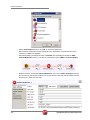
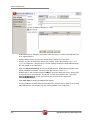
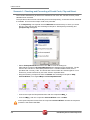
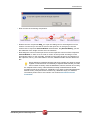
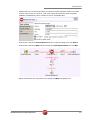
• Now connect the remaining components with a row Main and adopt the schema of the
target component also in the connection to tUniservRTMailOutput.
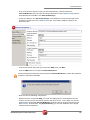
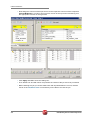
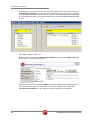
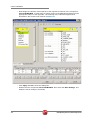
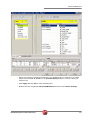
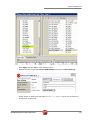
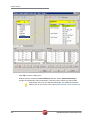
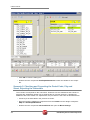
• Double click the component tMap_1 to open the dialog box for the assignment of the
schema. On the left you see the structure of the input source, on the right you see the
schema of the component tUniservRTMailSearch. At the bottom, the [Schema Editor],
you see the attributes of the single columns and can edit them.
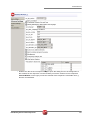
• Now assign the columns of the input file to the respective columns of the component
tUniservRTMailSearch. In order to do so mark a column of the input source and drag it
on the appropriate column on the right side.
300
Data Quality Service Hub Components