1
L-Vis User Manual
118
LOYTEC
11 Special Functions (CEA709)
11.1 Binding Management
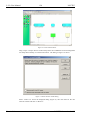
When the configuration software is run in plug-in mode, additional functions to export,
import, and remove the network bindings of the device are available from the Tools menu.
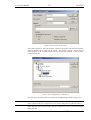
The Export Bindings… function scans the database and outputs all current bindings into a
text file in CSV format. This file may be viewed in a text editor or spreadsheet program and
used for documentation purposes or as a security backup before major changes are done to
the device.
The Import Bindings… function reads a file which was previously created by the export
function or manually created in a text editor and creates all the bindings which are listed in
the file.
NOTE:
If you use a network management tool with a graphic representation of your network
bindings, you will need to update the drawing based on the modified database, so that the
new bindings created by the configuration software become visible. This is normally not
required for object oriented tools, where the new bindings immediately appear in the object
tree.
The Remove Bindings… function is not normally used, but may be helpful if the network
bindings of the device should be reworked completely without deleting the device itself.
NOTE:
This function is also useful for the rare cases where the static interface of a device needs to
be upgraded manually and the network management tool has difficulties to take over the
existing bindings during the upgrade. In this case, export the bindings, remove them, then
do the manual upgrade and as the last step restore the bindings from the file.
11.2 XIF Export
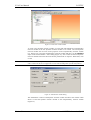
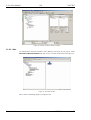
When the selected model is an CEA709 model and the current project uses at least one
static network variable, the menu item Export XIF… becomes available in the Tools menu.
This can be used to create an XIF file for the current project, for later device integration.
This is normally used when the network management software cannot run the configuration
software in plug-in mode and the device must therefore be integrated manually, after it was
programmed outside the network management with the configuration software running in
standalone mode.
To generate an XIF that matches the actual device, there are two options:
Version 3.1
LOYTEC electronics GmbH