1
Note: During this tutorial, you are encouraged to play through it as the text
describes but keep in mind that since many of the situations depend on random
variables, so your results may differ. It is recommended that you just simply
follow along as best as you can, and you are encouraged to replay the scenario
multiple times if you need to. Of course you can also deviate from this tutorial as
much as feel comfortable.
Let’s move on with this introductory scenario!
SCENARIO SELECTION
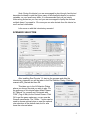
After installing East Prussia '14, start up the program and after the
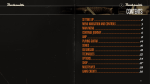
introductory cinematic you will be taken to the File Selection Dialog. Click the
scenario #00_Started and then OK.
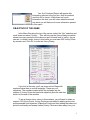
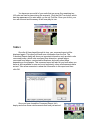
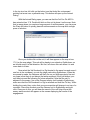
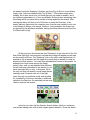
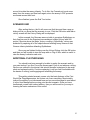
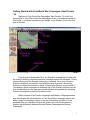
This takes you to the AI Selection Dialog
where you choose the side you wish to play. For
the purposes of this tutorial select Allied Powers
A/I "Manual" for yourself and "Automatic with
FOW" (Fog of War) for the Central Powers. Click
OK to get the game underway, you are now the
German commander. The “Rules…” button can be
used to choose optional rules or reset the optional
rule selections to the default state, but for now
leave the rules set alone.
2