1
Tutorial: Latin Squares/Dye Swap Analysis
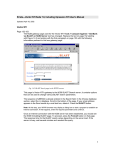
Vector Xpression returns you to the main Import dialog box (Figure 19).
Figure 19. Import Dialog Box
5. Click the Import button (circled in Figure 19) to finish loading the data into the database.
6. In the Import message that asks you whether you want to remember this file format (not shown), click No.
The Finalize Import dialog box that opens (Figure 20) displays a summary of the file features for the
database and allows you to change them, if necessary. Now you will provide new names for the file
features.
Figure 20. Finalize Import Dialog Box (Label the Microarray)
17