1
SRM Series/SRM-KIT Series Monitor
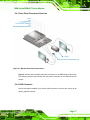
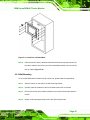
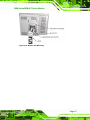
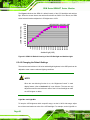
Figure 5-10: Install into a Cabinet/Rack
Step 6: Once the monitor with the attached cabinet/rack has been properly inserted into
the rack or cabinet, secure the front of the rack/cabinet bracket to the front of the
rack or cabinet (Figure 5-10).
5.5.3 Wall Mounting
To mount the SRM series industrial monitor onto a wall, please follow the steps below.
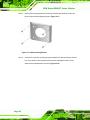
Step 1: Select a location on the wall for the wall-mounting bracket.
Step 2: Carefully mark the locations of the four bracket screw holes on the wall.
Step 3: Drill four pilot holes at the marked locations on the wall for the bracket retention
screws.
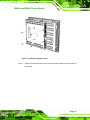
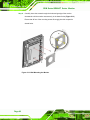
Step 4: Align the wall-mounting bracket screw holes with the pilot holes.
Page 45