1
NextSpeak - Mandarin TTS
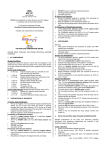
9.1 NextDict User Interface
Clear the history list
Previous searched
word explanation
Next searched
word explanation
Stop the Speaking
Search Internet for
related information
Input Field
Speak out the
explanation
Speak out the word
List Panel
Content
Display help
instructions
Minimize
Setup
Fig. 9-3 NextDict User Interface
UI
Input Field
Description
Enter the word you desired in this field. NextDict support * and ? Wild character.
Clear Search History The input field contains a pull down menu recording all your previous valid search.
To clear this history list, press this button.
Display Previous
search
Traverse the history list and display the previous valid search result.
Display Next Search Traverse the history list and display the next valid search result.
Search Internet
Search Internet for information related to the input word(s)
Stop
Stop any outstanding TTS operation
Speak Content
Speak out the explanation of the lookup word(s)
Speak
Speak out the word(s)
List Panel
Display the first 50 word or phrase matching the input entered in the Input Field.
Content
Display the content of the lookup word(s) or phrase.
Minimize
Minimize the NextDict as an icon in the systray
Settings
Allow you to configure the TTS settings, such as volume, rate and pitch
Display Help
Display the phonetic symbols guide
User Guide
P.19