1
NextSpeak - Mandarin TTS
2.2 NeoSpeech Lily (Mandarin) End User License
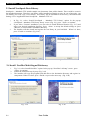
After successfully installed <NextSpeak - Mandarin TTS>, you need to use the NeoSpeech CD-Key printed
in the 3rd page of this manual to register for a valid NeoSpeech Lily (Mandarin) End User License.
Acquiring a New License
Follow the following instructions to acquire a new license of NeoSpeech Lily (Mandarin) Voice.
2
1
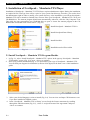
Run the "NextSpeak – Mandarin TTS"
1
program
2
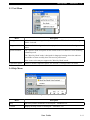
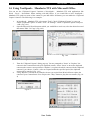
Select "Help" ->
"Apply NeoSpeech Voice End User License"
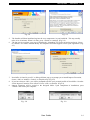
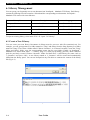
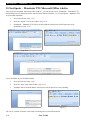
Fill in the CD-Key from Page 3
of the User Manual, then click
3
"Get License"to download the
activation file (verification.txt).
Click "Next" to continue,
4
and at the same time,
please prepare your MAC address.
There are 2 methods for you to check
5
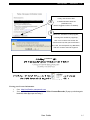
your MAC address: Method 1: Select
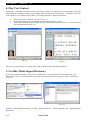
"Start" -> "Run" -> key in "cmd" -> "OK"
6
In the command prompt, enter
"ipconfig /all" command, and then
press enter. The "Physical Address"
is the MAC address. Go back to the page,
fill in the MAC address, then click the
"Get License" button.
7
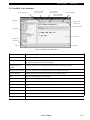
Method 2: Click the link of
"Check Mac address – Only Win32 System"
to install a program, when the program run,
the MAC address field will be automatically filled.
Notes: The program should be unzipped before use.
P.6
User Guide