1
2
Kyubit AnalysisPortal, Dashboards user manual
Contents
1.
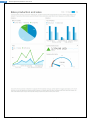
Dashboard features overview ........................................................................................................................ 4
2.
Managing Data Sources .................................................................................................................................. 5
2.1.
3.
Creating and designing dashboards ............................................................................................................... 6
3.1.
Dashboard area, tiles and columns ....................................................................................................... 6
3.2.
Working with Tiles ................................................................................................................................. 6
3.2.1.
Add tile to dashboard ................................................................................................................... 7
3.2.2.
Remove tile from dashboard ........................................................................................................ 7
3.2.3.
Rearrange tiles on dashboard ....................................................................................................... 8
3.2.4.
Configure tile to show visualization .............................................................................................. 9
3.3.
Tile automatic data refresh ................................................................................................................. 13
3.4.
Open custom link in a context of dashboard data............................................................................... 14
3.5.
Dashboard title, header and footer ..................................................................................................... 15
3.6.
4.
5.
6.
7.
8.
Set Data Source permissions ................................................................................................................. 5
Manage columns on dashboard ...................................................................................................... 17
3.7.
Saving Dashboard ................................................................................................................................ 17
3.8.
Enter and exit ‘Design’ view for dashboard ......................................................................................... 18
Configuring dashboard tiles ......................................................................................................................... 19
4.1.
Data usage within tiles (Categories and series) ................................................................................... 19
4.2.
‘Analysis’ data for dashboard tiles ....................................................................................................... 19
4.3.
‘Geo Maps’ configuration and usage ................................................................................................... 22
4.4.
Enlarged view on dashboard tile ......................................................................................................... 23
4.5.
‘MDX query’ data for dashboard tiles ................................................................................................. 24
4.6.
‘TSQL Queries’ data for dashboard tiles .............................................................................................. 25
Working with KPIs ........................................................................................................................................ 26
5.1.
Designing KPI ....................................................................................................................................... 26
5.2.
Understanding data usage for KPI design ............................................................................................ 27
5.3.
Setting permissions for KPI .................................................................................................................. 28
Working with Queries .................................................................................................................................. 29
6.1.
Creating query ..................................................................................................................................... 29
6.2.
Query values measure units ................................................................................................................ 30
6.3.
Impersonate query execution ............................................................................................................. 31
6.4.
Query caching ...................................................................................................................................... 31
6.5.
Setting Query permissions ................................................................................................................... 32
Dashboard slicers and analysis within dashboard ........................................................................................ 33
7.1.
Slicers ................................................................................................................................................... 33
7.2.
Tiles drilldown, drill-through OLAP actions within dashboard ............................................................ 34
Folders and dashboards access permissions ................................................................................................ 34
Dashboards with AnalysisPortal user manual, www.kyubit.com - [email protected]