1
4_Overview
Installation_5
OVERVIEW
Installation
Software
System Requirements
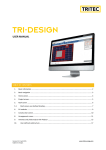
The TRI-DESIGN software is a software developed by TRITEC for the dimensioning and calculation of photovoltaic systems. The program and its integrated calculation and design information provide support for project engineering and the preparation of offers. The TRI-DESIGN software allows any
photovoltaic systems to be planned easily, quickly and efficiently, in terms of
module selection, mounting systems and inverter.
In order for the software to run optimally, the following system requirements
must be met:
• Min. 800 MHz PC
• Min. 512 MB RAM
• Min. 100 MB free hard disc space
• 1024 x 768 monitor resolution
• Microsoft® Windows XP/ Vista/7
• Microsoft.NET Framework 4.0
Functions
The TRI-DESIGN software has the following functions:
• Simple project management
• European-wide location determination with deposited irradiation values
• Available language versions: German, English, French, Italian, Spanish,
Slovene and Croatian
• Planning and calculation of TRITEC photovoltaic mounting systems
TRI-STAND, TRI-STAND Aero, TRI-ROOF and TRI-VENT. They comprise
solutions for pitched and flat roofs with different installation types, for
roof integrated PV systems and building exteriors.
• Automatic calculation of mounting proposals for the designed roof
surface
• Preparation of a BOM (Bill of Materials) of all modules and installation
components including inverters for a PV system
• Clearly arranged display and export of all results
Special Feature
Setup
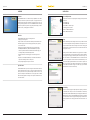
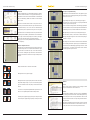
Start the installation by double clicking on the file Setup.exe. We recommend
to close all other applications during the installation so that system files can
be replaced without restart. After selecting the save location for the program
and program files, a Start menu folder can be selected where the link to start
the program is created.
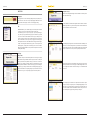
Clicking on Continue starts the installation of the program on the computer.
You can quit the software setup at any time by clicking on Cancel. Installation
of the program and copying of the files may take some time. This step completes the installation of the TRI-DESIGN software. The last window allows
you to choose whether the software should be started immediately or at a
later time manually. Registration with the license number is required to be
able to use all features of the software to the full extent. You can obtain this
license number via www.tritec-energy.com. In this respect, you will obtain
detailed instructions in the menu item Help.
The TRI-DESIGN software presents an integrated solution which enables the
complete handling and processing of a design according to standards. Another special feature is its export functionality. It enables the user to edit,
export and directly send the BOM for all necessary components to TRITEC.
This functionality simplifies the design of solar systems and thus allows even
more efficient work.
Uninstalling
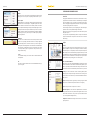
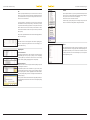
In order to remove the program completely from the computer, you will have
to uninstall it in the control panel. Click on the Start button of the task bar,
then the button Software (Windows XP) respectively Programs and Functions
(Windows Vista). Clicking on the TRI-DESIGN program and then on Uninstall
opens the wizard to remove the program. Finally, clicking on Uninstall in the
appearing window removes the program and all related files from the computer.