1
3 INSTALLATION AND UNINSTALLATION
MELSOFT
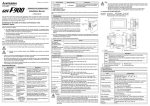
This section describes how to install GT Designer, GT SoftGOT, GT Simulator.
1) Click "GT Designer Install" or "GT SoftGOT Install"
or "GT Simulator Install" on Setup to start the
installer of the corresponding software.
[Only for installation of GT SoftGOT]
2) If "GT SoftGOT Install" is selected in setup, the
screen shown at the left will display.
"GT SoftGOT Install"
Install GT SoftGOT. (Perform the install operation
from step 4)).
"System Driver"
Select to install or uninstall System Driver.
It is not necessary to install System Driver when
the PC CPU module is used.
To the following page
3-3
*If you do not install System Driver, GT SoftGOT will
not recognize the license key even if the license key
is installed, so take care.
3-3