1
Pre-sets in SilverFast
SilverFast’s pre-sets are opened with a click in “Options”. The
important menus for slide magazine scanners can be found in the
following three palettes:
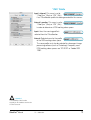
“Auto” Palette
Auto-frame reduction*: The accuracy of
the “Find frame inset” function is controlled by this value. At 0%, SilverFast tries to align the preview
frame and the final scan frame to the exact margins of the slide.
Negative values will enlarge the frame size while positive values
reduce it and move the frame further into the image.
When using iSRD, a slightly smaller value, for example 1%,
should be tested to see if better image margins result. If the
iSRD calculation overlaps with the slide margin, the margin area
of the scan could appear blurred.
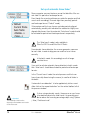
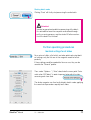
Auto-frame reduction
Close-up of the SilverFast preview
window with different values for the
automatic frame reduction: left: 0%,
right: 1%.
* Attention!
The availability of this function
depends on the hardware and version
of SilverFast used.
12
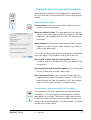
Automatic when ADF/batch*: If this
function is activated, the auto-adjust
is applied to each image in the batch If this function is deactivated, the settings selected for the first scan frame are applied
to all remaining images in the batch.
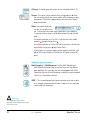
Auto IT8-calibration*: IT8-calibration in
SilverFast is a fully automatic process. Should conflicts occur, the fully automatic mode can be
deactivated and manual procedures activated instead.
7.3 • Addendum
SilverFast® Manual