1
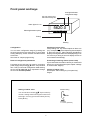
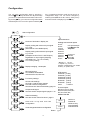
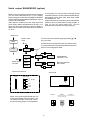
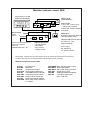
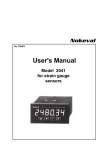
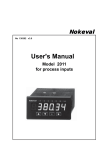
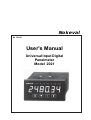
Front panel and keys
Conf-light indicates
configuration stage
M1 min memory led
M2 max memory led
Alarm lights A1..A4
5620.0
Selecting between options
*
Exiting
Entering
Checking of alarm value
First pressing of ➤ key shows setpoint of alarm one
(A1), correspondingly second pressing shows setpoint
of alarm two (A2) etc. Alarm indication light blinks in
display informing that alarm level is displayed (if you do
not touch keys during 8 seconds display returns to
normal state automatically).
Configuration
You can enter configuration stage by pressing two
seconds ▲ and ★ keys at same time. In config state
scaling of display, sensor selection and alarm mode
are chosen.
See closer in chapter programming.
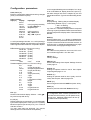
Reset of configuration parameters
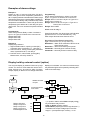
Preventing of entering alarms (secret code)
If you have set secret code for alarms you must feed it
before you can change alarms (see chapter ”settings
of secret codes” Page 8).
Forgotten secret code may be reset by connecting
power supply and pressing ▲,▼ and ➤ -keys at same
time. Then you can enter configuration state entering
secret code ▲▲▲▲▲▲ when requested. Change
secret code and exit by SAVE.
Change of alarm value
See chapter ”Alarm settings by front panel key”
Page 8.
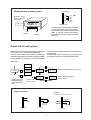
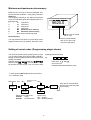
Setting of alarm value
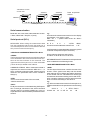
Number setting
You can set alarm value by ▲▼-keys number by
number. Setting starts from largest number from
left to right. You may go to next number by ➤ -key.
Exit by ★-key.
400.00
Numbers
0...9 and , (decimal)
5