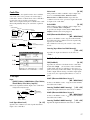
1
4. Parameters
This document explains the parameters that appear the
screen pages that are added when the EXB-MOSS is
installed. For details on the other screen pages, refer to
the Parameter Guide and Basic Guide etc. of the
TRITON.
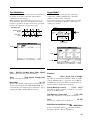
In Program mode, you can use the Write Program
page menu command to write an edited program into
the specified program number.
When you press the front panel [REC/WRITE]
key, the “Update Program” dialog box will
appear. Here too, you can write to the currently selected program.
Be sure to write important programs that you
edit. If you turn off the power or select another
program before you write, your edits cannot be
recovered. Refer to “Saving data” on p.37 of
the TRITON Basic Guide.
Depending on the oscillator types or effect
types used by the programs, a certain interval
of time may be required after a program is
selected until it actually changes.
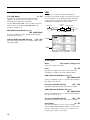
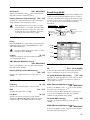
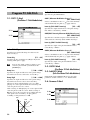
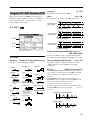
0–2: Arpeggio
Program mode
Here you can perform simple editing of the
arpeggiator.
For details on the parameters, refer to p.3 “0–2:
Arpeggio” of the TRITON’s Parameter Guide.
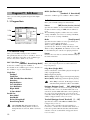
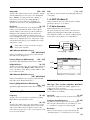
Program P0: Play
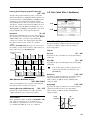
0–1: Perf.Edit (Performance Edit)
Here you can select a program and perform simple
editing.
For details on the parameters, refer to p.1 “1. Program
mode” of the TRITON Parameter Guide.
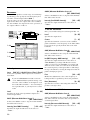
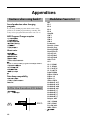
Parameters that can be controlled from the Performance
Editor
Octave
Octave of OSC1, OSC2, and Sub OSC
Pitch
Cannot be used for bank F.
OSC Balance OSC 1 and 2 levels of OSC Mixer 1
and 2
Amp Level
Output level
Attack Time Amp EG, EG1,2,3,4
Attack Time, Time Modulation At
(controls the EG selected by Filter 1, 2,
Filter EG, Amp 1, 2, and Amp Level
EG)
Decay Time Amp EG, EG 1, 2, 3, 4
Decay Time, Slope Filter (controls the
EG selected by Filter 1, 2, FilterEG,
Amp1, 2, and Amp Level EG)
IFX Balance Wet/dry balance of each effect IFX1–5
MFX Balance Master effect return 1, 2
11