1
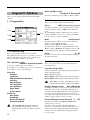
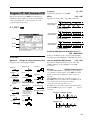
1–2: OSC Basic (Osillator Basic)
1–3: OSC1 (Oscillator 1)
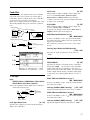
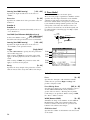
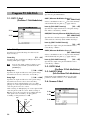
1–2a
Make settings for each oscillator type. The oscillator
type is selected in “1–1a: Mult OSC Setup” or “1–2:
OSC Basic.”
The parameters that are displayed will depend on the
selected oscillator type.
1–2b
Standard
1–2c
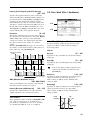
1–3a
1–3b
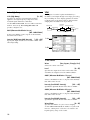
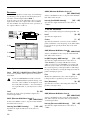
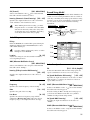
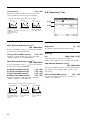
1–2a: OSC 1 Multi OSC Setup
Specifies the basic pitch of oscillator 1
OSC 1 (Oscillator 1 Type)
[Standard…Bowed String Model]
This shows the oscillator type that was selected in “1–
1a: Multi OSC Setup.” This is linked with the identically-named parameter in “1–1a: Multi OSC Setup.”
Octave
[–2[32']…+1[4']]
Specifies the basic pitch of oscillator 1 in steps of an
octave.
32' is two octaves below, 16' is one octave below, 8'
is standard pitch, and 4' is one octave above.
Transpose
[–12…+12]
Adjusts the basic pitch specified by “Octave” in
semitone steps.
Tune
[–50…+50]
Makes fine adjustments to the pitch in one-cent steps.
F. Offset (Frequency Offset)
[–10.0…+10.0]
Makes fine adjustments to the pitch in 0.1 Hz steps.
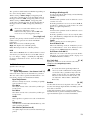
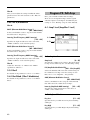
1–2b: OSC 2 Multi OSC Setup
Selects the oscillator type for oscillator 2.
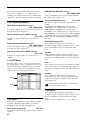
1–2c: Sub OSC
1–3c
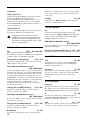
This oscillator produces the waveforms used by an
analog synthesizer (sawtooth wave, pulse wave,
triangle wave) and sine wave. Sawtooth wave, pulse
wave and triangle wave waveforms can be modified
using waveform modulation. You can specify either
sawtooth wave or pulse wave as the main waveform,
and mix triangle wave or sine wave with this for
output. The level of these three waveforms can be
adjusted independently.
In addition, wave shaping can be applied to the output
of this oscillator.
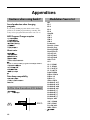
Waveform modulation
Pulse width modulation (PWM) on an analog synthesizer produces time-varying change in the pulse width
of a pulse wave. The waveform modulation provided
by the EXB-MOSS option is an extension of this,
which varies not only the pulse width but also the
waveform of a sawtooth wave or triangle wave.
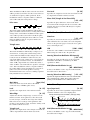
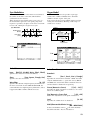
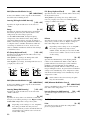
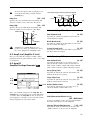
Waveform modulation will affect the various waveforms as follows.
Sawtooth wave
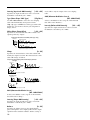
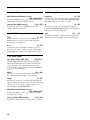
Make basic settings for the sub oscillator.
Parameters other than Waveform are the same as for
oscillator 1.
Waveform
[Saw…Sine]
Select the waveform of the sub oscillator.
-99
-33
0
33
66
99
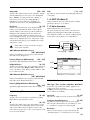
Waveform modulation will modify a sawtooth
waveform as shown below, creating time-variant
change in the sound.
14