1
Basic Tasks –
Website Builder Mode
Web Design – Prebuilt
If you’re in a rush and you need to get your web design done quickly, you can use a prebuilt
template. You literally just point and click on the template design you want to apply to your website.
Then customise it with up to 3 lines of text in the header, add a logo and change the background
colour.
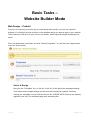
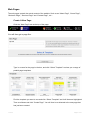
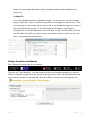
From your dashboard, scroll down and click “Prebuilt Templates”. You will then see a page similar
to the one shown below:
Select A Design
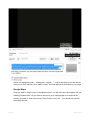
Now click the “Templates” link, or click the “Let’s Go” to the right of the templates heading.
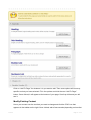
Then select which template design you like and it will instantly be installed. Just keep
clicking new templates until you find the one you like. PLEASE NOTE that they are instantly
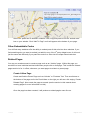
applied to your site! The templates page looks something like:
v1.01.00
Page 5 of 34













![Audio Extremes Entertainment [Graffiti Spray User Manual]](http://vs1.manualzilla.com/store/data/005858722_1-74e7fc11dae975c9529a69c83302f350-150x150.png)