1
MED ASSOCIATES INC.
S O F - 7 0 0 R A - 1 6 C O NT E X T U A L C O N D I T I O NI NG
CHAPTER 1 | INTRODUCTION
The latest version of MED-PC® IV and off-the-shelf programs such as the SOF-700RA-16
Contextual Conditioning Application make it easier than ever to run experiment protocols
without developing a separate MedState Notation program. This manual explains the process of
running the standard protocol and provides examples of editing and modifying the code. The
manual also includes detailed explanations of all the elements in the raw data.
Refer to the MED-PC IV User’s Manual for the installation of the MED-Associates interface
drivers, the MED-PC IV Software, and the Delphi® Compiler, and for instructions on “Hardware
Configuration.” Hardware Configuration is a software utility that comes with MED-PC and is
used to assign the inputs and outputs in the interface cabinet. Data file structure, file saving
format, and other related options are also determined by this utility. Refer to the MED-PC IV
Programmer’s Manual for detailed instructions on translating and compiling an application.
Trans IV must be run on the file Contextual Conditioning protocols (all .mpc files) supplied for
SOF-700RA-16 before launching MED-PC for the first time.
Before proceeding with this manual, print a copy of the .mpc files (Bar Press Shape.mpc, Mag
Train.mpc, Pavlovian VI.mpc, VI-90 Test.mpc, and VI-90 Training.mpc). In the protocols, lines
beginning with a backslash “\” indicates comments that help identify key elements of the code
and explain the function of each program step.
Software I nstall ation
Please refer to the MED-PC IV User’s Manual for a complete guide to installing the MED-PC IV
software, building a valid Hardware configuration with the Hardware Configuration utility, and
opening and compiling a MSN procedure in the Trans-IV utility.
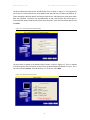
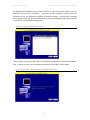
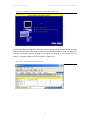
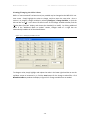
To install the Contextual Conditioning Procedures, insert the CD into the CD-ROM drive and click
Install the Contextual Conditioning Software. The procedures are copied into the C:\MED-PC
IV\MPC folder.
Backing up the Software
Med Associates strongly encourages creating backup copies of the programs in case of disk
failure. Having copies of the original programs may be useful in the future should modifications
be made to the existing programs.
-3-