1
Page
Poolpod Operator Manual (Version PP2 – Applicable to Mark 2 systems only)
8
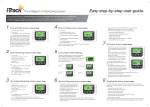
Steps sequence- Remote Operation Mode
1
2
Press and Hold the ‘ Load/Unload’
button Position to move to the
loading position and open the door in
order to board.
Press and Hold the ‘ Home’
button to move the Platform to
storage positon or home position.
3
4
To return the platform to its
‘ Home’ position, Press and Hold
the ‘ Home’ button.
Press and Hold the ‘ Swim Position’
button to close the door and
submerge the PoolPod platform into the
pool.