1
6.18
Ending and Reactivating Tests
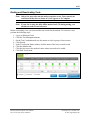
Note: Only a few user roles can end and/or reactivate a test. Tests can only be
reactivated if they have a Status of 1) In Progress or 2) Complete.
Note: If your site is using the fully offline mode of an LCS during testing, you
should not need to reactivate tests.
Before reactivating a test, you must end the test session for the student. To reactivate a test,
perform the following steps.
1.
2.
3.
4.
5.
6.
7.
8.
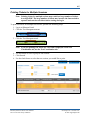
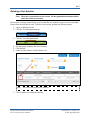
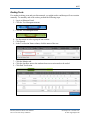
Log in to Educator Portal.
Click the Test Management menu.
On the Test Coordination tab, use the menus to select a group of test sessions.
Click Search.
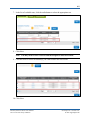
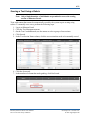
In the Test Session Name column, click the name of the test you need to end.
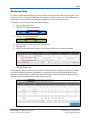
Click the Monitor tab.
Click the box next to the student’s name whose test needs to be ended.
Click End Test Session.
KITE™ | Educator Portal User Manual
2015 © The University of Kansas
ATS Help Line: 785.864.3537
Or [email protected]