1
6.8
Creating a Test Session
Note: In many cases, students are automatically enrolled in assessments on the Test
Management tab. If your students are automatically enrolled, you may not
be able to create test sessions for those assessments.
As part of creating a test session, you select the test, assign students to the test, and name the test
session. To create a test session, perform the following steps.
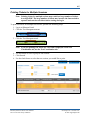
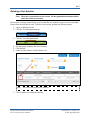
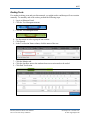
1. Log in to Educator Portal.
2. Click the Test Management menu.
3. Click the Test Management tab.
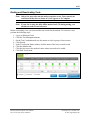
4. Click Add Test Session.
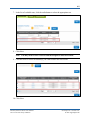
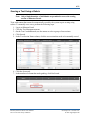
5. Select an Assessment Program.
Hint: You can also select a testing program.
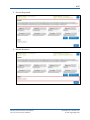
6. Click Search.
KITE™ | Educator Portal User Manual
2015 © The University of Kansas
ATS Help Line: 785.864.3537
Or [email protected]