1
6.2
Understanding Test Tickets
Note: Changes to test tickets for Spring 2016 will be included as soon as the
information is available.
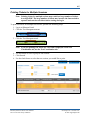
Test tickets contain the students’ login names, passwords, ticket numbers, and other information
used when the student takes a test. Test tickets are generated in Educator Portal and can be
accessed from the Test Management menu on either the Test Management tab or Test
Coordination tab. If you are unsure where to locate test tickets, check with your organization.
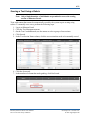
To print test tickets, you first download (or open) a PDF that contains the test tickets. Multiple
test tickets are contained on each page of the PDF, so the tickets will need to be separated (cut
apart) before testing begins.
Note: Depending on your level of access, you may be able to download a CSV file
with test ticket information. This CSV file is described in Chapter 7: Reports.
Test Management Tab
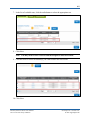
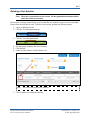
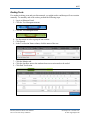
Within Educator Portal, under the Test Management menu, test tickets are displayed on the Test
Management tab. On the Test Management tab, you will see a row for each roster assigned to a
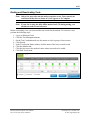
particular test. You can open an individual PDF to print the tickets associated with one roster, or
select multiple rows to create one PDF with the tickets for multiple rosters.
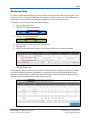
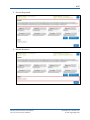
The assessment program name, school ID number, roster name, and educator’s last name are
printed on the upper right side of the test ticket. The dotted lines are guidelines for use when
separating the test tickets.
KITE™ | Educator Portal User Manual
2015 © The University of Kansas
ATS Help Line: 785.864.3537
Or [email protected]