1
Settings
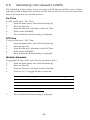
The Web application provides the capability to modify the PIR camera detectors
parameter settings according to your needs
To view the video verification settings page:
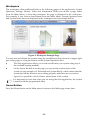
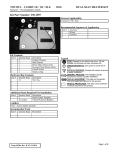
From the Video Menu Bar, click Settings; the Video Verifications Settings Page is
displayed:
Figure 27: Video Verification Settings Page
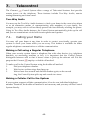
To modify the PIR camera detectors parameter settings:
1. Modify the following parameter settings in the Video Verification Settings page:
Resolution
Quality
Color
Flash
Total Snapshots
Time between snapshots
(0.1 to 2 seconds)
2.
Select the required image resolution (QVGA 320X240,
VGA 640X480)
Select the required image quality (High, Low)
Select the required color setting:
Colour – checked,
B&W – unchecked
Select the required flash setting:
Flash – checked
No flash – unchecked
Enter the number of images that are required upon an
alarm (1 to 7)
Define the time interval between snapshots
Click Save.
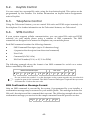
Discuss this capability with your security service provider to determine if it is applicable
to your system.
-40-