1
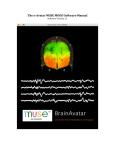
BrainAvatar User Manual
Contents
Minimum PC Computer Requirements.............................................................................................................. 6
BrainAvatar Software Display............................................................................................................................. 7
Main Screen Menu ...................................................................................................................... 7
Login Menu ................................................................................................................................. 8
Select Trainee/Study Folder Menu ............................................................................................. 9
Folder Notes Screen .................................................................................................................. 10
Edit Folder Info Screen ............................................................................................................. 11
Training/Control Screen............................................................................................................ 12
Window Menu .......................................................................................................................... 13
Setup Options Menu ................................................................................................................. 14
Read/Write Settings File Menu ................................................................................................. 15
Data Channels Menu ................................................................................................................. 16
Data Channels Menu (Continued) ............................................................................................ 17
Acquisition Control Menu ........................................................................................................ 18
Montage Info Menu .................................................................................................................. 19
Frequency Bands Menu ............................................................................................................ 20
Training Protocol Menu ............................................................................................................ 21
Display Options Menu .............................................................................................................. 22
Feedback Control Menu ............................................................................................................ 23
Session Control Menu ............................................................................................................... 24
Z-Score Training Menu............................................................................................................. 25
Atlantis Hardware Control Menu.............................................................................................. 26
Review Session Menu ............................................................................................................... 27
Review Session Settings Menu ................................................................................................. 28
Review Session Z-Score Settings ............................................................................................. 29
Global Settings Menu ............................................................................................................... 30
Z-Scores* Global Settings Menu .............................................................................................. 31
BrainAvatar Trainee Folders............................................................................................................................. 32
Classic (Setup Menu) Method .................................................................................................. 32
Creating a Trainee Folder .............................................................................................................................................. 32
Changing to a new Settings Files ................................................................................................................................... 34
Changing settings to a Settings Files ............................................................................................................................. 36
Training Screen Method ........................................................................................................... 38
Creating a Trainee Folder .............................................................................................................................................. 38
Changing to a new Settings Files ................................................................................................................................... 40
Changing settings to a Settings Files ............................................................................................................................. 41
Outside of BrainAvatar Software (File Explorer) ..................................................................... 43
Creating a Trainee Folder .............................................................................................................................................. 43
Changing to a new Settings Files ................................................................................................................................... 46
Walkthrough Guide: How to convert a Settings File from either the BrainMaster 3.0 Series Software or
Discovery Series Software into the BrainAvatar 4.0 Series Software ...................................... 48
BrainAvatar Trainee Screens ............................................................................................................................ 50
Keyboard Quick Keys ............................................................................................................... 50
Keyboard Quick Keys (Continued) .......................................................................................... 51
Renaming Tabs ......................................................................................................................... 52
Displays(Tabs) .......................................................................................................................... 53
Display Types & Functionality ................................................................................................. 54
REF
531-322 v1.2 7/9/2013
Page 2 of 182