1
System Protect Software User Manual
6.2 Installing and configuring the SPS
•
•
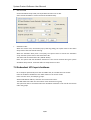
Copy the installation file “setup.exe” to Hyper-V server 2008, enter the path where the
installation file exists
Install the SPS, enter the command: setup.exe.
By the default, the SPS file is installed to the directory C:\Program Files\System Protect
Software for the 32 bit windows. And it is installed to the directory C:\Program
Files(x86)\System Protect Software for the 64 bit windows.
25/33