1
System Protect Software User Manual
•
。
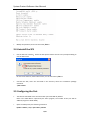
SPS Icon appears in status area of the task bar after the SPS service start Double click the
Icon will start up the SPS interface screen.
2.3 Configuring the SPS
•
SPS offers authority system. Only the administrator of SPS has full privilege to configure and
access in SPS. Users have privilege for reading SPS only. The administrator of SPS is able to
login by click “System” > “Act as Administrator” and then enter the password. By default, the
password is “admin”.
•
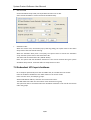
Enter the IP address of NMC via click “Add” button on the screen of SPS.
Enter the Cluster name if the computer is protected by the redundant UPS Input.
The NMC UPSs that under the same Cluster name will become a group.
Note: Please add the network id (for example: %4) as the below image, if the IP address is
IPV6.
7/33