1
Contents
Preface
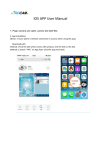
Thanks very much for choosing our IPCamera. In order to make it more convenient for you
to use proficiently, we provide you with a user manual. Please read it carefully before
using and properly keep it for reference.
Statements
We have made every effort to provide the most current information about our product.
We do not grant any guarantees as to the contents of the present instruction manual and
disclaim any implied guarantees concerning market value or suitability for specific purposes.
The information contained here is an instruction intended to enable the correct usage and
maintenance of the receiver.
We reserve the right to introduce amendments, changes or translations of the user manual
without prior notification thereof. For this reason, we recommend you regularly to visit our
website in order to obtain the latest information.
Chapter 1 System Introduction
1. 1 Key Features
1. 2 Environment for System
1. 3 Package Contents
1.4 Interface
Chapter 2 Device Connection
2.1 Ethernet Cable Connection
2.2 Power adapter Connection
Chapter 3 Apple Device setting
3.1 Download and install Apple APP
3.2 APP Features introduction
3.3 Add Camera
3.4 Delete Camera
3.5 Camera Setting
3.5.1 WIFI Setting
3.5.2 User Setting
3.5.3 Time Setting
3.5.4 FTPP Setting
3.5.5 Alarm Setting
3.5.6 Email Setting
3.5.7 Record Setting
3.5.8 Reboot
3.6 Event
3.7 Photo
3.8 Video
3.9 About
Chapter 4 Android Device setting
4.1 Download and install Android APP
4.2 APP Features introduction
4.3 Add Camera
4.4 Delete Camera
4.5 Camera Setting
4.5.1 WIFI Setting
4.5.2 User Setting
4.5.3 Time Setting
4.5.4 FTP Setting
4.5.5 Alarm Setting
4.5.6 Email Setting
4.5.7 Record Setting
4.5.8 Reboot
4.6 Event
4.7 Photo
4.8 Video
4.9 About
Chapter 5 PC software
5.1 Download and install Software
5.2 Software home page introduction
5.3 Add Camera
5.4 Delete Camera
5.5 Camera Settings
5.5.1 WIFI Setting
5.5.2 User Setting
5.5.3 Time Setting
5.5.4 FTP Setting
5.5.5 Alarm Setting
5.5.6 Email Setting
5.5.7 Record Setting
5.5.8 PTZ Setting
5.5.9 DDNS Setting
Chapter 6 Broswer View (IE Example)
6.1 Download and install IE Plug-in
6.2 Download and run IP Camera Finder
6.3 Internet Explorer page introduction
6.4 Camera Settings
6.5 Turn on / off Flashing blue light
How to reset to factory settings
01
01
01
01
02
03
03
03
04
04
04
07
08
08
13
13
14
14
15
15
15
18
19
19
24
24
25
25
26
26
27
28
29
30
35
35
35
36
37
38
39